Global SMS Purchase Guide
다운로드
포커스 모드
폰트 크기
Operational Scenario
Global SMS services adopt a prepaid package model. The use of vouchers is not supported. Purchasing a package is required prior to utilizing Global SMS services. For postpaid daily billing mode activation, please consult your Tencent Cloud account manager.
Prerequisites
Purchase a prepaid package
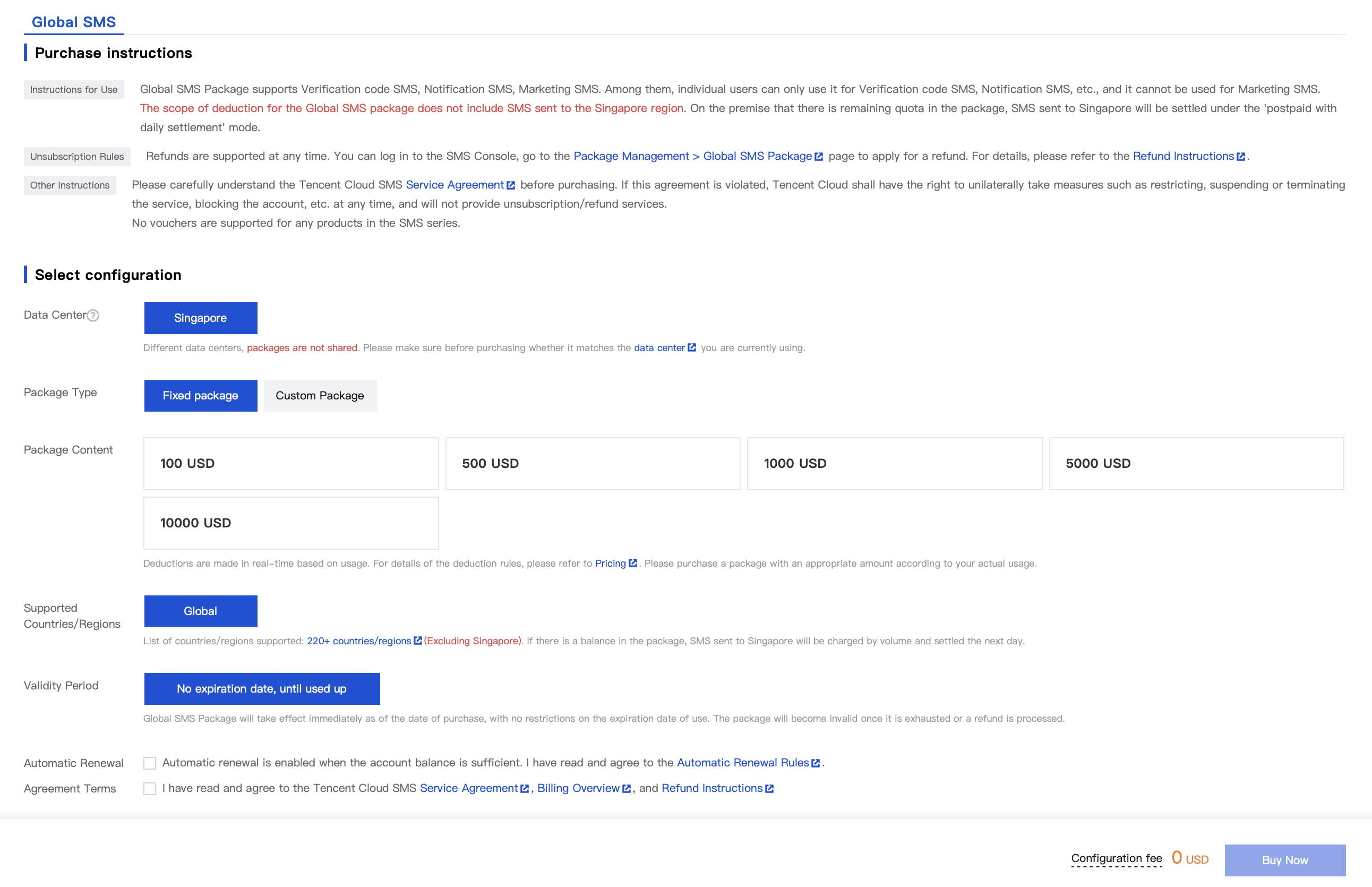
1. Log in to the SMS Purchase Page and select Global SMS. Confirm the package matches your current data center location.
2. Choose your package type and amount, then select whether to enable auto-renewal. Check the box to confirm you have read and agreed to Tencent Cloud SMS Service Agreement, Billing Overview and Refund Policy. Click Buy Now.
Note:
Regarding Package Types, you may choose either Fixed Packages or Custom Packages.
When selecting a Custom Package, you can customize the package amount, with a minimum of $10.
3. Verify the amount of the package you wish to purchase, then click Submit Order after confirmation.
4. Complete the payment.
Note:
If you require an invoice, you may apply for it on the Invoice page.
Due to tax regulations, SMS messages sent to Singapore will be charged via postpaid daily billing. To send SMS to Singapore, you must maintain a prepaid package balance > $0 while ensuring your Tencent Cloud account has sufficient funds.
Next Steps
After purchasing an Global SMS package, you can get started by following the Global SMS Quickstart Guide.
피드백