tencent cloud
최신 혜택
상품
솔루션
가격
파트너
마켓플레이스
더 알아보기
Prev
Next
CVM Dedicated Host
Product Introduction
Overview
Regions and Zones
Strengths
Models
Purchase Guide
How to Purchase
Operation Guide
Querying CDH Instance Information
Search CDH Instance
Rename CDH Instance
Export List of CDH Instance
Assigning CVM Instances
Log into Dedicated CVM
Export List of Dedicated CVM
CVM Configuration Adjustment
Terminating Dedicated CVMs
Migrating Instances Among
FAQs
Billing
Hosts
CVM-related
문서
CVM Dedicated Host
Operation Guide
Rename CDH Instance
Rename CDH Instance
Download
포커스 모드
폰트 크기
마지막 업데이트 시간: 2021-06-30 14:31:20
In order to facilitate quick identification and management of CDHs, Tencent Cloud supports setting of host name with immediate effect.
Renaming a CDH Instance in Console
1.
Log in to the
CDH Console
.
2.
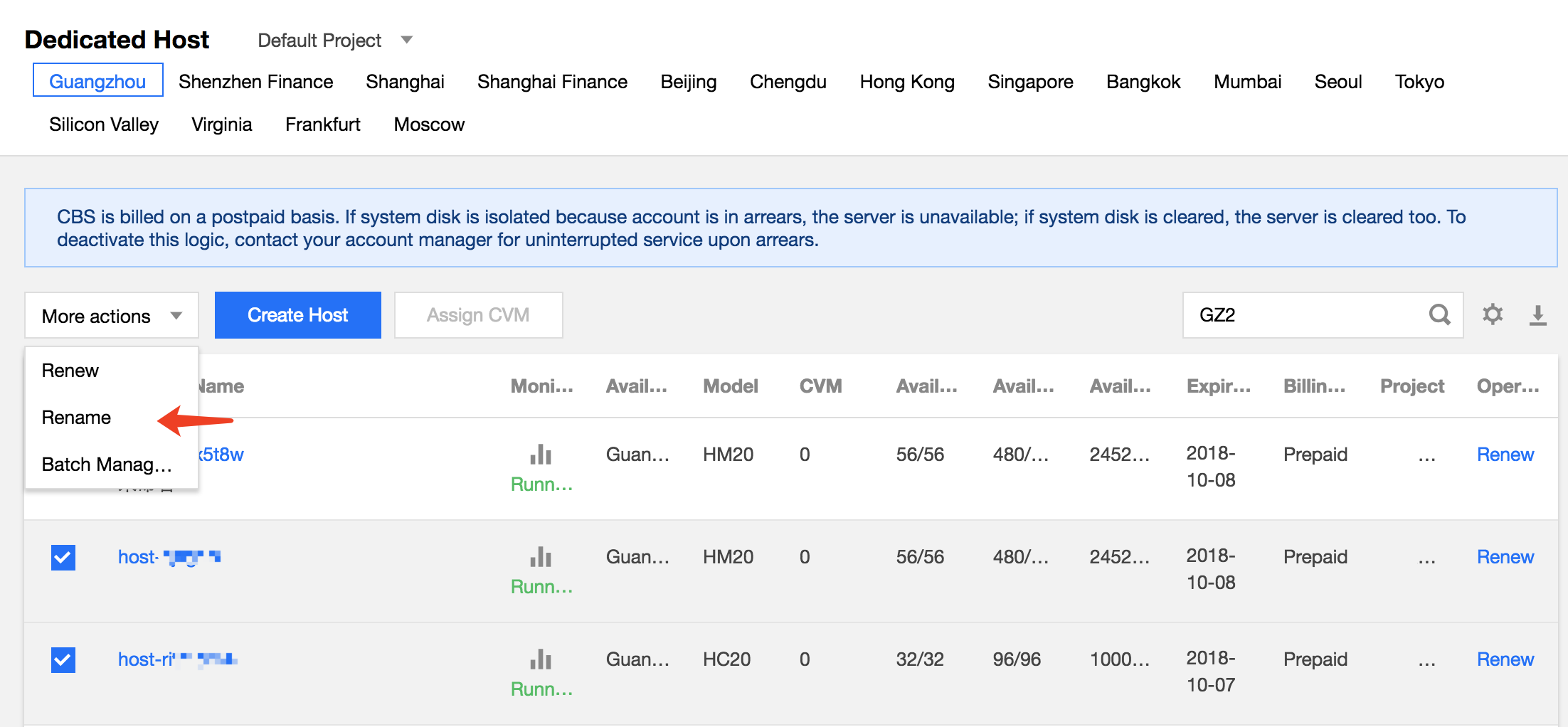
Select a region, check the host to be renamed and click
More actions
>
Rename
at the top of the list.
3.
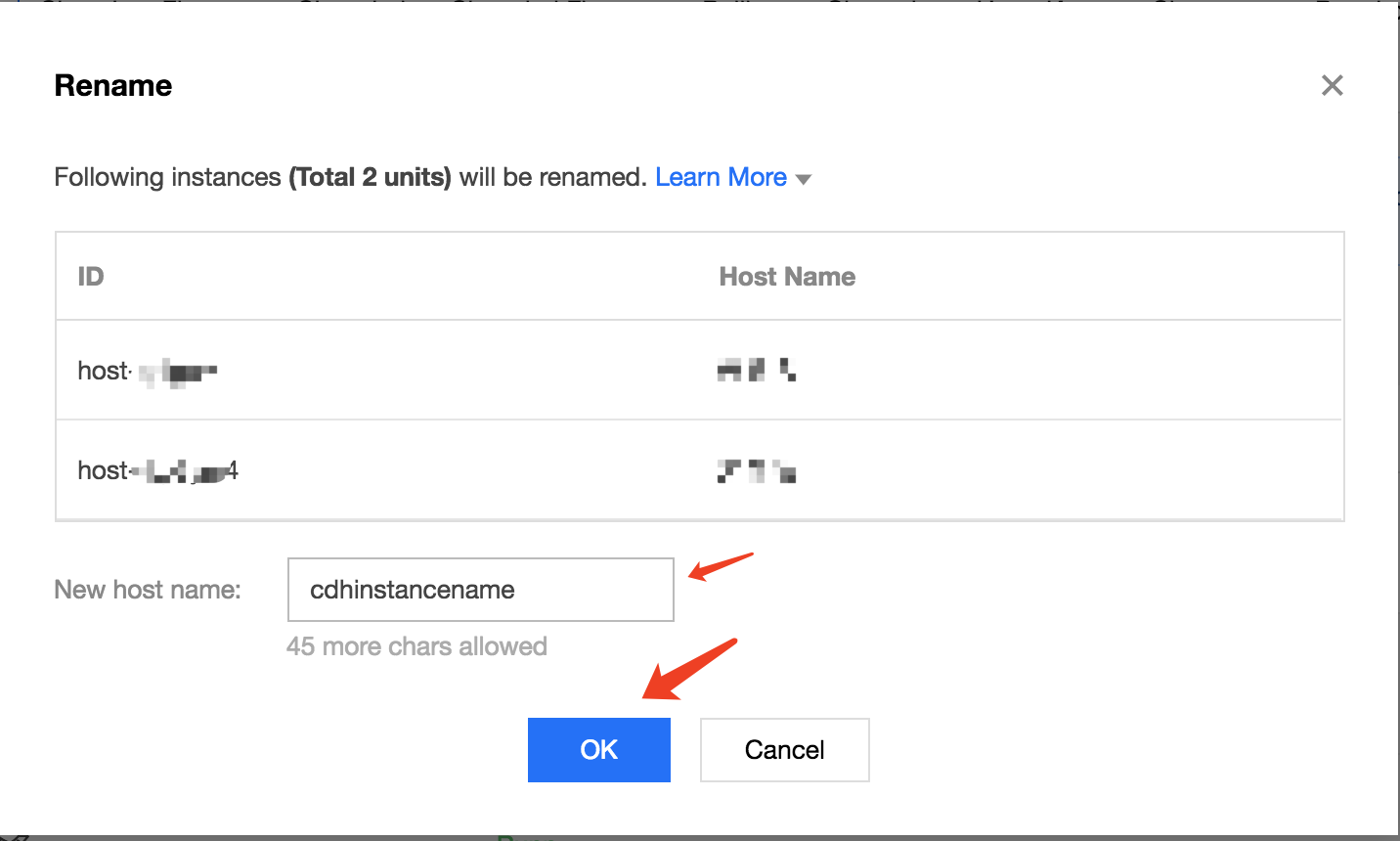
In the renaming operation pop-up, enter the new host name and click
OK
to complete.
Renaming a CDH Instance Through API
CDH instances can be renamed using the ModifyHostsAttribute API. For details, see
API for Modifying CDH Instance Attributes
.
이전 주제: Search CDH Instance
다음 주제: Export List of CDH Instance
도움말 및 지원
문제 해결에 도움이 되었나요?
예
아니오
더 자세한 내용은
문의하기
또는
티겟 제출
을 통해 문의할 수 있습니다.
피드백