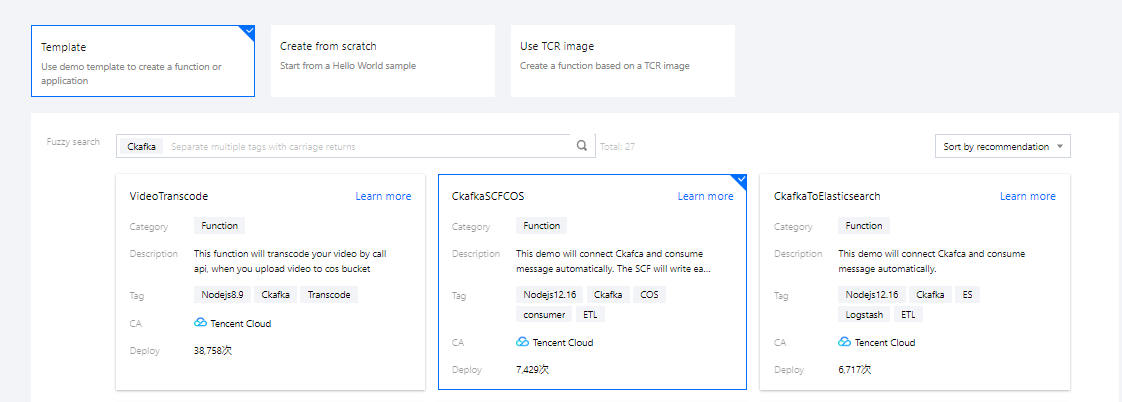
2. On the function creation page, select Template, search for CKafka, and select
CkafkaSCFCOS as shown below:
3. Click Next.
Step 2. Configure a trigger
On the Function configuration page, set the basic configurations of the function.
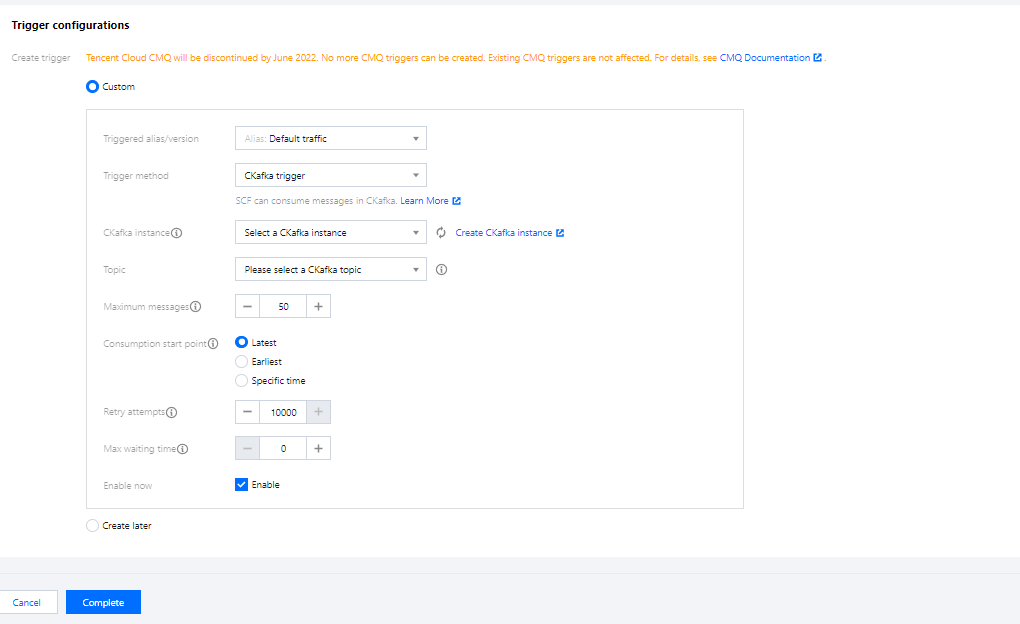
1. In Trigger configurations, select Custom to create a trigger as shown below:
Select CKafka trigger and configure the name, topic, and other information of the CKafka instance as the message source as prompted. You can also choose to create a CKafka instance.
Note:
Make sure that your function and CKafka instance are in the same VPC.
2. Click Complete.
Step 3. Manage the trigger
After the function is created, go to the function details page, and you can see the created trigger in Trigger management. You can also turn triggers on or off there.