Configuring Instance Termination Protection
Download
포커스 모드
폰트 크기
After instance deletion protection is enabled, the instance cannot be deleted through the console or an API. To delete the instance, you need to manually disable the deletion protection feature first. It is recommended to keep this feature enabled for key businesses.
Constraints and Limitations
Instance deletion protection does not apply to system-level deletion. For example, postpaid by hour instances are isolated and subsequently released due to overdue payment, and yearly/monthly subscription instances are isolated and released after expiration.
Enabling Instance Deletion Protection
There are three entries to enable instance deletion protection.
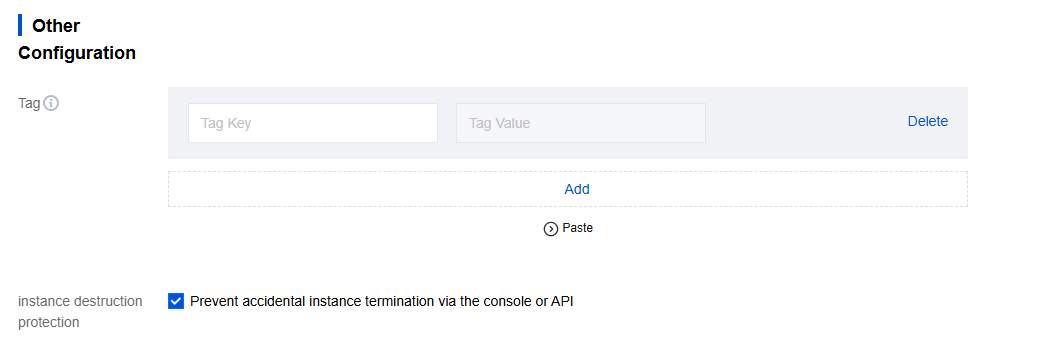
Entry 1: Log in to the TDMQ for CKafka console, click Create in Instance List, and enable instance deletion protection on the purchase page.
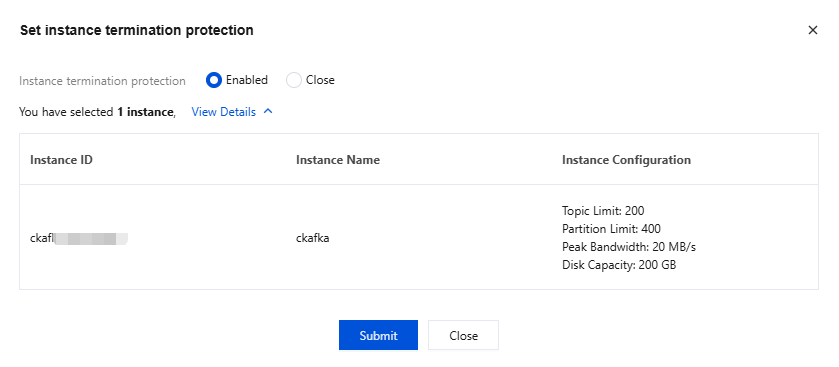
Entry 2: Log in to the CKafka console, choose More > Set Instance Termination Protection in the Operation column of the target instance in Instance List, and enable instance deletion protection.
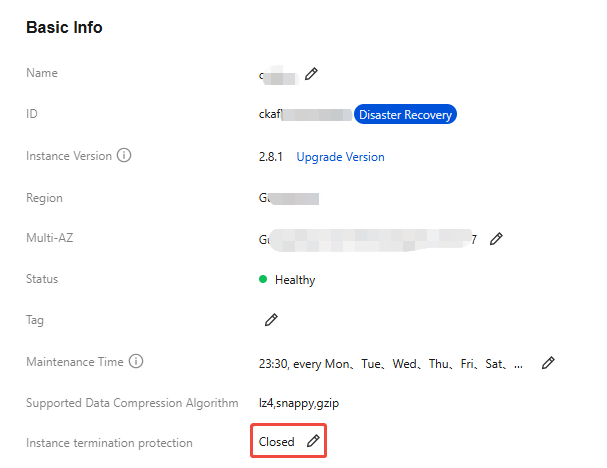
Entry 3: Log in to the CKafka console, click the ID of the target instance in Instance List to go to the basic instance information page, and enable Instance Termination Protection in the Basic Info module.
Disabling Instance Deletion Protection
There are two entries to disable instance deletion protection.
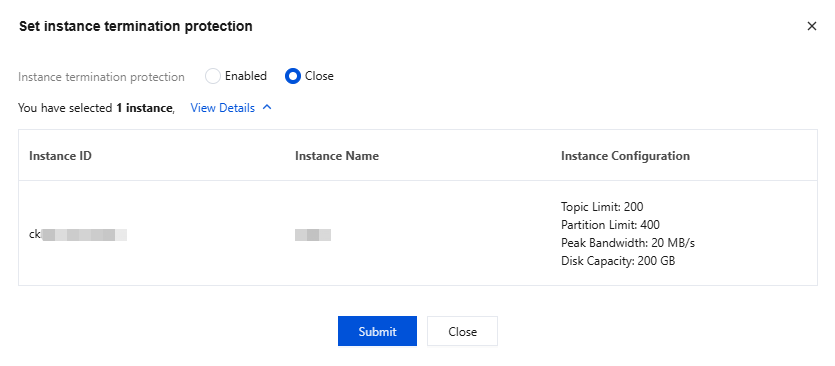
Entry 1: Log in to the CKafka console, choose More > Set Instance Termination Protection in the Operation column of the target instance in Instance List, and disable instance deletion protection.
Entry 2: Log in to the CKafka console, click the ID of the target instance in Instance List to go to the basic instance information page, and disable Instance Termination Protection in the Basic Information module.
피드백