If an ES cluster is no longer needed as your business changes, you can terminate it in the console to avoid further fees. If the cluster cannot meet your needs, you can also scale it to the appropriate specifications by adjusting its configuration. For more information, see Adjusting Cluster Configuration.
Note on Fees
Pay-as-you-go clusters are billed by the actual usage and can be terminated at any time. After the termination, no more fees will be incurred.
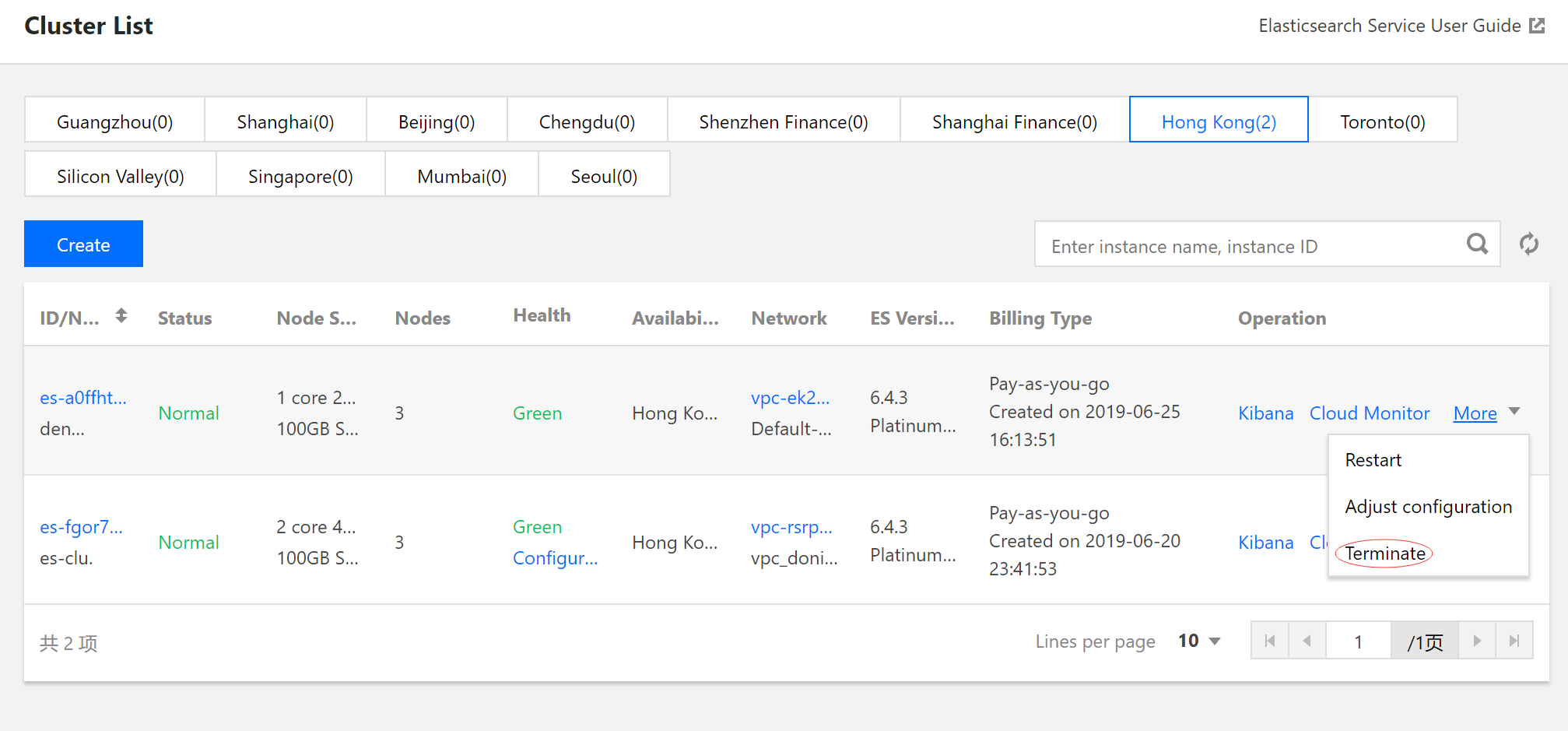
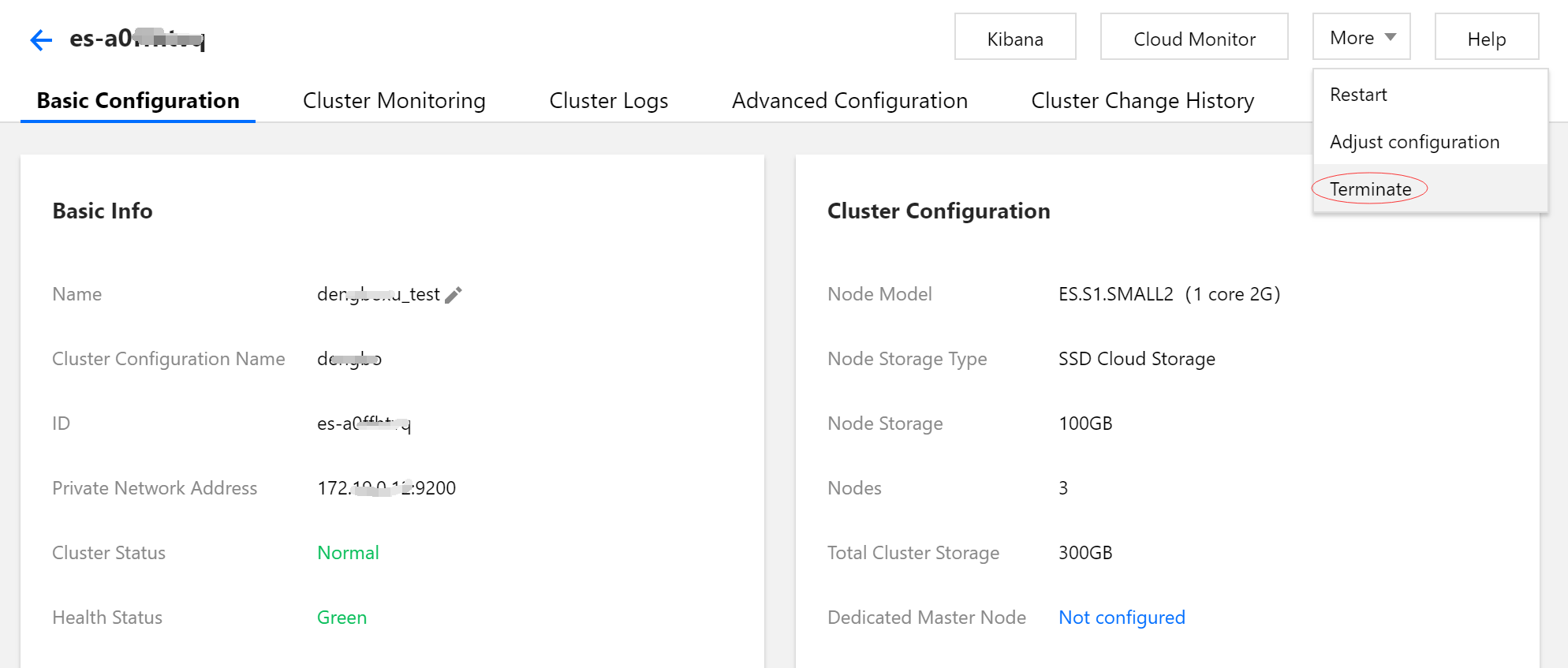
2. You can terminate a cluster either on the cluster list page or the cluster details page.
On the cluster list page, select a cluster and select More > Terminate in the "Action" column.
Click the cluster name to enter the cluster details page and select More > Terminate in the top-right corner.
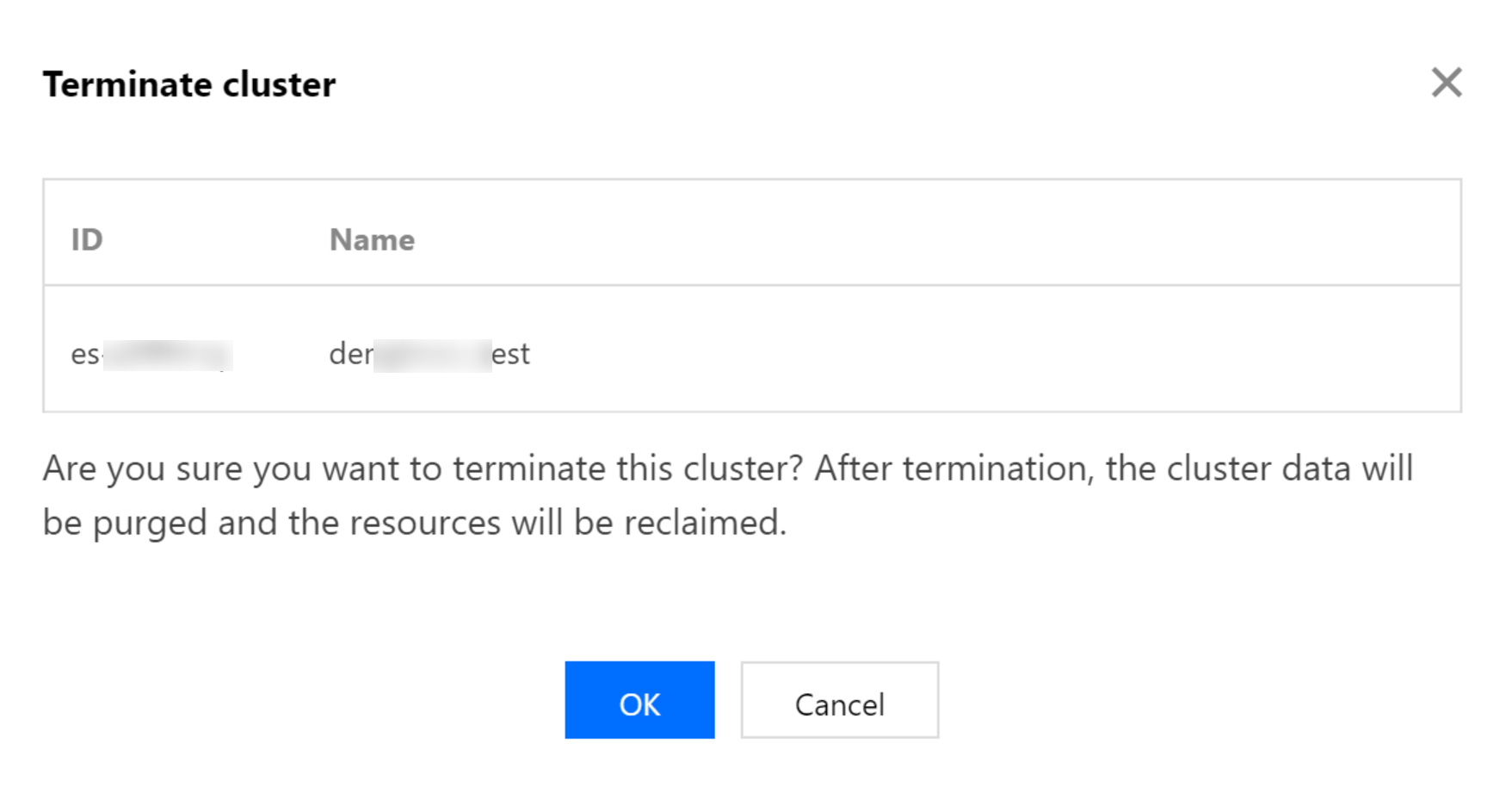
3. In the cluster termination dialog box, click OK and the system will clear the cluster data and repossess the resources. Data can not be recovered once cleared.