Third-Party Cookie Settings
Download
포커스 모드
폰트 크기
To use the console retrieval and analysis capabilities, your browser should support third-party cookies. Common browser settings are as follows:
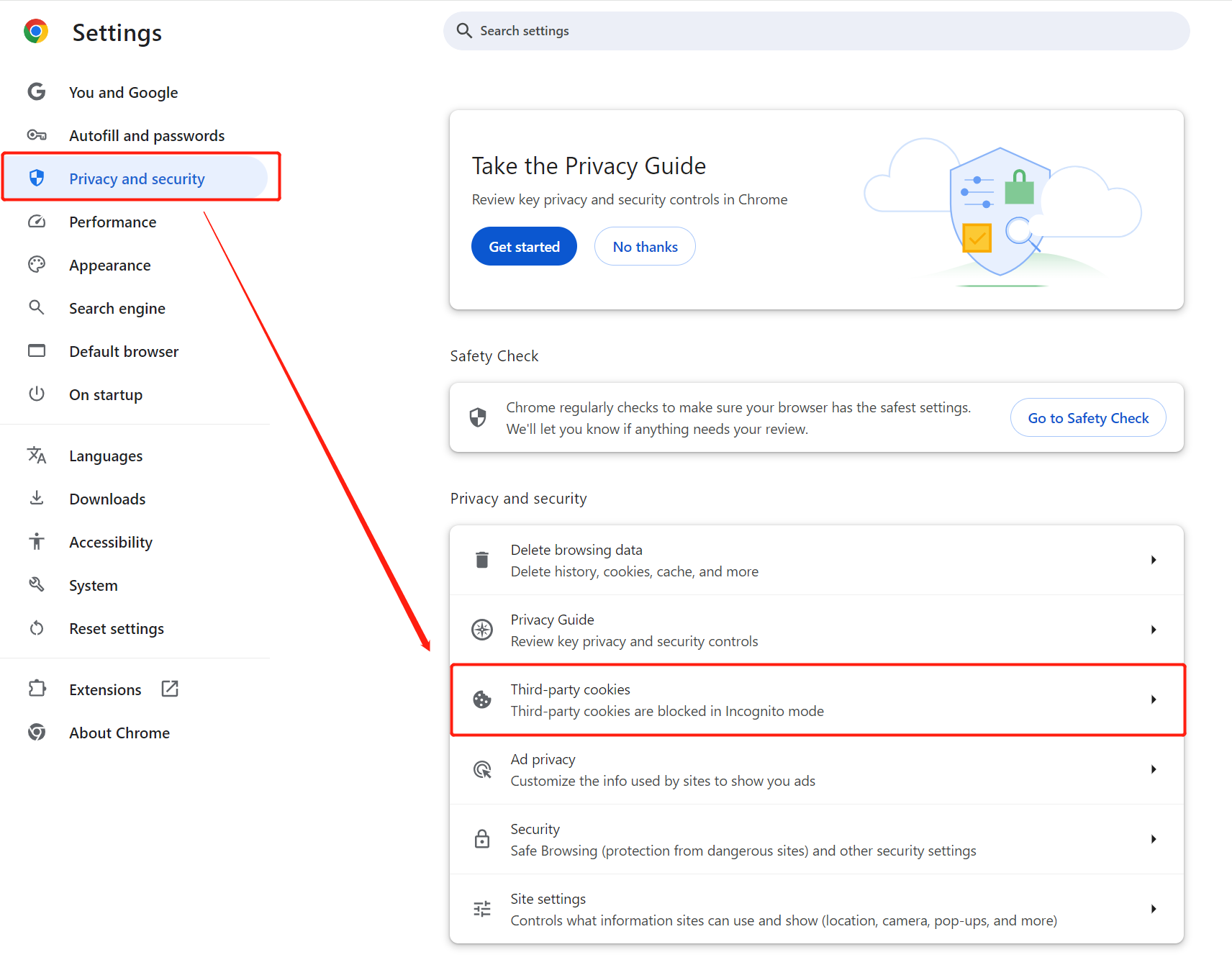
Chrome
1. Open the Chrome browser.
2. Click More Options in the upper right corner 
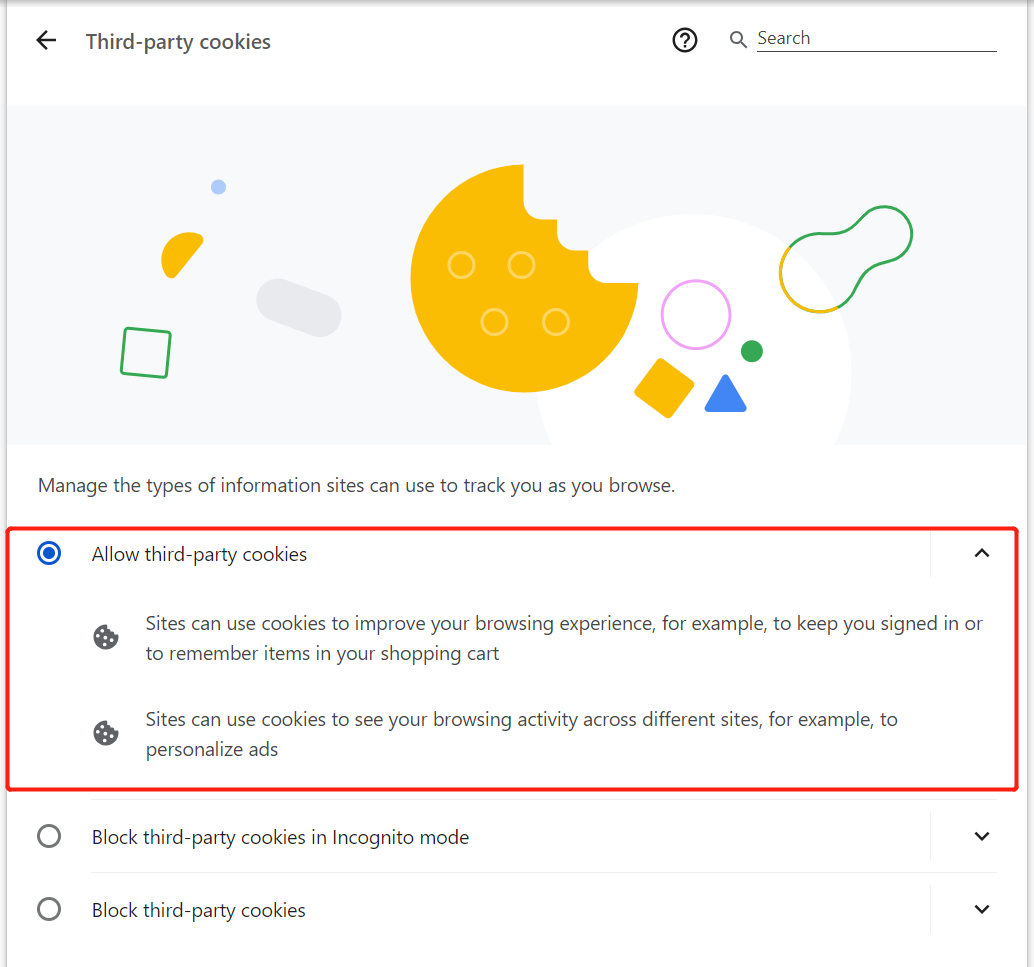
3. Click Settings > Privacy and security > Third-party cookies > Allow third-party cookies.
Safari
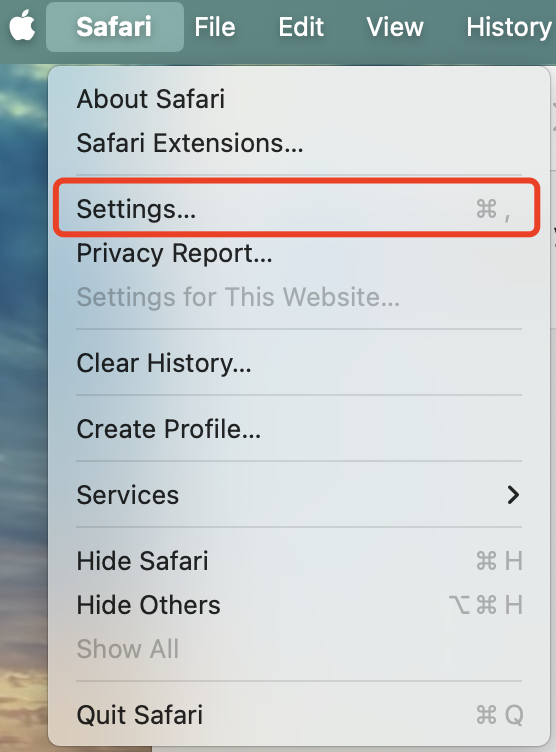
1. Open Safari on your Mac computer.
2. Go to Safari Browser > Settings to open the settings interface.
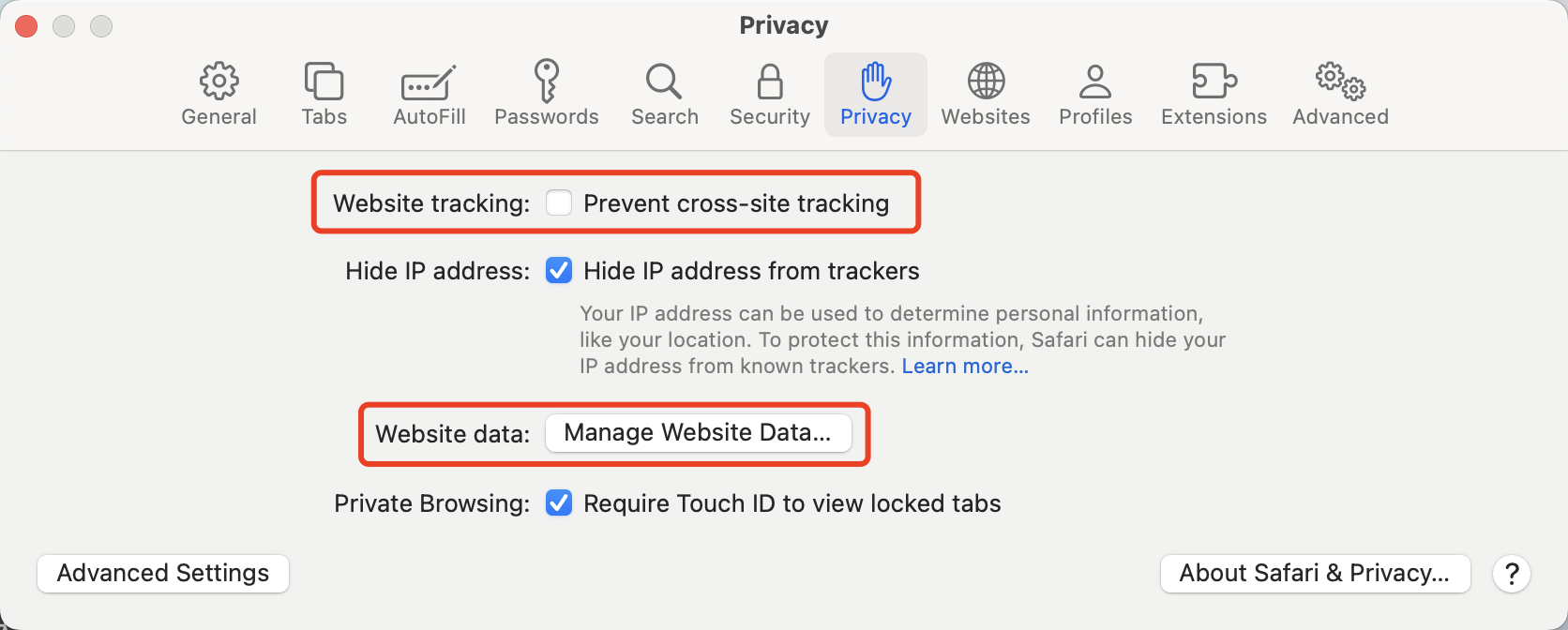
3. In the Privacy settings, uncheck Prevent cross-site tracking and Manage Website Data.
피드백