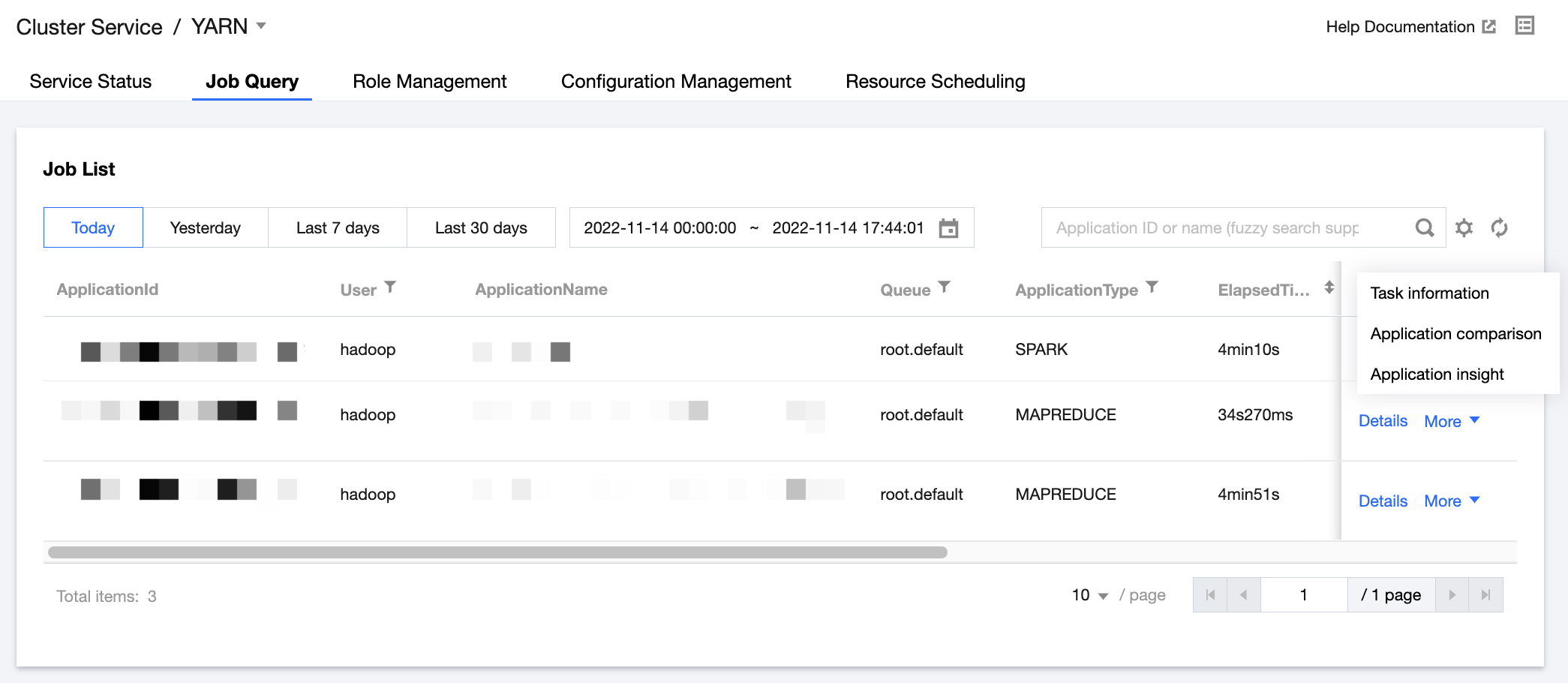
You can view submitted jobs, memory and vCore consumption, and other information at the user granularity, and quickly check the queue, status, duration, and other metrics of YARN jobs in the EMR console. Comparison of historical tasks by job, job insight, task execution information, and other features are also available.
Directions
1. Log in to the EMR console and click the ID/Name of the target cluster in the cluster list.
2. On the cluster details page, click Cluster services and select Operation > Job query in the top-right corner of the YARN component to view job statistics and resource consumption trends, query job and task information, get insights into application execution results, and compare application monitoring data.
i. Submitted jobs, view and distribution of memory and vCores consumed at the user granularity, and recent trends of relevant metrics.
ii. Job filtering by user, application name, queue name, job type, duration, or relevant throughput metrics.
iii. Resource consumption statistics by user, queue, or other metrics, helping check costs (also supported by API).
Caution
To use the new features of task information, application insight, and application comparison for applications of Spark type, you first need to check whether the Spark History version is supported by running curl "http://localhost:10000/api/v1/applications" | json_pp. If the returned result is in abnormal JSON format, the Spark History version is not supported. In this case, you can submit a ticket to apply for enabling such features.
In job query, ResourceManager data is collected once every 30s. The collection operation has negligible impact on cluster running.
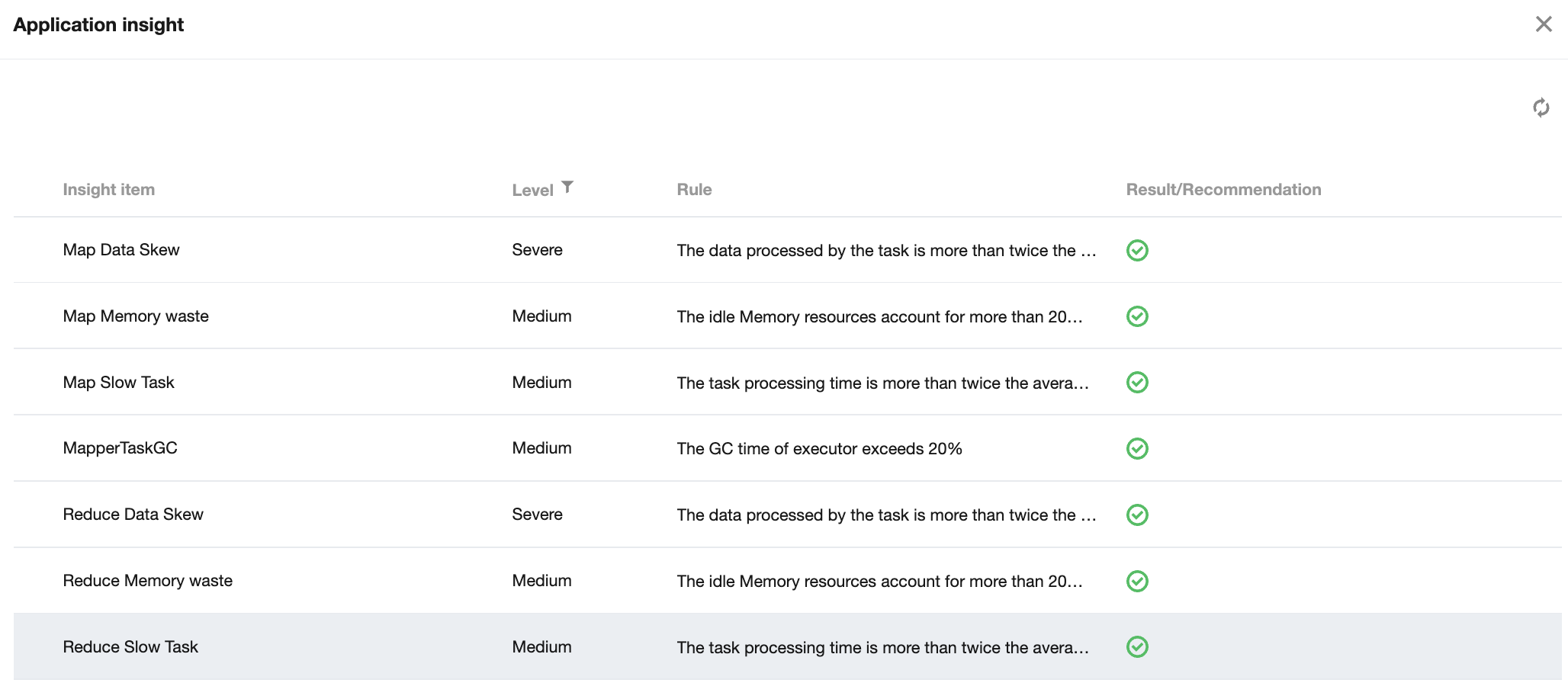
3. In the job list, click More > Application insight to view detailed application insight items and related insight rules, results, and suggestions.
Caution
To ensure stable cluster running, no collection will be performed when any of the following rules is met:
1.1 Apps for which the runtime is less than 10 minutes.
1.2 Apps for which the number of subtasks during collection is greater than 30,000.
1.3 Apps for which the collection delay time is longer than 24 hours.
You can submit a ticket to modify relevant parameters of insight collection policy.
Risk description
YARN's application insight feature collects and analyzes the application data of Spark History, Job History, and Timeline Server. If you find the number of requests of this service constantly exceeds the load threshold, you can submit a ticket to disable the feature.
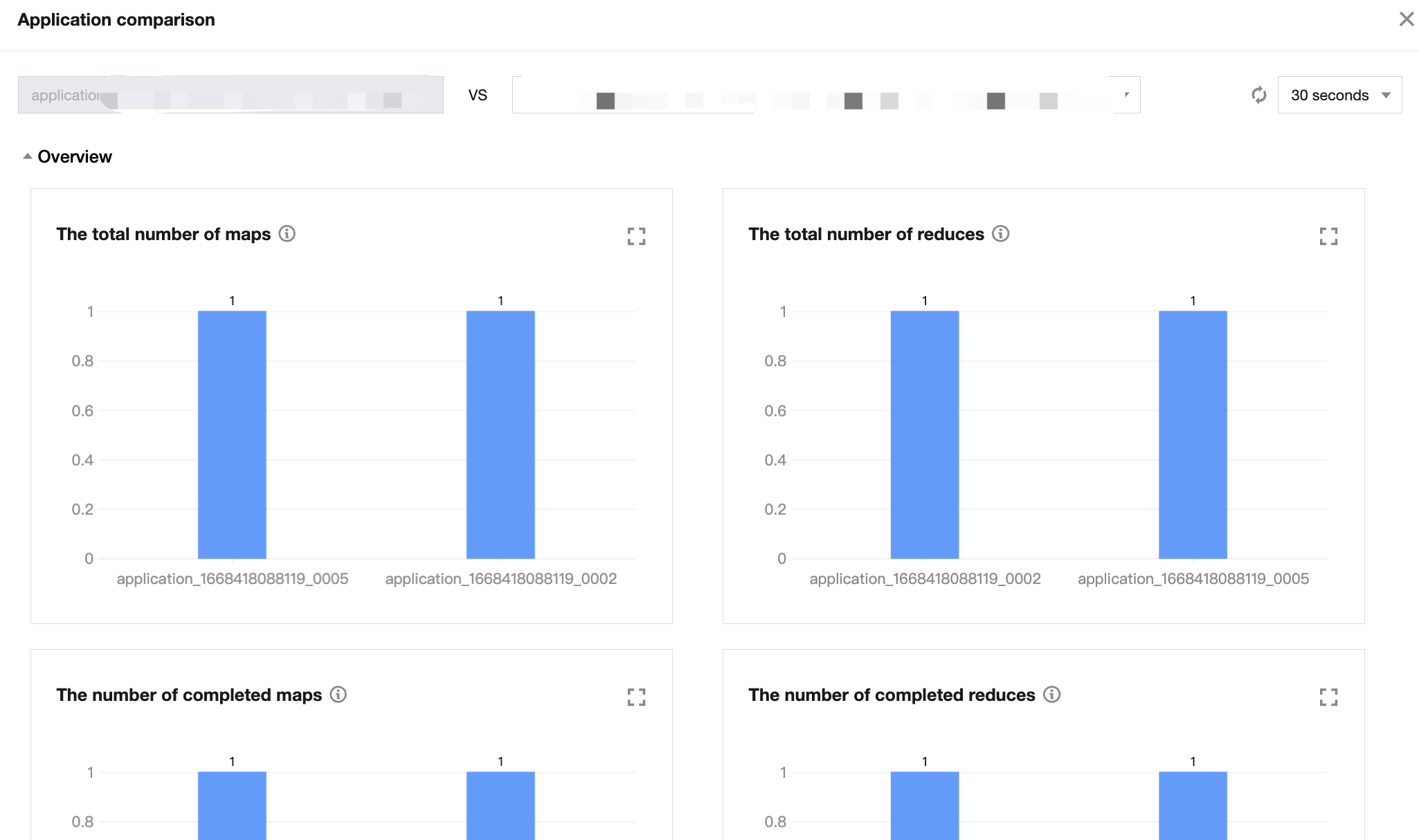
4. In the job list, click More > Application comparison to compare the business metrics between the current application and another application of the same type.
Caution
Only applications of MAPREDUCE, Spark, or Tez type in the final status of SUCCEEDED can be compared.
Applications of the same type with the same name are filtered on the page by default. Only applications of the same type can be selected and filtered for comparison, and real-time data can be filtered and queried on the backend.
5. In the job list, click More > Task information to view the job task list, hosts comparison, and task execution logs.