iOS (SwiftUI)
Baixar
Modo Foco
Tamanho da Fonte
Feature Description
The Message Read Receipt feature notifies the sender when a recipient has read their message. Once the recipient opens the message, the read status is reported, and the backend system sends a notification back to the sender indicating that the message has been viewed.
In instant messaging apps like WhatsApp or WeChat, senders see a read indicator—such as a blue check mark or a "Read" label—when recipients view their messages.
Message Read Receipt helps confirm that important information has been seen. However, it may also introduce psychological pressure or privacy concerns. Users have the option to disable the Message Read Receipt feature if desired.
Notice:
This feature is available only in the Pro edition, Pro edition Plus, and Enterprise edition. To use Message Read Receipt, please purchase the Pro edition/Pro edition Plus/Enterprise edition.
Effect Display
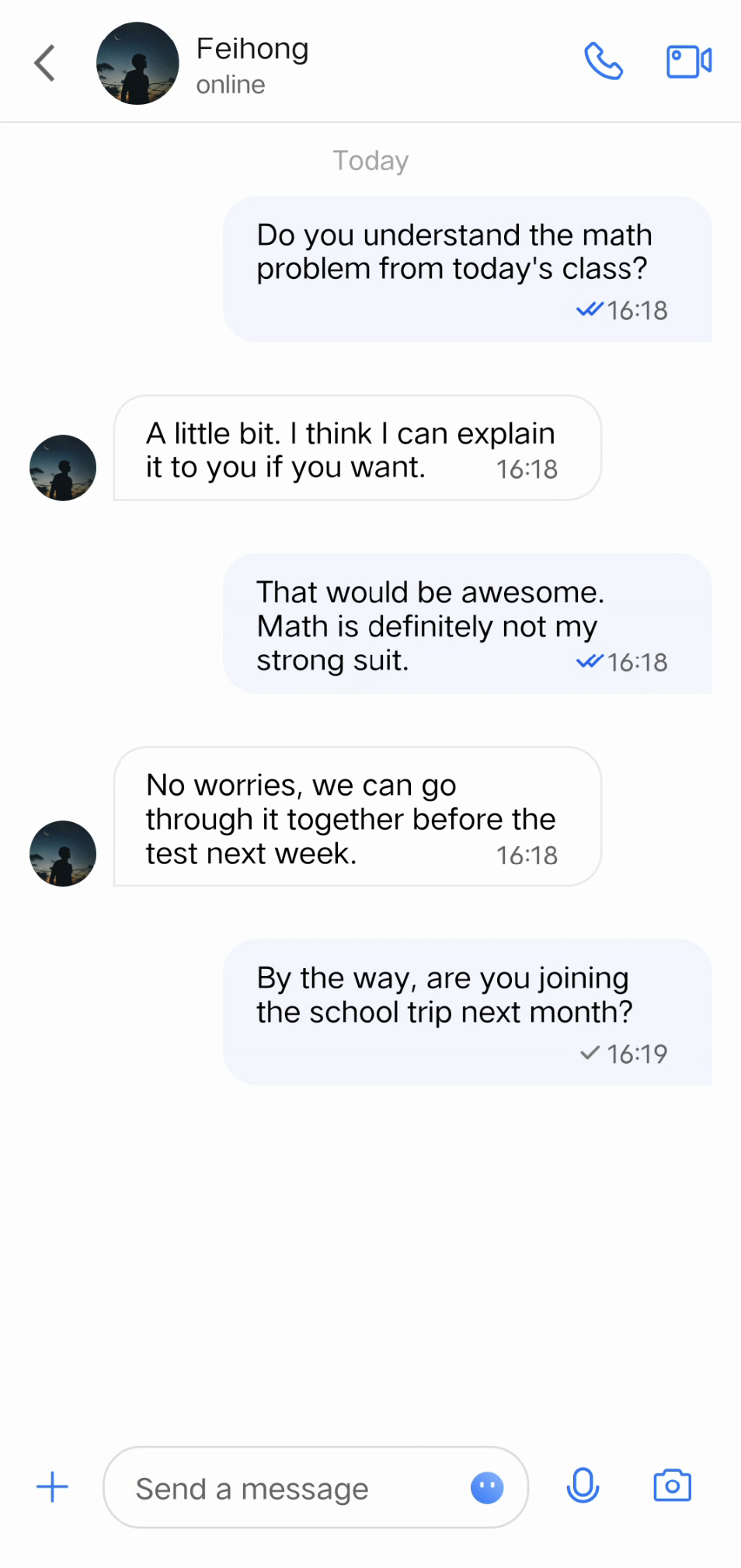
One-on-One Message Read Receipt
The read status appears next to the message as a ✔️ or a highlighted ✔️✔️.
Group Message Read Receipt
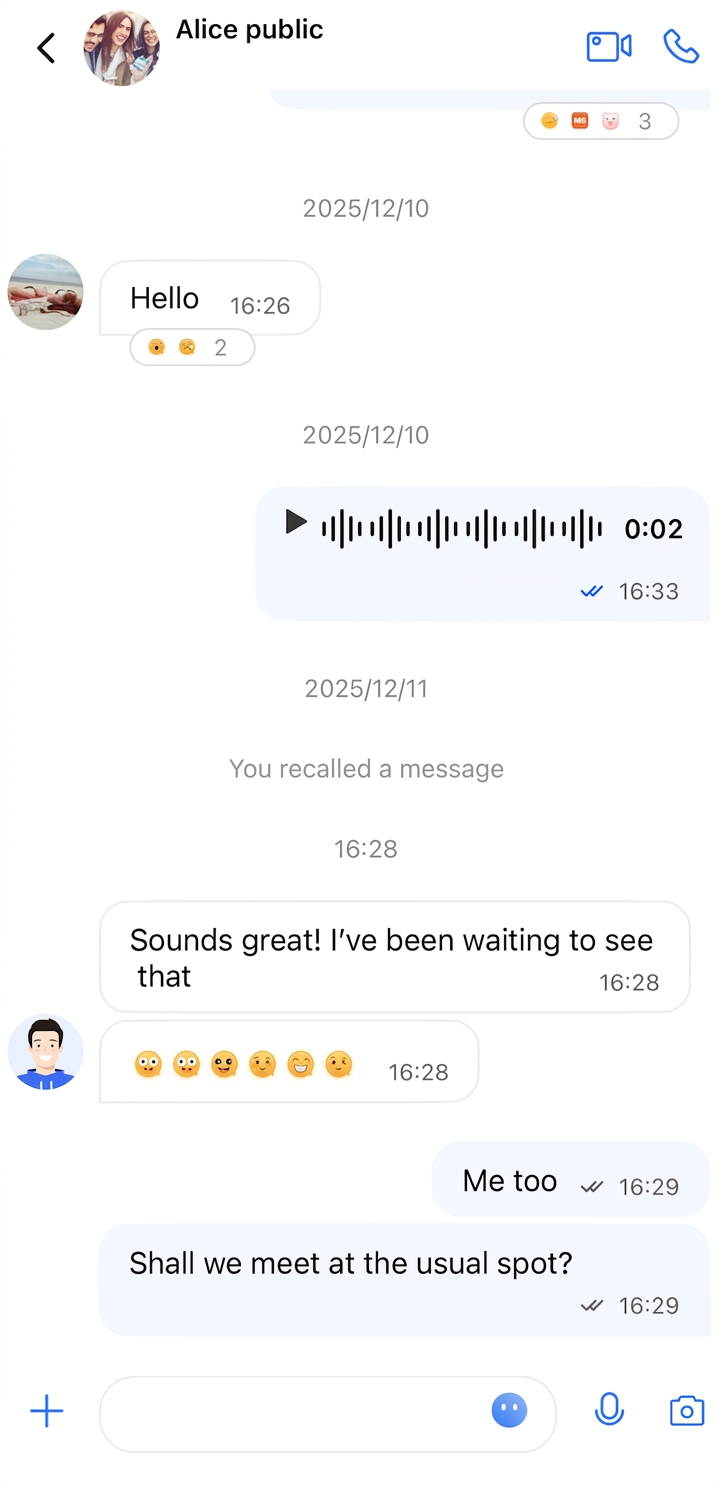
For group messages, the read status is shown as follows:
If no one has read the message, a ✔️ is displayed.
If some members have read it, a gray ✔️✔️ appears.
If all members have read it, a highlighted ✔️✔️ is shown.
Message List
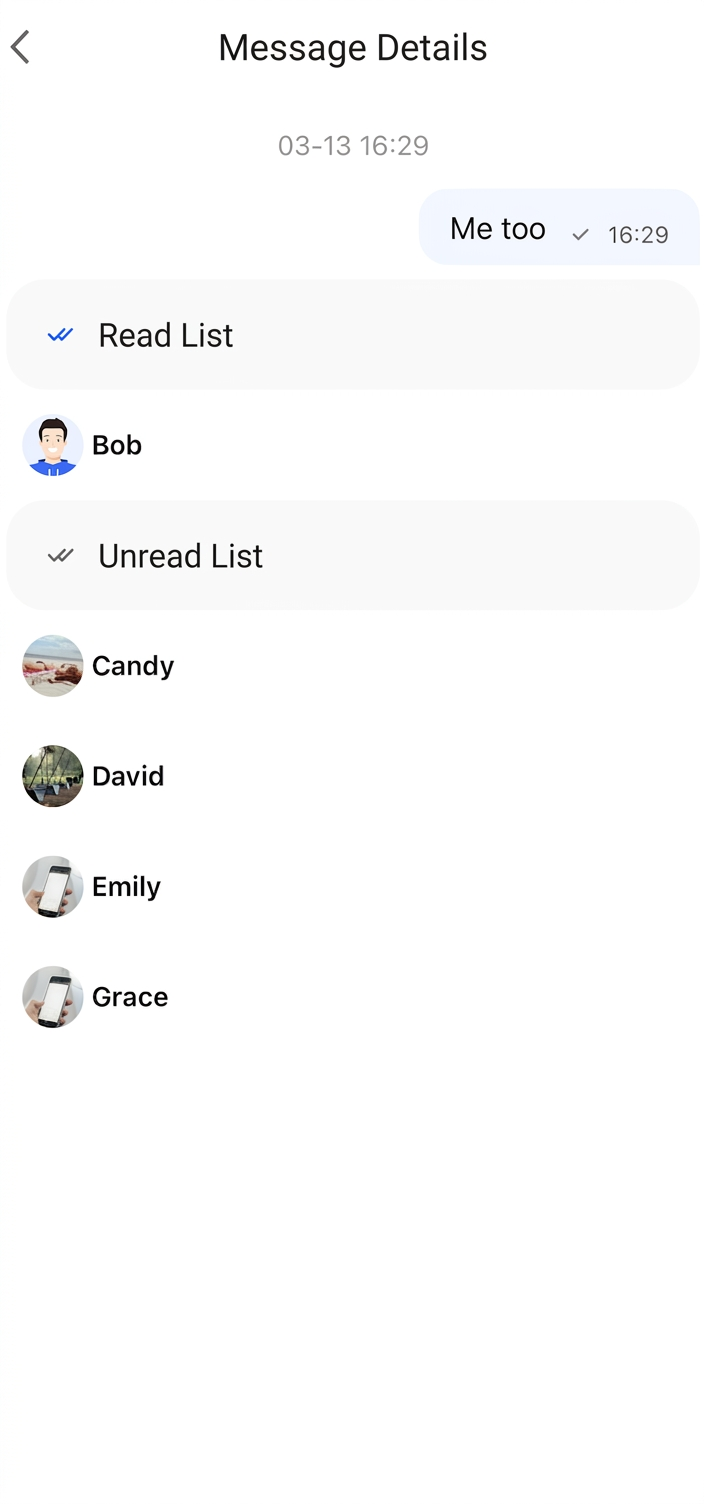
Read Receipt Details
Click the read status indicator to view the Read Receipt details page.
Enable Message Read Receipt
The Message Read Receipt feature can be toggled in the
AppBuilderConfig.swift file using the enableReadReceipt property, which is of type BOOL and defaults to false.To enable Message Read Receipt, set the property before initializing the chat page:
AppBuilderConfig.shared.enableReadReceipt = true
FAQs
Error: The usage of this API is not supported by the package. Please upgrade to the premium versions.
Read Receipt is only supported in the Pro edition, Pro edition Plus, and Enterprise edition. If you see this error, your current package does not support this feature. Please upgrade to the Pro edition, Pro edition Plus or Enterprise edition to enable Read Receipt.
Ajuda e Suporte
Esta página foi útil?
Você também pode entrar em contato com a Equipe de vendas ou Enviar um tíquete em caso de ajuda.
comentários