Android (Compose)
Baixar
Modo Foco
Tamanho da Fonte
Feature Description
If you have integrated TUIKit Compose, you can use the message emoji reaction feature directly.
Notice:
The emoji reaction feature is available only for Pro edition Plus or Enterprise edition plans. Please purchase Pro edition Plus or Enterprise edition before enabling this feature.
Feature Showcase
Sending Emoji Reactions
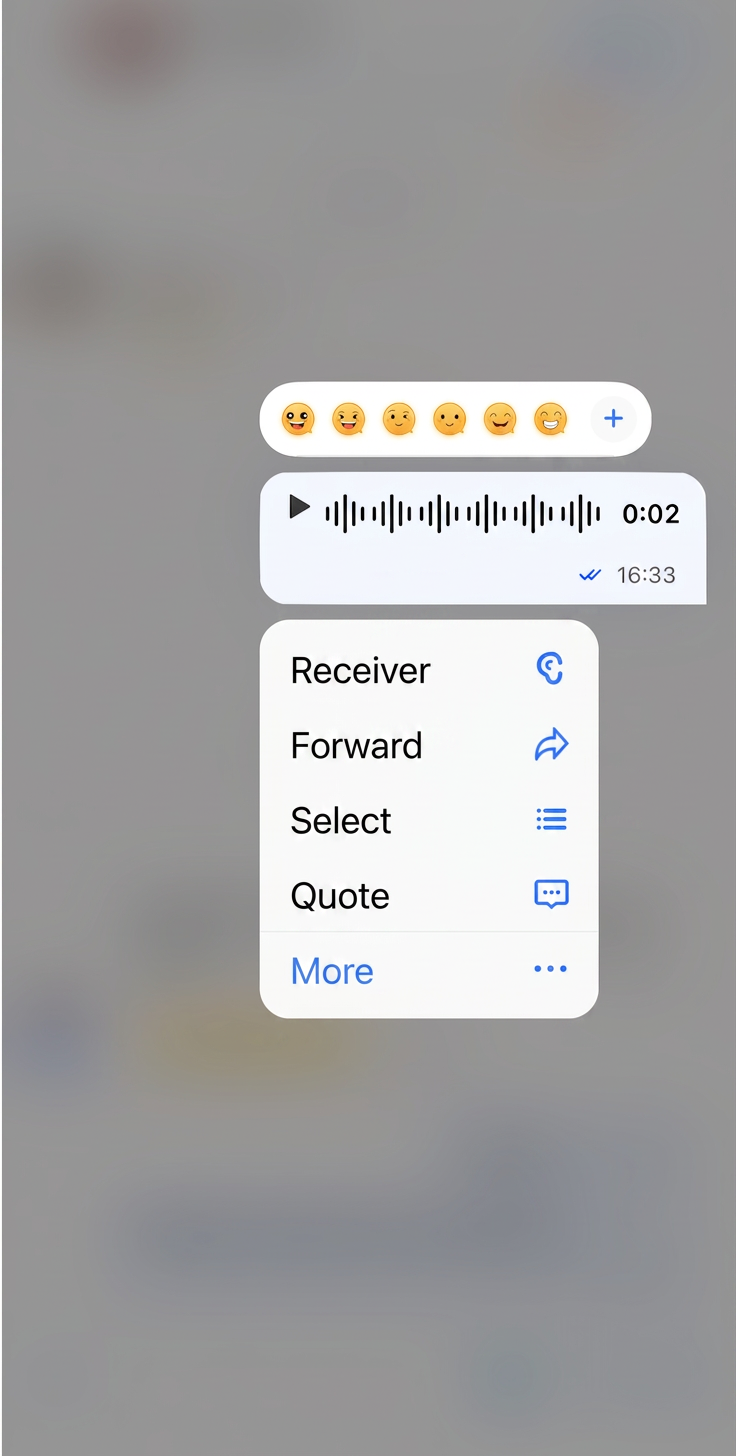
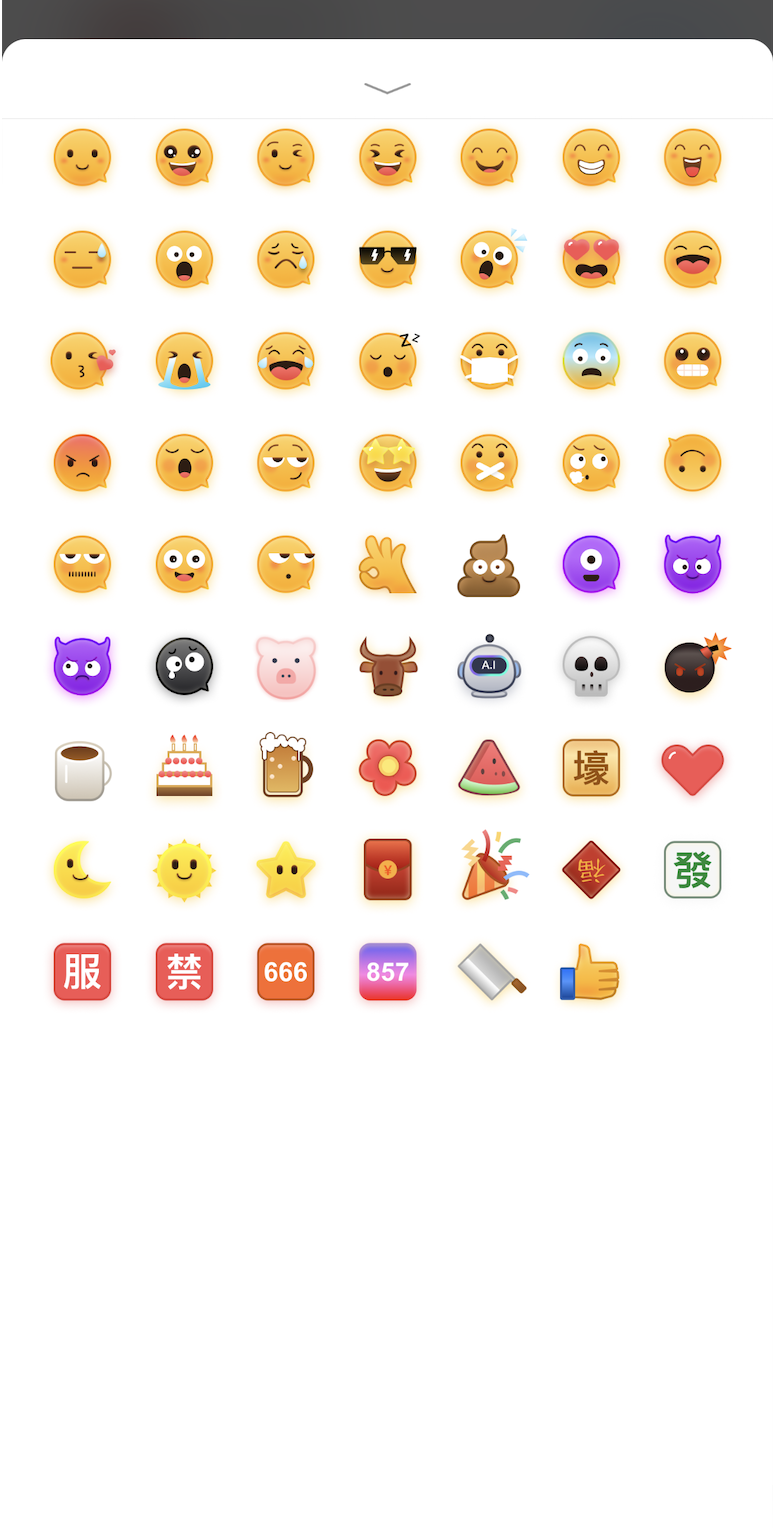
Once the emoji reaction feature is integrated, a new emoji selection area appears at the top of the message menu when you long-press a message. Click the button on the right to expand and view more emojis. Select an emoji to react to the message. If you have already reacted with that emoji, tapping it again will remove your reaction.
Long-press message menu | More emojis |
 |  |
Displaying Emoji Reactions
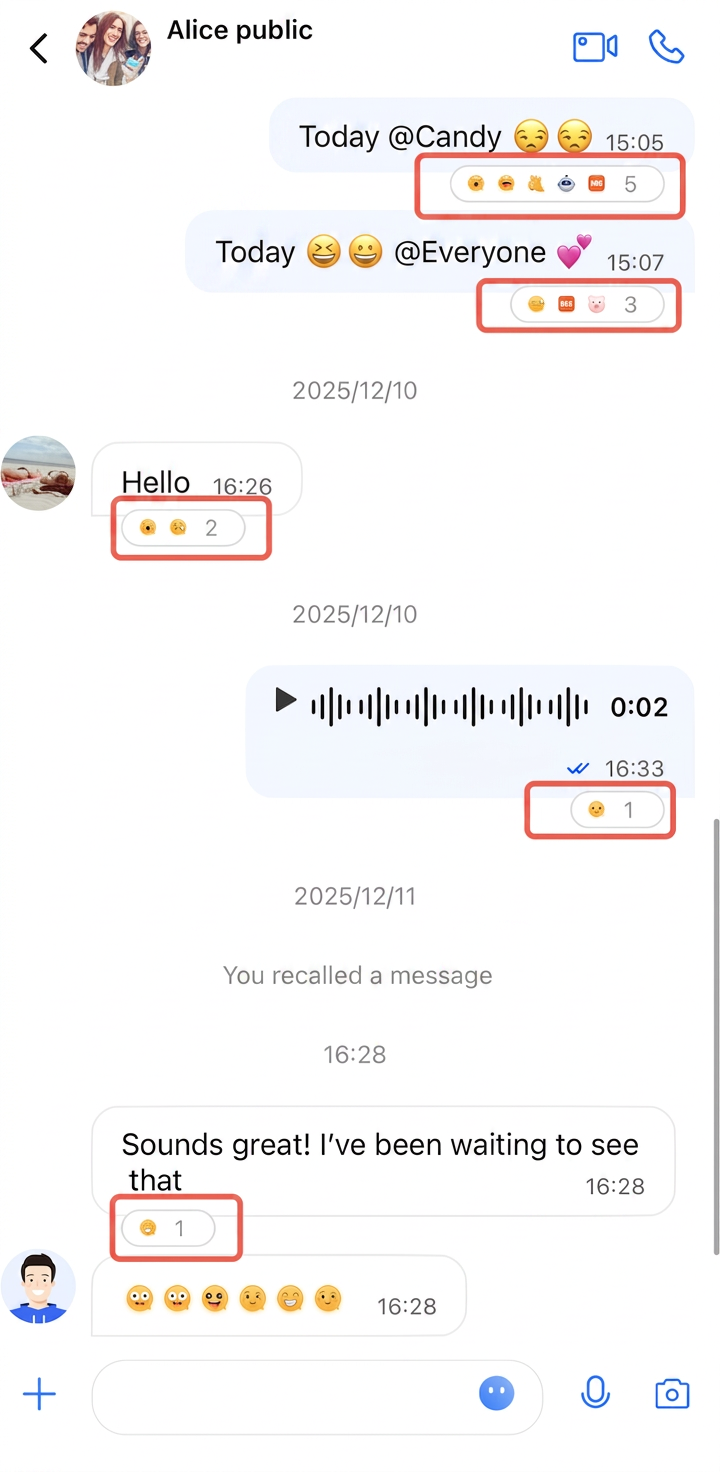
All emoji reactions applied to a message are shown below the message and are visible to every member in the conversation.
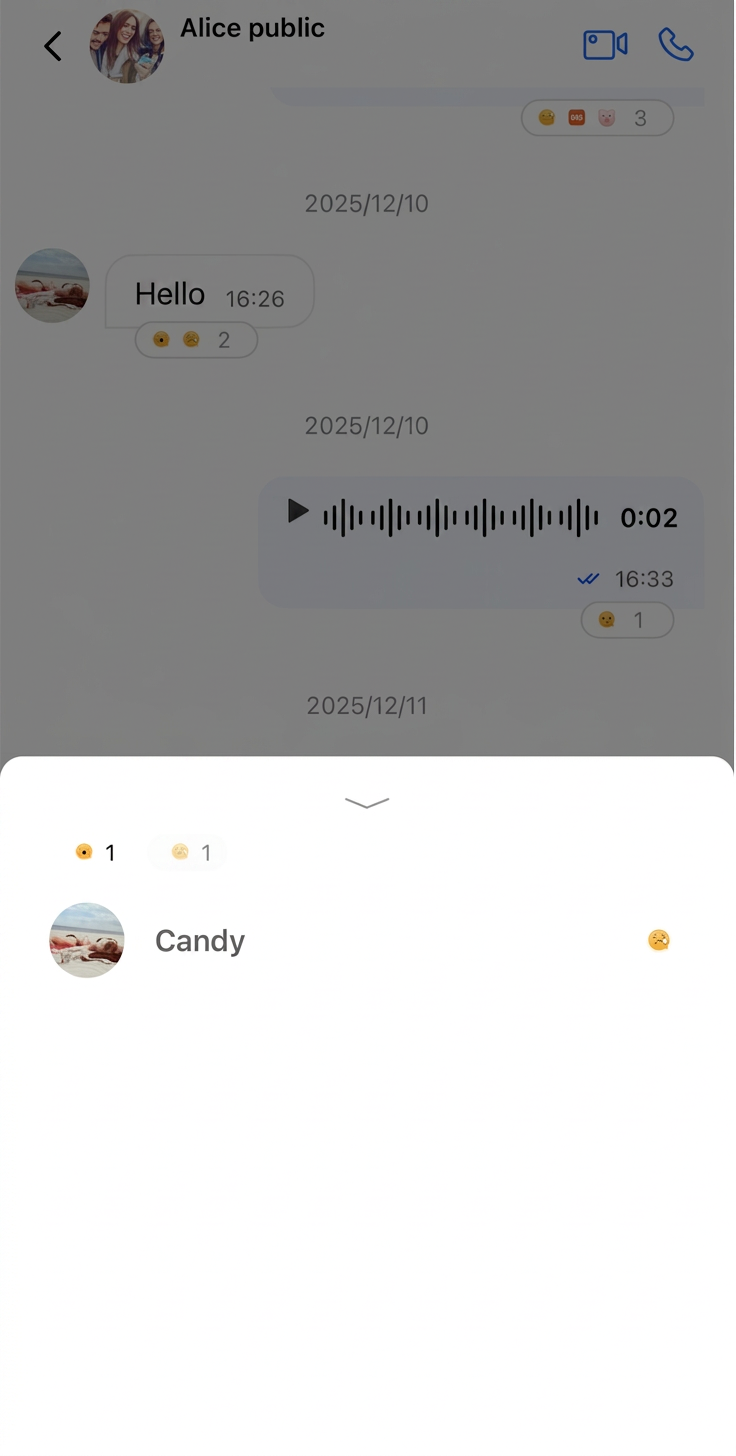
You can see which emojis were used and which members reacted with them. Tap an emoji or a member nickname to view detailed emoji reaction information for that message.
In the emoji reaction details interface, you can quickly revoke your own reaction by tapping the emoji you sent.
Emoji reaction preview | Emoji reaction details |
 |  |
Disabling Message Emoji Reactions
The MessageListConfig.kt file includes a feature toggle named
isSupportReaction for message emoji reactions. This option is a Boolean and defaults to true.To disable the emoji reaction feature, pass the config to
MessageList during initialization:// Turn off emoji reactionval config = ChatMessageListConfig(isSupportReaction = false)// Pass to MessageListMessageList(conversationID = conversationID, config = config)
Ajuda e Suporte
Esta página foi útil?
Você também pode entrar em contato com a Equipe de vendas ou Enviar um tíquete em caso de ajuda.
comentários