Android (Compose) & iOS (SwiftUI)
Download
Modo Foco
Tamanho da Fonte
Overview
If you have integrated
TUIKit SwiftUI or TUIKit Compose, you can use the text message translation feature directly.In the chat interface, long-press a text message bubble in the message list. From the menu that appears, select the Translate button to translate the text. Translation is supported only for text messages and text-based quoted or reply messages. Images, voice messages, videos, files, emojis, and custom messages cannot be translated.
Note:
The text message translation feature is available only with the Pro edition, Pro edition Plus, or Enterprise edition packages. To enable this feature, please purchase the Pro edition, Pro edition Plus, or Enterprise edition.
Effect Preview
The following images illustrate the translation feature before and after integration:
Translation Button Display | Text Message Translation Effect |
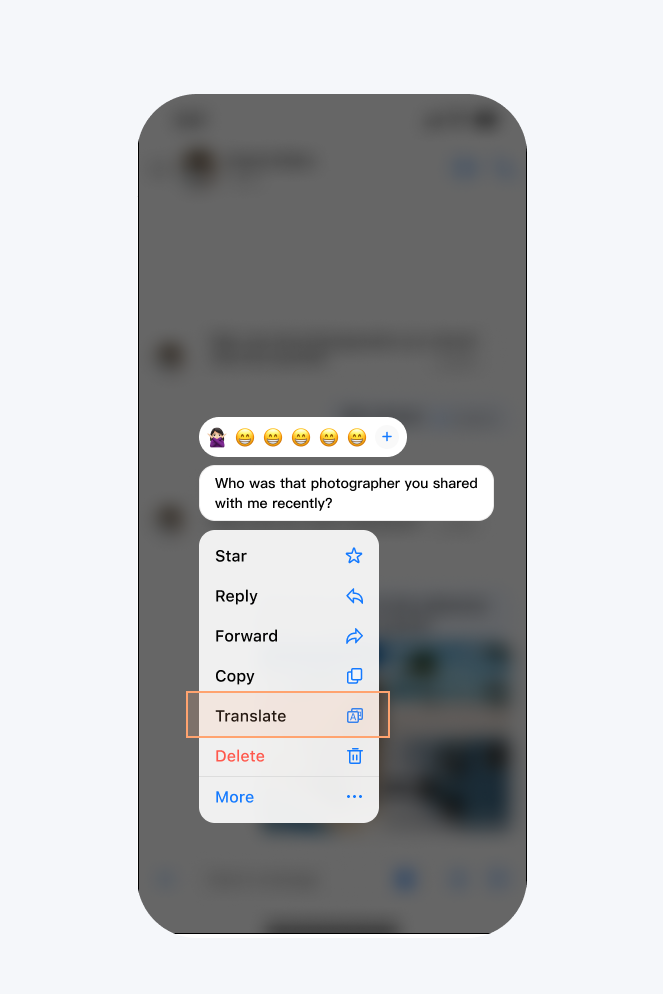 | 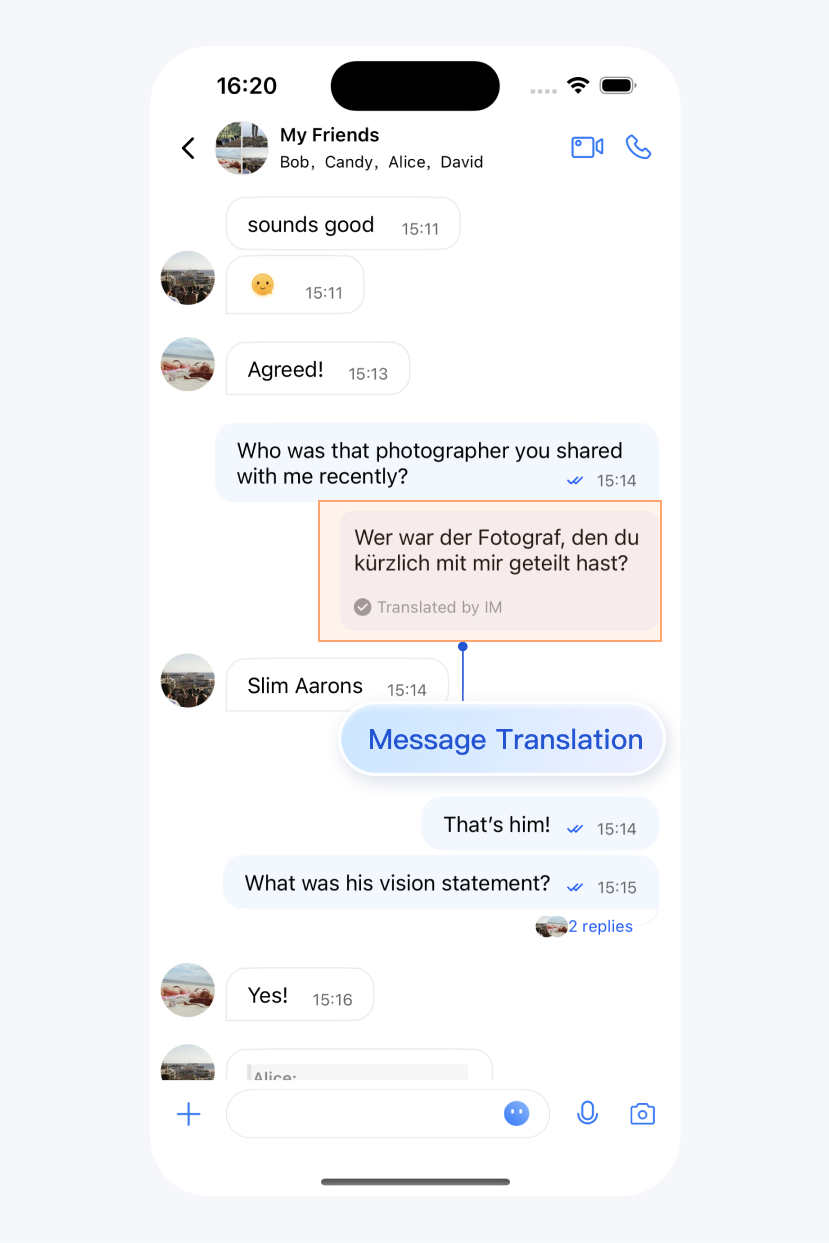 |
Overview
Configuring the Translation Language
You can set the target language for translation. If you pass an empty string, English is used by default. The following sample code demonstrates how to specify the target language:
AppBuilderConfig.shared.translateTargetLanguage = "en"
AppBuilderConfig.translateTargetLanguage = "en"
Note:
Not all source languages can be translated into every target language. For example, English can be translated into Hindi, but Chinese cannot be translated into Hindi. For the list of currently supported translation languages, see Supported Text Translation Languages. If translation fails, refer to this document to adjust your source or target language.
Ajuda e Suporte
Esta página foi útil?
Você também pode entrar em contato com a Equipe de vendas ou Enviar um tíquete em caso de ajuda.
comentários