If a second-level reseller needs to issue vouchers to end customers (vouchers are used to offset fees in bills), costs of these vouchers will be borne by a distributor.
Applicable Scope
This document is applicable to second-level resellers.
Prerequisites
A distributor needs to allocate a voucher quota to a second-level reseller in advance (see Allocate Voucher Limit). The total voucher amount issued by the second-level reseller to end customers cannot exceed this quota.
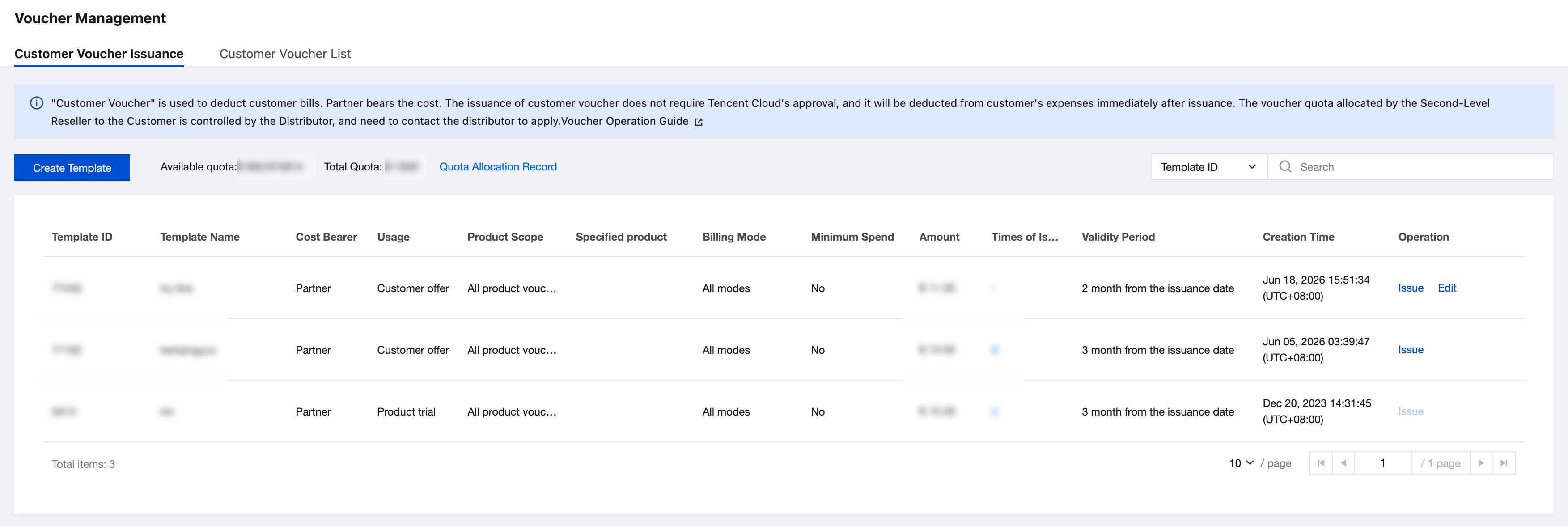
2. Choose Customer Business > Voucher Management in the left sidebar and enter the Customer Voucher Issuance page. This page shows previously used templates.
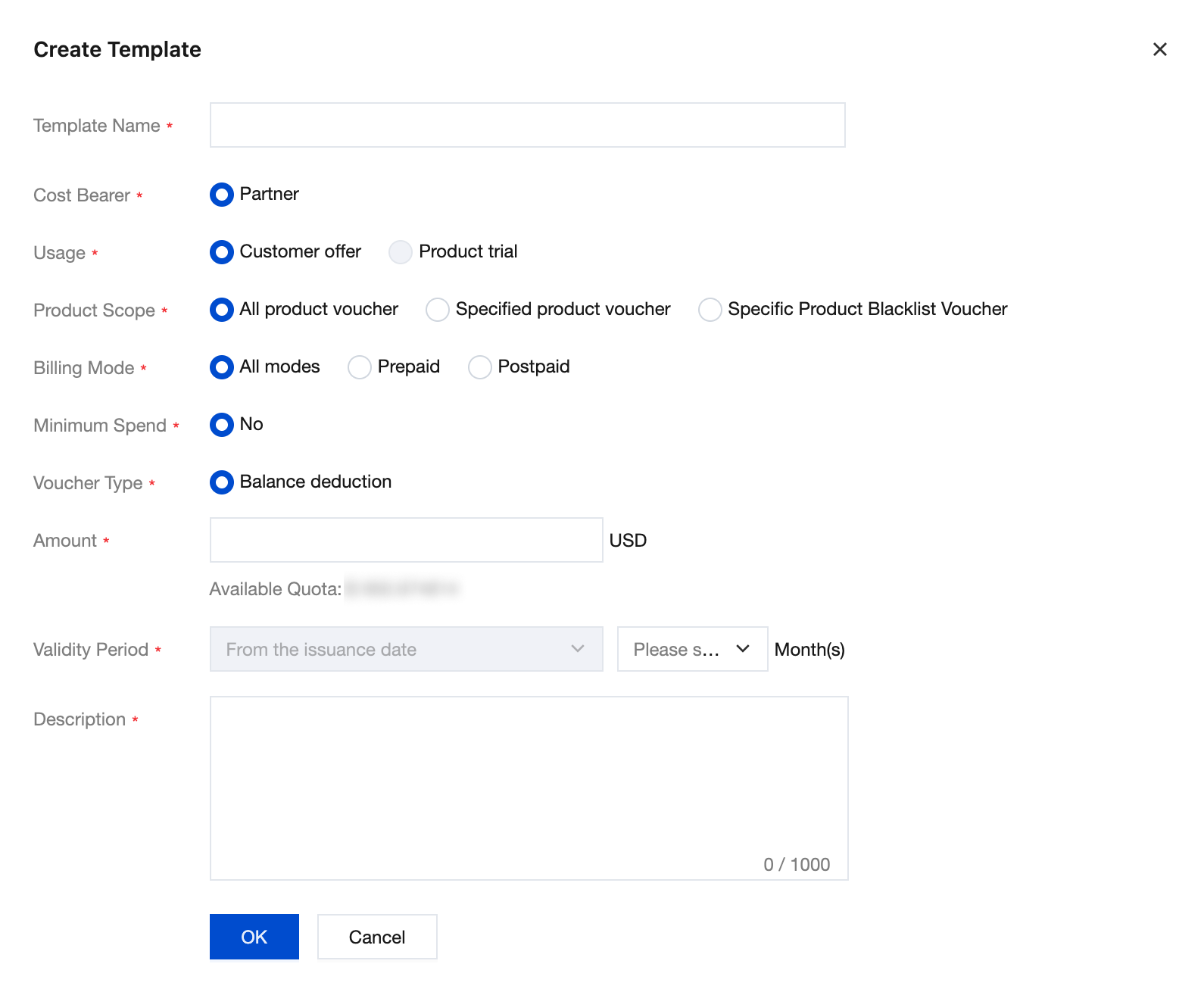
3. Click Create Template and fill in the voucher template information in the pop-up window.
Note:
Usage: Only vouchers designated for "Customer Discount" are supported. Customer vouchers for "Product Trial" are applied for and issued by a distributor.
All product voucher: Can be used to deduct any product.
Specified product voucher: Can only be used to deduct selected products.
Specific Product Blacklist Voucher: Specified products cannot be deducted.
4. After completing the information, click OK to save the voucher template.
5. After the voucher template is created, you can view the created voucher template and search for it by condition.
Note:
After a voucher template is created successfully, you can still edit it if you have never used it to issue vouchers. However, once vouchers are issued, the template cannot be edited again.
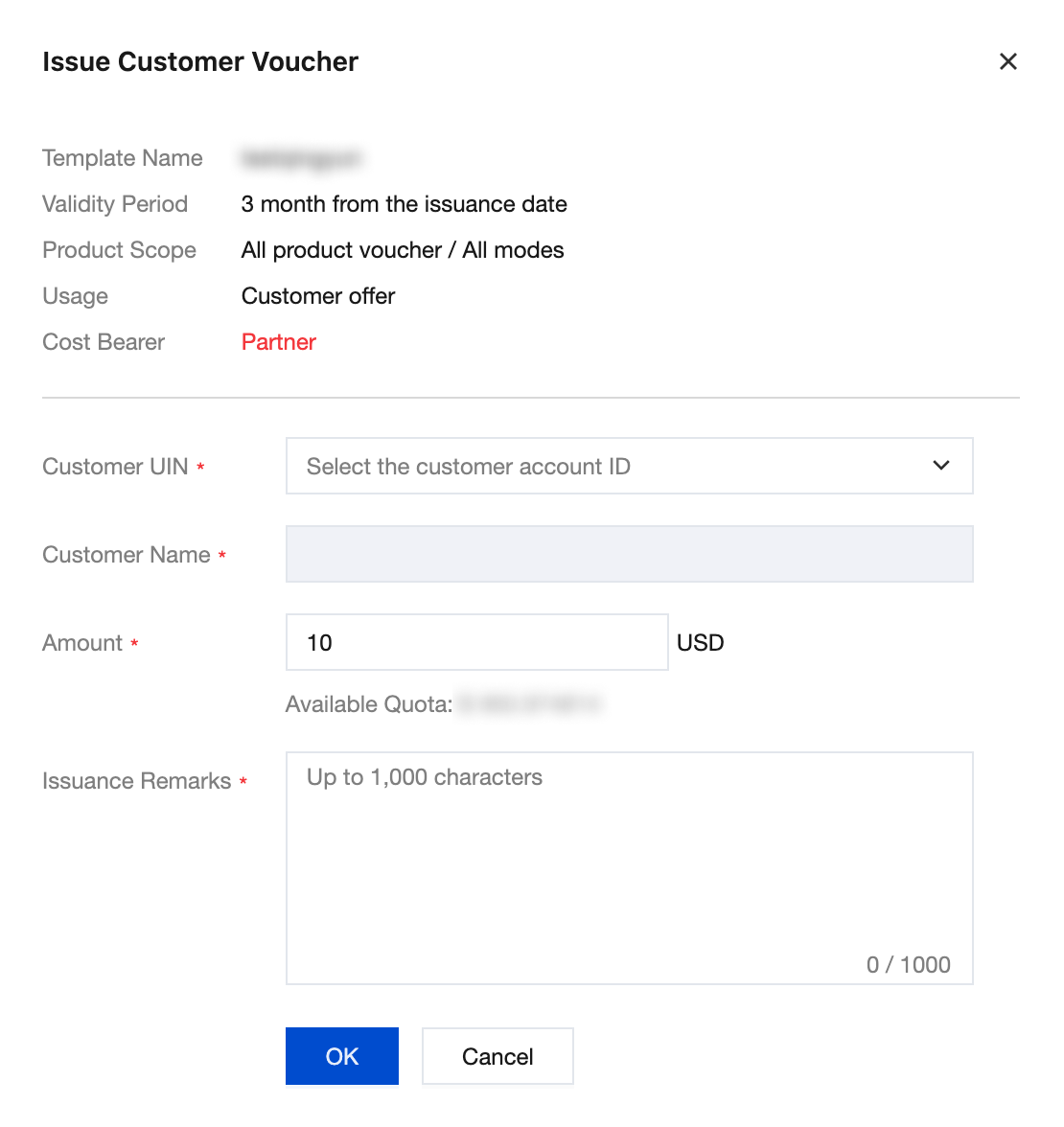
6. Click Issue in the operation list of the template. In the pop-up window, select the end customer UIN to issue the voucher to, fill in the issuance amount (which can differ from the template amount), and then click OK.
Note:
Issuance of "customer voucher" does not require Tencent Cloud approval. Once a reseller confirms the issuance, vouchers can be used for end customer expense deduction.
Querying Customer Vouchers
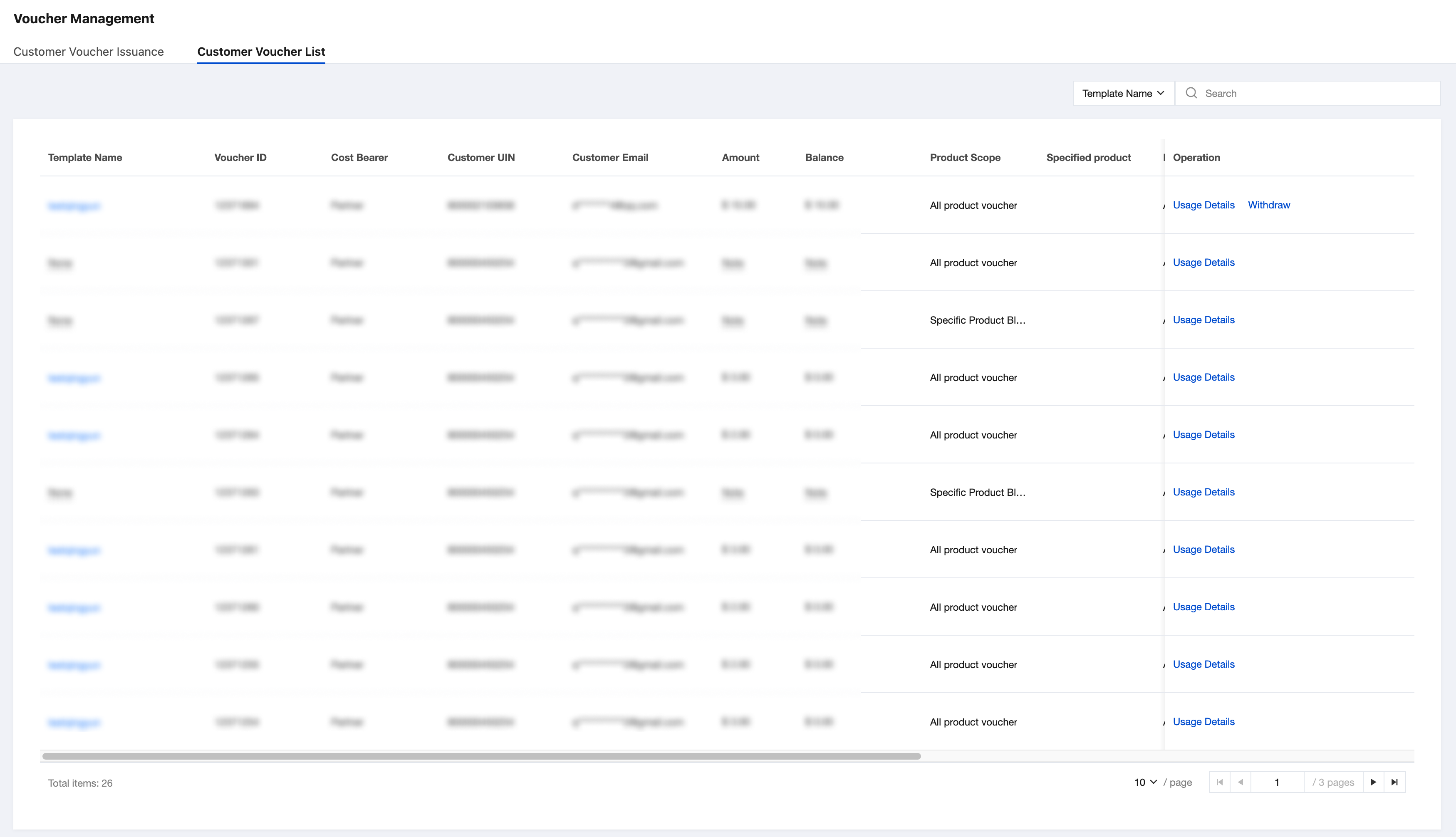
On the Customer Voucher List page, you can query the statuses, balances, and details of all customer vouchers. Full query and specific condition query are supported.
Click Usage Details to view or download the voucher deduction details.
For vouchers with the purpose of "End Customer Discount" that are unused and unexpired, you can withdraw them by clicking Withdraw in the operation column. After withdrawal, the voucher cannot be used to offset subsequent expenses, while already deducted amounts remain unaffected. This operation is irreversible.
A voucher with the purpose of "Product Trial" is a customer voucher automatically issued by the system when a distributor applies for a product trial for an end customer. Its total amount and balance are managed by the distributor. To withdraw it, the distributor must perform the operation.