Employee management in the Partner Center only maintains permissions for the Partner Center platform. If you encounter permissions involving other products, log in to the Cloud Access Management page to perform maintenance.
2. Enter the root account login information, then click Log in.
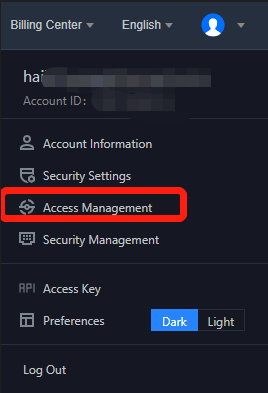
3. Log in and enter the console homepage, hover over the account name, then click CAM.
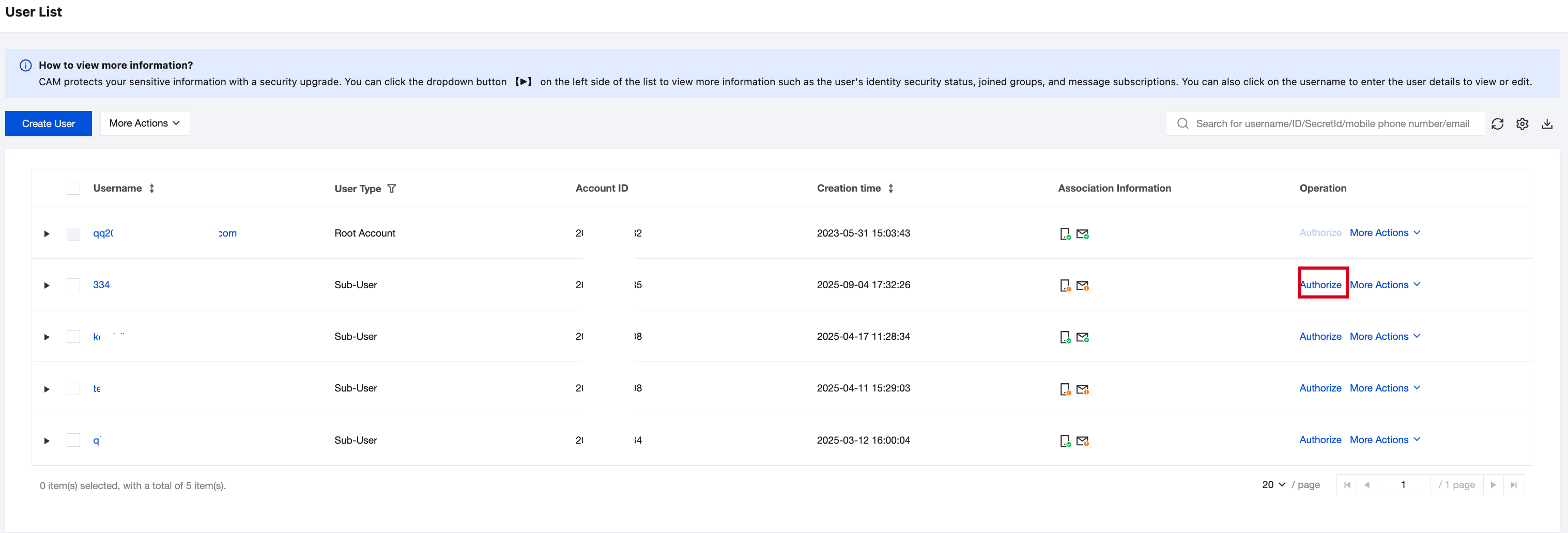
4. Select User > List of Users, then click Authorize under the operation list of the employee sub-account.
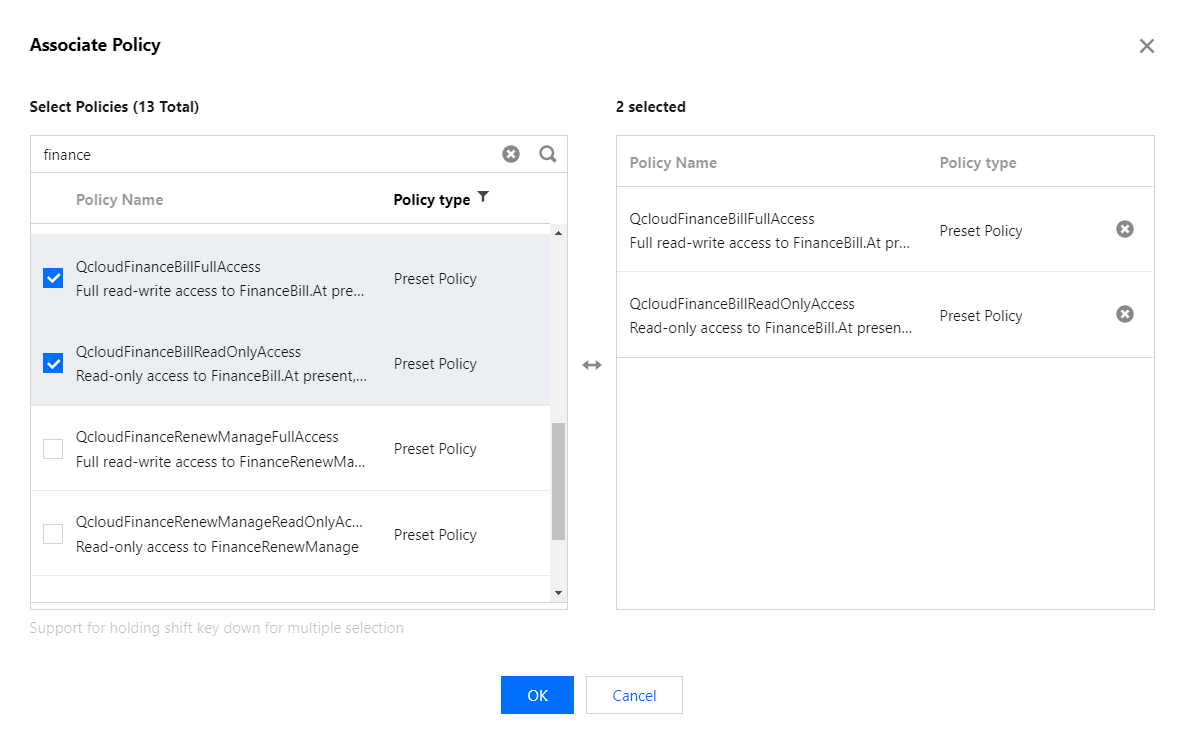
5. Select non-partner center permissions to supplement and add, then click Confirm.
Common Permission Selection
Description
QCloudFinanceFullAccess
Enabling this permission makes the reseller's own bill management and account asset management accessible.
QcloudCollPasswordManageAccess
Allow manually managing the console login password.
QcloudCollApiKeyManageAccess
Allow manually managing API keys.
Note:
Access management only allows adding non-partner center management permissions. Do not directly create or delete a user, otherwise it will conflict with partner center personnel management permissions.
If you have questions about partner center permission management or CAM, submit a ticket to contact us.