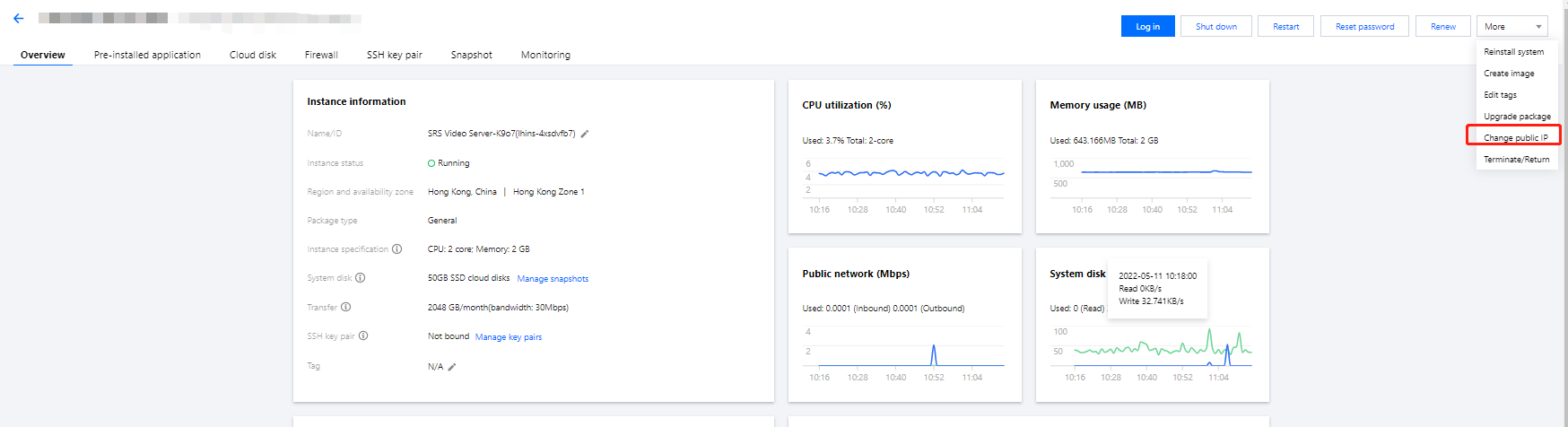
This document describes how to change the instance public IP in the Lighthouse console.
Usage Limits
The public IP can be changed only once for each instance throughout its entire lifecycle.
You can change instance public IPs only three times per day in each region, and this quota is shared with other Tencent Cloud products using public IPs.
For example, if you have changed the public IP of three CVM instances in the one region under your account, you cannot change the public IP of any Lighthouse instance on the same day.
If an instance IP is blocked due to DDoS attacks and in the Security Isolated status, you need to wait 2–24 hours until it is unblocked before changing it.
The public IP cannot be changed when the instance status is Frozen, Blocked, or Pending released.
After the change, the previous public IP is released and cannot be restored.