Creating Custom Attribute
Baixar
Modo Foco
Tamanho da Fonte
Scenarios
Note:
Custom attributes are a definition feature provided by tenants for the user attribute model. They include built-in attributes, preset attributes, and custom attributes, and support user-defined attributes. Built-in attributes cannot be modified or deleted. Preset attributes and custom attributes can be modified and deleted. However, once user data is generated, the associated preset attributes and custom attributes cannot be modified. Proceed with caution.
Operation Steps
1. Log in to the IDSEC console, choose User Management > Attribute Customization in the left sidebar, and go to the Attribute Customization page.
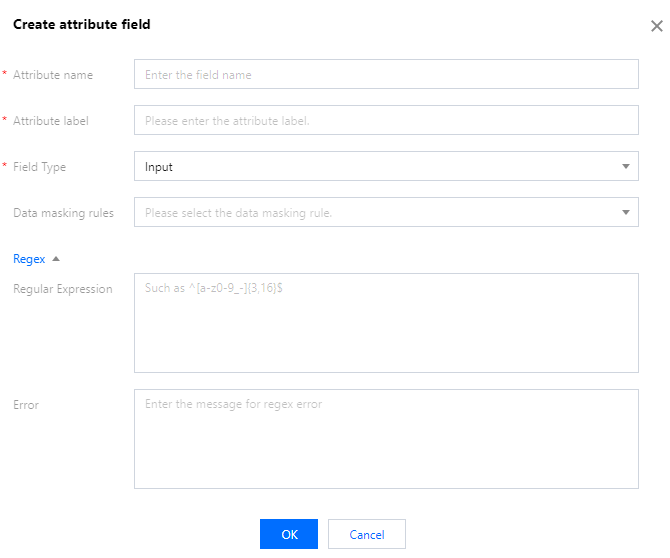
2. On the Attribute Customization page, click New Attribute. A New Attribute dialog box pops up.
3. In the New Attribute dialog box, fill in the basic attribute information and click OK to add the attribute successfully. If needed, you can also add a regular expression and an error message for the attribute.
Ajuda e Suporte
Esta página foi útil?
Você também pode entrar em contato com a Equipe de vendas ou Enviar um tíquete em caso de ajuda.
comentários