Agent Offline and Log Out
Download
Modo Foco
Tamanho da Fonte
Offline
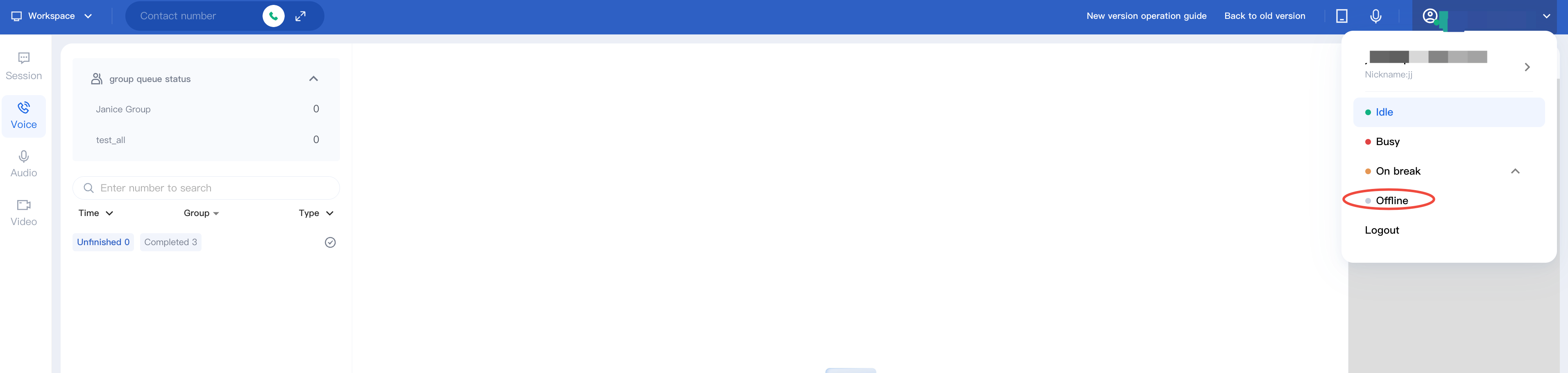
After staff clicks on the avatar in the upper right corner on the workspace, click Offline, and staff status will change to "Offline", as shown below.
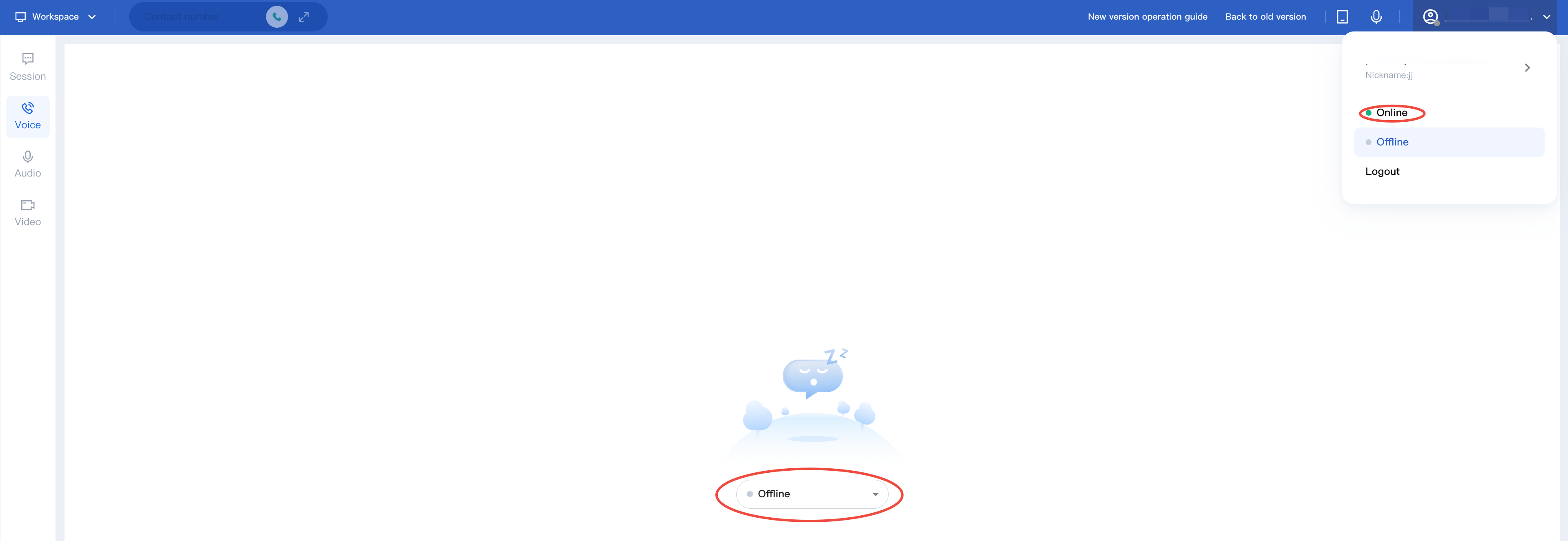
After staff status changes to "Offline", it indicates that the staff is unavailable to work. The system will not assign any inbound to this staff, and the staff will not be able to make outbound calls. Staff can click Online to change their status back to available.
Log Out
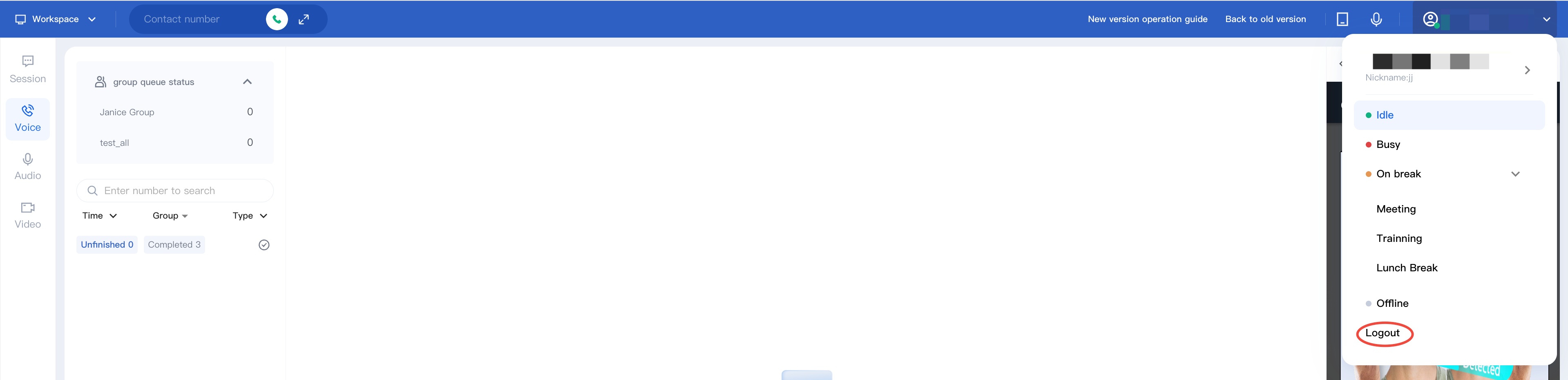
After staff clicks on the avatar in the upper right corner on workspace and then clicks Logout, as shown below.
Ajuda e Suporte
Esta página foi útil?
Você também pode entrar em contato com a Equipe de vendas ou Enviar um tíquete em caso de ajuda.
comentários