PUBLIC Permission Operation
Baixar
Modo Foco
Tamanho da Fonte
When creating specific objects in PostgreSQL, the system will grant default permissions to the PUBLIC role. The default permissions granted to PUBLIC are as follows. For more permission descriptions, refer to PostgreSQL official documentation:
Object Type | Default PUBLIC Permission |
Databases | CONNECT,TEMPORARY |
Functions/Procedures | EXECUTE |
Languages | USAGE |
Data Types | USAGE |
Granting permissions to PUBLIC is equivalent to granting them to all users, including those not explicitly created. You can revoke these default PUBLIC permissions as needed for more precise database user authorization. The following context provides detailed examples.
Note:
Kernel versions supporting PUBLIC role-based permission operations are v13.22_r1.26, v14.19_r1.35, v15.14_r1.20, v16.10_r1.15, v17.6_r1.9 and above. TencentDB for PostgreSQL instances with historic kernel minor versions must upgrade minor kernel version to use this capacity.
TencentDB for PostgreSQL instances with historic kernel minor versions must execute
drop extension tencentdb_superuser; in the corresponding database, then execute create extension tencentdb_superuser; before using this capacity after upgrading the kernel minor version.Assuming you have two database accounts, am_a and dbadmin, as shown below. For user creation, refer to Console Operation Guide:
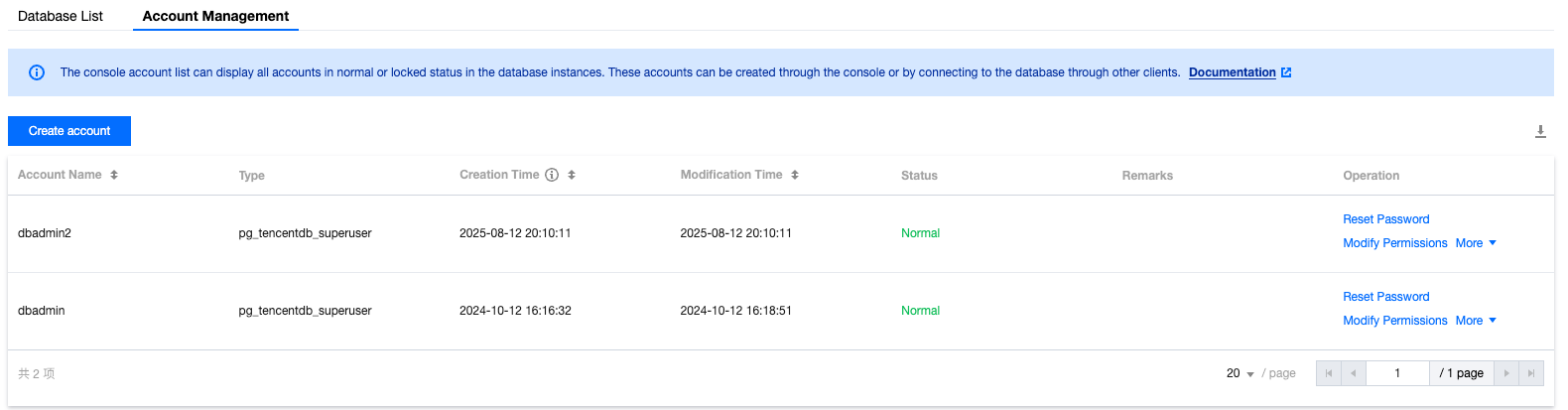
Among them, the database account dbadmin is the OWNER of database test_db, as shown below:
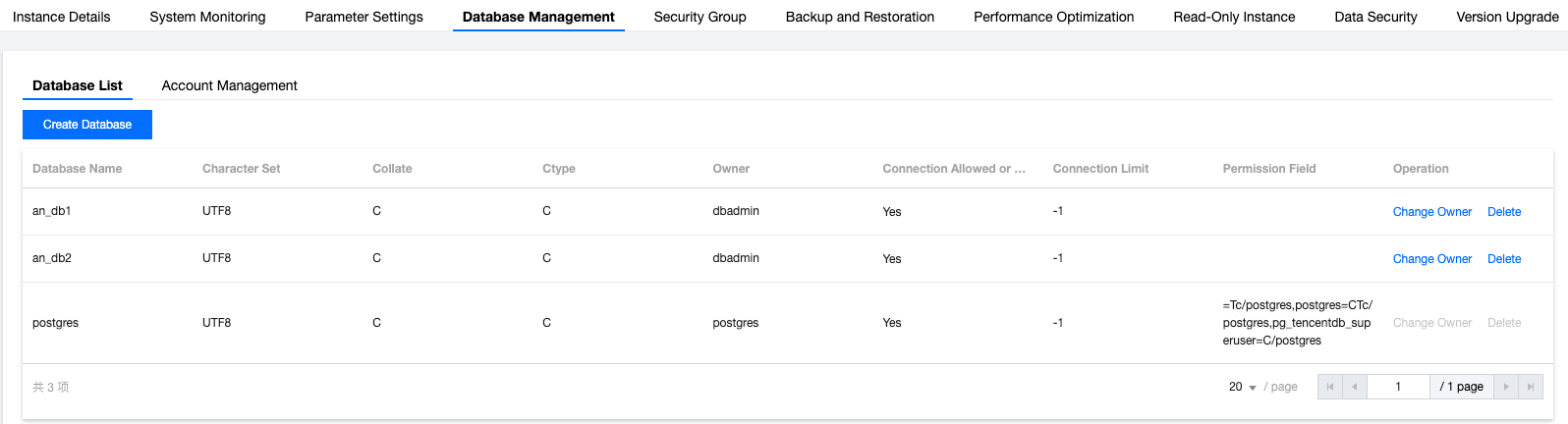
First, we use the account dbadmin to log in to the database test_db, as shown below:
[am@VM-91-60-centos ~]$psql -h10.*.*.* -p5432 -Udbadmin -dtest_dbPassword for user dbadmin:psql (16.0, server 16.10)Type "help" for help.
Switch to the am_a account. We can verify that am_a has login permission for the database and query permission for system tables via PUBLIC, as follows:
test_db=> \\c - am_apsql (16.0, server 16.10)You are now connected to database "test_db" as user "am_a".test_db=> select oid FROM pg_class LIMIT 1;oid------2619(1 row)
After reclaiming PUBLIC permission with the dbadmin account, the am_a account cannot access system tables:
test_db=> \\c - dbadminPassword for user dbadmin:psql (16.0, server 16.10)You are now connected to database "test_db" as user "dbadmin".test_db=> REVOKE SELECT ON pg_class FROM PUBLIC;REVOKEtest_db=> \\c - am_aPassword for user am_a:psql (16.0, server 16.10)You are now connected to database "test_db" as user "am_a".test_db=> select oid FROM pg_class LIMIT 1;ERROR: permission denied for table pg_class
After reclaiming PUBLIC permission with the dbadmin account, the am_a account is unable to connect to database test_db.
test_db=> \\c - dbadminPassword for user dbadmin:psql (16.0, server 16.10)You are now connected to database "test_db" as user "dbadmin".test_db=> REVOKE CONNECT ON DATABASE test_db FROM PUBLIC;REVOKEtest_db=> \\c - am_aPassword for user am_a:connection to server at "10.*.*.*", port 5432 failed: FATAL: permission denied for database "test_db"DETAIL: User does not have CONNECT privilege.Previous connection kept
After regranting am_a privileges using the dbadmin account, am_a can connect to the database test_db and can access system tables:
test_db=> \\c - dbadminpsql (16.0, server 16.10)You are now connected to database "test_db" as user "dbadmin".test_db=> GRANT CONNECT ON DATABASE test_db TO am_a;GRANTtest_db=> GRANT SELECT ON pg_class TO am_a;GRANTtest_db=> \\c - am_aPassword for user am_a:psql (16.0, server 16.10)You are now connected to database "test_db" as user "am_a".test_db=> select oid FROM pg_class LIMIT 1;oid------2619(1 row)
Ajuda e Suporte
Esta página foi útil?
Você também pode entrar em contato com a Equipe de vendas ou Enviar um tíquete em caso de ajuda.
comentários