The TIMPush plugin is a powerful paid feature that brings VoIP call notification mechanisms to the Google platform. Combined with the data messaging capabilities of Firebase Cloud Messaging (FCM) and the TUICallKit component, it provides an incoming call display interface with a customizable layout.
Note:
Phones with Google Mobile Services.
The FCM data message feature is only available in TIMPush 7.9.5668 and later versions.
Support for TUICallKit is limited to 2.3 and later versions.
This article provides a detailed introduction on how to integrate the TIMPush plugin into the TUICallKit component, utilize FCM's data messages, and achieve banner views for audio and video incoming calls.
Integration effect
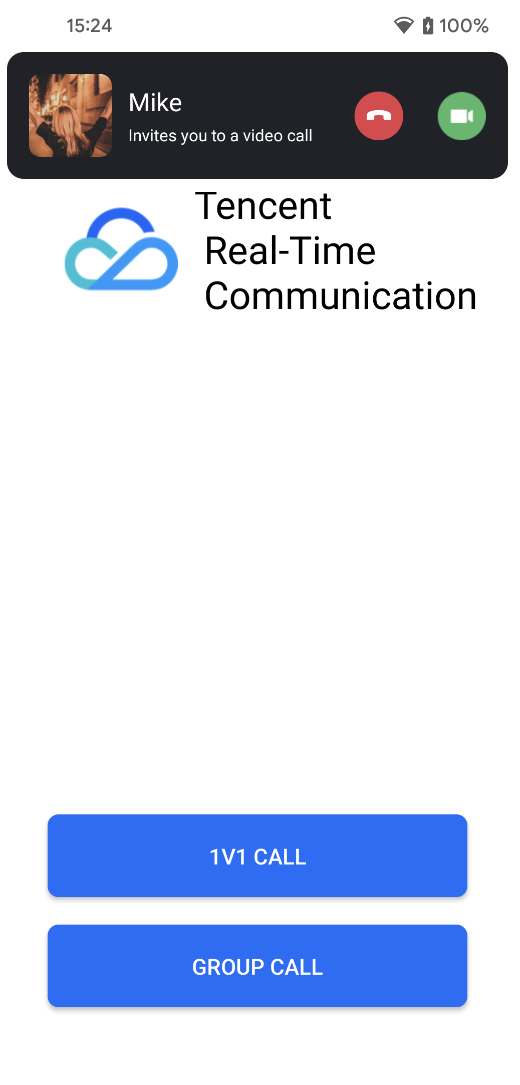
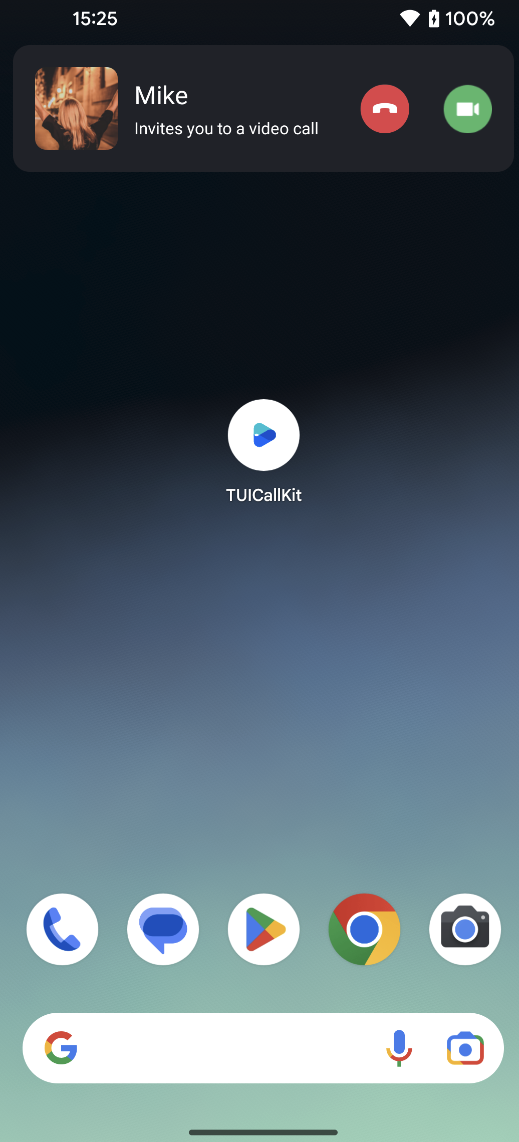
TUICallKit has successfully integrated FCM data messages on the GitHub sample project. You can quickly implement the feature's normal operation by referring to the Call UIKit sample project. The following diagram shows the incoming call views after receiving an call invitation when the application is in the foreground, background, or when the application process does not exist.
The display view when the application is in the foreground
The display view when the application is in the background or offline
Note:
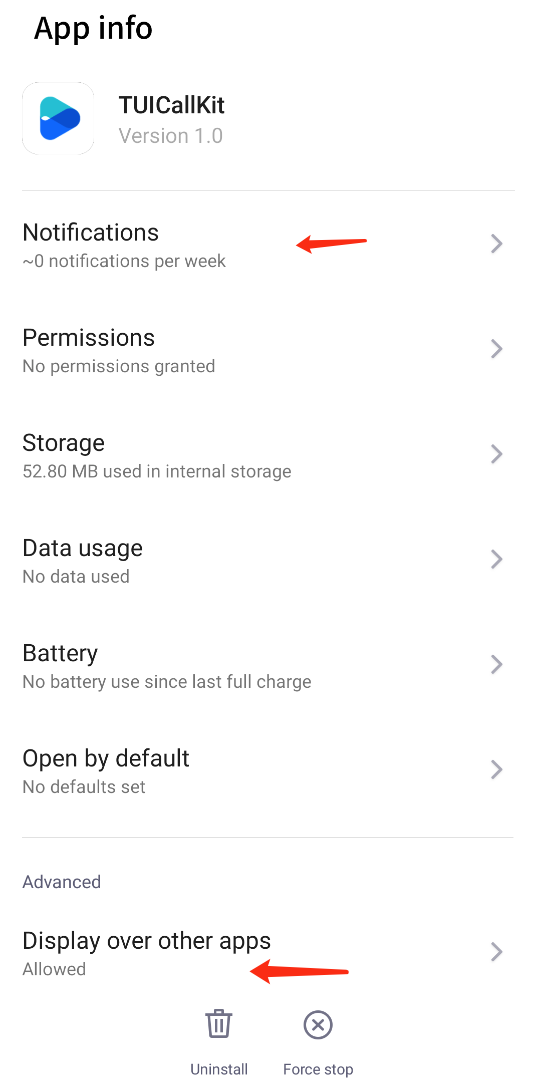
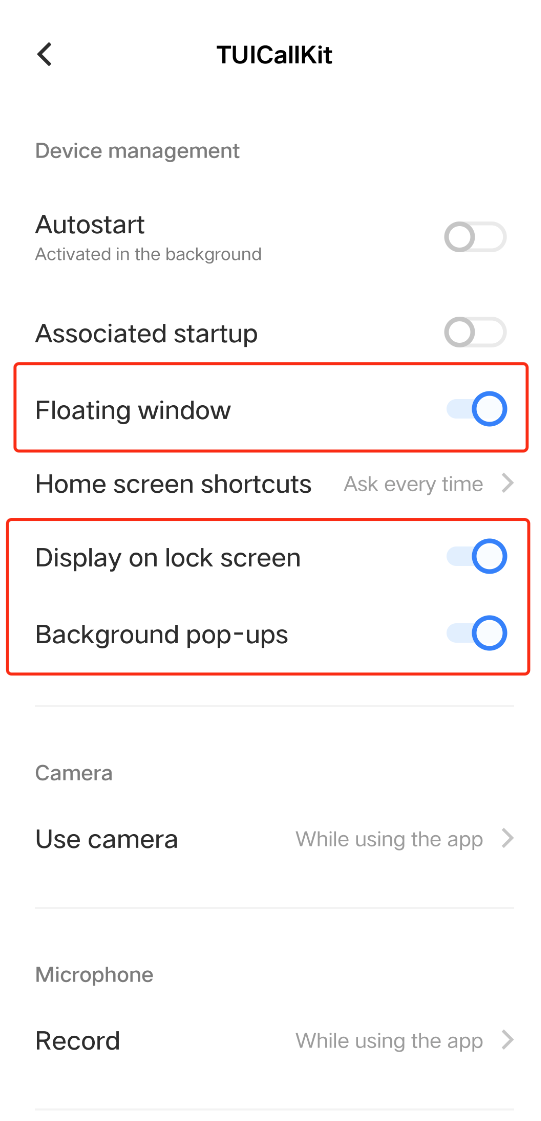
To achieve a good call experience as shown above, it is recommended to enable "notification", "Display over other apps" and "Background pop-ups" permissions in your application. For more details, refer to: Relevant permissions enabled.
Preparation Requirements
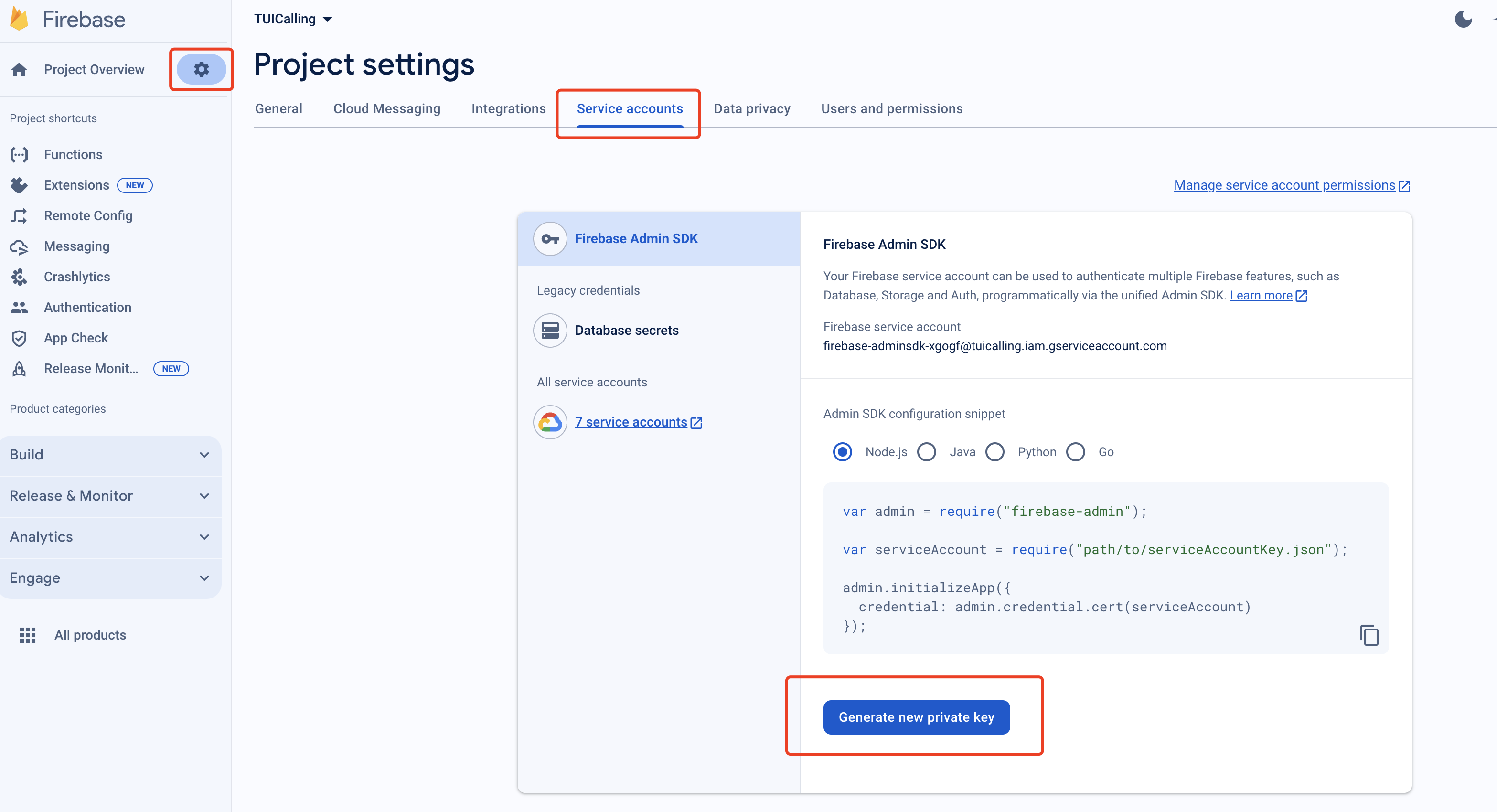
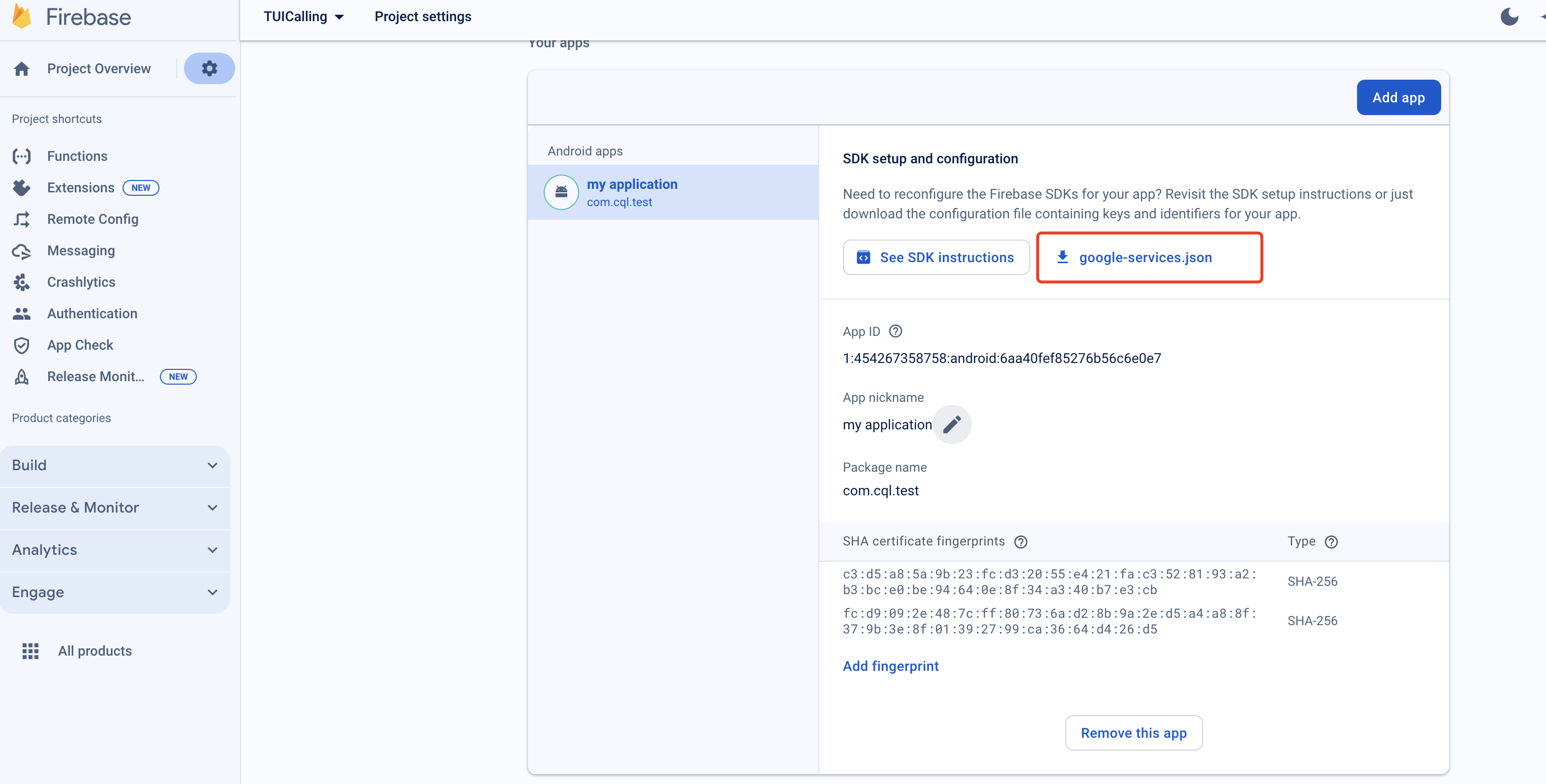
1. Register your application to the FCM Push Platform to obtain parameters such as AppID and AppKey, as well as the google-services.json file.
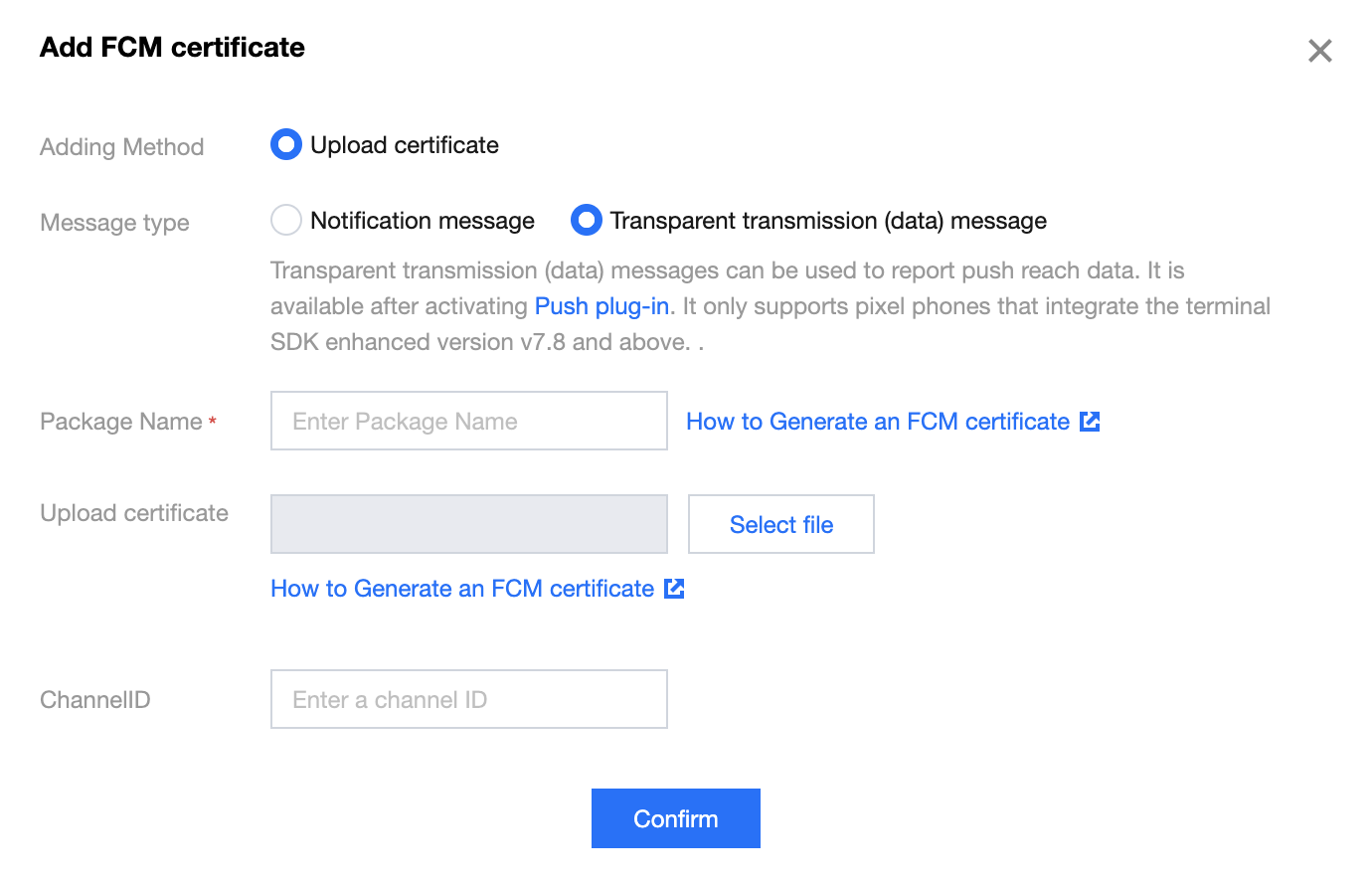
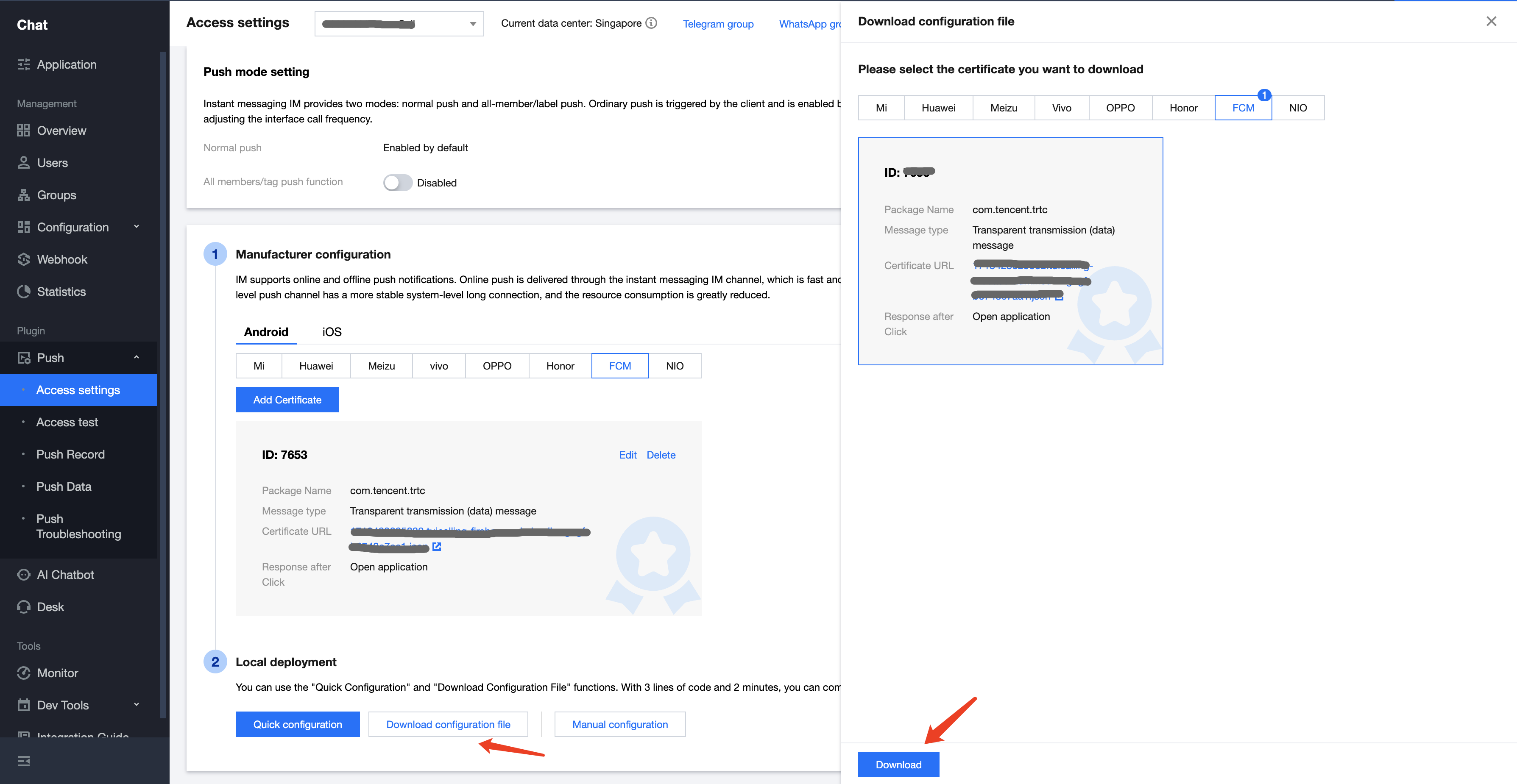
2. log in to the Instant Messaging Chat Console, go to Push Management > Access Settings feature tab, select FCM, add FCM's certificate, and select Transparent transmission(data) message.
FCM Platform
Configuring in the Chat console
Quick Integration
1. Download and add the configuration file
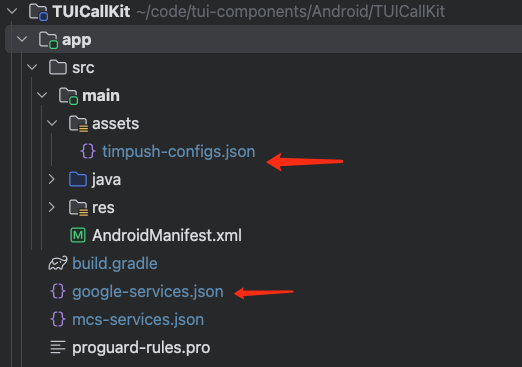
After completing the push information in the console, download timpush-configs.json file and add the file to the assets directory of the application module, and add the google-services.json to the project app directory.
Download the file timpush-configs.json
Download the file google-services.json
Add to the project
2. Integrate the TIMPush plugin
In the app/build.gradlefile, add the following dependency.
&&TUIConstants.TIMPush.EVENT_IM_LOGIN_AFTER_APP_WAKEUP_SUB_KEY == subKey){//you need to login again to launch call activity, please implement this method by yourselfautoLogin()}}}}
//you need to login again to launch call activity, please implement this method by yourself
autoLogin();
}
}
});
}
}
After completing the above steps, you can use the offline push capability in TUICallKit.
Note:
If your Android application encounters issues when receiving push notifications or pulling up pages, you can refer to the Called party's call display policy for troubleshooting.
Advanced features
Custom Ringtone
If you wish to customize the ringtone, you can replace the tuicallkit-kt/src/main/res/raw/phone_ringing.mp3 file.
Note:
After replacing the ringtone, no matter if the application is in the foreground, background, or offline, the ringtone will be the one that has been replaced.
After replacement, the ringtone received by other manufacturer's mobile phones upon invitation will also be the replaced one.
FAQs
1. Unable to pop up the incoming call UI after the application is killed
Confirm receipt of push. If push cannot be received, refer to step 1 in the above document Quick Integration to see if the certificates have been correctly added to the Chat cosole.
Make sure the console has selected FCM Transparent transmission(data) message, in accordance with the second step of the above Preparation Requirements.
Confirm receipt of data messages, filter logs (keyword: TIMPush), and check the following logs for printing (if messages are not received.
Confirm implementation of automatic login. It is only after automatic login that call requests are pulled and the incoming call UI is displayed.
2. Relevant permissions enabled
To ensure a good calling experience, it is recommended to enable "notification" permissions, "Display over other apps(Floating window)" and "Background pop-ups" permissions in your application. The specific methods are as follows:
After the application is installed, you can long-press the application Icon, select "Application Information", then enable "notification" permission, "Display over other applications," and "Background pop-ups" permissions. Alternatively, you can go to Mobile Phone > System Settings > Application Management > Application to manually enable these permissions.
Pixel 4a
VIVO
Suggestions and Feedback
If you have any suggestions or feedback, please contact info_rtc@tencent.com.