tencent cloud

Chat

News and Announcements
Release Notes
Announcements
Product Introduction
Overview
Basic Concepts
Scenarios
Features
Account System
User Profile and Relationship Chain
Message Management
Group Related
Official Account
Audio/Video Call
Use Limits
Purchase Guide
Billing Overview
Pricing
Purchase Instructions
Renewal Guide
Service Suspension Explanation
Refund Policy
Development Guidelines
Demo Zone
Activate Service
Free Demos
Quick Run
Download
SDK and Demo Source Code
Update Log
Chat Interaction (UI Included)
TUIKit Introduction
Getting Started
Full-feature Integration
Single-function Integration
Build with AI
Build Basic Interfaces
More Features
Customizing Appearance
Internationalization
Push Service
Overview
Noun explanation
Activate the Service
Quick Start
Manufacturer Channel
Statistics
Troubleshooting Tool
Client APIs
REST API
Push Callback
Advanced Features
Release Notes
Error Codes
FAQS
Desk
Overview
Quick Start
Integration Guide
Admin Operation Manual
Agent Manual
More Practices
Live Streaming Setup Guide
AI Chatbot
Super Large Entertainment and Collaboration Community
Discord Implementation Guide
How to Integrate Chat into Games
WhatsApp Channel-style Official Account Integration Solution
Send Red Packet
Firewall Restrictions
No UI Integration
Quick Start
SDK Integration
Initialization
Login and Logout
Message
Conversation
Group
Community Topic
User Profile and Relationship Chain
Offline Push
Cloud Search
Local Search
Official Channel Management
Client APIs
JavaScript
Android
iOS & macOS
Swift
Flutter
Electron
Unity
React Native
C APIs
C++
Server APIs
Secure authentication with UserSig
RESTful APIs
Webhooks
Console Guide
New Console Introduction
Creating and Upgrading an Application
Basic Configuration
Feature Configuration
Account Management
Group Management
Official Channel Management
Webhook Configuration
Usage
Viewing Guide for Resource Packages
Real-Time Monitor
Auxiliary Development Tools
Access Management
Advanced Features
FAQs
uni-app FAQs
Purchase
SDK
Account Authentication
User Profile and Relationship Chain
Message
Group
Audio-Video Group
Nickname and Profile Photo
Security Compliance Certification
Service Level Agreement
Security Compliance Certification
Chat Policies
Privacy Policy
Data Privacy and Security Agreement
Migration
Migration Solutions
Migration Solutions Lite
Error Codes
Contact Us

Overview

PDF
Focus Mode
Font Size
Last updated: 2025-02-28 17:46:38
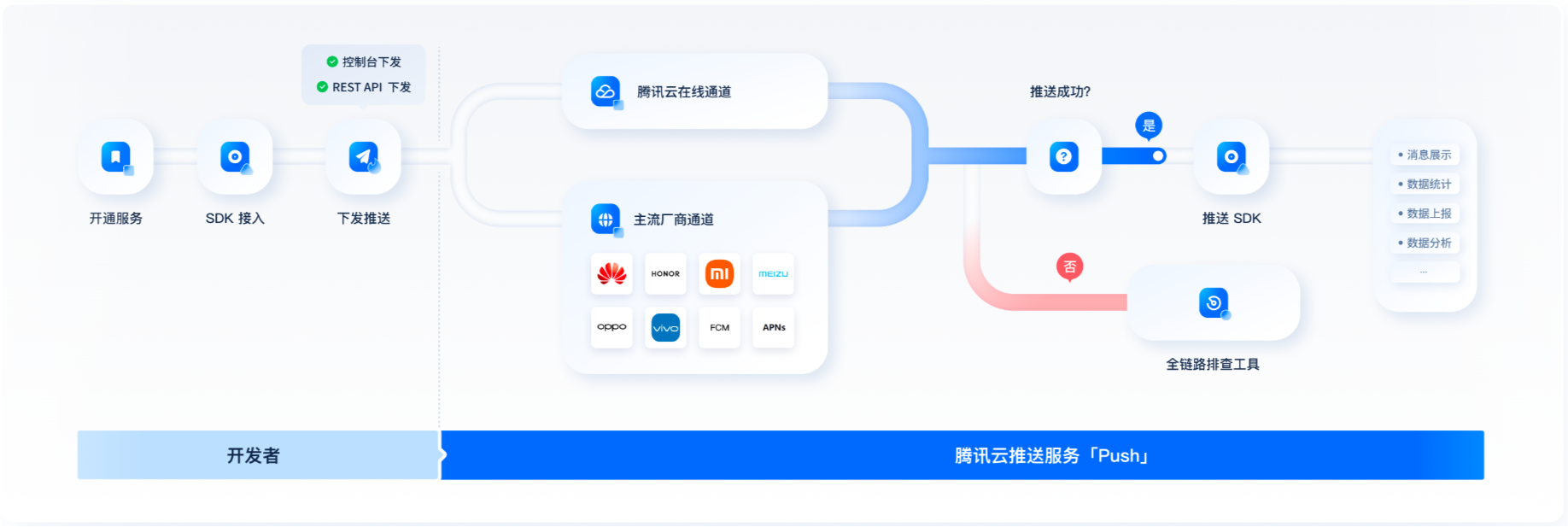
TIMPush provides you with stable, timely and diversified push services. Compared with self-integrated push, TIMPush only requires simple configuration and can integrate and access push services from multiple manufacturers with one click. TIMPush supports ordinary message push and all/tag users push, and provides complete push life cycle query, data statistics, and problem troubleshooting services.
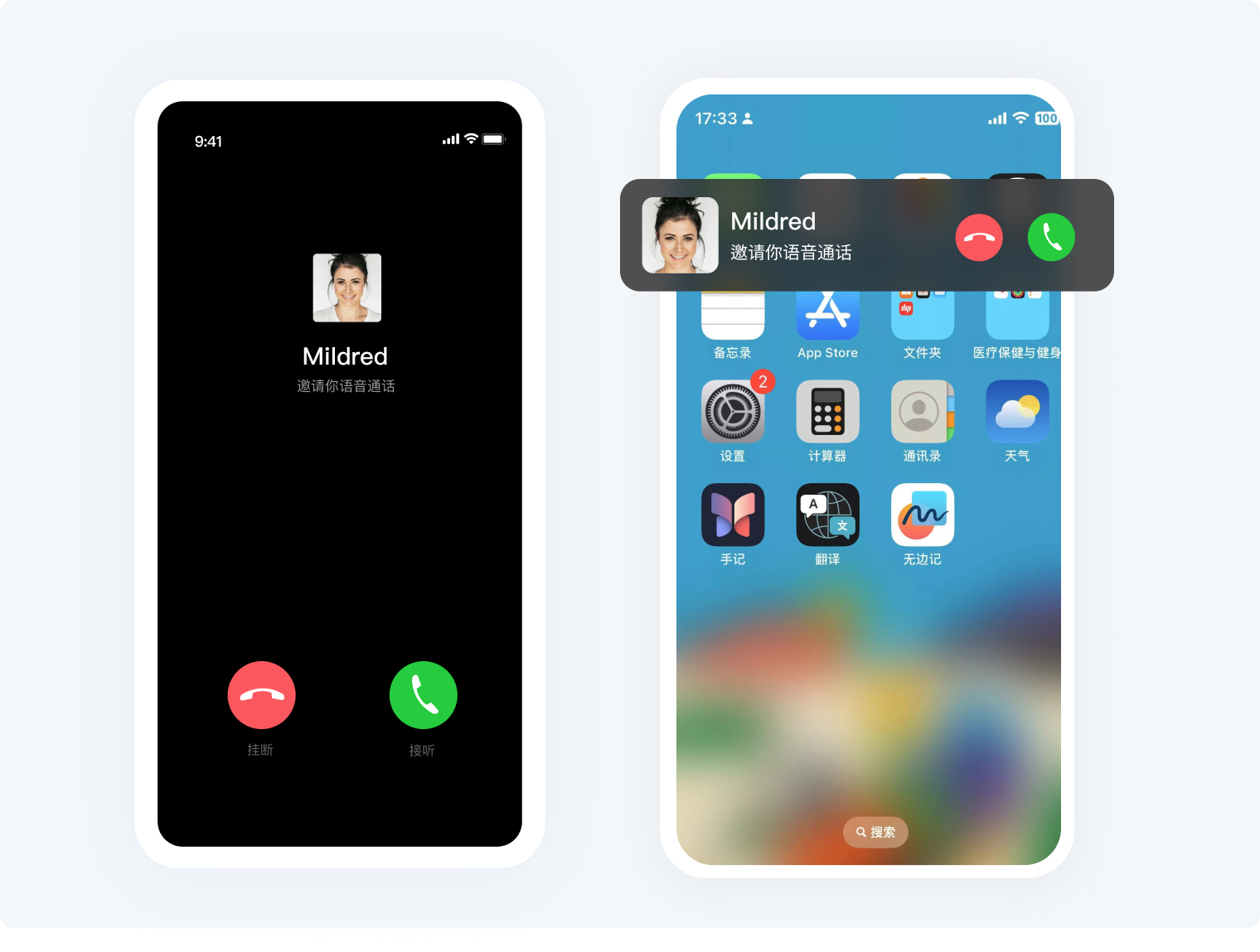
If you have chatting, audio and video calls, signaling and other scenarios and need to be able to reach them in time even in offline scenarios, you can pay attention to the ordinary message push function.
If you have marketing advertisements, notifications, news information, etc. that need to be pushed to all users or designated groups, you can pay attention to the all/tag users push function.
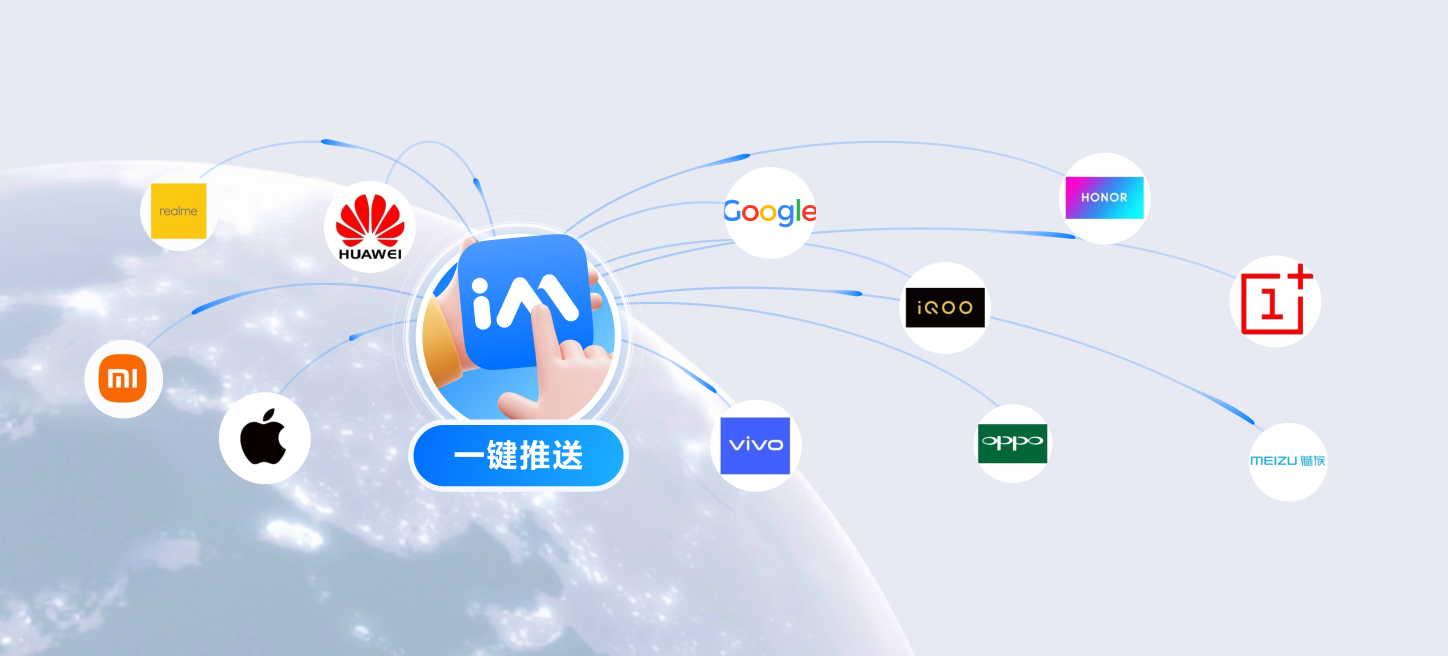
Offline push manufacturers support Xiaomi, Huawei, Honor, OPPO, vivo, Meizu, APNs, including sub-brands of various manufacturers such as OnePlus, realme, iQOO, etc., and support Google FCM overseas.
The push management console provides you with full-link troubleshooting tools, push records, and statistical data on various indicators, making it easy for you to view various indicators such as push reach rate, click-through rate, and conversion rate.

Features

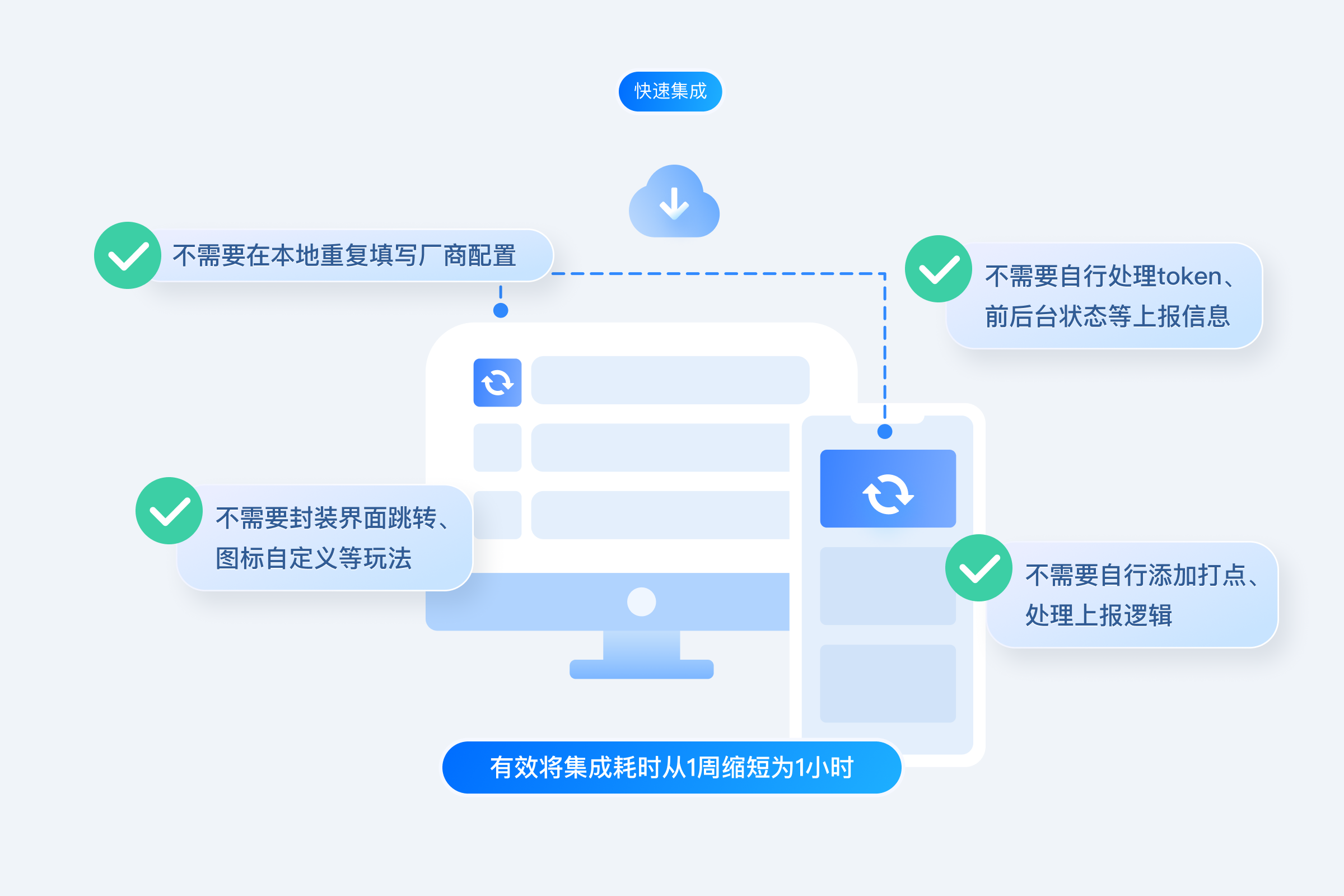
Quick integration in 3 minutes

It is no longer necessary to configure push information for each manufacturer separately. You only need to download and import the json configuration file in the Chat console, and you can complete the push information configuration for all mobile phone manufacturers with one click.
Supports the integration of one or more push channel packages from corresponding manufacturers on demand to easily cope with compliance requirements.
There is no need to handle push registration, token reporting, front-end and back-end status reporting, etc. by yourself. The push plug-in is self-closed.
There is no need to add management and processing reporting logic by yourself. The push plug-in reports and summarizes by itself. It also supports link troubleshooting and indicator statistics.
The plug-in encapsulates interface jumps, icon customization and other methods, and can be used directly.


Ordinary message push

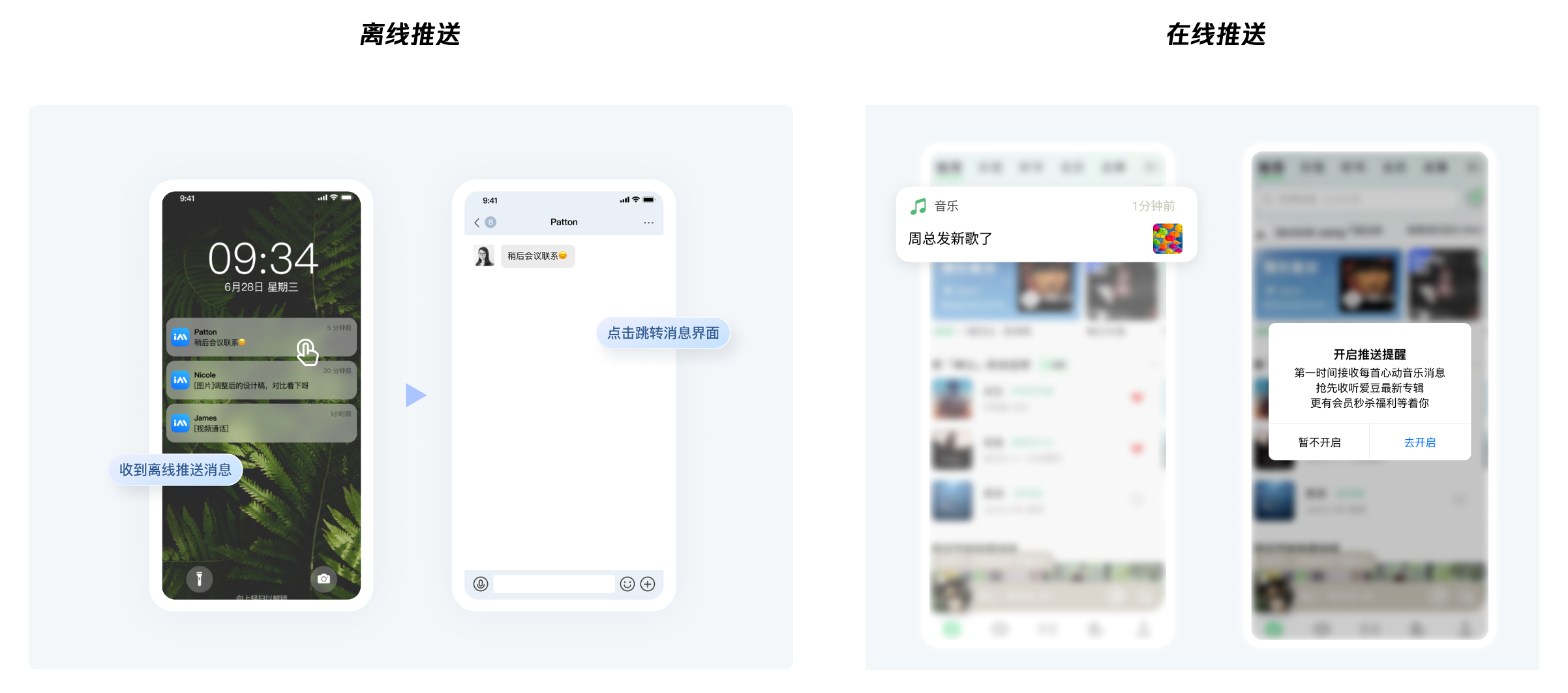
In ordinary Chat message sending and receiving scenarios, messages can reach the device in time even when the application is offline and support customizable jump interfaces.


All/tag users push

The all/tag users push function is designed to help you push marketing, advertising, notifications, etc. to all users or tag users, ensuring that the right messages are sent to the right users in the right way at the right time.


All/tag users push supports two push methods: on-site and off-site push:

On-site push

Supports message roaming. Push messages will also enter the Chat message system, which will trigger updates of corresponding sessions, messages, and unread modules. Users can receive push messages when they are online. When users are not online, they can automatically receive push messages after logging in next time. news.

Off-site push

Push messages arrive on the device as system notifications and are not saved in the Chat system.


Custom jump interface

After the user receives the push, click on the notification bar to see the customized jump interface.


Push custom styles

Supports custom styles of small icons, right icons, long text, large pictures, badge and ringtones.


Full-link troubleshooting tools

Provide self-service troubleshooting tools to view the entire push link details, analyze push failure and click failure reasons, and improve conversions.


Statistical data

Record and query all push data of users, organize and analyze various types of indicator data pushed by users every day, and generate recent delivery > reach > click funnel conversion charts, which can be viewed according to manufacturer channel classification.
Push indicator analysis

Push record


Starting to Use

Step 1. Activate the Service

Step 2: Integrating and Using

1. Online Push
2. Offline Push
Vendor Configuration Android & iOS & Flutter & uniapp & React-Native
Quick Access Android & iOS & Flutter & uniapp & React-Native

Step 3: Sending Push Messages to All Users/Tags/Specified UserID

Sending Push Messages to All Users/Tags, see Pushing to All Users/Tags.
For Specified UserID Push Messages, see Single Push.

Step 4: Implementing Push Diversification

Ringtone
Icons

Step 5: Managing and Analyzing Push

Contact Us

If you encounter problems during use, you can solve them by referring to the FAQs or click to join the group chat for direct consultation.

Help and Support

Was this page helpful?

Help us improve! Rate your documentation experience in 5 mins.

Feedback