tencent cloud

Sender Address

PDF
Focus Mode
Font Size
Last updated: 2024-09-05 09:47:39

Overview

You can configure sender addresses in the SES console. This document describes how to create a sender address.

Directions

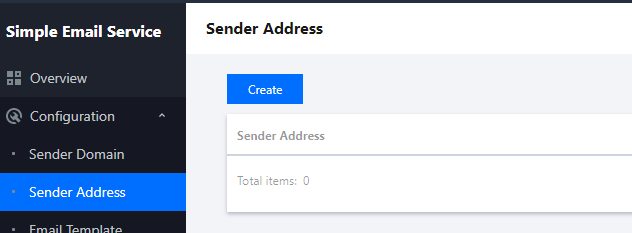
1. Log in to the SES console, click Configuration > Sender Address to go to the Sender Address page, and click Create.


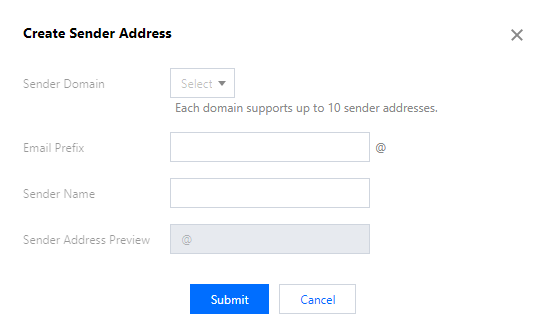
2. In the Create Sender Address dialog box, select a sender domain, enter an email prefix and a sender name, and click Submit to complete the configuration.


Note:
You can create up to 10 sender addresses for each domain.

Help and Support

Was this page helpful?

Help us improve! Rate your documentation experience in 5 mins.

Feedback