tencent cloud

Recipient Group

PDF
Focus Mode
Font Size
Last updated: 2024-09-05 09:47:39

Overview

This document describes how to create a recipient group in the SES console.

Directions

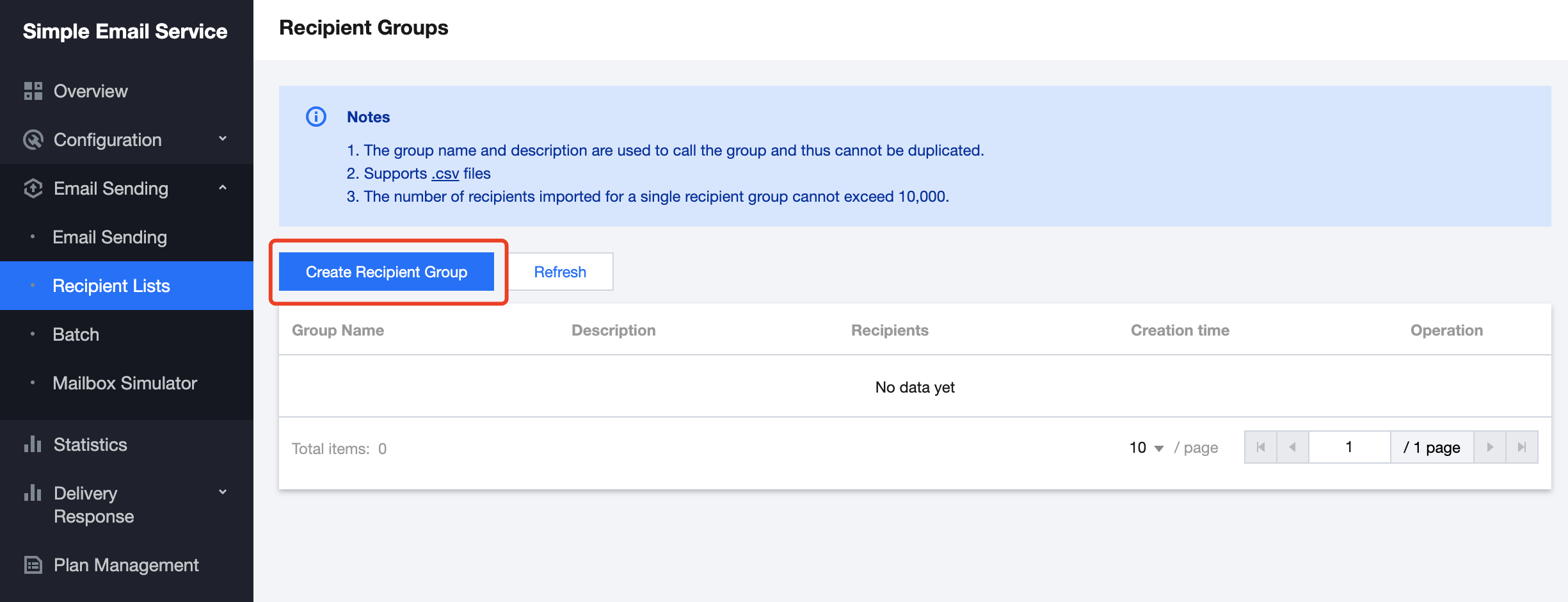
1. Log in to the SES console, select Email Sending > Recipient Groups to enter the Recipient Groups page, and click Create Recipient Group.


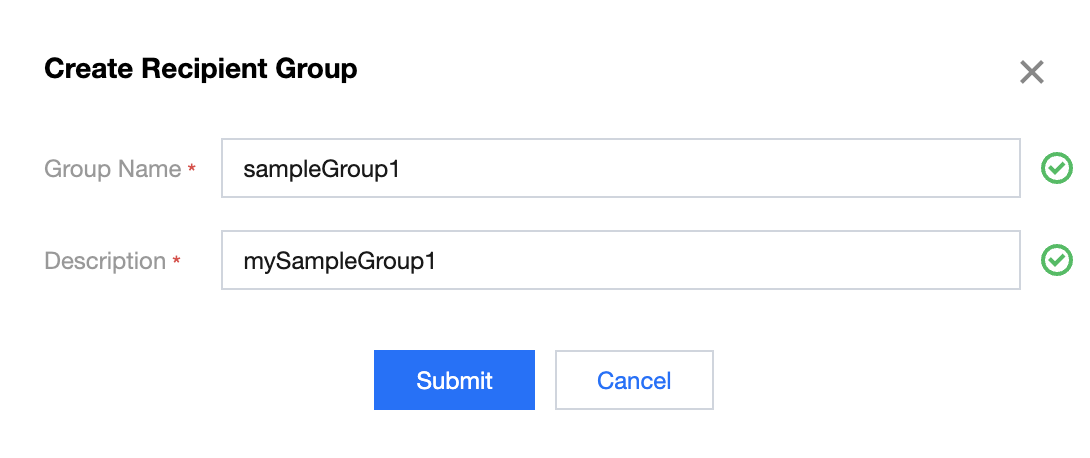
2. On the Create Recipient Group page, configure relevant information and click Submit.


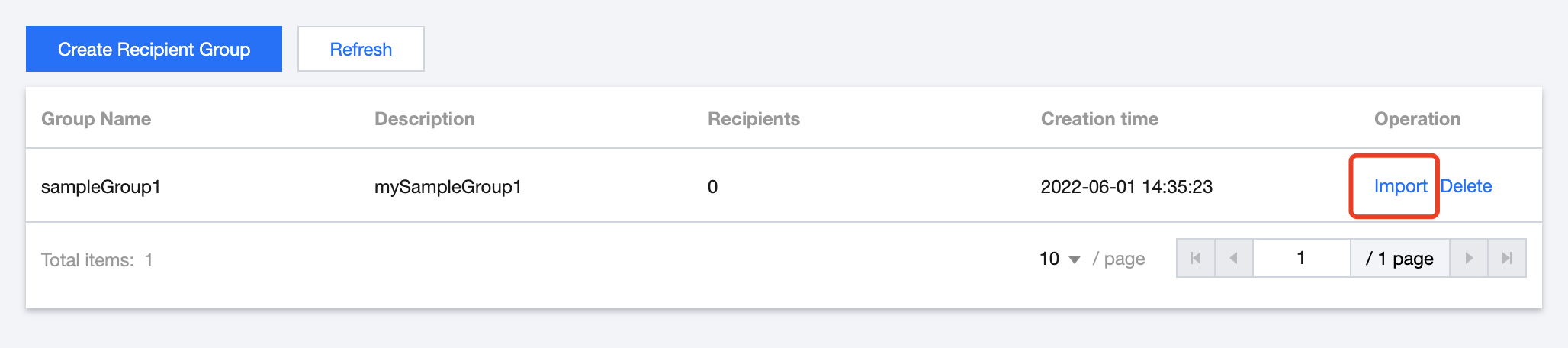
3. Return to the Recipient Groups page, click Import in the Operation column on the right, and upload your local recipient group.


Note:
You can only import a file edited on your local computer but can't edit the recipient group online.
You can only import a CSV file containing no more than 10,000 recipients.
You can set multiple variables for the recipient group. You can also set different variable values for different recipient addresses.
You can download a sample CSV file on the Recipient Groups page in the console.

Help and Support

Was this page helpful?

Help us improve! Rate your documentation experience in 5 mins.

Feedback