Lazy Materialization
Download
Focus Mode
Font Size
What Is Lazy Materialization
If the primary key or index key cannot be hit when a SQL query is executed in a database, a full table scan (TableScan) is required. This process of scanning all data is usually costly. To optimize this process, Lazy Materialization can be adopted. This technology works by delaying data materialization until the query execution phase when necessary computation and storage are performed, thereby improving the query performance and system response speed.
In the process of executing SQL queries in a read-only analysis engine, predicate columns are read first, and the Filter operator is used to perform calculations to obtain the filtered results. Subsequently, the read-only analysis engine materializes other columns that need to be read based on these filtered results. This method effectively reduces the amount of data read from non-predicate columns during large-scale data filtering, thereby increasing the scanning speed.
Advantages of Lazy Materialization
Data is compressed in the read-only analysis engine, so the materialization process requires decompression of the data. Lazy Materialization can reduce the range of the data to be decompressed, thereby reducing the CPU overhead caused by decompression.
When a SQL query involves multiple columns, early materialization may cause the database to read and combine data from all columns, even though some of the columns may not be used in the query of the final result. In contrast, Lazy Materialization delays the data combination process, allowing the database to read and process only the columns that are really needed. This approach effectively reduces unnecessary I/O operations, thereby improving the query efficiency.
Lazy Materialization makes operations like filtering and aggregation more efficient, as these operations only need to process column data rather than the entire row. The characteristics of columnar storage (such as data compression and batch processing) can be better utilized, resulting in faster query execution.
Parameters of Lazy Materialization
Lazy Materialization can be enabled/disabled with the parameter libra_enable_late_materialization, and "ON" indicates that Lazy Materialization is enabled.
Attribute | Description |
Parameter Type | BOOL. |
Default Value | ON. |
Value range | ON: Enable Lazy Materialization. OFF: Disable Lazy Materialization. |
Scope | Global & Session. |
SET_VAR Hint supported | Yes. |
#Disable Lazy Materialization at session level.set libra_enable_late_materialization=off;#Enable Lazy Materialization at session level.set libra_enable_late_materialization=on;
Example of Lazy Materialization
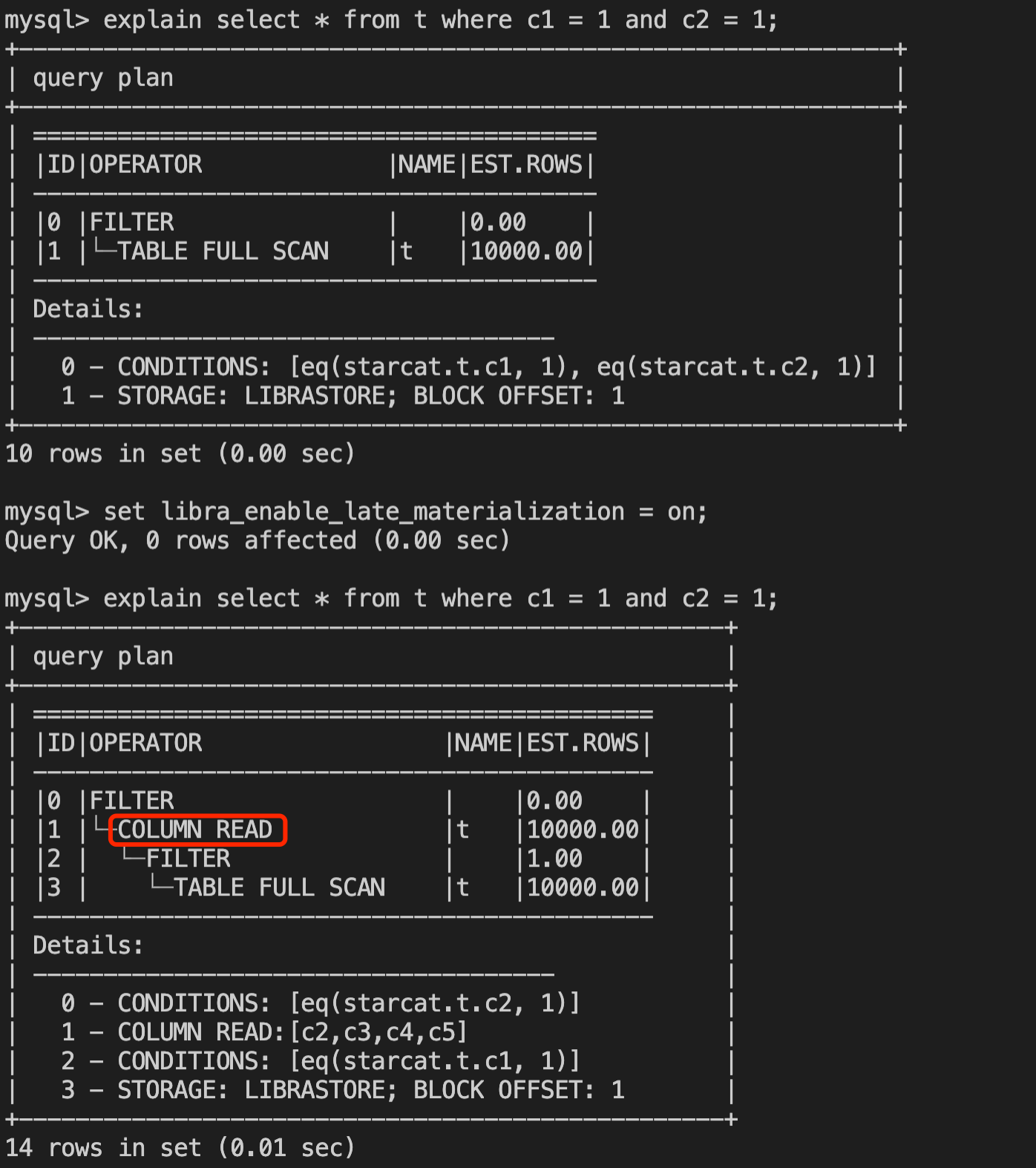
As shown in the figure below, when Lazy Materialization is enabled, you can clearly see the COLUMN READ operator in the execution plan. This operator is an example of Lazy Materialization being enabled.
How to Set Lazy Materialization in HINT
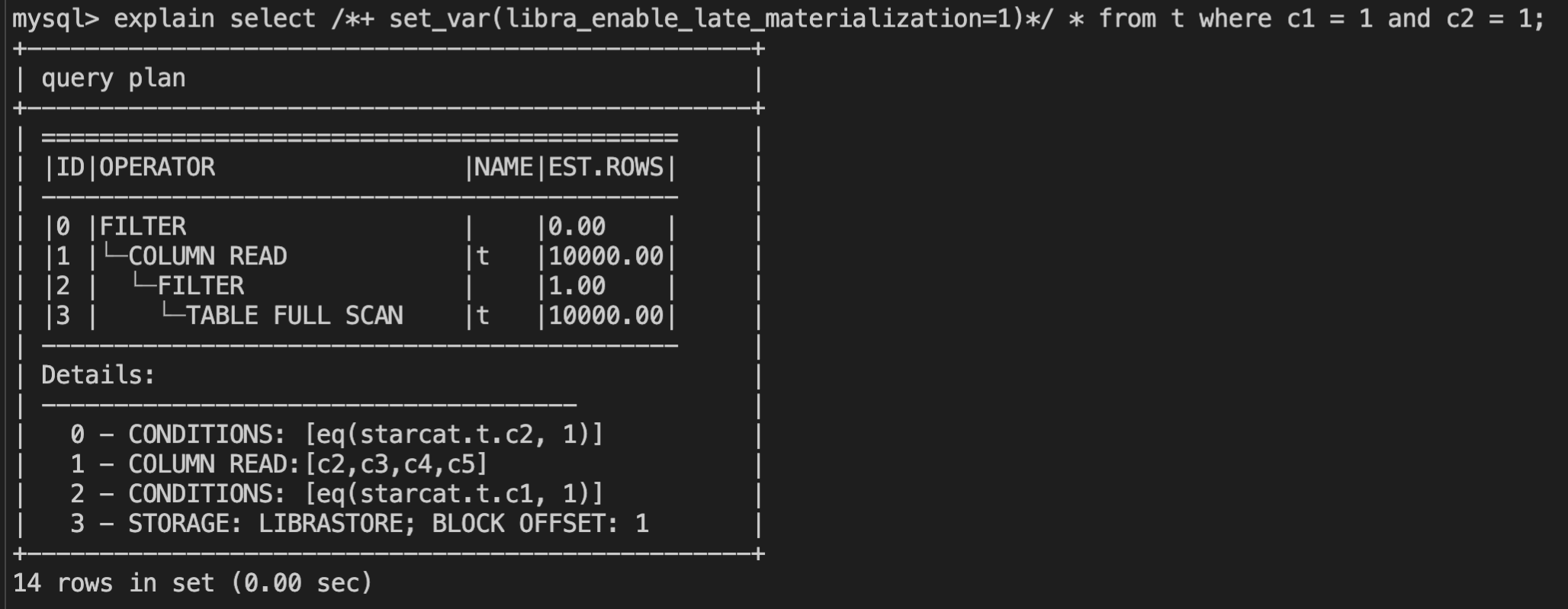
SET_VAR Hint allows you to enable or disable Lazy Materialization in a single SQL statement. An example is as follows.
select /*+ set_var(libra_enable_late_materialization=1)*/ * from t where c1=1 and c2=1;
Help and Support
Was this page helpful?
You can also Contact sales or Submit a Ticket for help.
Help us improve! Rate your documentation experience in 5 mins.
Feedback