tencent cloud

Edge Computing Machine

Viewing Instance Monitoring Data

Download
Focus Mode
Font Size
Last updated: 2023-12-25 17:20:01

Overview

This document describes how to view the monitoring data of the current instance in the ECM console.

Directions

1. Log in to the ECM console.
2. On the left sidebar, select Instance List.
3. On the instance list page, find the desired instance and click the ID/instance name to enter the instance details page.
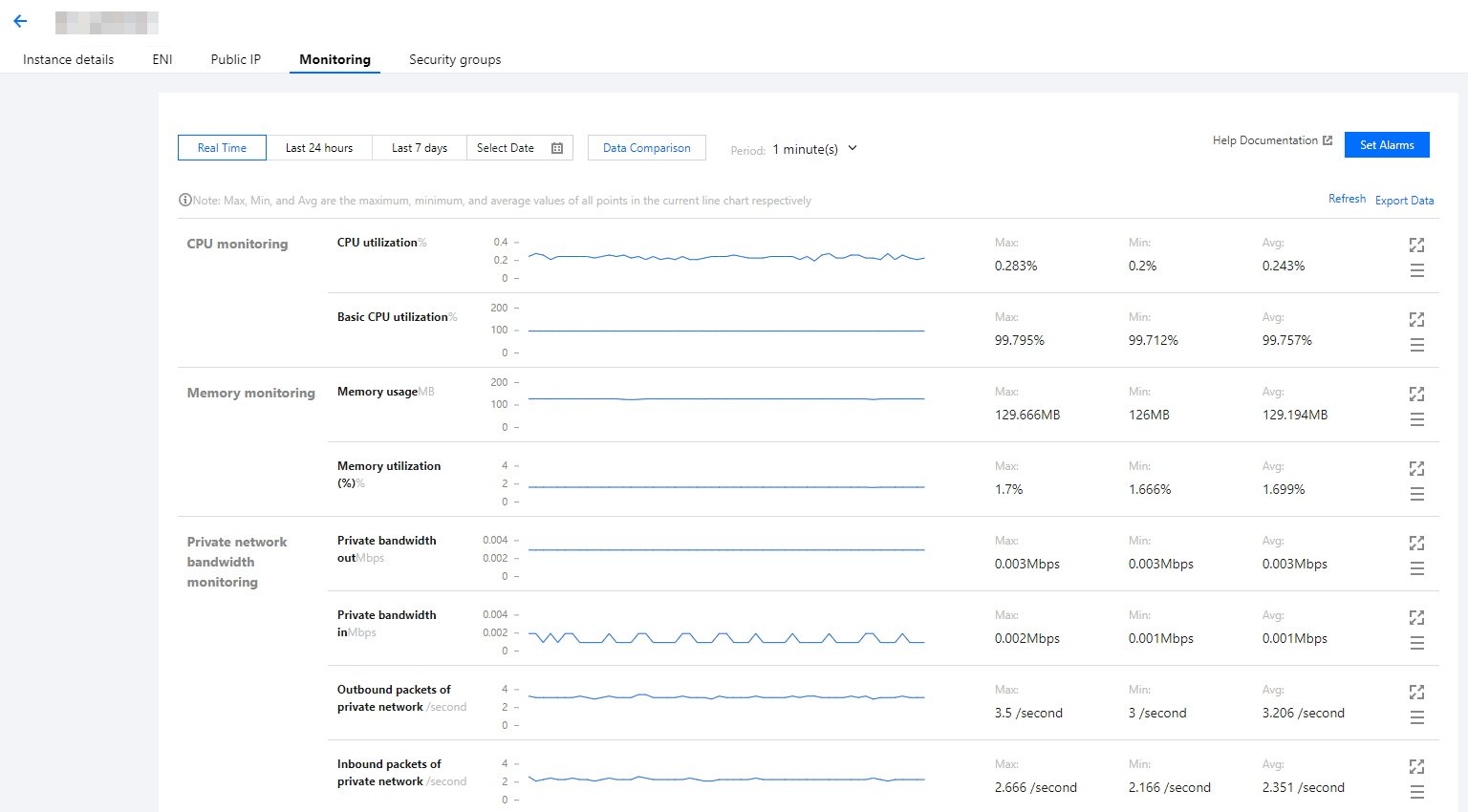
4. Select the Monitoring tab to enter the monitoring page, and you can view ECM instance monitoring information such as CPU, memory, private and public network bandwidths, and disk usage as shown below:

On the monitoring page, you can filter and export data by time to manage ECM instances more easily.
Help and Support

Was this page helpful?

Help us improve! Rate your documentation experience in 5 mins.

Feedback