tencent cloud

Database Management Center

DMC V1.x
Product Introduction
Purchase Guide
Quick Start
Operation Guide (Personal Edition)
Operation Guide (Enterprise Edition)
FAQs
DMC Management
DMC Policy
Privacy Policy
Data Privacy and Security Agreement

Instance Sessions

PDF
Focus Mode
Font Size
Last updated: 2026-01-08 17:06:39

Overview

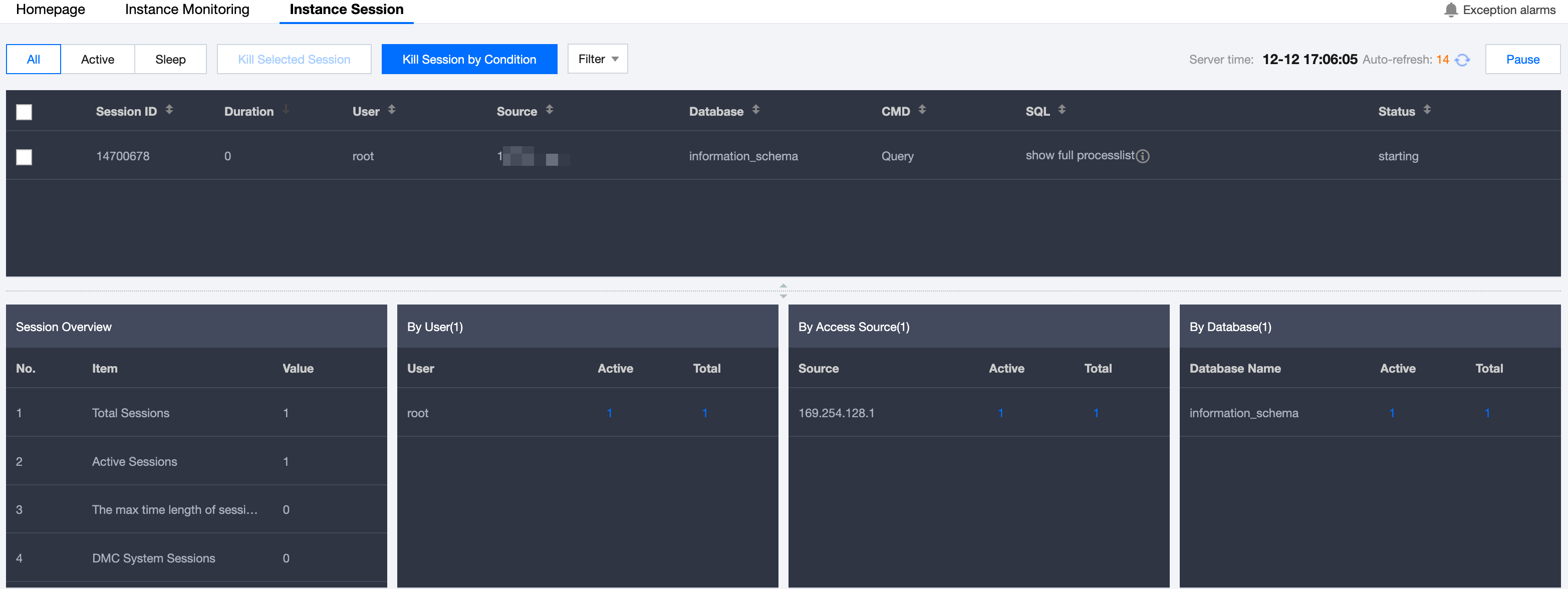
DMC provides multi-dimensional instance session information displays, enabling users to easily view and manage sessions.

Directions

1. Log in to the DMC Console, switch to the top feature tab, and click Instance Session.

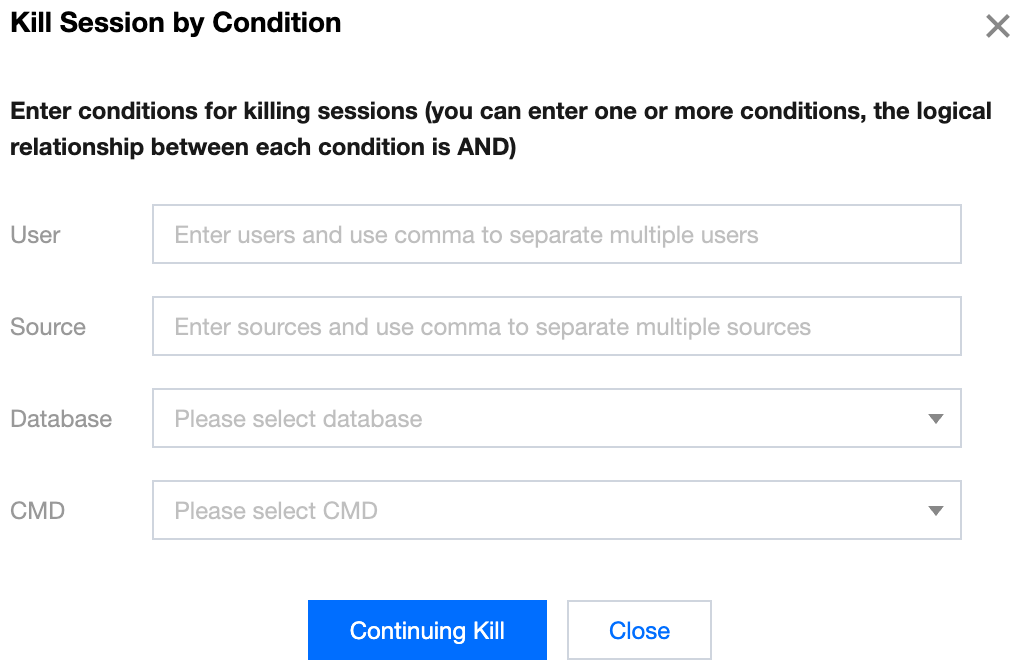
2. If you need to kill a session, select the specified session and click Kill Selected Session. Alternatively, you can kill sessions based on specific criteria by clicking Kill Session by Condition. Fill in the parameters in the dialog box as shown below, and then click Continuing Kill.


Help and Support

Was this page helpful?

Help us improve! Rate your documentation experience in 5 mins.

Feedback