Report false positives
Download
Focus Mode
Font Size
When rule-based alarm records generate false positives, you can report them via the entry for reporting false positives in the Alarm Center, thereby promptly providing feedback on the alarm records.
Method 1
1. When you find that an alarm is a false positive, click Report false positive to submit the false positive information.
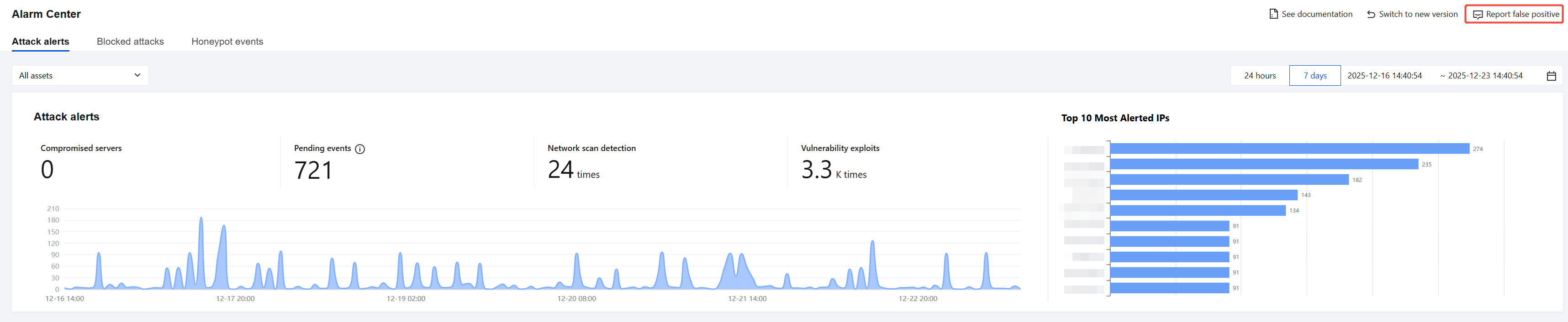
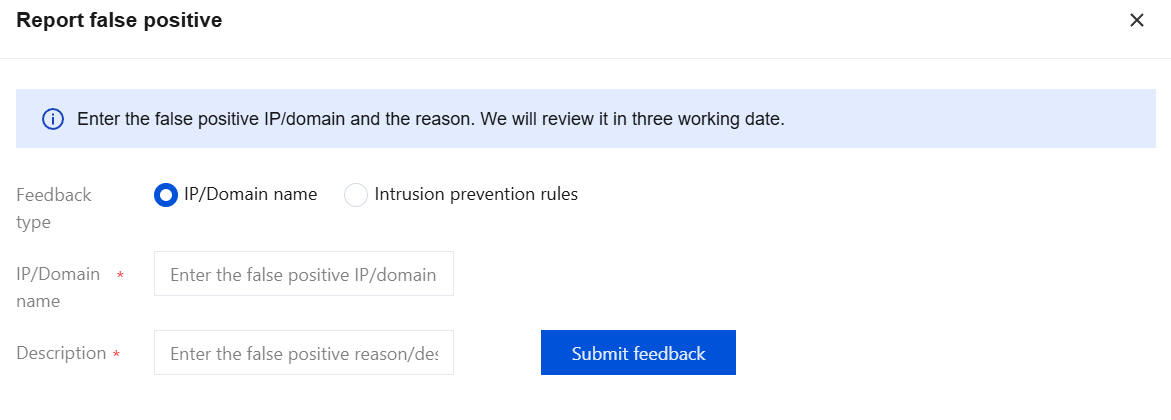
2. On the Report False Positive page, select the feedback type and enter the corresponding false positive information, including:
2.1 IP/Domain name: Fill in the IP address or domain of the false positive, and the false positive description.
2.2 Intrusion prevention rules: Enter the rule ID of the false positive and the false positive description.
Note:
In the alarm event details, you can view the details of events hitting rules, thus quickly obtaining the rule ID corresponding to false positive events.
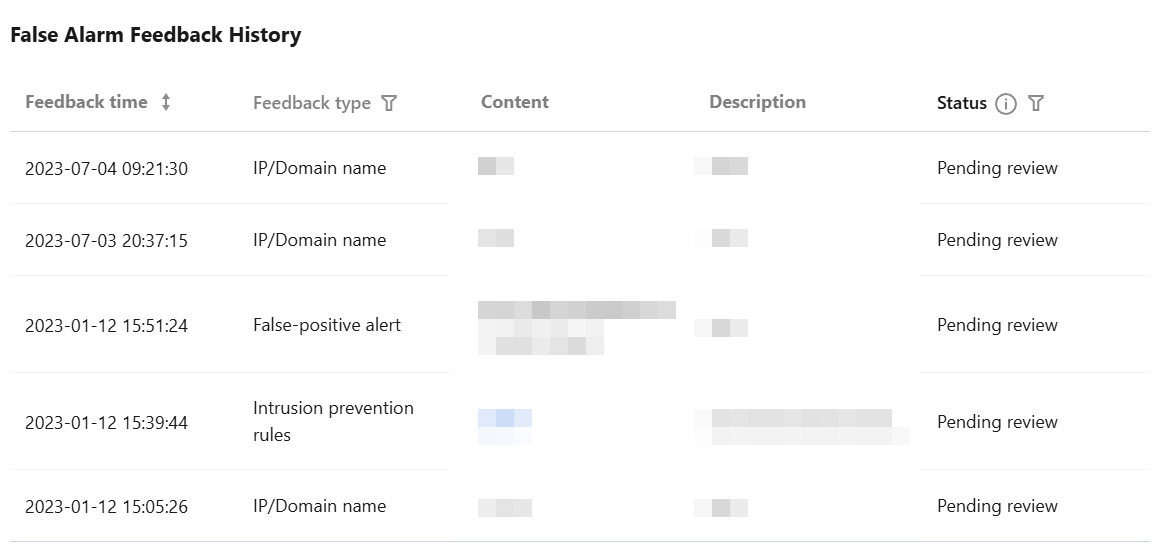
3. Click Submit feedback to submit feedback on false positives. The records of false positive feedback will be displayed below on the page. CFW staff will complete the assessment and provide feedback on the processing results within 3 business days.
Method 2
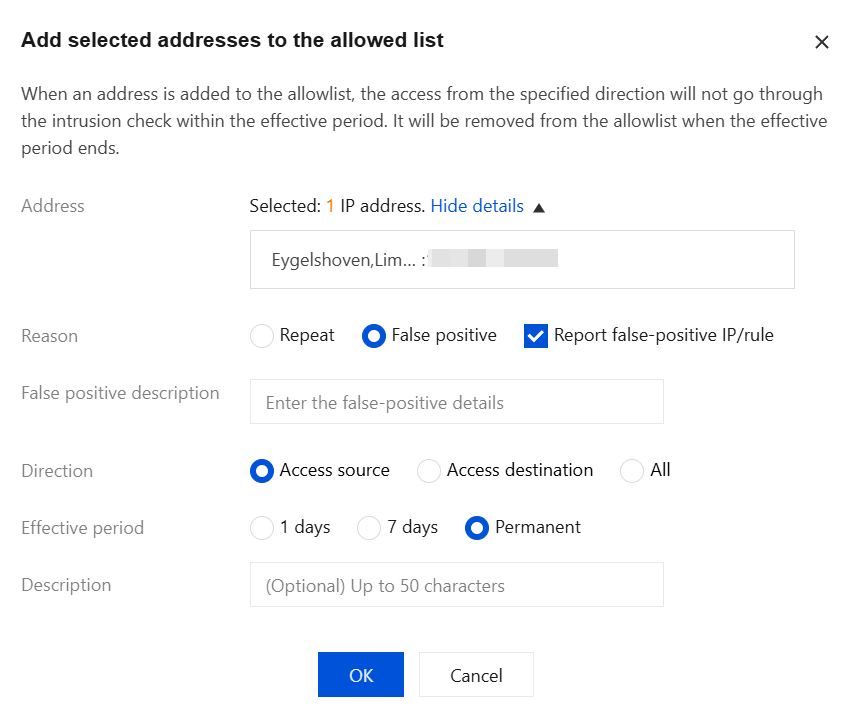
1. When you find that an alarm is a false positive, click Allow in the operation bar to add the false positive IP address to the Allowlist strategy (allowlist) of the Intrusion Defense module.

2. In the pop-up window, select False positive as the reason for allowing and report the address/rule of the false positive. After filling in the description of the false positive below, click OK to complete the feedback.
3. The records of false positive feedback will be displayed below on the page. CFW staff will complete the assessment and provide feedback on the processing results within 3 business days.
Help and Support
Was this page helpful?
You can also Contact sales or Submit a Ticket for help.
Help us improve! Rate your documentation experience in 5 mins.
Feedback