tencent cloud

Business Intelligence

Product Introduction
Product Overview
Strengths
Product Features
Use Cases
Purchase Guide
Billing Instructions
Purchase Guide
Upgrade Instructions
Renewal Instructions
Quick Start
Data Access
Creating a VPC Data Source
Creating Cloud Data Sources
Creating Proprietary Data Sources
Data Table Creation and Data Processing
Introduction to Data Analysis Basics
Data Table Creation
Data Processing
Data Analysis
Analysis Settings
Interactive Analysis
Ad-Hoc Analysis
Data Visualization
Public Style Setting Instructions
Filter Components
Chart components
Rich Text Component
Other Components
Mobile Terminal Layout Editor
Theme Settings Introduction
Page Layout Introduction
Dashboard Directory Management
Collaboration and Application
Push Channel Management
Report Push
Sharing
Embedding
Self-Service Data Retrieval
Metric Alarms
Data Security
Parameter Construction
Platform Management
Account and Permission Management
Statistics and Analysis
System Settings
Resource Migration
Practical Tutorial
Collection of Optimization Practices
Performing Trend Analysis
Performing Proportion Analysis
Performing Data Analysis with Excel Files
Creating Tables
API Documentation
History
Introduction
API Category
Making API Requests
Project Management APIs
Role APIs
Database Table APIs
Report Embedding APIs
Page Management APIs
Data Types
Error Codes
FAQs
Relevant Agreements
Service Level Agreement
Privacy Policy
Data Privacy And Security Agreement
Contact Us

API Table Creation

PDF
Focus Mode
Font Size
Last updated: 2025-09-19 15:14:19
By using the API table creation method in Business Intelligence (BI), you can make an API call to select the returned data table and generate a BI data table.
Edition limitation of feature usage: This feature is only supported for Professional Edition users.

Operation Steps

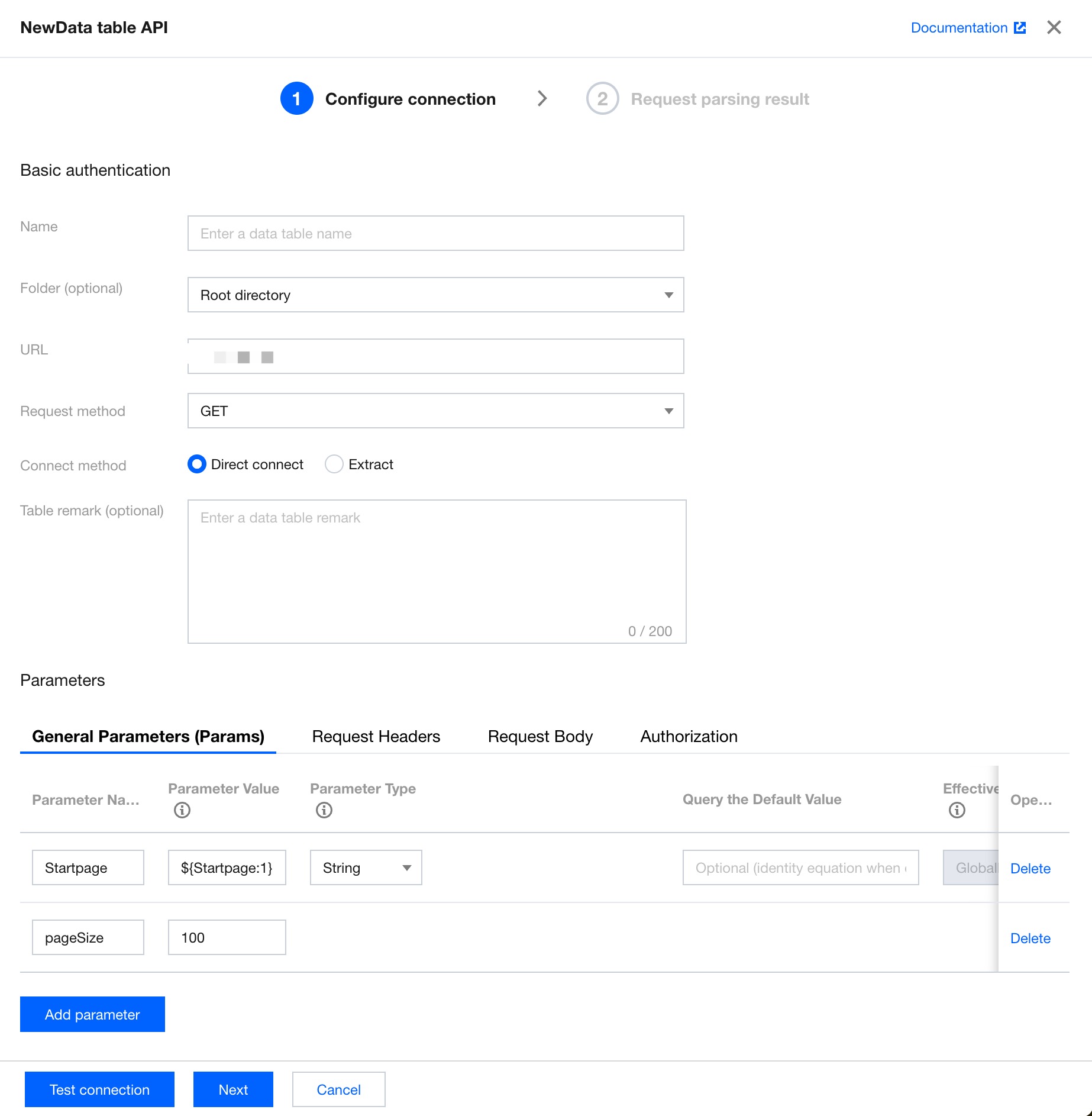
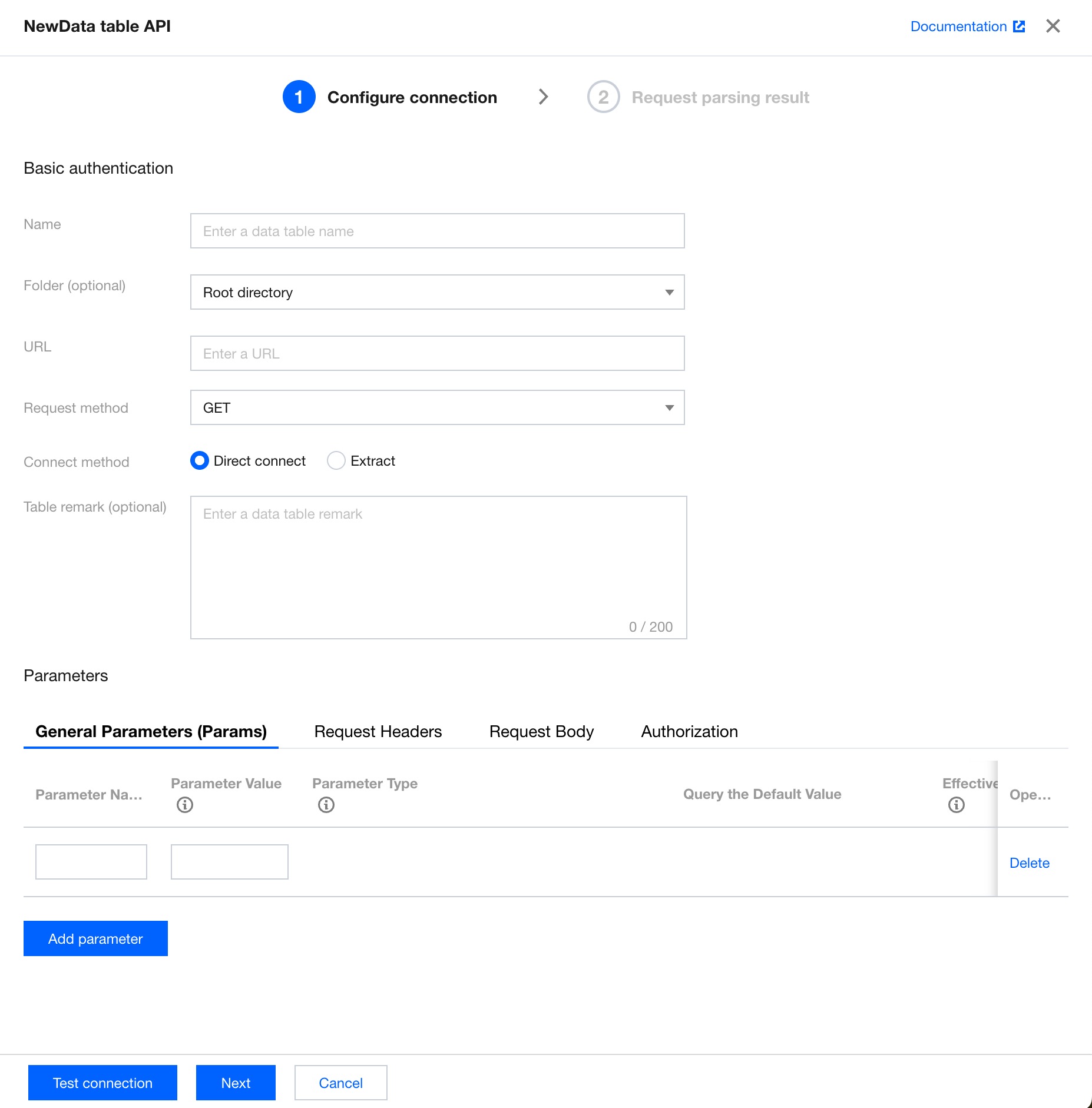
1. Enter Data Preparation > Data Table > Create Data Table > API Table Creation.


2. Configure API basic authentication and parameter settings information.


Basic authentication
Field Name
Field Description
Display name
The display name of the API data source table in the data table list.
Folder (optional)
The folder to which the API data source table belongs in the data list.
URL address
The API address.
Request method
The API request type. Two types are available, that is, 'GET' and 'POST'.
Connection method
The connection method of the API data source table. Two connection methods are available, that is, "direct connection" and "extraction".
Direct connection: Data is requested in real time via API for display and is not saved locally.
Extraction: Data is extracted and saved locally, and can be updated at a specified frequency.
Parameter settings (optional)
Parameter Type
Field Description
Params
The ordinary parameter following the request address. The format is url?key1=value1&key2=value2.
In scenarios with a large data volume, the dynamic pagination parameter ${Startpage} is supported, and you can make requests through pagination.
Headers
The request header parameter.
Body
The request body. Only JSON format input is supported.
Authorization
Authentication. Available options are 'no permission' and 'base permission'.
Pagination parameters (see the sample content of Params in the table above)
Specific pagination parameter: ${Startpage} or ${Startpage:num}
${Startpage} represents the starting page number of the marked pagination parameter. The default value is 1.
${Startpage:num} represents the starting page number of the marked pagination parameter, and the starting page number is specified as num. For example, '${Startpage:2}' will retrieve data starting from Page 2.
The fixed parameter name for the number of rows per page is pageSize.
Note: A single page supports a maximum of 1000 rows of data. Up to 100 pages are supported.
3. Click Test Connection. Upon success, click Next.

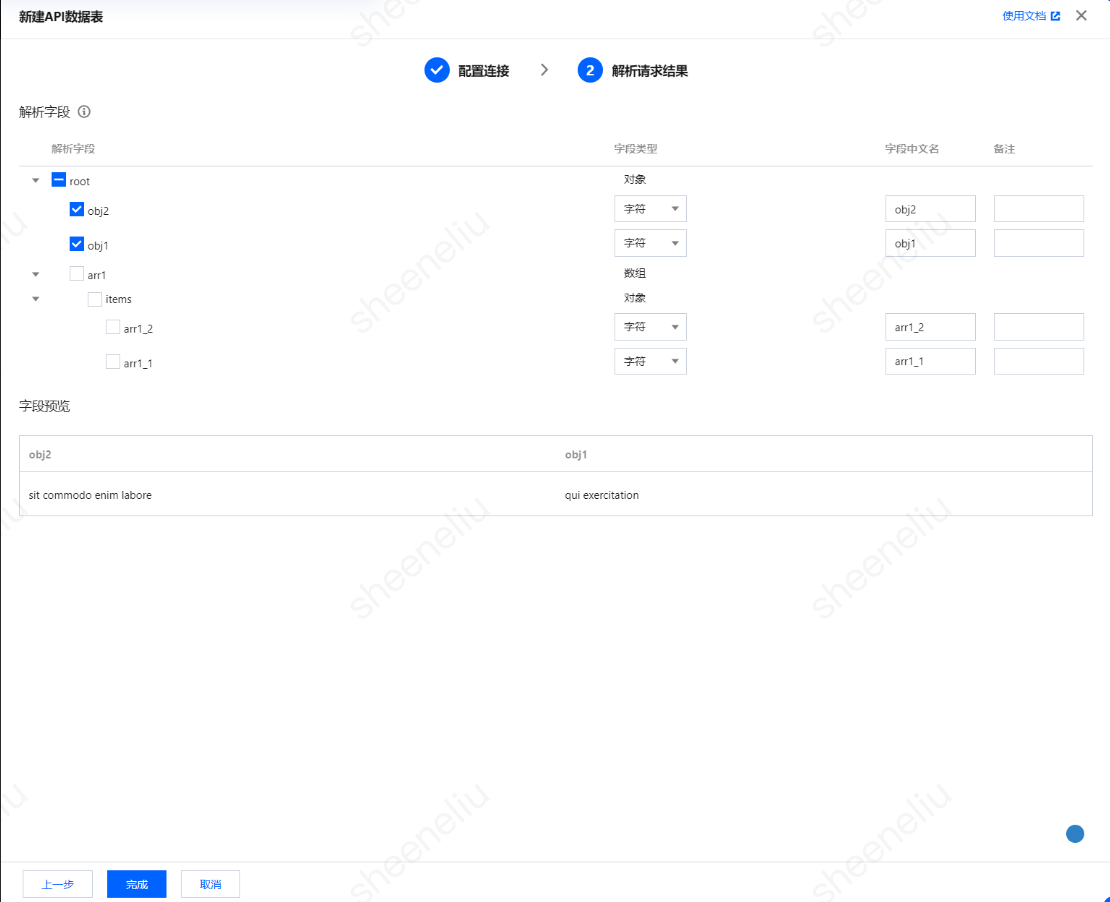
4. Select the required field from the parsing result, then click Complete to create the table.


5. Upon completion of table creation, you can view the corresponding API data source table in the data source list.


Help and Support

Was this page helpful?

Help us improve! Rate your documentation experience in 5 mins.

Feedback