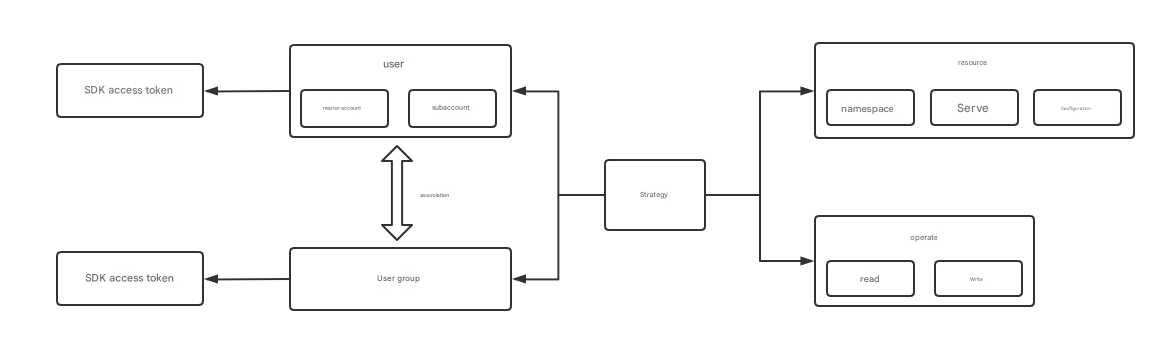
The concepts related to accounts and users in the Polaris (North Star) scenario are as follows:
Master Account: also known as Master User, is the owner of all Polaris resources and has operational permissions for all Polaris resources. When creating a TSF engine, TSF will create a master account named polaris by default.
Sub-account: A collaborative account created by the master account.
User Group: The concept of a user group in Polaris is a group of users with the same permissions. The master account can authorize and manage users in batches by creating user groups.User groups can only be created and authorized by the master account.
Authorization: Master User can manage write permissions for all sub-users and user groups. Sub-users can assign resource permissions for which they have write permissions to other sub-users or user groups.
token: Resource permissions will be controlled and managed via tokens. Both users and user groups can generate tokens.
Scenarios
By using the authentication feature of Polaris (North Star), you can clearly manage access permissions for resources and users. Polaris implements permission control based on the resource dimensions of namespaces and services.
Polaris introduces the concept of policies, linking resource access permissions to different user roles. For example, in the figure below,
Sub-accounts and user groups do not have write permissions for resources by default. The master account needs to authorize them to grant operational permissions for specified resources to the sub-accounts/user groups.
This document guides you through enabling resource authentication and creating new policies in the TSF console to grant resource permissions to users or user groups from the perspectives of master accounts, sub-accounts, and resources.
Prerequisite
The master account has at least one Polaris (Polaris) instance. If you don't have any, go to Create Instance.
Operation Steps
Step 1: Enable Authentication Mode
1. Log in to the TSF console, select Polaris (North Star) in the left sidebar, and go to the engine instance list page.
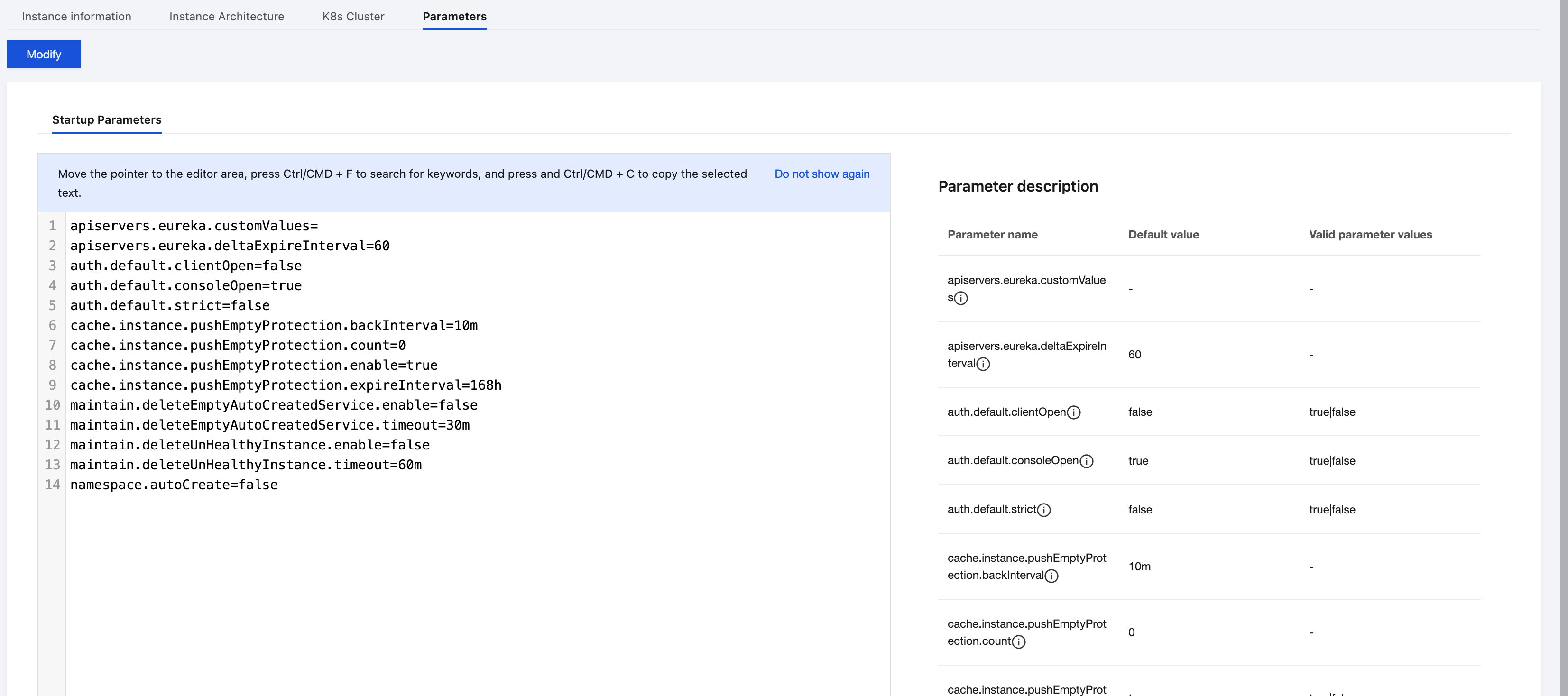
2. Click Engine Management in the left sidebar for the target service instance, then select the Parameter Configuration Tab on the details page.
3. Click to modify the startup parameters auth.default.clientOpen (Client Authentication) and auth.default.consoleOpen (Console Authentication) to True and save.
4. After authentication is enabled, sub-accounts or user groups will need to use token authentication when accessing the console or Polaris resources. Clients without a configured token will be unable to register services.
Step 2: Create a Sub-Account
1. On the Polaris (North Star) instance list page, click Console in the operation column of the target instance engine, enter the username and password, and log in to the Polaris console.
2. After entering the Polaris console, select Users in the left sidebar and click Create.
3. After entering the sub-account information, click OK to create the sub-account.
4. The master account can view tokens for all users or user groups on the Permission Control page, and manage and edit users, user groups, and permission policies.
Step 3: Associate User Groups
Note
Only the master account can edit user groups.
1. Select User Groups in the left sidebar of the Polaris console, go to the user group list page, and click Create User Group.
2. Name the user group as needed and associate sub-accounts.
Step 4: Authorization Operations
You can view authorization operations from different dimensions in the following list.
Master Account Perspective
Sub-Account Perspective
Resource Perspective
Note
Please ensure that authentication is enabled.
1. Log in to the Polaris console using the master account.
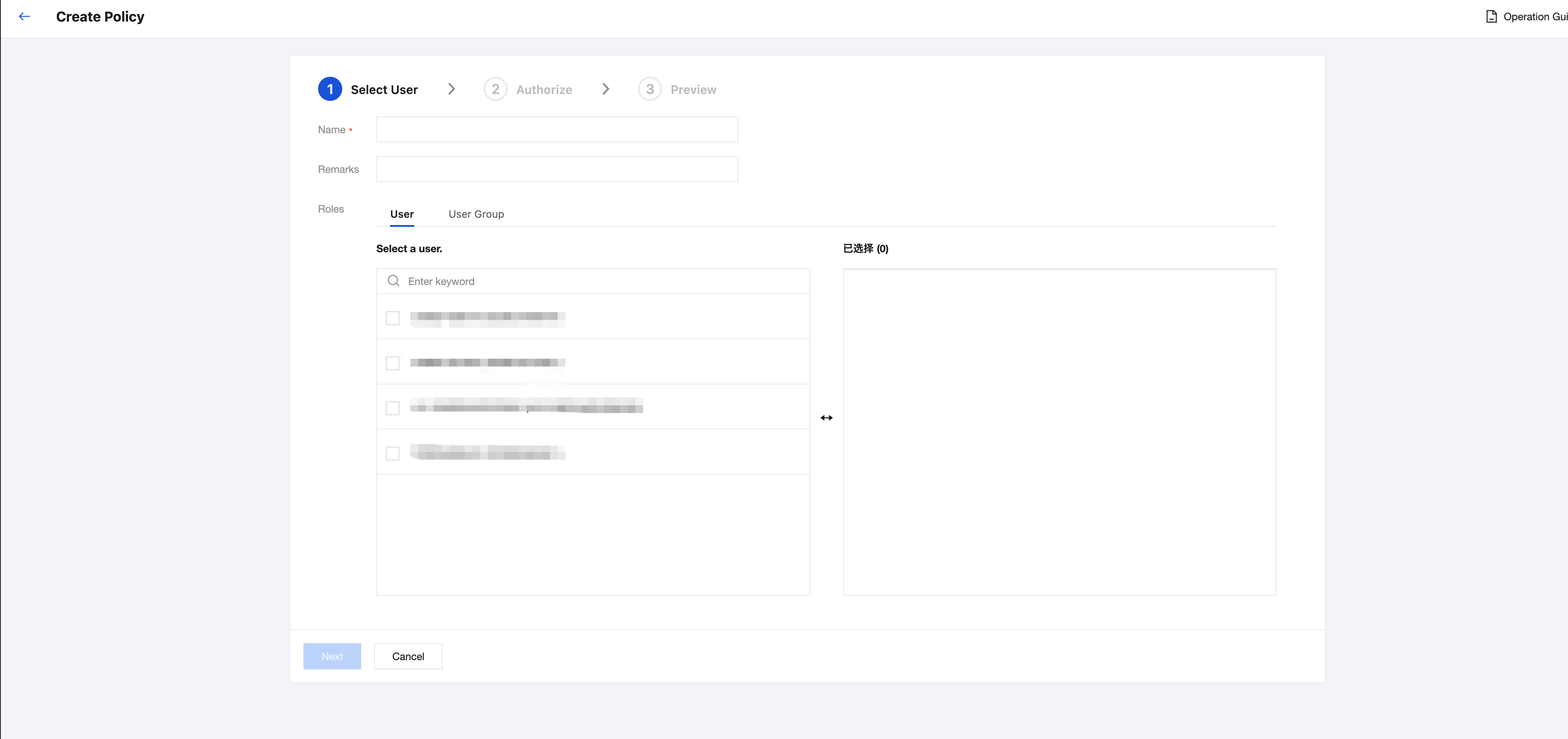
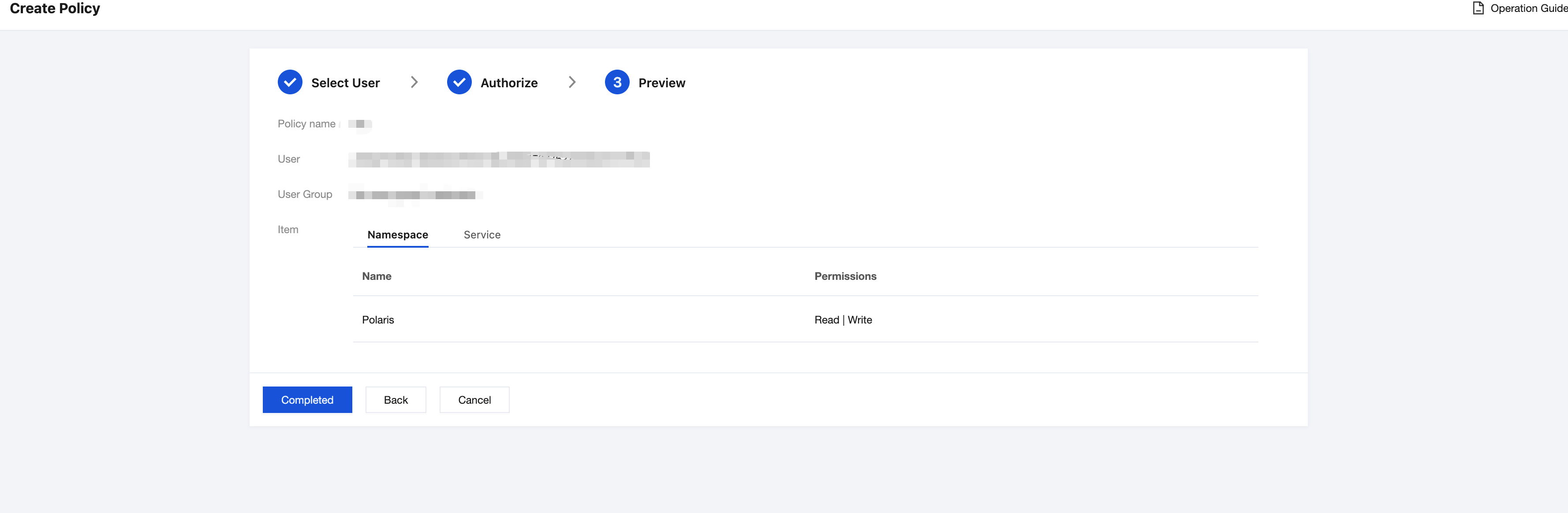
2. In the left sidebar, choose Permission Management > Permission Policies, go to the permission management page, and click to create a new policy.
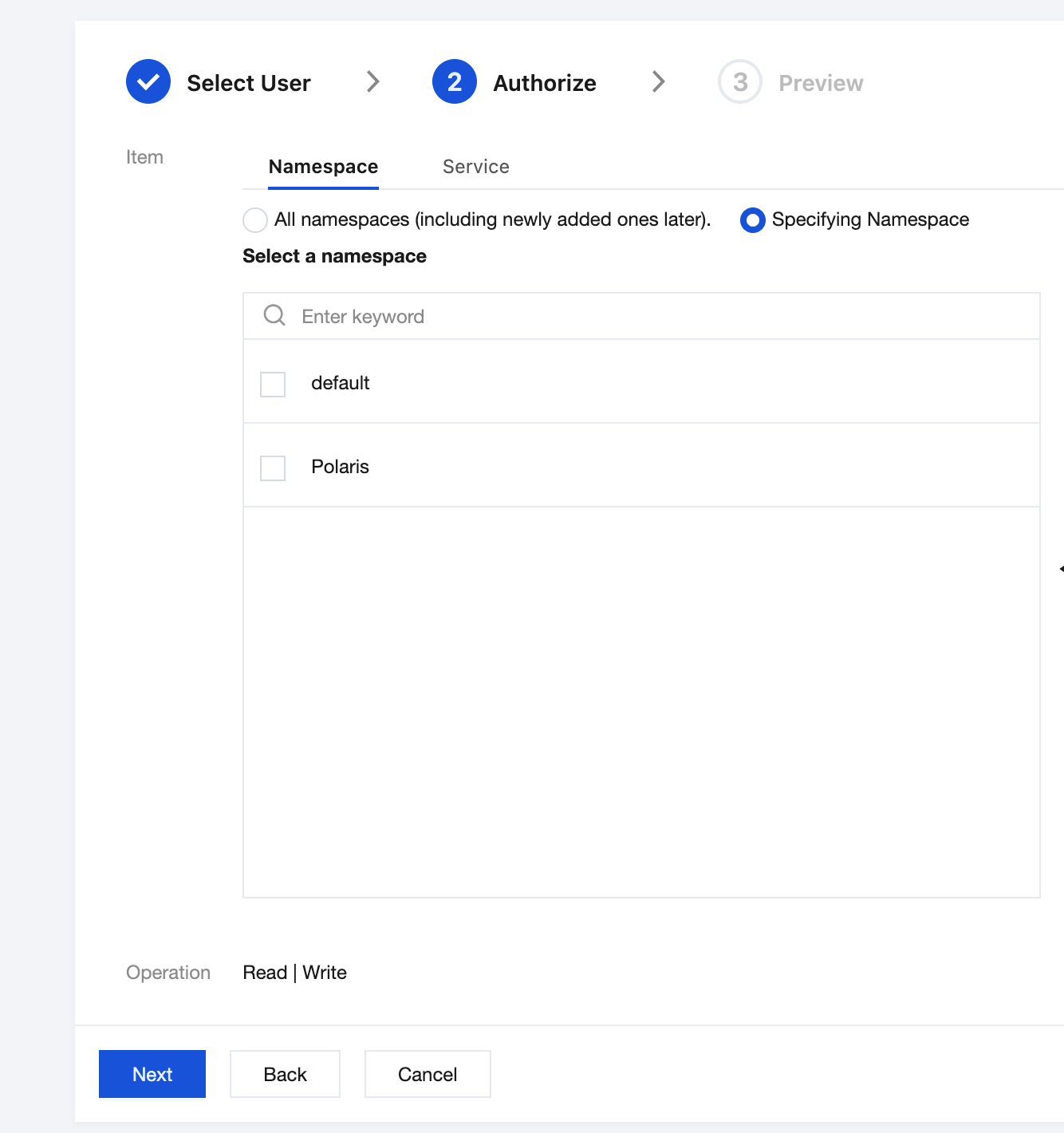
3. Fill in the basic policy information, select the users or user groups to be granted permissions in the Role field, and click Next to select the resources for authorization.
4. In the resources field, you can select Polaris resource types, including namespaces, services, and other resources. The master account can perform operations on all resources.
5. Click Next to go to the preview page, which displays the users, user groups, and resources involved in the policy. After confirming the information is correct, click Finish.
6. The master account can view existing permission policies in the permission policy list and click Edit to perform operations such as authorization or deletion.
1. Only after the master account enables the authentication mode, when a sub-account accesses the Polaris console, will the Policy option appear in the left sidebar.
2. Sub-users cannot create or edit permission policies, but can only view existing permission policies.
3. Sub-users can assign resource permissions for which they have write permissions to other sub-users or user groups. For specific operations, see Resource Perspective.
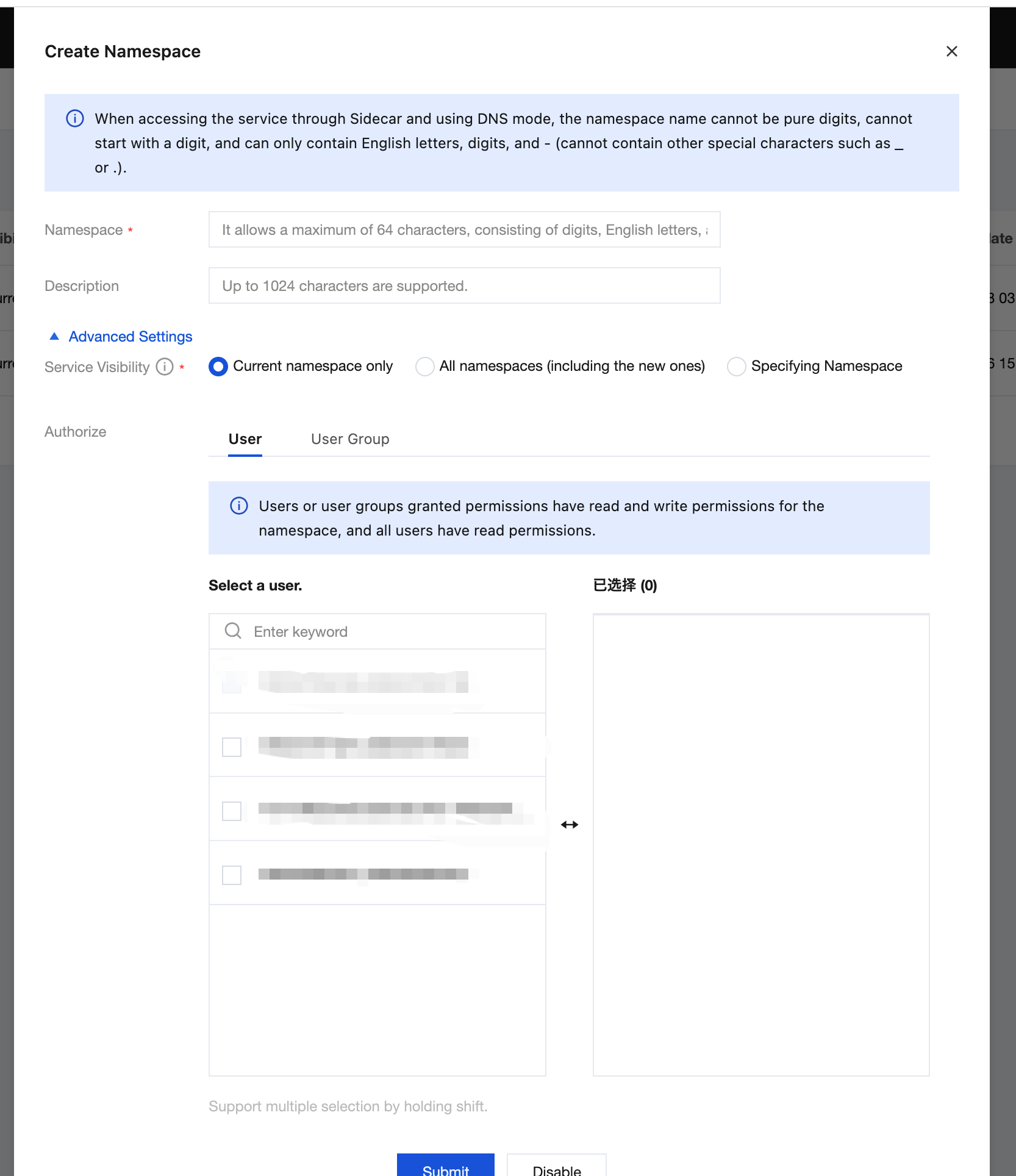
1. Only when the master account enables the authentication mode can users grant permissions for resources to other users or user groups when creating or editing namespaces or services. The following takes namespace as an example to guide you on granting permissions to users from the resource perspective.
2. In the TSE console > polarismesh, select an existing Polaris engine instance and go to the Polaris console. In the left sidebar, select Namespace to go to the namespace list management page.
3. Click New to go to the Create Namespace page, fill in the information as needed, and select users or user groups to be granted permissions in Advanced Settings.
4. Click Submit to complete the namespace creation, and the selected users or user groups will have operational permissions for this namespace.
5. For existing namespaces, click Edit to modify the authorized users or user groups.
Must-Knows
1. Only after the master account enables the service authentication feature can you view the policy list in the console.
2. Resource Isolation:
All sub-users are granted read permissions for the master account's resources by default.
All sub-users or user groups are granted write permissions for the resources they create by default.
Sub-users can inherit write permissions for all resources from the user group they belong to.
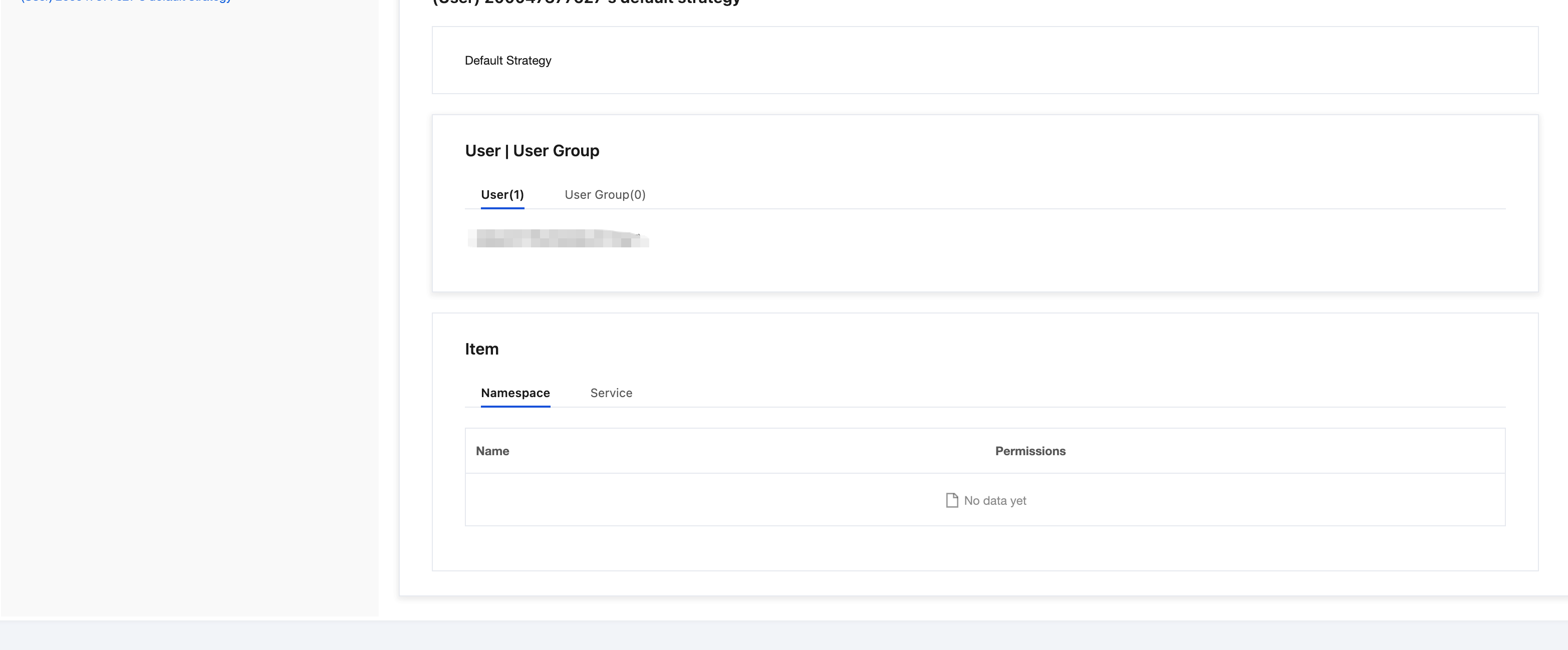
3. Each user initially has a default policy.
By default, no resources are associated with the policy for a sub-user who has not created any resources.
After a user creates resources, they are automatically added to the default policy.
When a resource is deleted, the engine will automatically remove it from the default policy.
4. If you have previously imported Tencent Cloud sub-accounts into the Polarismesh engine instance, it is recommended to promptly use the North Star master account to modify the login passwords for existing sub-accounts. The initial login credentials for existing sub-accounts are as follows: