This document describes how the Cloud Native Gateway reports request logs to Ckafka or a self-managed Kafka.
Scenarios
To persist the Cloud Native Gateway's traffic logs to a Kafka instance, provide a self-managed Kafka and its corresponding topic, or use the Tencent Cloud Ckafka product, and follow the operations below.
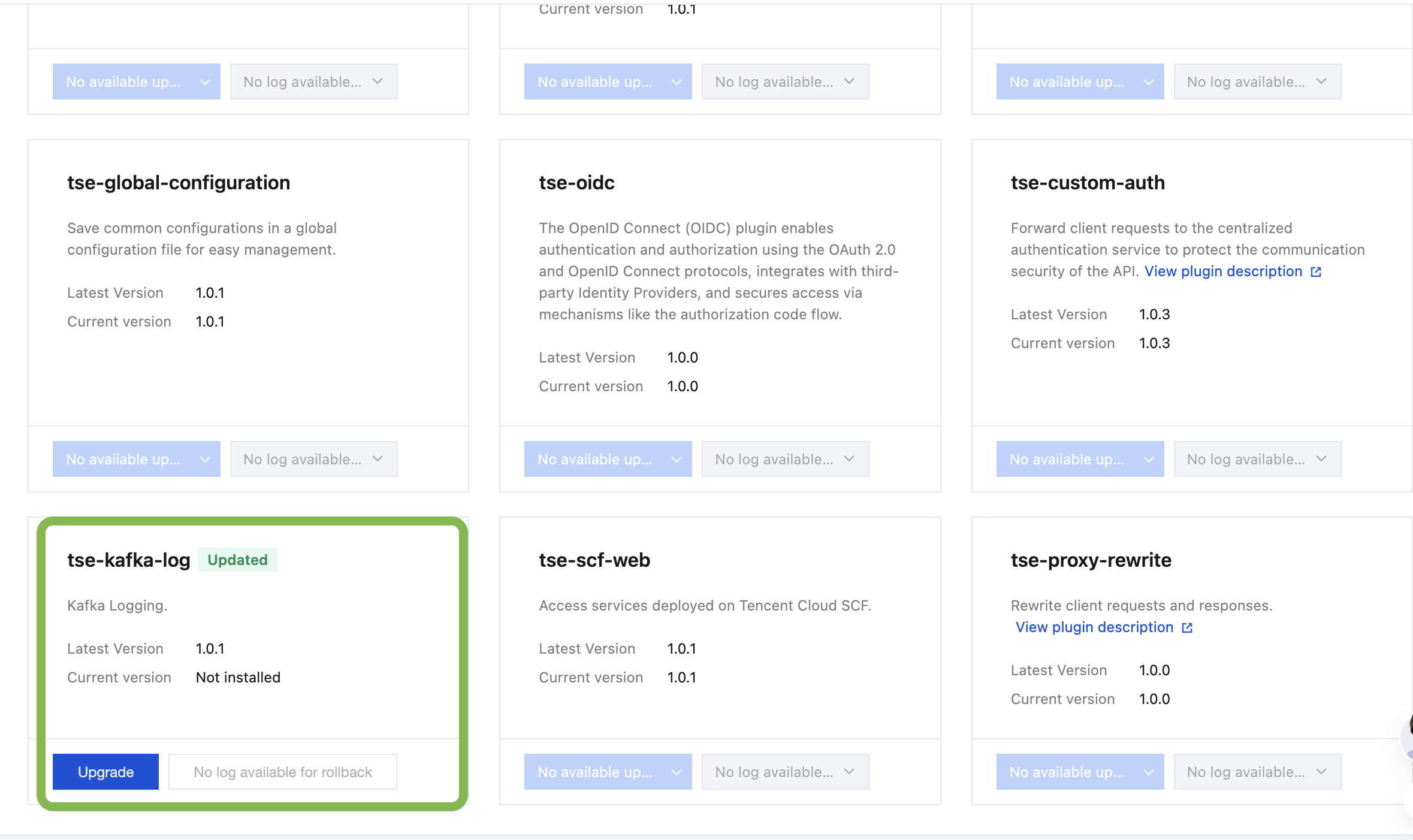
2. In the left sidebar, click Cloud Native Gateway, select the gateway instance you want to operate, go to the instance details page, and then choose Plugin Management > System Plugins.
3. Install the latest version of the tse-kafka-log plugin.
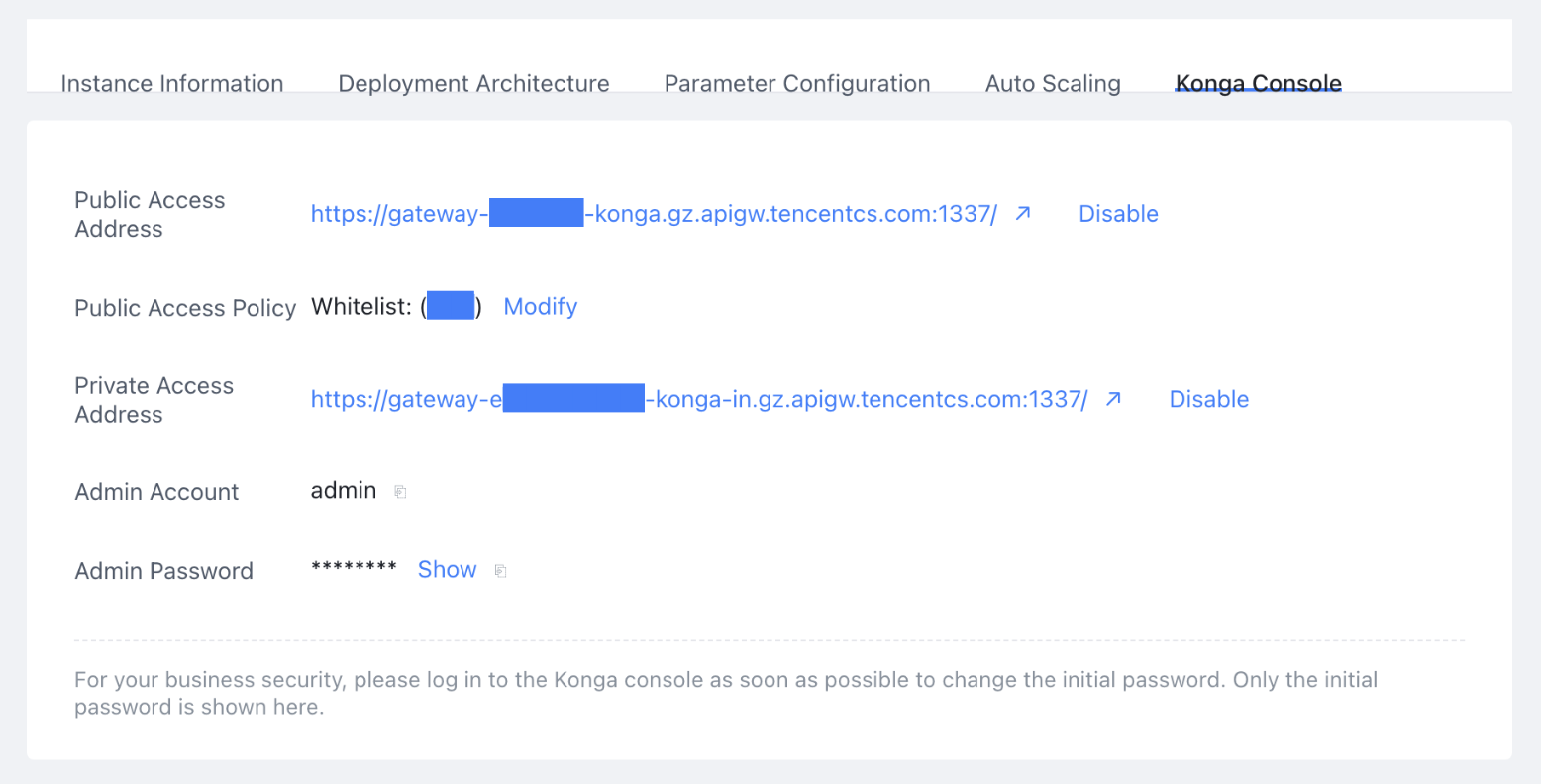
4. Go to the Cloud Native Gateway instance, switch to the Basic Information > konga console page, enable the public network access address, obtain the account and password, and then enter the konga management console.
After you enable this feature, your client can access the instance via the public network using the system-assigned address and port. It takes about 1 minute for the change to take effect.
An IP address allowlist can provide a certain level of protection. Please ensure the security of your allowlist configuration.
When you enable the public network binding policy for the first time, a delay may occur. Please wait patiently.
If the IP address combination includes 0.0.0.0, all public IP addresses will be allowed to access. Please proceed with caution.
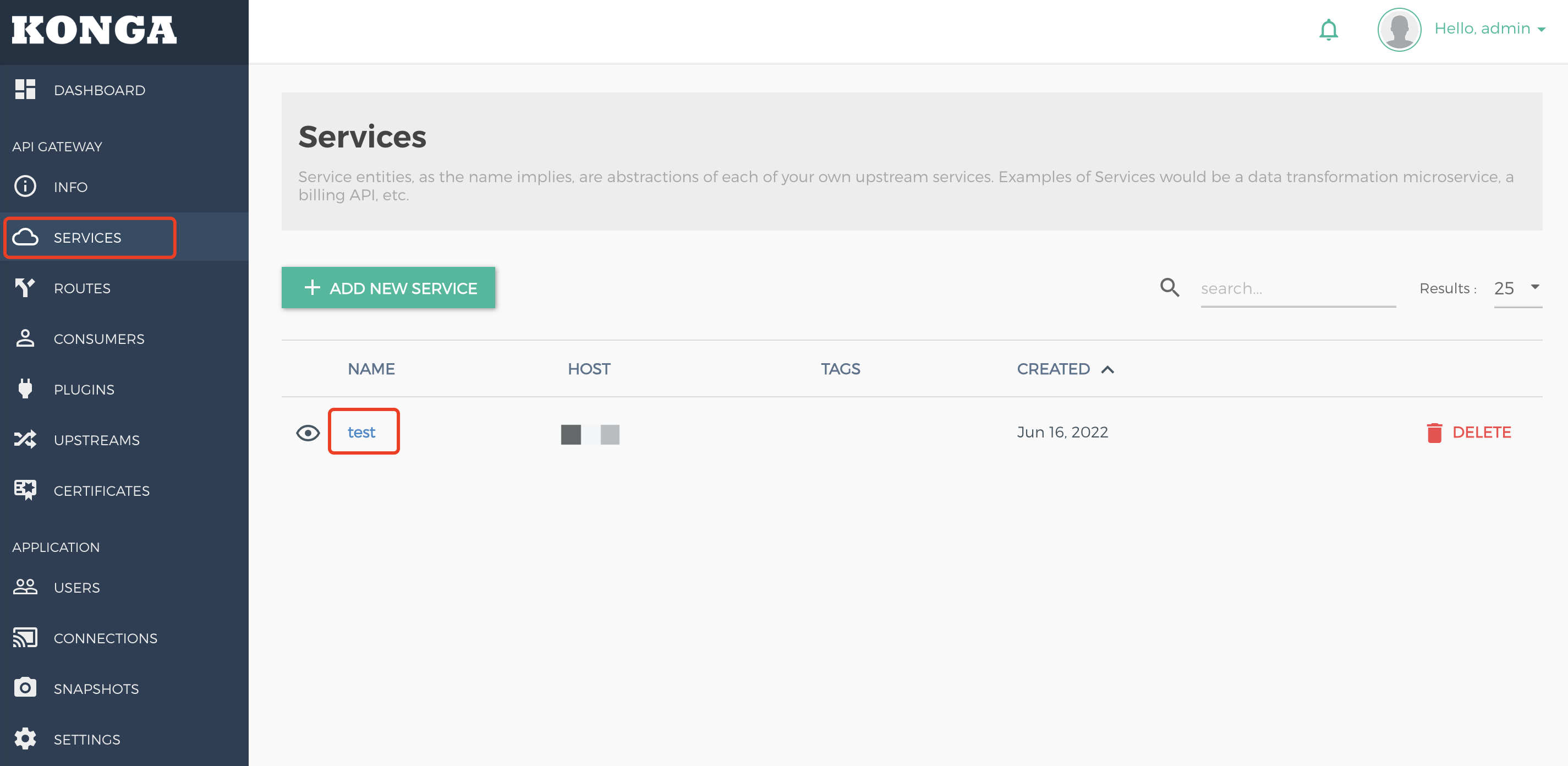
5. After you enter the konga management console page, click SERVICES in the left sidebar, select the required service, and go to its details page.
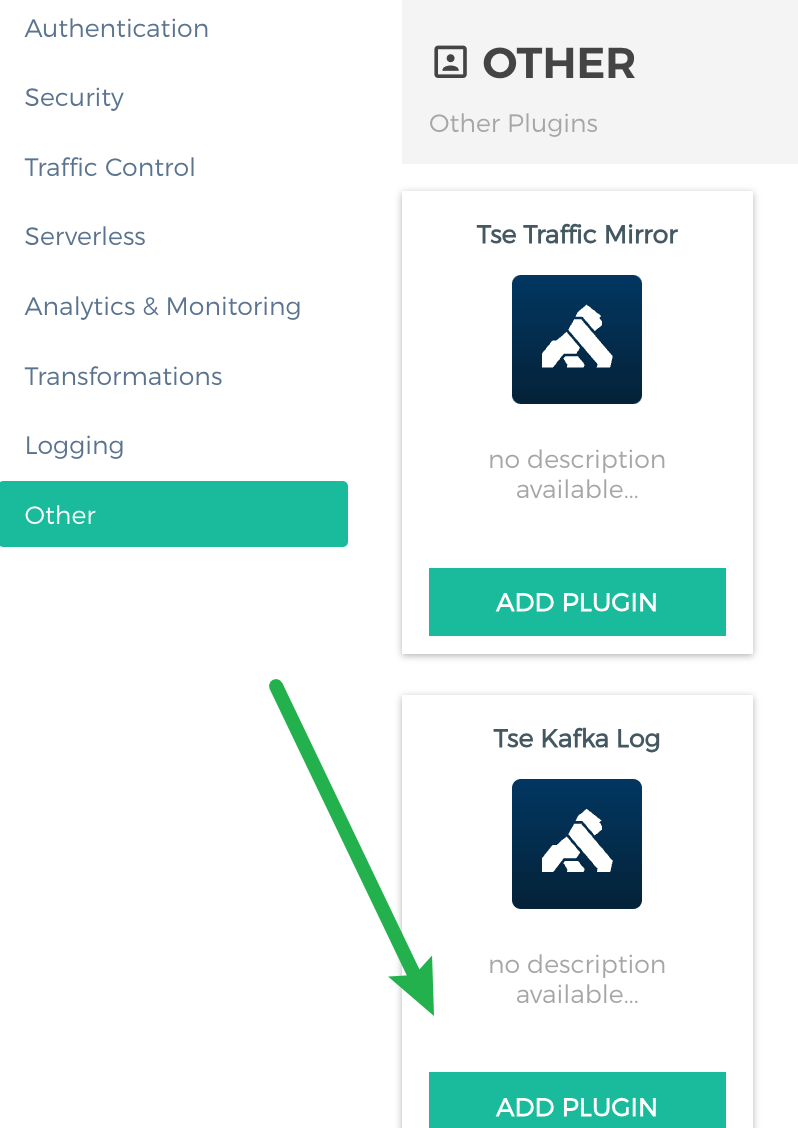
6. Click ADD PLUGIN under TSF Kafka Log, and a pop-up window for entering information will appear.
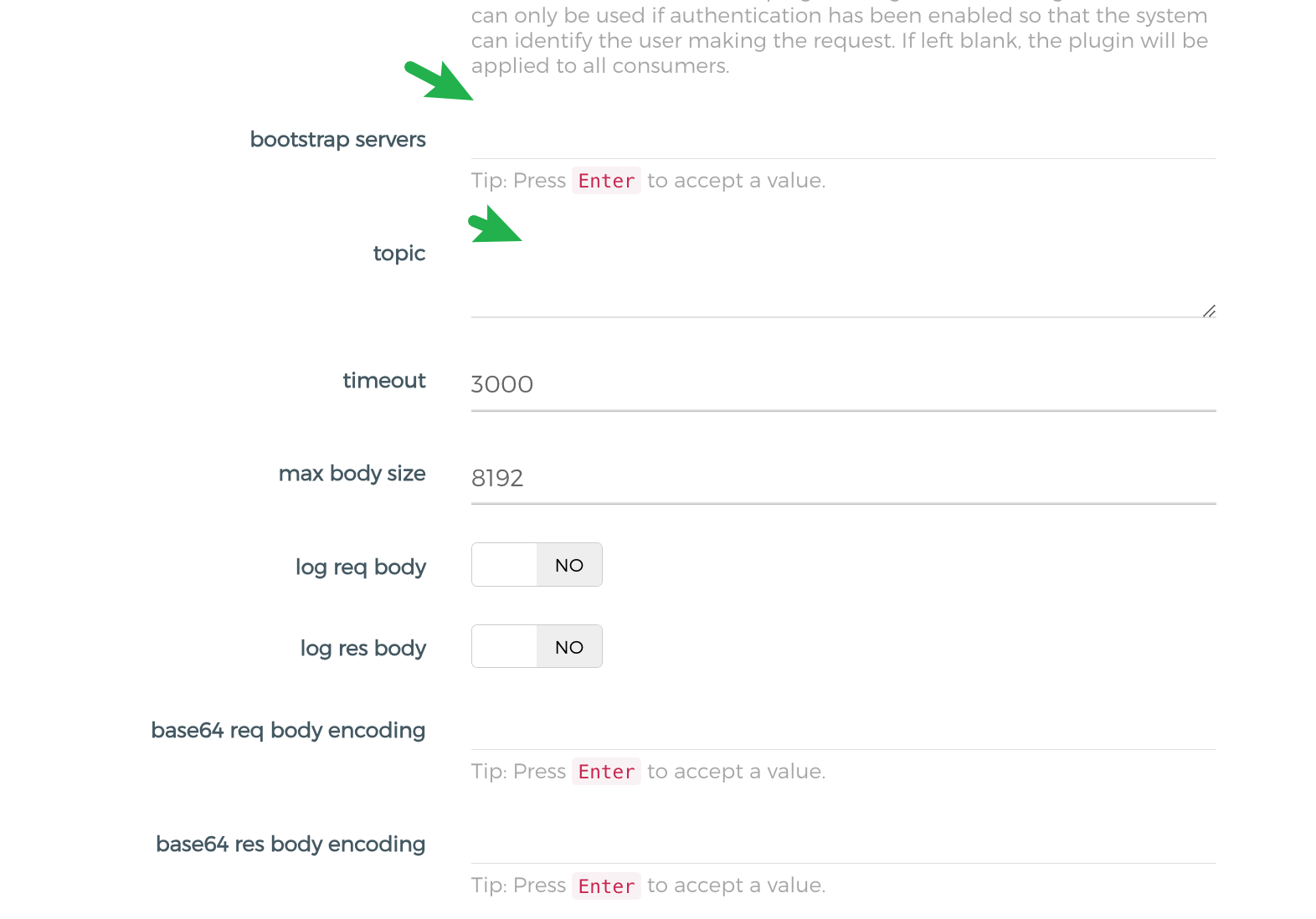
7. Enter the Kafka server address and the topic. For bootstrap servers, enter the Kafka server address. For topic, enter the Kafka topic name.
Attention:
1. Enter the topic name instead of the topic ID for topic.
2. The detailed description of the plugin configuration fields is provided in Step 9.
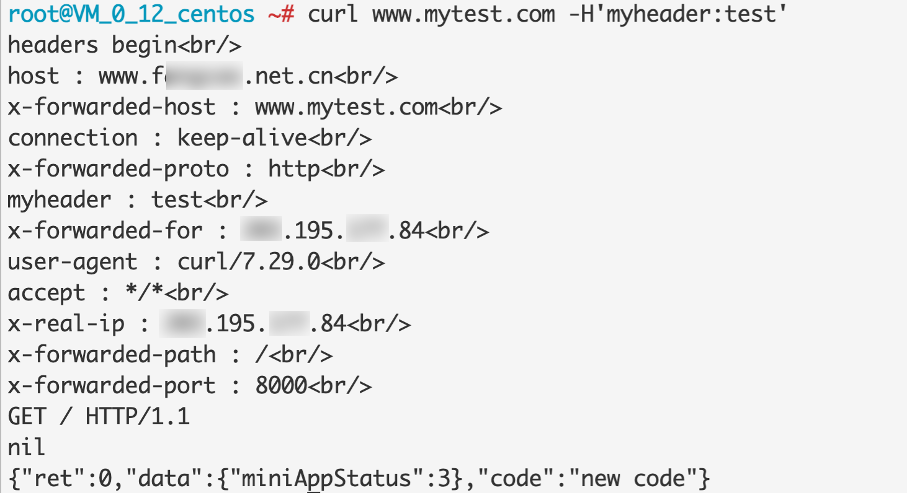
8. After you bind the plugin to a service and request the service from the created server, you can consume Kafka and then view the log content (in JSON format) consumed for the current request.
9.
Detailed description of the tse-kafka-log plugin configuration fields
Attention:
On the konga page, the _ in configuration item keys is hidden. For example, bootstrap_servers is displayed as bootstrap servers.
Configured Key
Required
Default Value
Description
bootstrap_servers
Yes
None
Array. Generally, the bootstrap_servers address uses port 9092, for example, 10.0.90.16:9092.
topic
Yes
None
Topic name rather than the ID.
max_body_size
No
8192
Maximum size of the request or response body. Bodies whose length exceeds this size will be truncated.
log_req_body
No
false
Whether to print the request body.
log_res_body
No
false
Whether to print the response body.
base64_req_body_encoding
No
None
Array. When the request Header content-encoding matches one of the values in this array, the request body is Base64-encoded.
base64_res_body_encoding
No
None
Array. When the response Header content-encoding matches one of the values in this array, the response body is Base64-encoded.
log_req_headers
No
true
Whether to print the request headers.
log_res_headers
No
true
Whether to print the response headers.
exclude_req_headers
No
None
Array. When request headers are printed, the specified header is deleted.
exclude_res_headers
No
None
Array. When response headers are printed, the specified header is deleted.
skip_expr_in_access
No
None
Advanced. Runs a piece of Lua code during the access phase to determine whether to skip printing logs. A return value of true indicates skipping.
skip_expr_in_body_filter
No
None
Advanced. Runs a piece of Lua code during the body filter phase to determine whether to skip printing logs. A return value of true indicates skipping.
http_log_mode
No
default
default/close/custom. default is the built-in log field, close indicates shutdown logs, and custom indicates custom logs.
http_log_custom_format
No
{}
Layer-7 custom log format, such as {"cip": "$remote_addr", "host": "$host"}, which is consistent with that of CLS logs.
stream_log_mode
No
default
default/close/custom. default is the built-in log field, close indicates shutdown logs, and custom indicates custom logs.
stream_log_custom_format
No
{}
Layer-4 custom log format, such as {"cip": "$remote_addr", "protocol": "$protocol"}, which is consistent with that of CLS logs.
batch_size
No
100
Length of the message cache queue, which is 100 by default.
retry_count
No
3
Number of message retransmissions. A message is retransmitted when it fails to be sent.
flush_timeout
No
2000
Sending timeout period, in ms.
compressor
No
Lz4
Message compression algorithm, which is Lz4 by default.