This document describes how to implement access control on a Kong cloud native gateway using the Kong ACL plugin. It primarily covers the following two scenarios:
Allowing access for specified users
Denying access for specified users
Prerequisites
The gateway instance has been purchased. For details, see Create Gateway.
The service (Service) and route (Route) have been configured.
Operation Steps
Note:
Allowing access for specified users is used as an example. The configuration steps for denying access for specified users are similar.
2. Select Cloud Native Gateway in the left sidebar and click the target instance to go to the instance details.
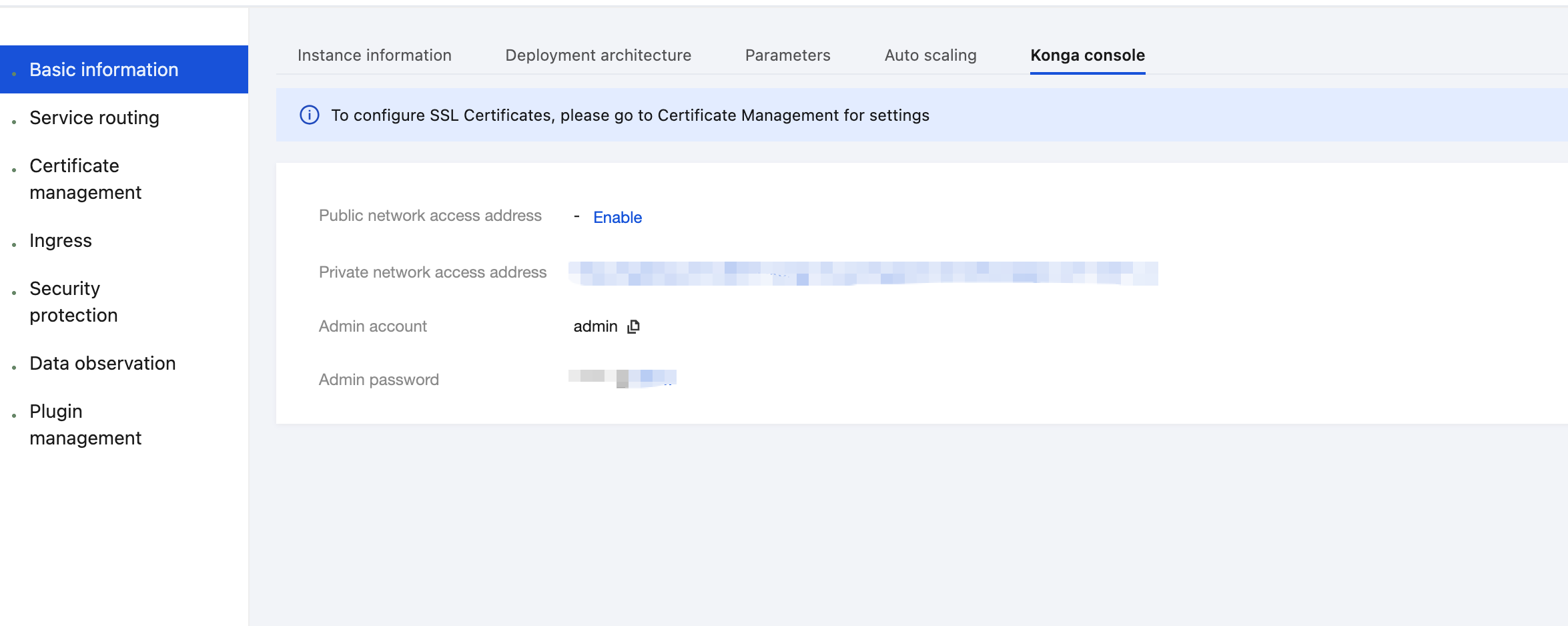
3. On the Basic Information page, click the Konga console Tag to view the management console login method.
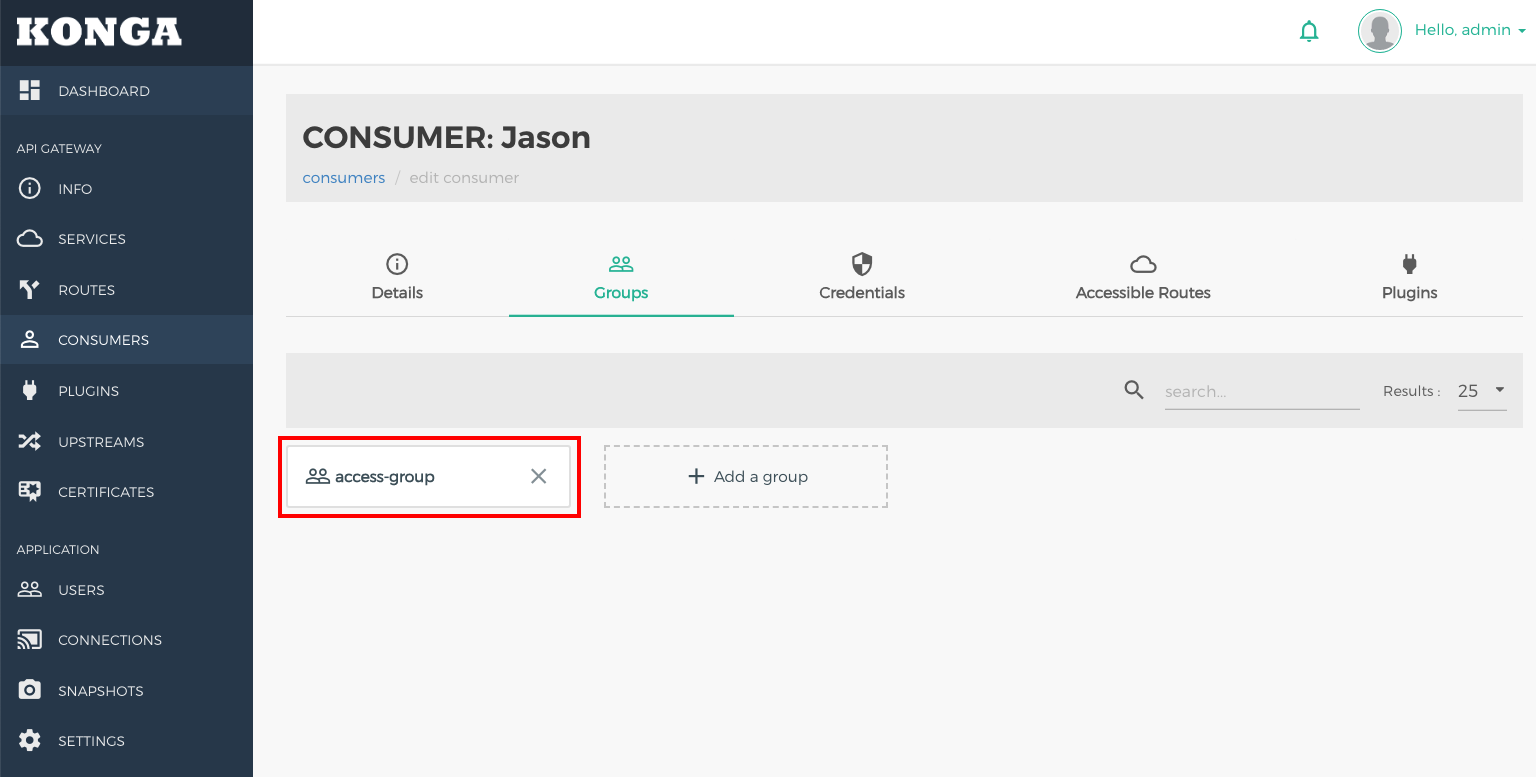
4. Log in to the Konga console, go to the consumer details page, and select the user (such as Jason) for whom access control needs to be configured. Click the Groups tab, and allocate a group (for example, access-group) for the user.
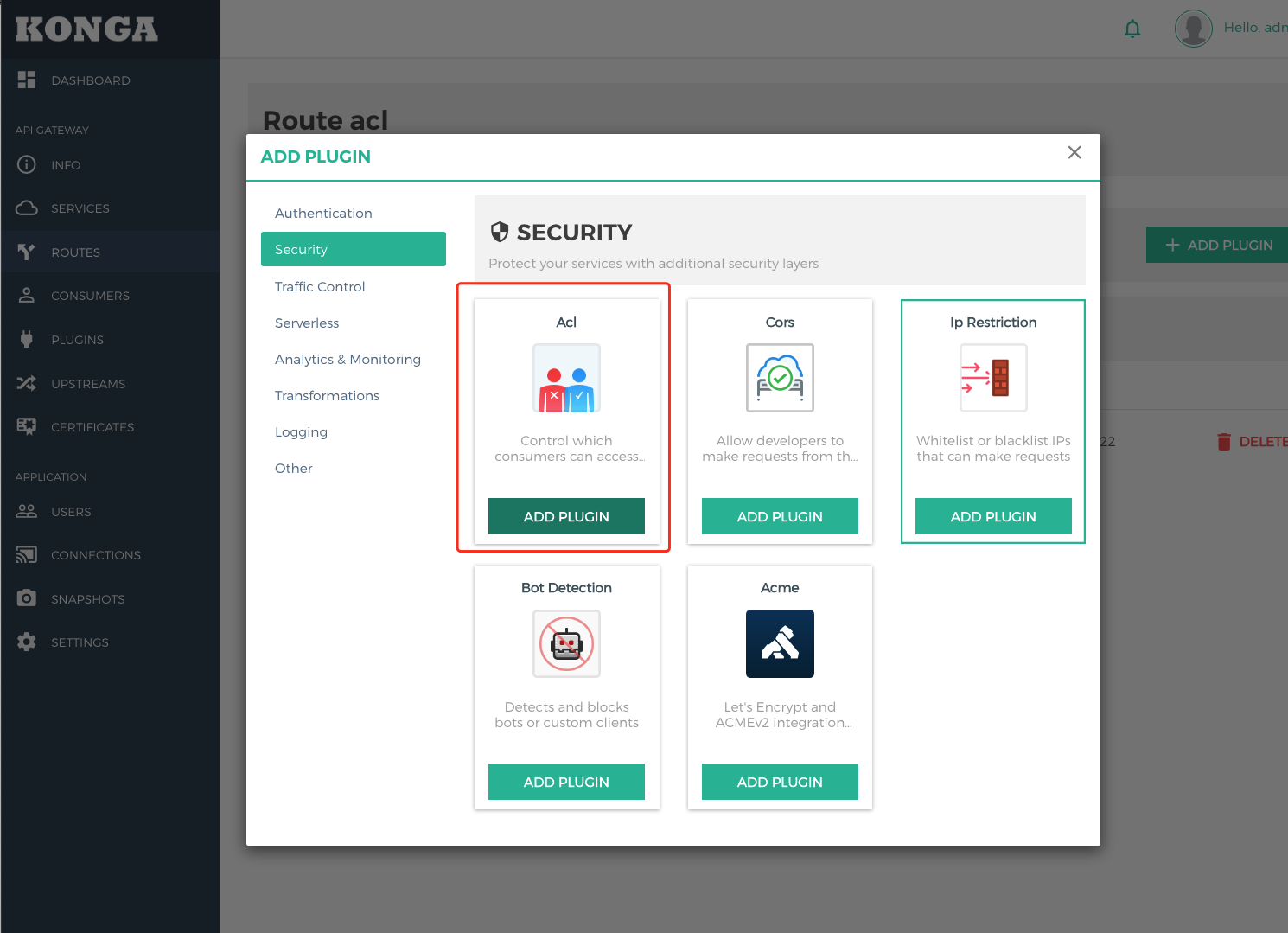
5. Go to the selected Route, click ADD PLUGIN, select the ACL plugin under the Security group in the plugin marketplace, and click Add Plugin.
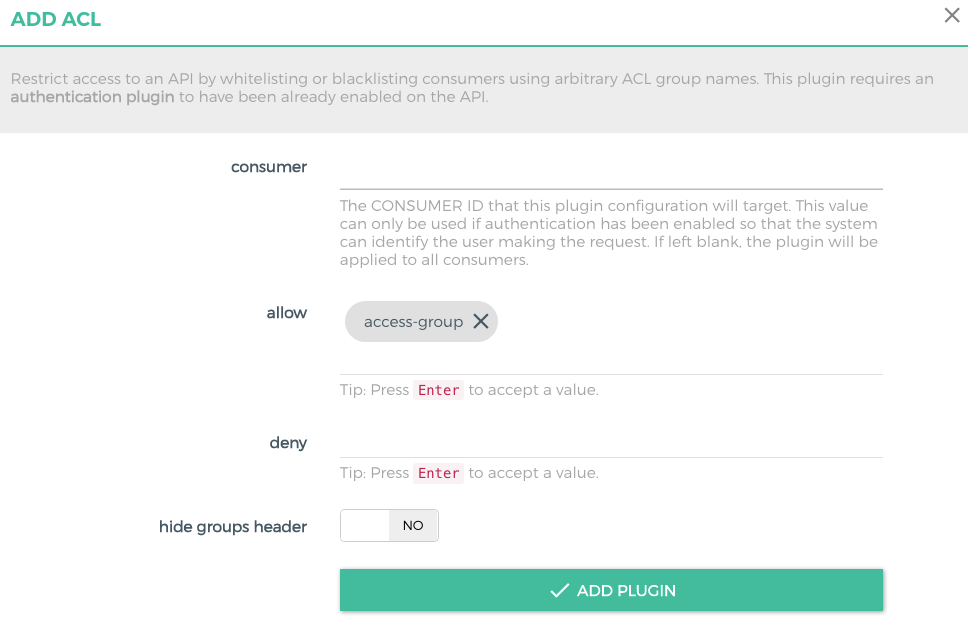
6. In the plugin configuration, enter the Group information that is allowed to access the service, press Enter, and save the configuration.
allow: Enter the group that is allowed to access the service. Enter multiple groups if multiple groups are allowed to access the service.
deny: Enter the group that is not allowed to access. Enter multiple groups if multiple groups are not allowed to access.
consumer: Enter the ID of the consumer that requires application access control. If it is left blank, the IP address access control applies to all consumers.
Note:
At least one of allow and deny needs to be configured.
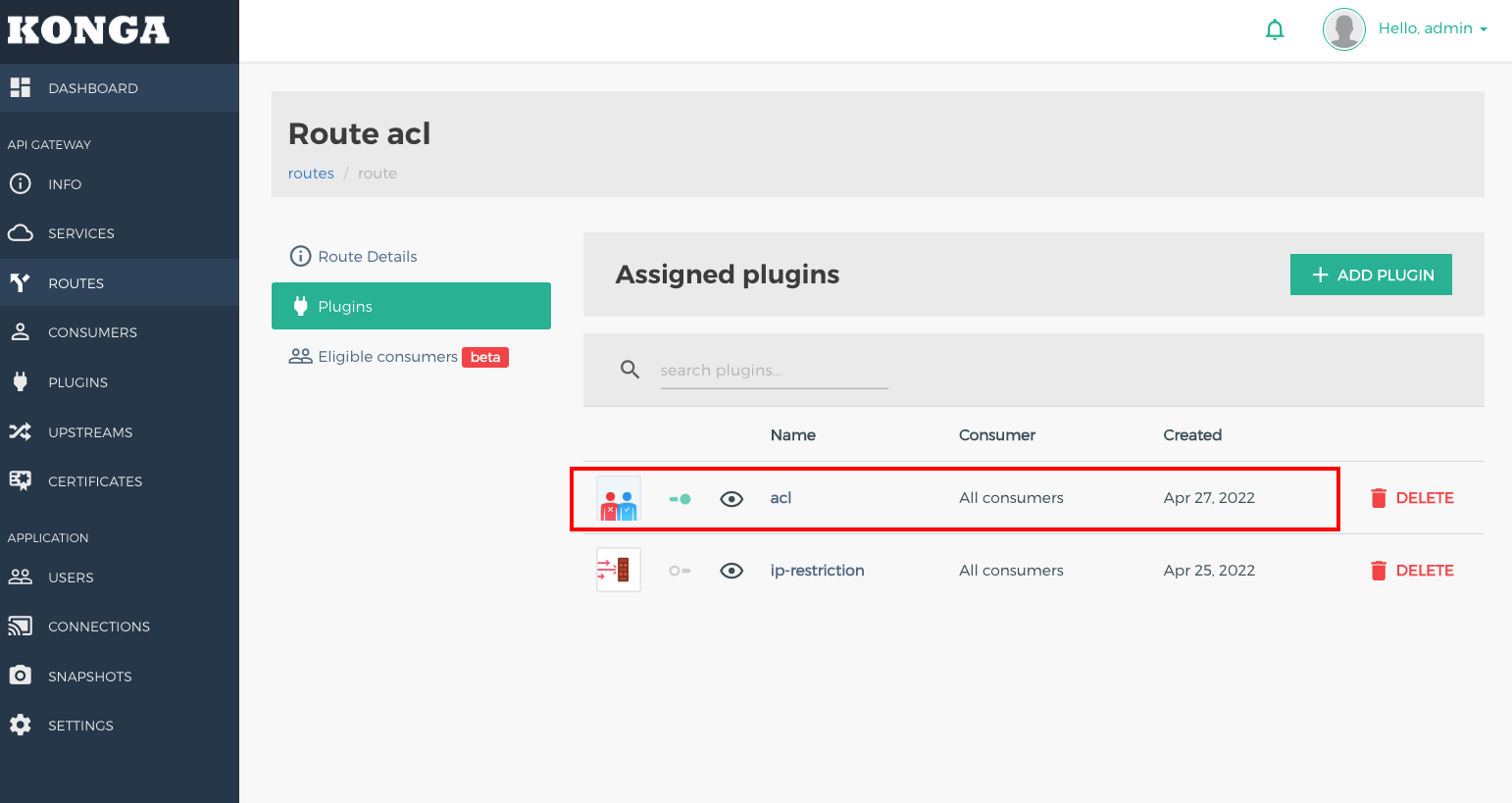
7. Return to the route page and confirm that the plugin is bound to the route.
8. Use the credential of a user (such as Jason) in the group that is allowed to access to initiate an API request. The request is allowed.
HTTP/1.1 200 OK
Connection: keep-alive
Content-Length: 13
Content-Type: text/plain;charset=UTF-8
Date: Wed, 27 Apr 2022 06:46:38 GMT
Server: Cowboy
Vary: Origin
X-Kong-Proxy-Latency: 10
X-Kong-Upstream-Latency: 1775
{"ok"}
9. Use the credential of a user (such as Tom) who is not in the group to initiate a request. The request is denied.