tencent cloud
最新优惠
产品
解决方案
价格中心
合作伙伴网络
云市场
探索更多
Prev
Next
腾讯 iOA 零信任安全管理系统 SaaS 版
产品动态
产品简介
产品概述
产品组件
套餐与版本说明
产品优势
应用场景
购买指南
计费概述
购买方式
续费说明
欠费说明
退费说明
操作指南
版本概述
快速上手
资产管理
终端防入侵
无边界办公
网络准入
iOA客户端运维
客户端操作手册
系统通用设置
实践教程
iOA SaaS 内网客户端代理方案
资源访问错误引导
企业母盘 Ghost 方案(镜像制作)指引 SaaS 版
Mac 客户端安装提示安装包损坏的解决方案
iOA 客户端域控推广方案
SSO 管理配置指引
共享带宽升级独享带宽说明
Web 资源自定义域名配置指引
常见问题
SaaS 版
相关协议
PRIVACY POLICY
DATA PROCESSING AND SECURITY AGREEMENT
Service Level Agreement
Tencent iOA Zero Trust Security Management System End User License Agreement
联系我们
词汇表
文档
腾讯 iOA 零信任安全管理系统 SaaS 版
操作指南
终端防入侵
实时防护
审计日志
审计日志
下载
聚焦模式
字号
最后更新时间: 2026-09-08 20:16:07
1.
登录
iOA 零信任管理平台控制台
,在左侧导航栏,选择
终端防入侵
>
实时防护
>
审计日志
。
2.
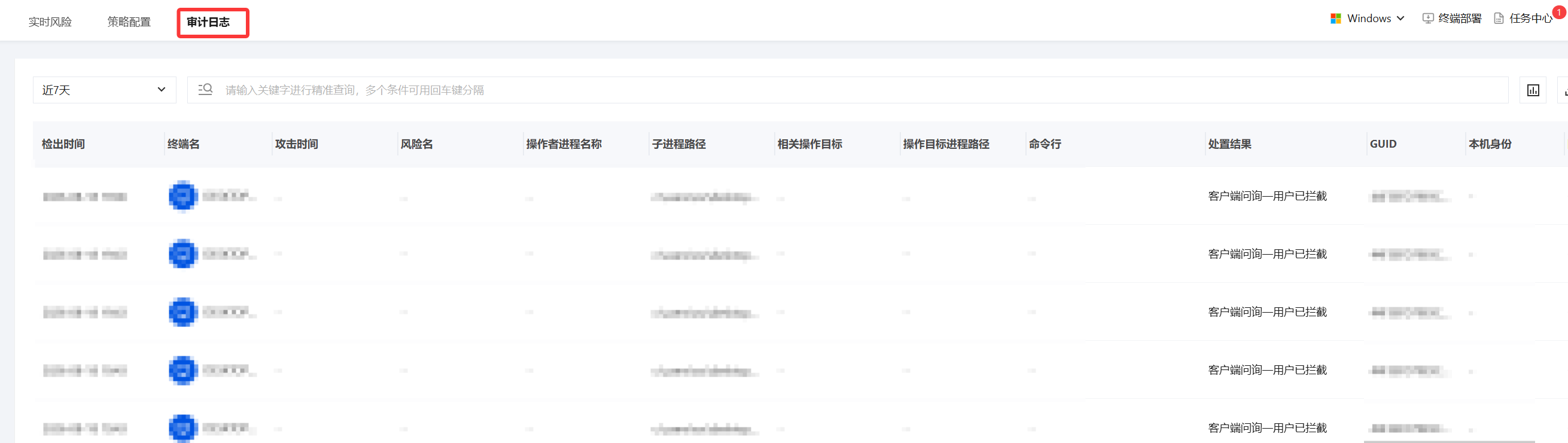
在审计日志页面,展示所有检出实时风险的日志情况,支持按时间以及各字段属性筛选。
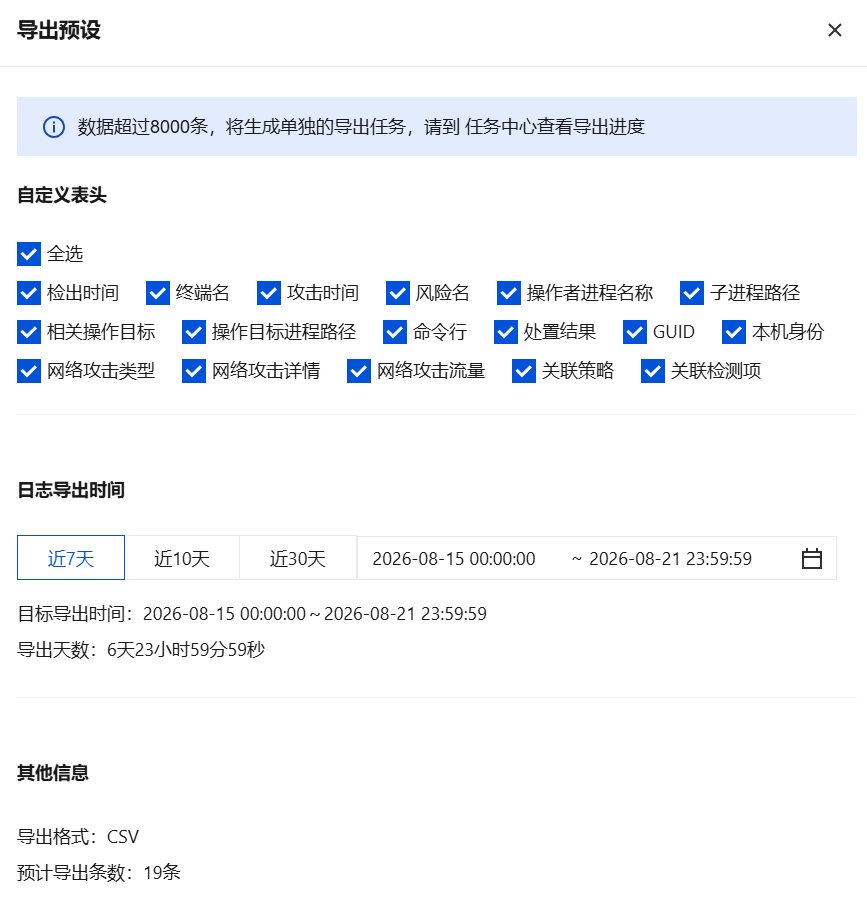
导出日志
单击右上角
,勾选自定义表头、导出时间参数,单击
导出
。
上一篇: 实时风险
下一篇: 客户端部署
帮助和支持
本页内容是否解决了您的问题?
是
否
您也可以
联系销售
或
提交工单
以寻求帮助。
填写满意度调查问卷,共创更好文档体验。
点击前往
文档反馈
搜索
仅搜索标题
请输入关键词搜索文档