Enabling SRV Connection Mode
다운로드
포커스 모드
폰트 크기
Scenarios
TencentDB for MongoDB provides the SRV connection mode, which is an automatic load balancing solution based on DNS services. A simple connection string is used to automatically resolve the addresses of all currently available Mongos nodes or replica set members, enabling automatic load balancing and high availability failover for clients. This significantly simplifies connection configuration and management in multi-node cluster environments.
Application Scenario | Description | |
Dynamic connection to a sharded cluster | An SRV connection string can be used to automatically discover and return a list of all available Mongos nodes without requiring manual maintenance of node IP addresses. This enables automatic load balancing and high availability during cluster scaling or in case of node failures, significantly enhancing Ops efficiency and system elasticity. | |
Simplified replica set connection | An SRV connection string can be used to obtain the complete topology information of the replica set in a single step. Clients no longer need to list all node addresses, enabling faster and more convenient reconnection to the new primary node during primary node failover. This significantly reduces service interruption time and ensures service continuity. | |
Notes
Type | Support Status |
Version | Version 4.0 and later |
Instance type | Sharded cluster instances and replica sets support this mode. |
Instance specifications | Both Physical Disk Edition and Cloud Disk Edition support this mode. |
Note:
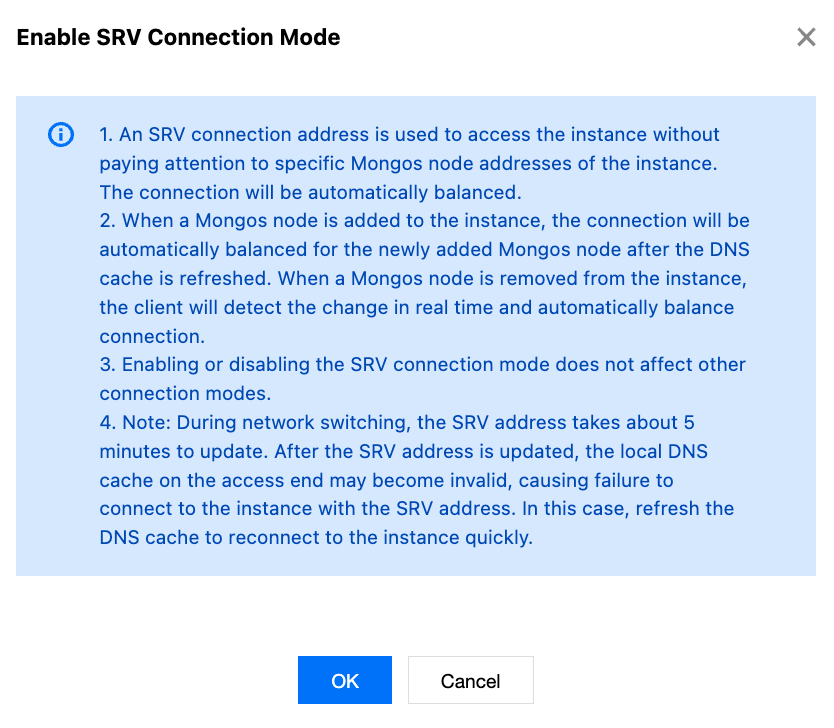
During network switch, SRV address resolution may take approximately 5 minutes to update.
After the SRV address is updated, the local DNS cache may become invalid, preventing connection to the instance via the SRV address. In this case, you can proactively flush the DNS cache to promptly restore connectivity.
Operation Steps
1. Log in to the TencentDB for MongoDB console.
2. In the MongoDB drop-down list on the left sidebar, select Replica Set Instance or Shard Instance. The directions for the two types of instances are similar.
3. Above the Instance List on the right, select the region.
4. In the instance list, find the target instance.
In the search box in the top-right corner, you can search for the target instance by instance ID, instance name, private IP, or tag key.
If the instance is not found in the instance list, select Recycle Bin on the left sidebar to check whether it is isolated there due to overdue payments. For more information, see Recycle Bin.
5. In the Instance ID/Name column of the target instance, click the Instance ID to enter the Instance Details page.
6. In the Network Configuration section on the Instance Details page, click Enable SRV Connection Mode next to SRV Access Address.
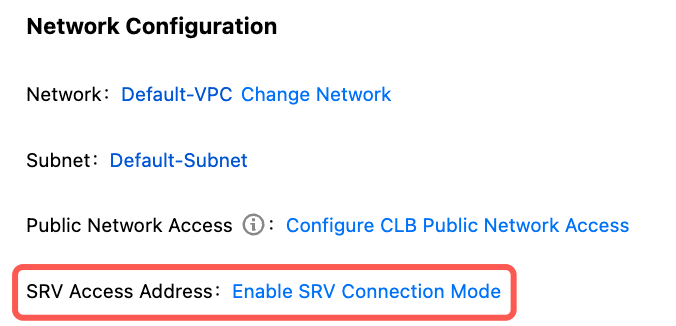
7. A small window showing Enable SRV Connection Mode appears. Read the activation instructions and precautions as shown in the following figure, and click OK.
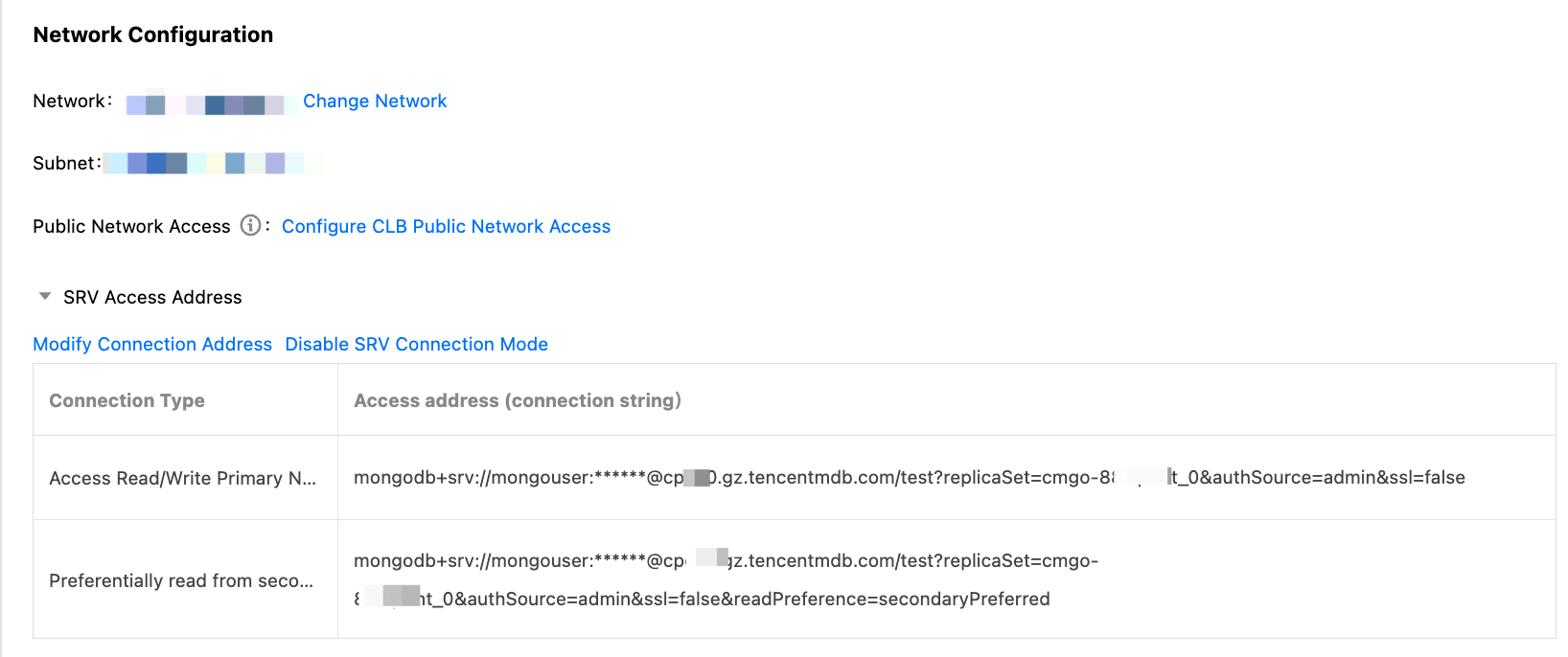
8. After the task is completed, the SRV access address is shown in the Network Configuration section on the Instance Details page, as shown in the following figure.
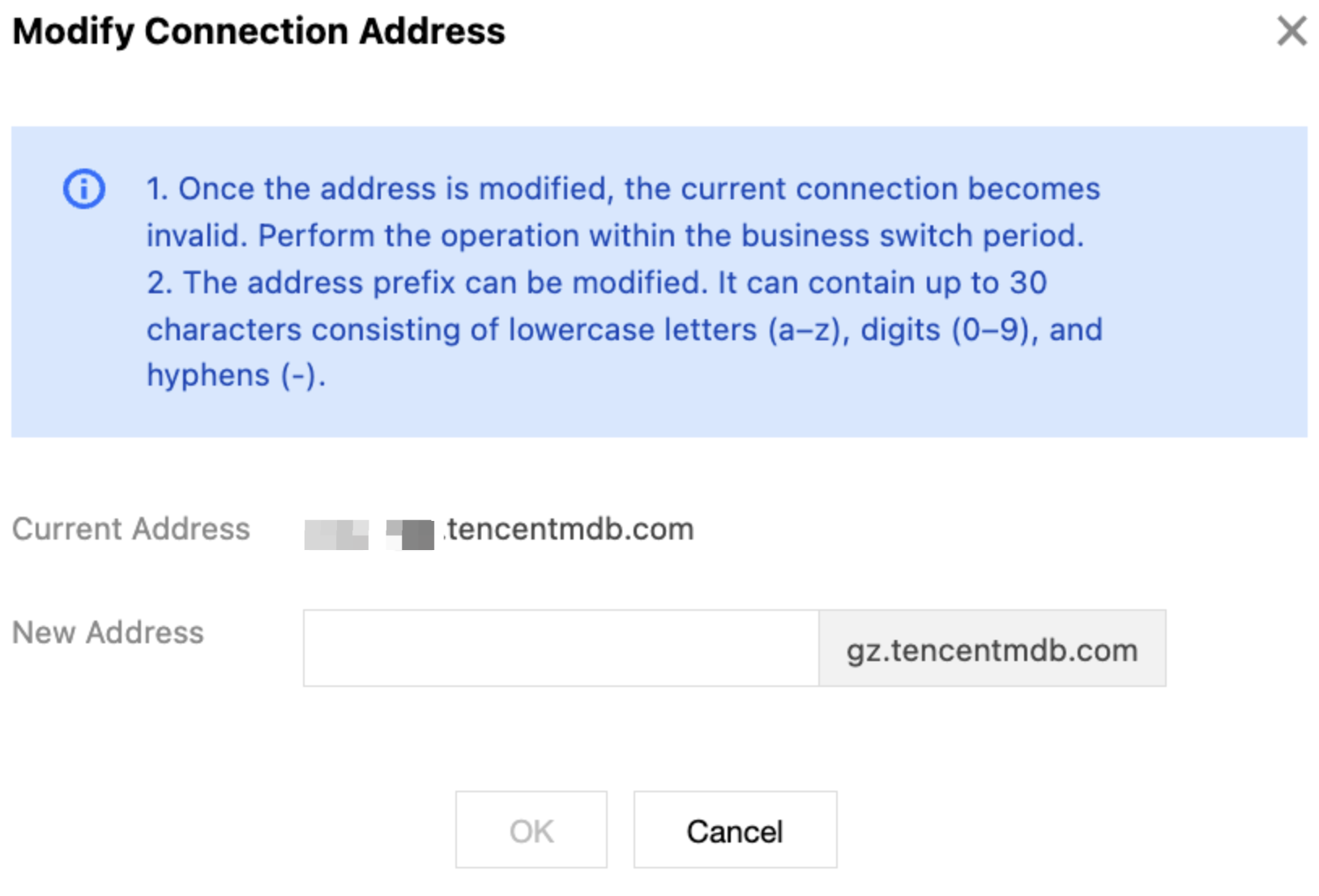
9. (Optional) Click Modify Connection Address to change the prefix of the SRV connection address according to the instructions, allowing you to distinguish instances in different scenarios using distinct prefixes.
피드백