Work Panel
Download
Focus Mode
Font Size
Feature Overview
The Work Panel serves as the operational monitoring center for SRE Agent. It is used to view the task execution logs, session records, task configurations, and work statistics of a SRE Agent. Through the Work Panel, you can gain a comprehensive understanding of the d SRE Agent.'s working status and execution effectiveness.
Note:
AI Workbench is currently an allowlist feature. If needed, you can submit a ticket to contact us for activation.
Prerequisites
Before using this feature, you must complete the following tasks:
Complete service authorization.
Accept the Service Privacy Terms.
When you use the AI Workbench for the first time, an operation page is presented as a pop-up window for both items. You can simply follow the prompts in the pop-up window to proceed. No confirmation is required for subsequent uses.
Operation Steps
Log in to TCOP, choose AI Workbench > Work Panel in the left sidebar, select the target digital persona at the top of the page, and then select a feature tab to view the corresponding information.
Note:
Before using the Work Panel, you must create at least one digital persona. If you have not created a digital persona, go to the SRE Agent page to create one. For detailed steps, see SRE Agent Management.
Task Logs
Task logs display the historical records of tasks executed by digital personas, helping you understand task execution status.
1. Select the Task Logs tab.
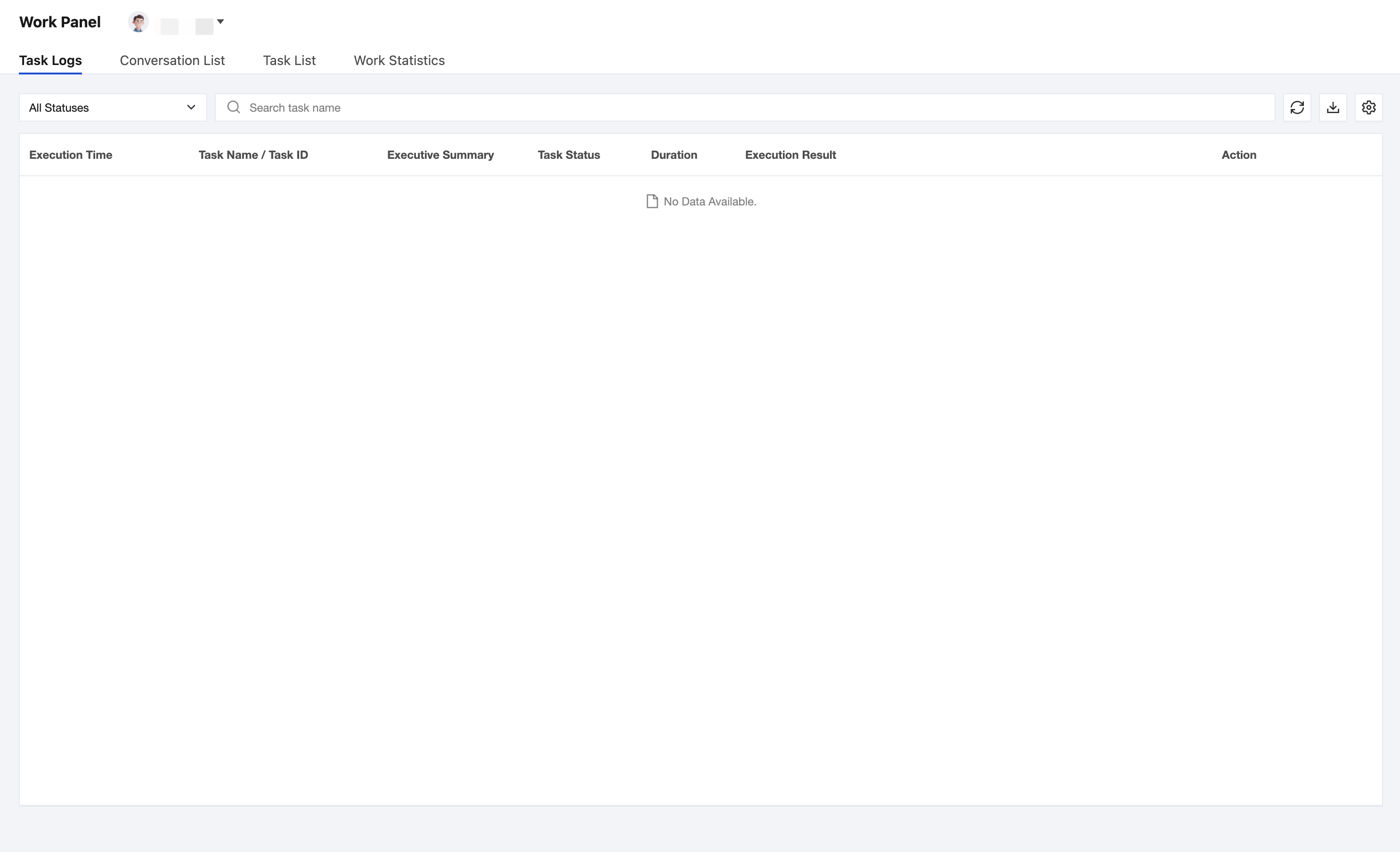
2. Logs can be filtered in the following ways:
In the Status drop-down list, select a task status to filter.
Enter the task name in the search box to search.
3. The task log list contains the following fields:
Field | Description |
Execution Time | The time when the task starts execution. |
Task Name / Task ID | The name and unique identifier of the task. |
Execution Summary | A summary of the results after the task execution is completed. |
Task Status | The current execution status (such as Running, Completed, Failed, and so on). |
Duration | The time consumed by task execution. |
Execution Result | The final execution result of the task. |
Action | Supports View execution details and jumping to Conversation history. Click View to view the detailed information of this task execution. Click Conversation History to jump to the conversation record of this task execution and view the complete conversation process. |
Related Documentation
Click the Refresh button to obtain the latest task logs.
Click the Download button to export task log data.
Click the Settings button to customize the display fields of the log list.
Conversation List
The conversation list displays all conversation records with the current digital persona.
1. Select the Conversation List tab to view all conversation records with the current digital persona.
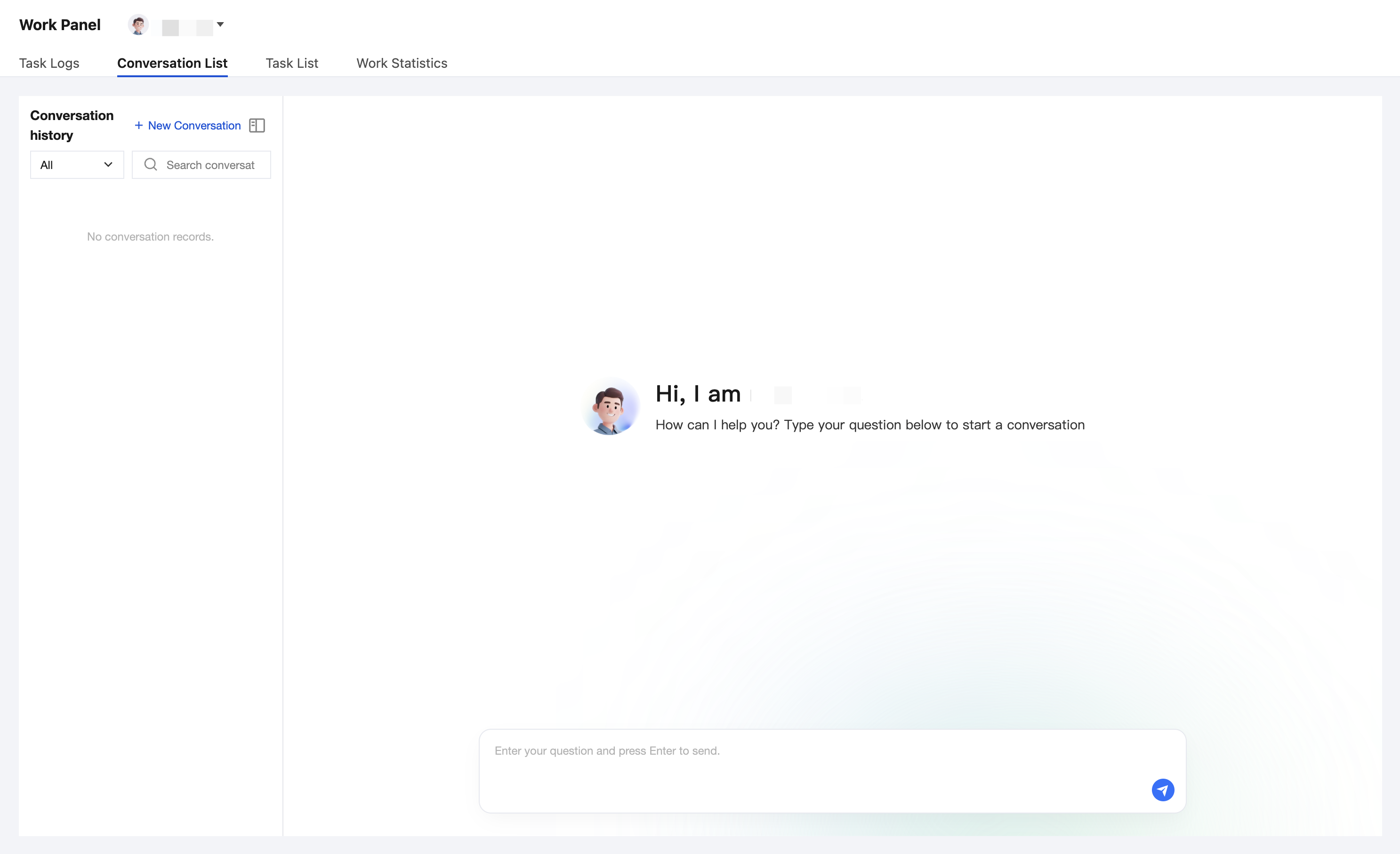
2. Click a conversation to go to the conversation details and continue communicating with the digital persona.
3. Click New Conversation to initiate a new conversation and start a fresh interaction with the current digital persona.
Task List
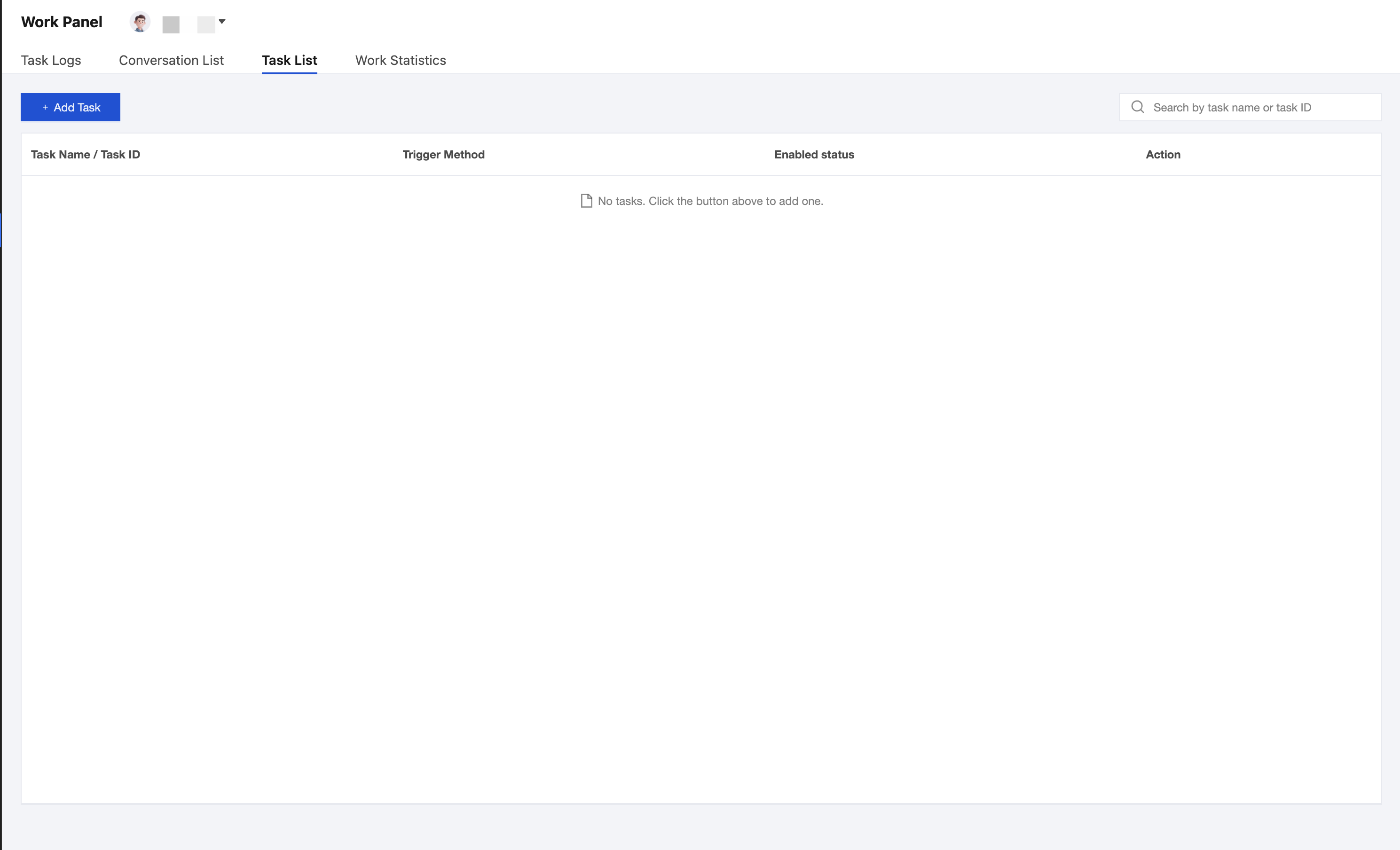
The task list displays all automated tasks bound to the current digital persona and their configuration information. Select the Task List tab. You can view the task list, which contains the following fields:
Field | Description |
Task Name / Task ID | The name and unique identifier of the task. |
Trigger Method | The trigger type of the task, supporting scheduled triggering. |
Enabled status | The enabled/disabled status of the task. |
Action | Supported operations include View Work Results, Trigger Now, Edit, and deletion. Click View Work Results to view the historical execution results and deliverables of this task. Click Trigger Now to manually execute this task once immediately. Click Edit to modify the task's configuration information. Click Delete to delete this task. |
1. Click Add Task to create a new task.
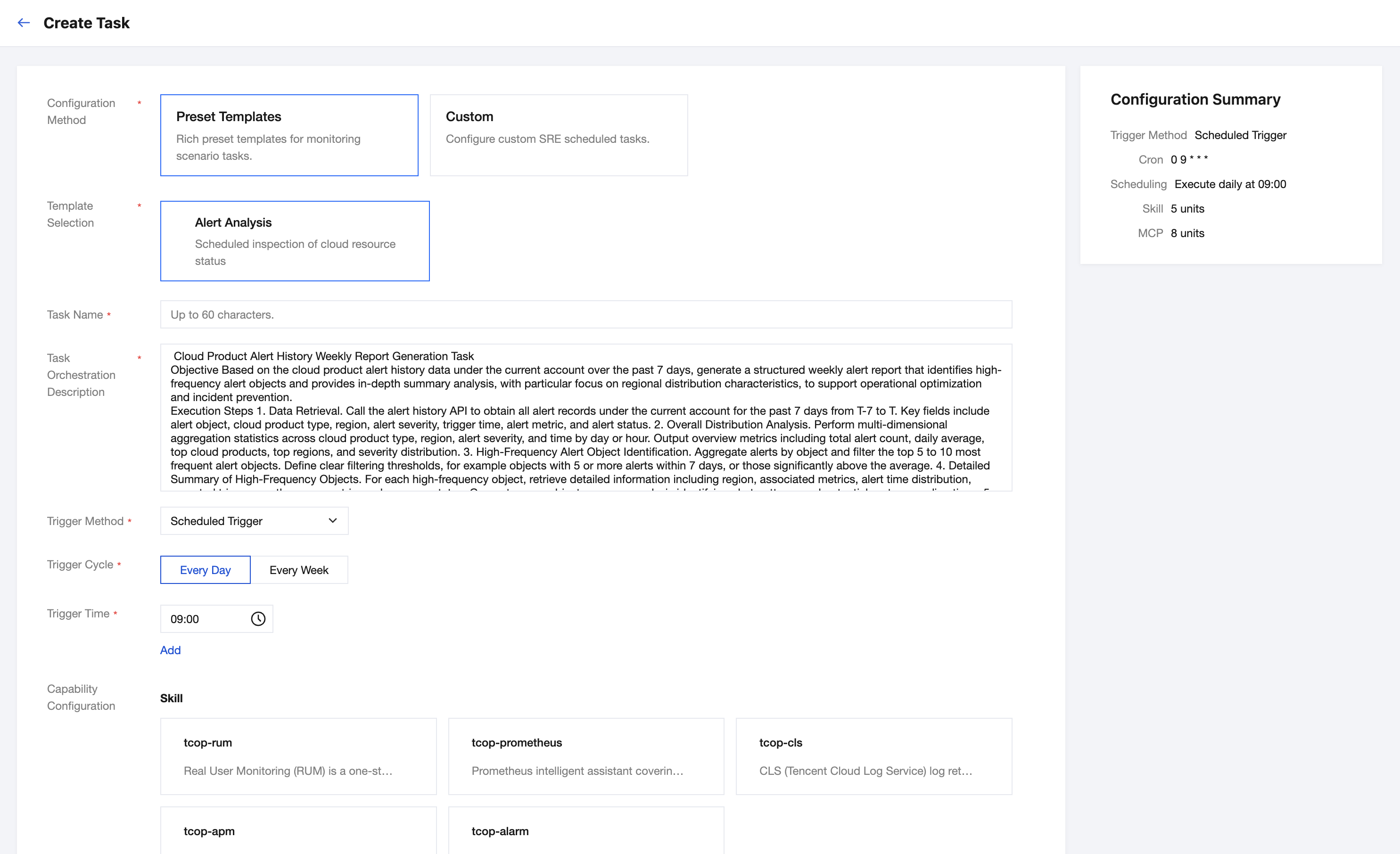
2. Fill in the following configuration information according to the page prompts.
Configuration Method:
Parameter | Required | Description |
Configuration Method | Yes | Select Preset Template or Custom. Preset templates provide rich monitoring scenario task templates; custom supports freely configuring SRE scheduled tasks. |
Template Selection | Yes | Select a specific template when you select a preset template. Currently supported preset templates are only: alarm analysis (other templates will be added later). The system automatically populates the task orchestration description and recommended Skill configuration based on the template. |
Basic Task Information:
Parameter | Required | Description |
Task Name | Yes | The name identifier of the task, with a maximum of 60 characters. |
Task Orchestration Description | Yes | Describes the execution steps of the task. Use a numbered list to describe the tool or Skill to be invoked for each step, the output format requirements, and the exception fallback policy. |
Trigger Method:
Parameter | Required | Description |
Trigger Method | Yes | Select the trigger type for the task. Currently, Scheduled Trigger is supported. |
Trigger Cycle | Yes | Select Every Day or Every Week. |
Trigger Time | Yes | Set the specific execution time point. Multiple time points can be added. |
Capability Configuration:
Parameter | Description |
Skill | The list of Skill skills that can be invoked by the task, which inherits the Skill configuration of the digital persona by default. It can be adjusted by Add Skill or Clear All. |
MCP Protocol | The list of MCP tool services that can be connected by the task, which inherits the MCP configuration of the digital persona by default. It can be adjusted by Add MCP or Clear All. |
Notification Configuration:
Parameter | Description |
Notification Templates | Select the notification template for task execution results. The system preset notification template is used by default, and you can select up to 5. Supports viewing, editing, and adding notification templates. Click Add Notification Template to select Add Existing Template or Create New Notification Template: Click Add Existing Template to select and add a notification template from the existing template list. Click New Notification Template to create a new custom notification template, configuring notification channels (such as WeCom, email, and so on) and the notification content format. |
3. The right side of the page displays the Configuration Summary in real time, including the trigger method, Cron expression, scheduling description, number of Skills, and number of MCPs.
4. After completing the configuration, click Create and Enable to enable the task immediately, or click Save Draft to save it as a draft.
Work Statistics
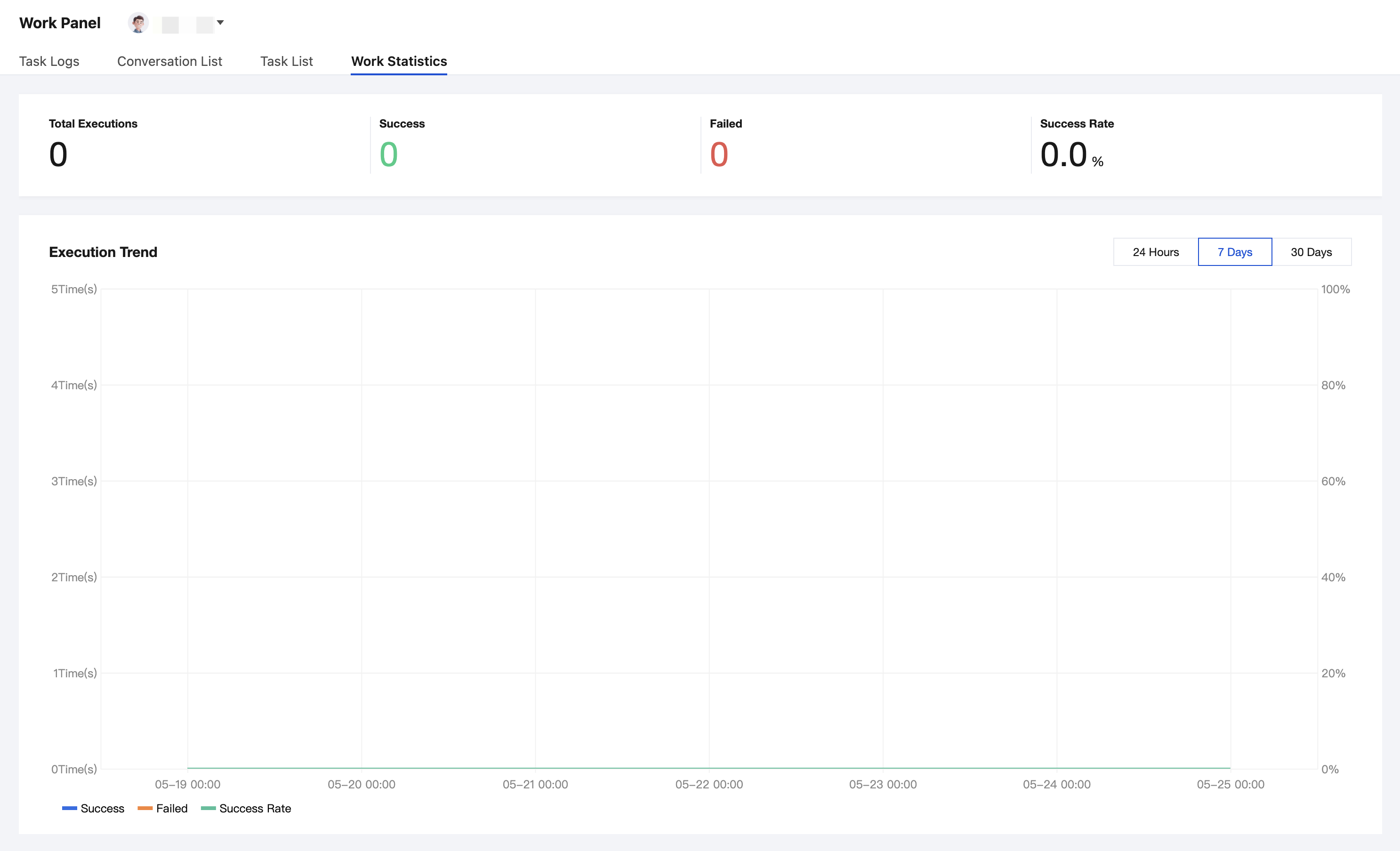
Work statistics display the overall operational data of the digital persona, helping you evaluate its work effectiveness.
Select the Work Statistics tab to view the execution statistics of the digital persona, including metrics such as execution count, success rate, and average elapsed time.
Help and Support
Was this page helpful?
You can also Contact sales or Submit a Ticket for help.
Help us improve! Rate your documentation experience in 5 mins.
Feedback