tencent cloud

Tencent Real-Time Communication

Release Notes and Announcements
Release Notes
Recent Product Announcement
TRTC Live (TUILiveKit) Product Launch Announcement
TRTC Conference Official Editions Launched
The commercial version of Conference is coming soon
Terms and Conditions Applicable to $9.9 Starter Package
Rules for the "First Subscription $100 Discount" Promotion
Announcement on the Start of Beta Testing for Multi-person Audio and Video Conference
TRTC Call Official Editions Launched
License Required for Video Playback in New Version of LiteAV SDK
TRTC to Offer Monthly Packages
Product Introduction
Overview
Concepts
Features
Strengths
Use Cases
Performance Statistics
Tencent RTC Quickplay: Experience Ultimate Real-Time Audio and Video Interaction!
Purchase Guide
Billing Overview
Free Minutes
Monthly subscription
Pay-as-you-go
TRTC Overdue and Suspension Policy
FAQs
Refund Instructions
User Tutorial
Free Demo
Call
Overview
Activate the Service
Run Demo
Integration
Offline Call Push
Conversational Chat
On-Cloud Recording
AI Noise Reduction
UI Customization
Calls integration to Chat
Additional Features
No UI Integration
Server APIs
Client APIs
Solution
ErrorCode
Release Notes
FAQs
Conference
Overview(TUIRoomKit)
Activate the Service (TUIRoomKit)
Run Demo(TUIRoomKit)
Integration(TUIRoomKit)
Screen Sharing (TUIRoomKit)
Schedule a meeting (TUIRoomKit)
In-meeting Call (TUIRoomKit)
UI Customization(TUIRoomKit)
Virtual Background (TUIRoomKit)
Conference Control (TUIRoomKit)
Cloud Recording (TUIRoomKit)
AI Noise Reduction (TUIRoomKit)
In-Conference Chat (TUIRoomKit)
Robot Streaming (TUIRoomKit)
Enhanced Features (TUIRoomKit)
Client APIs (TUIRoomKit)
Server APIs (TUIRoomKit)
FAQs (TUIRoomKit)
Error Code (TUIRoomKit)
SDK Update Log (TUIRoomKit)
Live
Billing of Video Live Component
Overview
Activating the Service (TUILiveKit)
Run Demo
No UI Integration
UI Customization
Live Broadcast Monitoring
Video Live Streaming
Voice Chat Room
Advanced Features
Client APIs
Server APIs
Error Codes
Release Notes
FAQs
RTC Engine
Activate Service
SDK Download
API Examples
Usage Guidelines
API Reference Manual
Advanced Features
AI Integration
Overview
Configure MCP Server
Install Skills
Integration Guide
FAQ
RTC RESTFUL API
History
Introduction
API Category
Room Management APIs
Stream mixing and relay APIs
On-cloud recording APIs
Data Monitoring APIs
Pull stream Relay Related interface
Web Record APIs
AI Service APIs
Cloud Slicing APIs
Cloud Moderation APIs
Making API Requests
Call Quality Monitoring APIs
Usage Statistics APIs
Data Types
Appendix
Error Codes
Console Guide
Application Management
Package Management
Usage Statistics
Monitoring Dashboard
Development Assistance
Solution
Real-Time Chorus
FAQs
Migration Guide
Billing
Features
UserSig
Firewall Restrictions
How to Downsize Installation Package
Android and iOS
Web
Flutter
Electron
TRTCCalling for Web
Audio and Video Quality
Others
Legacy Documentation
RTC RoomEngine SDK(Old)
Integrating TUIRoom (Web)
Integrating TUIRoom (Android)
Integrating TUIRoom (iOS)
Integrating TUIRoom (Flutter)
Integrating TUIRoom (Electron)
TUIRoom APIs
On-Cloud Recording and Playback (Old)
RTC Analytics Monthly Packages (Previous Version)
Protocols and Policies
Compliance
Security White Paper
Notes on Information Security
Service Level Agreement
Apple Privacy Policy: PrivacyInfo.xcprivacy
TRTC Policy
Privacy Policy
Data Processing And Security Agreement
Glossary

Audience Viewing(Android)

PDF
Focus Mode
Font Size
Last updated: 2025-12-25 11:53:26
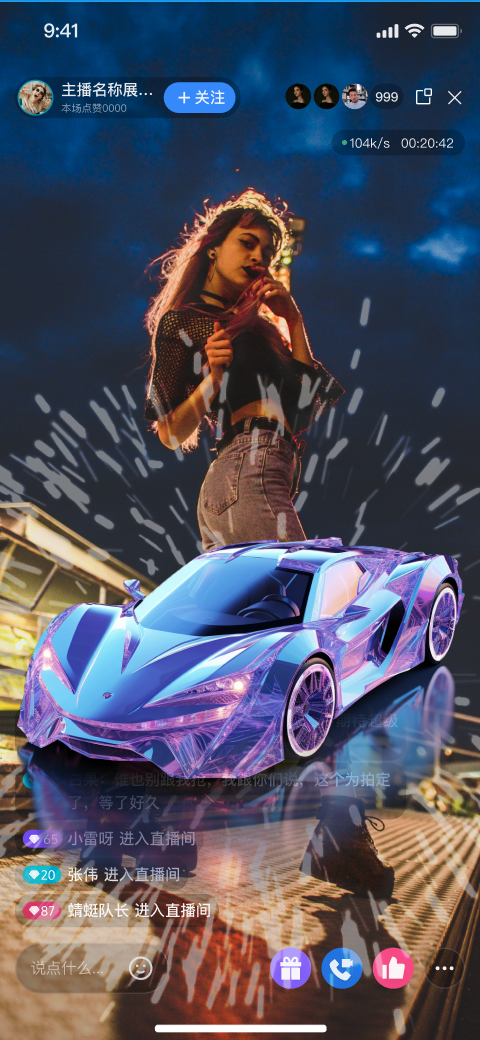
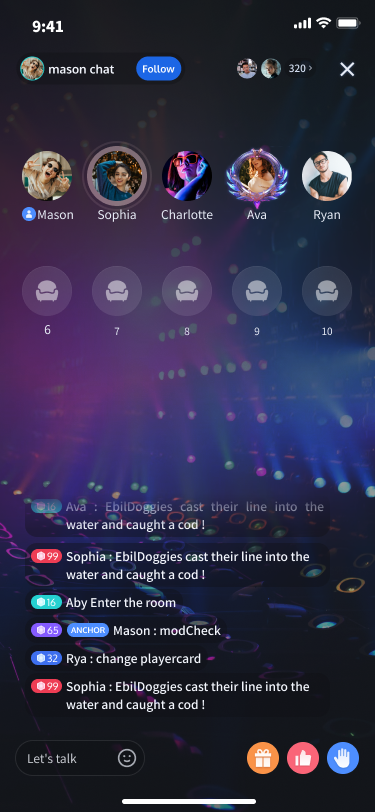
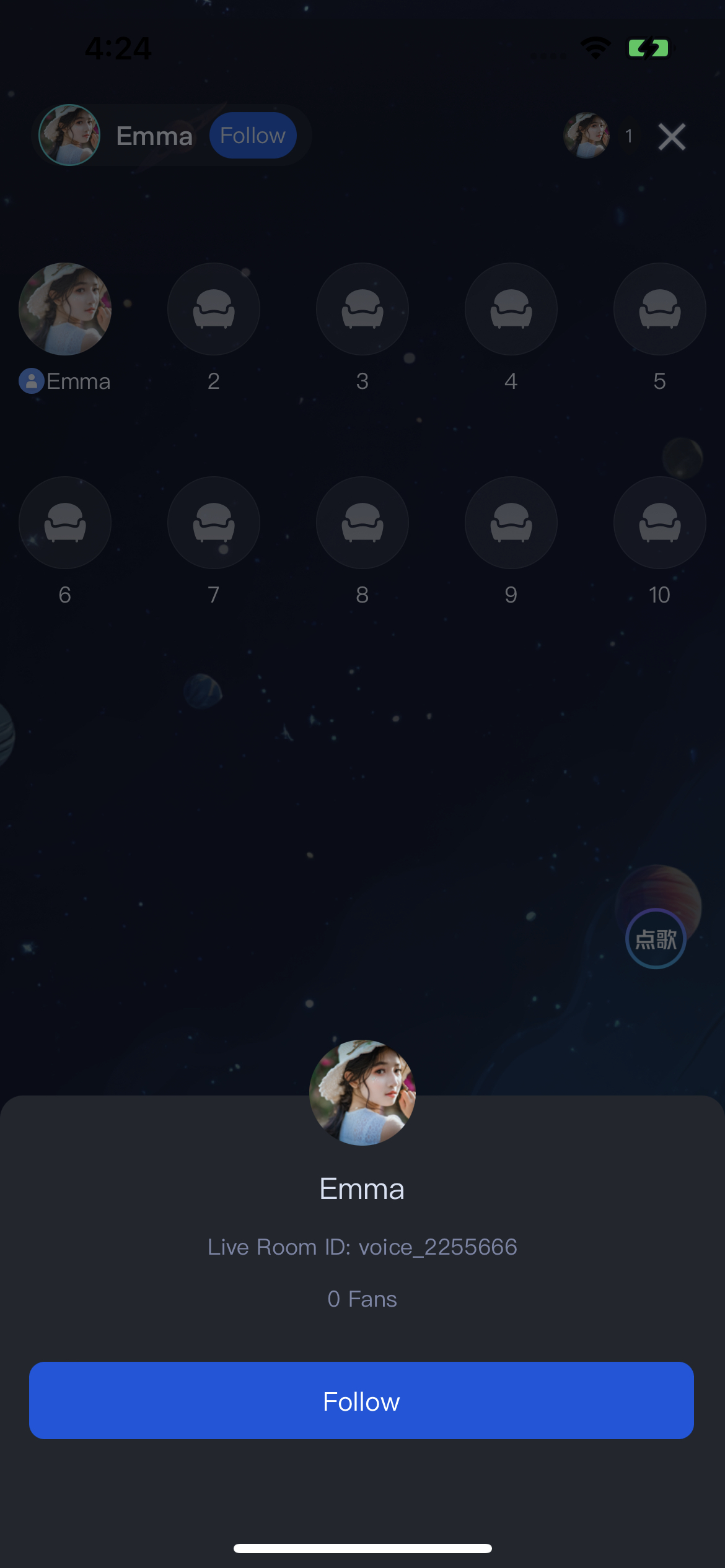
TUILiveKit Voice Chat Room provides a comprehensive, ready-to-use interface for pure audio live streaming scenarios. It allows you to quickly implement essential features such as audience listening and mic interaction, eliminating the need to manage complex UI or seat management logic yourself.

Feature Overview

Listen to Live Streams: Hear the host’s real-time audio stream with clarity and low latency.
Co-guest: Request to join the mic and interact with the host via audio.
Live Information: View room announcements and see the list of online audience members.
Live Interaction: Engage with features such as bullet comments, gifts, and likes.
Listen to Live Streams
Co-guest
Live Information
Live Interaction


Quick Integration

Integrate the Component

Follow the Preparation guide to integrate TUILiveKit into your project.

Launch the Voice Chat Room Activity

The VoiceRoomActivity component provides a complete audience-side UI and business logic for the voice chat room. Simply launch this Activity to allow users to join a live room. Typically, when a user selects a room from the Live Stream List, you should navigate to the audience view. See the example below:
import android.content.Intent
import android.os.Bundle
import androidx.appcompat.app.AppCompatActivity
import com.trtc.uikit.livekit.voiceroom.VoiceRoomActivity
import com.trtc.uikit.livekit.voiceroom.VoiceRoomDefine

// YourLiveListActivity represents your live room list page
class YourLiveListActivity : AppCompatActivity() {

// Handle "click live room" event
fun onJoinVoiceRoomClicked(roomId: String) {

// 1. Prepare the Intent and pass the required parameters
// - roomId: The ID of the live room you want to join
// - behavior: VoiceRoomDefine.RoomBehavior.JOIN means joining the room as an "audience"
val intent = Intent(this, VoiceRoomActivity::class.java).apply {
putExtra(VoiceRoomActivity.INTENT_KEY_ROOM_ID, roomId)
putExtra(VoiceRoomActivity.INTENT_KEY_ROOM_BEHAVIOR, JOIN.ordinal)
}

// 2. Navigate to the voice chat room page
startActivity(intent)
}
}
Intent Extra Parameter Description:
Parameter
Type
Description
VoiceRoomActivity.INTENT_KEY_ROOM_ID
string
Globally unique live room ID.
VoiceRoomActivity.INTENT_KEY_ROOM_BEHAVIOR
Int
Room entry behavior:
- AUTO_CREATE: Automatically create and enter a live room.
- PREPARE_CREATE: Enter the pre-live preview page first, then create and enter the live room after the user clicks "Start Live".
- JOIN: Join the room as an audience member.

Customize UI

TUILiveKit supports UI customization to meet a variety of business needs. You can easily modify interface text and icons.

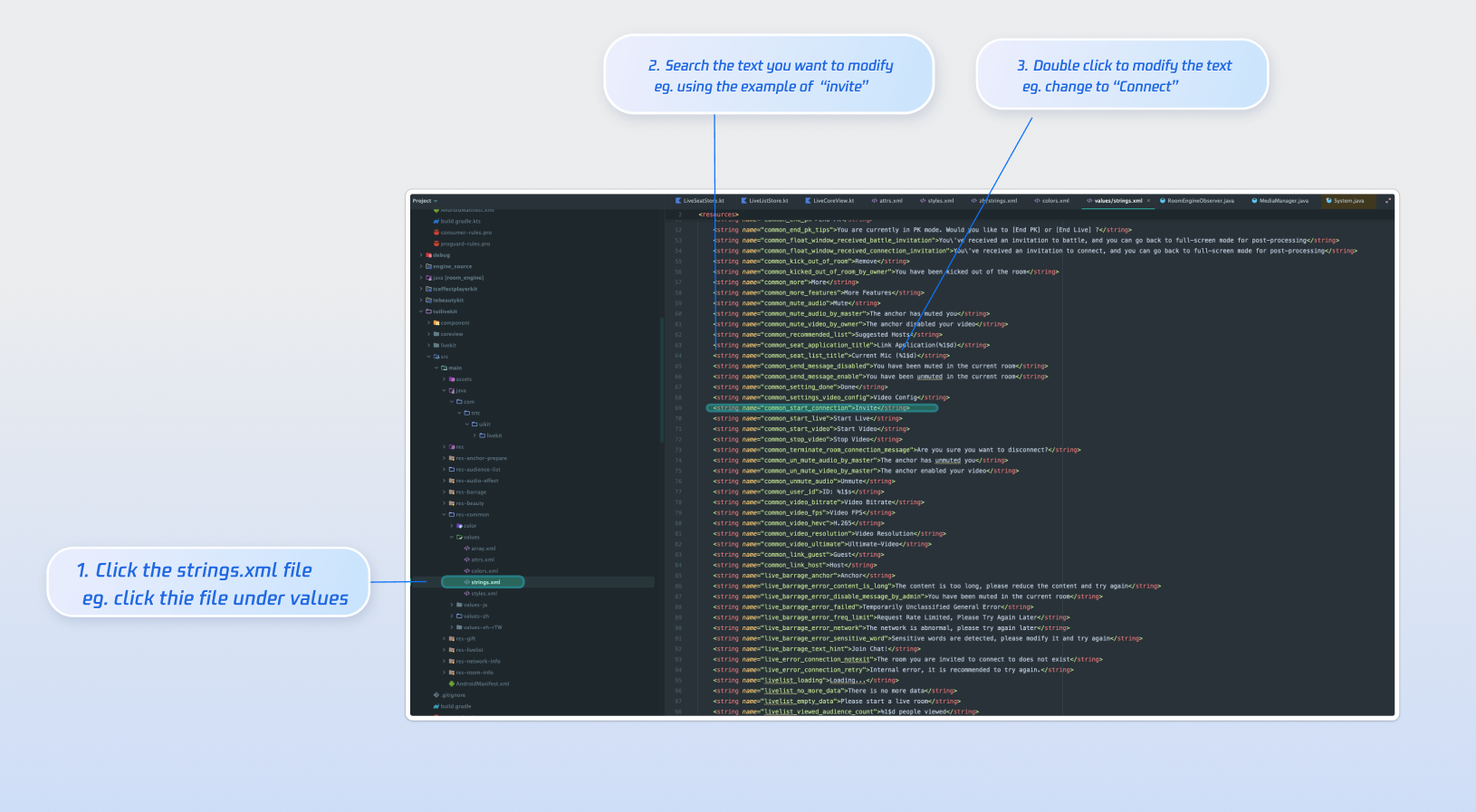
Text Customization (String Resources)

TUILiveKit uses standard Android XML resource files to manage the text displayed in the UI. You can directly modify the strings that need adjustment via the XML file:


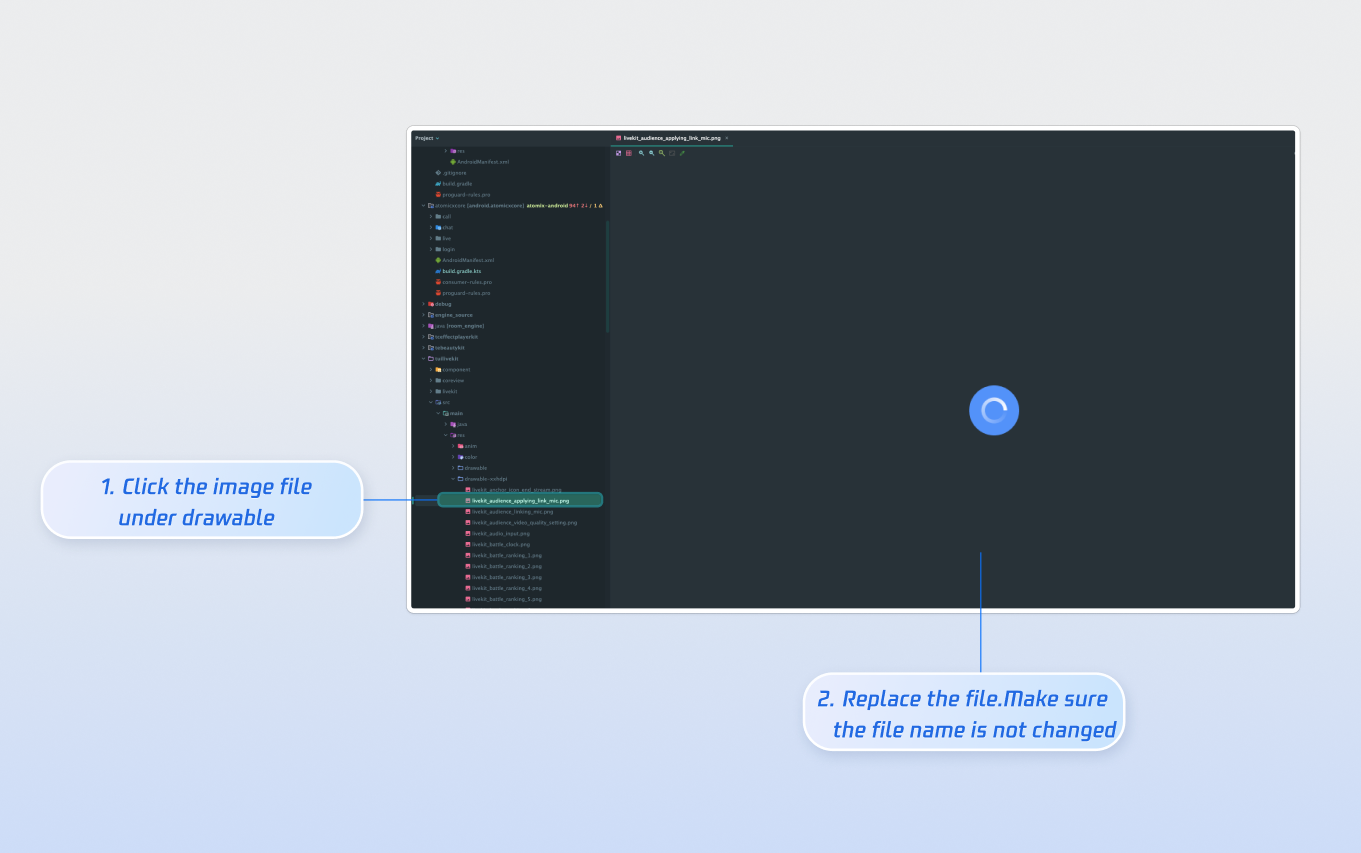
Icon Customization (Drawable Resources)

TUILiveKit uses the standard Android drawable resource folder to manage the image resources for the UI. You can quickly change the custom icons by replacing the resource files. When replacing, ensure that the new file names are consistent with the original file names.


Next Steps

You have successfully integrated Audience Viewing. Next, implement additional features such as host broadcasting, live stream list and gift system. See the table below for details:
Feature
Description
Integration Guide
Host Broadcasting
Complete host live streaming workflow, including pre-live preparation and interactive features after going live.
Live Stream List
Display the live room list UI and features, including room list and room information display.
Gift System
Support custom gift asset configuration, billing system integration, and gift-sending in PK scenarios.

FAQs

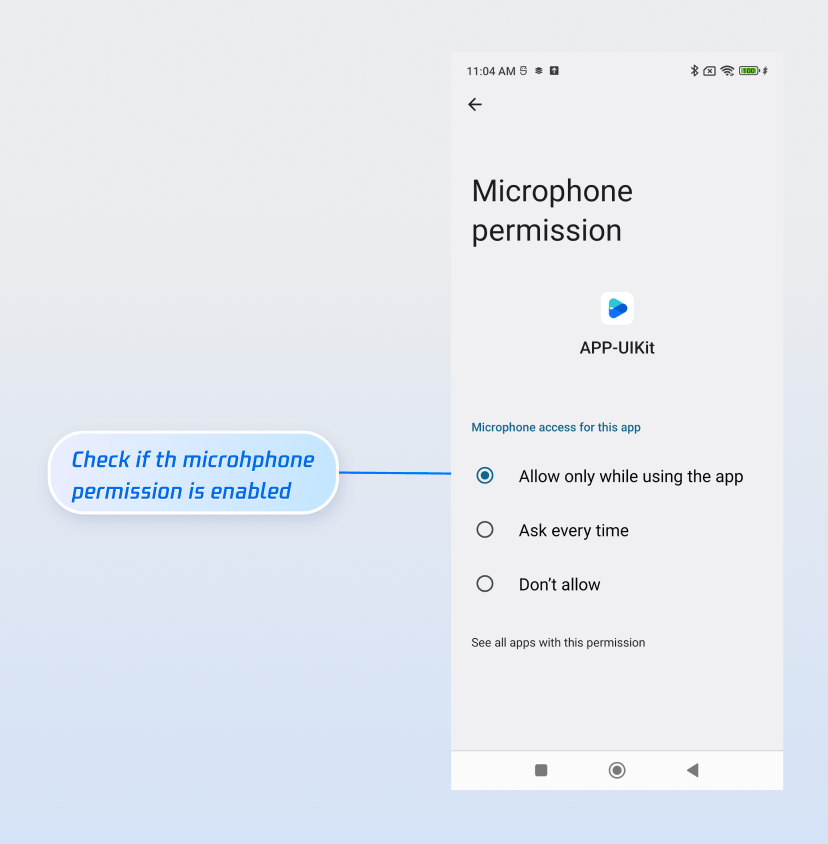
No sound when an audience member after co-guest?

Ensure the app has microphone permission. Go to your device’s App Info > Permissions > Microphone and verify that microphone access is enabled.


Bullet comments sent by an audience member are not visible to others in the room?

There are 3 reasons you can refer to:
Check the network connection to ensure the audience member’s device is online.
The audience member has been muted by the host and cannot send bullet comments.
The bullet comment contains blocked keywords. Confirm that the comment complies with room rules.

Help and Support

Was this page helpful?

Help us improve! Rate your documentation experience in 5 mins.

Feedback