tencent cloud

Elastic MapReduce

  • Release Notes and Announcements
  • Product Introduction
  • Purchase Guide
    • EMR on CVM Billing Instructions
    • EMR on TKE Billing Instructions
    • EMR Serverless HBase Billing Instructions
    • EMR Serverless TCBase Billing Overview
  • Getting Started
  • EMR on CVM Operation Guide
    • Planning Cluster
    • Administrative rights
    • Configuring Cluster
    • Managing Cluster
    • Managing Service
    • Monitoring and Alarms
    • TCInsight
  • EMR on TKE Operation Guide
  • EMR Serverless HBase Operation Guide
  • EMR Serverless TCBase Operation Guide
  • EMR Development Guide
    • Hadoop Development Guide
    • Spark Development Guide
    • Hbase Development Guide
    • Phoenix on Hbase Development Guide
    • Hive Development Guide
    • Presto Development Guide
    • Sqoop Development Guide
    • Hue Development Guide
    • Oozie Development Guide
    • Flume Development Guide
    • Kerberos Development Guide
    • Knox Development Guide
    • Alluxio Development Guide
    • Kylin Development Guide
    • Livy Development Guide
    • Kyuubi Development Guide
    • Zeppelin Development Guide
    • Hudi Development Guide
    • Superset Development Guide
    • Impala Development Guide
    • Druid Development Guide
    • TensorFlow Development Guide
    • Kudu Development Guide
    • Ranger Development Guide
    • Kafka Development Guide
    • StarRocks Development Guide
    • Flink Development Guide
    • JupyterLab Development Guide
    • MLflow Development Guide
  • Practical Tutorial
    • Practice of EMR on CVM Ops
    • Data Migration
    • Practical Tutorial on Custom Scaling
  • API Documentation
    • History
    • Introduction
    • API Category
    • Making API Requests
    • Cluster Resource Management APIs
    • Cluster Services APIs
    • User Management APIs
    • Information Query APIs
    • Scaling APIs
    • Configuration APIs
    • Other APIs
    • Cluster Lifecycle APIs
    • Serverless HBase APIs
    • YARN Resource Scheduling APIs
    • Data Types
    • Error Codes
  • FAQs
    • EMR on CVM
  • Service Level Agreement
  • Contact Us

Node Specification Management

Download
Mode fokus
Ukuran font
Terakhir diperbarui: 2023-12-27 10:26:39

Feature Overview

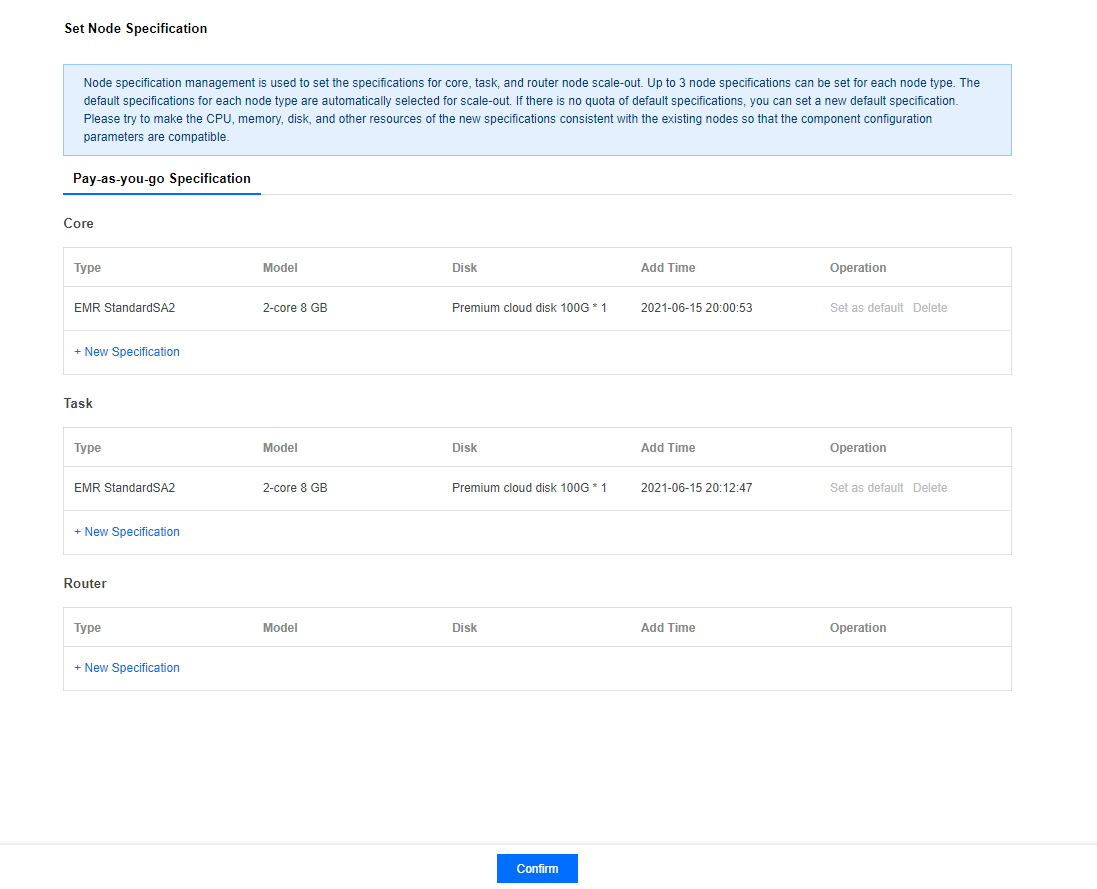
Node specification management is used to set hardware specifications when adding more core, task, or router nodes. Each node type can have up to 3 specifications and will automatically select the current default specification during scaling. If the current default specification is sold out or unavailable, you can set a new default specification. You are recommended to keep the configuration of resources such as CPU cores, memory size, and disk capacity in the new specification the same as that of the existing nodes for optimal compatibility with current component parameters.

Directions

1. Log in to the EMR Console, select Cluster List, and click the ID/Name of the target cluster to enter the cluster details page.
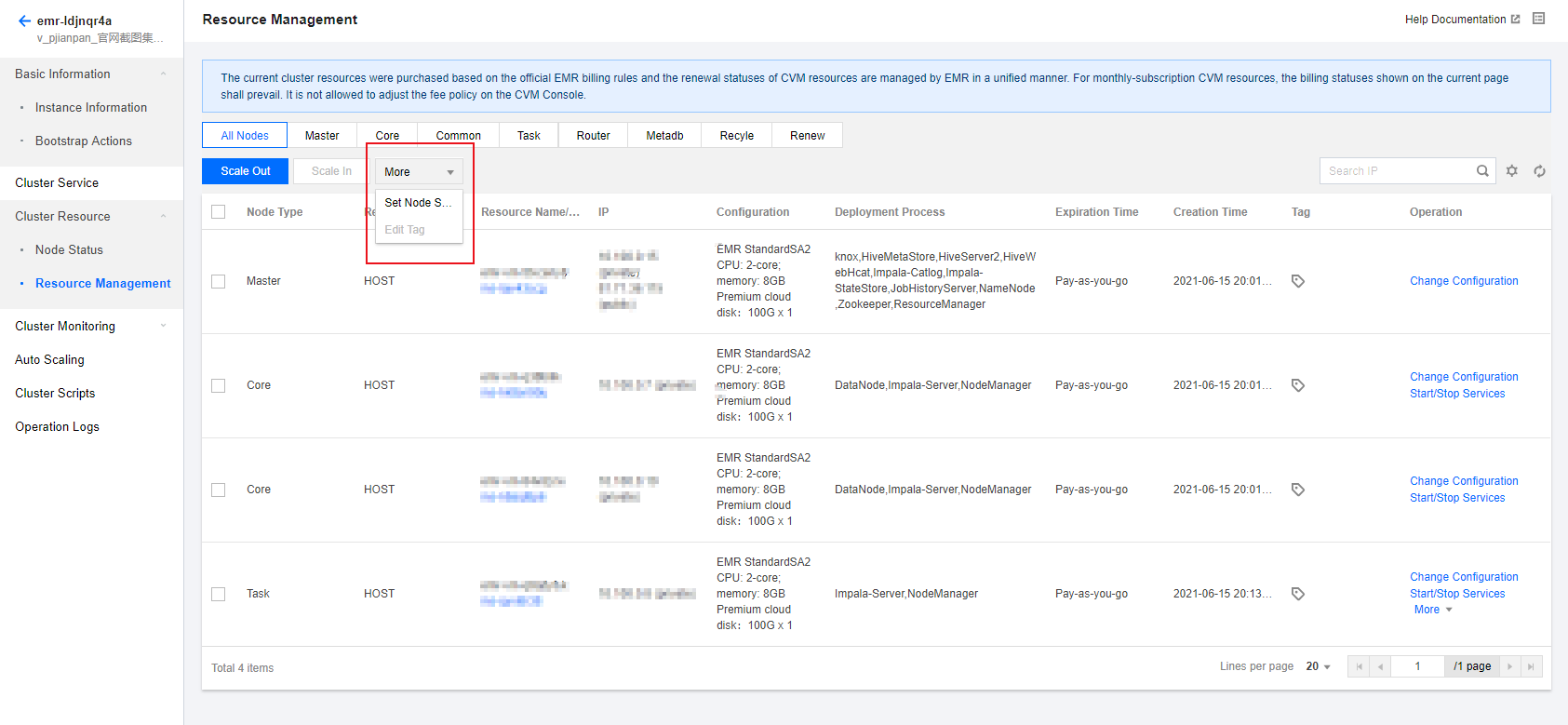
2. Select Cluster Resource > Resource Management > More > Set Node Specification on the cluster details page

3. The default initial specification of the core nodes is the specification selected when the cluster is created. You can set or delete the default one for normal scaling.
4. The task and router nodes have no default specification. Please add the specification as prompted.
Bantuan dan Dukungan

Apakah halaman ini membantu?

masukan