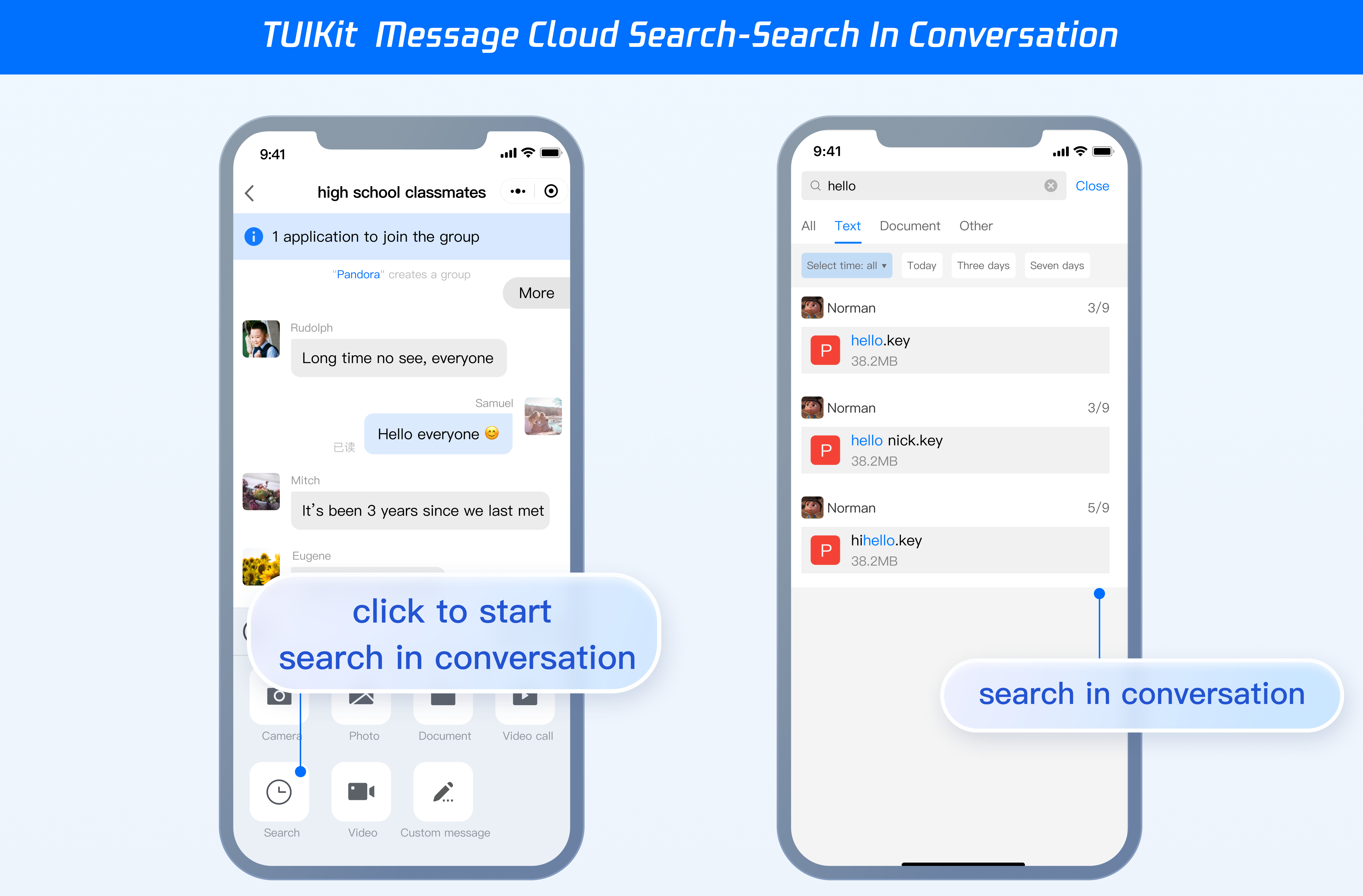
Step 2. Activate the cloud search plugin through the console
Note:
Each plugin can be tried for 7 days for free once. The service will be discontinued after the trial. Therefore, you need to purchase the plugin in advance. During the trial, only the content of messages generated after the cloud search feature is enabled can be searched, and historical messages cannot be searched. After you purchase the plugin, historical messages will be automatically synchronized and become searchable.
Step 2. Activate the cloud search plugin through the console
Note:
Each plugin can be tried for 7 days for free once. The service will be discontinued after the trial. Therefore, you need to purchase the plugin in advance. During the trial, only the content of messages generated after the cloud search feature is enabled can be searched, and historical messages cannot be searched. After you purchase the plugin, historical messages will be automatically synchronized and become searchable.
In the step Quickly Integrating Message Cloud Search above, all features of message cloud search are introduced by default, and therefore do not need to be introduced independently.
If you want to independently introduce the <TUISearch> for message cloud search, see the following guide.
TUIKit comes with <TUISearch> integrated by default. If you prefer not to use the default integration method, you can comment out <TUISearch> in TUIKit/index.vue.
Uniapp TUISearch supports two integration methods: component and page.
TUIKit comes with <TUISearch> integrated by default. If you prefer not to use the default integration method, you can comment out <TUISearch> in TUIKit/components/TUIConversation/index.vue.
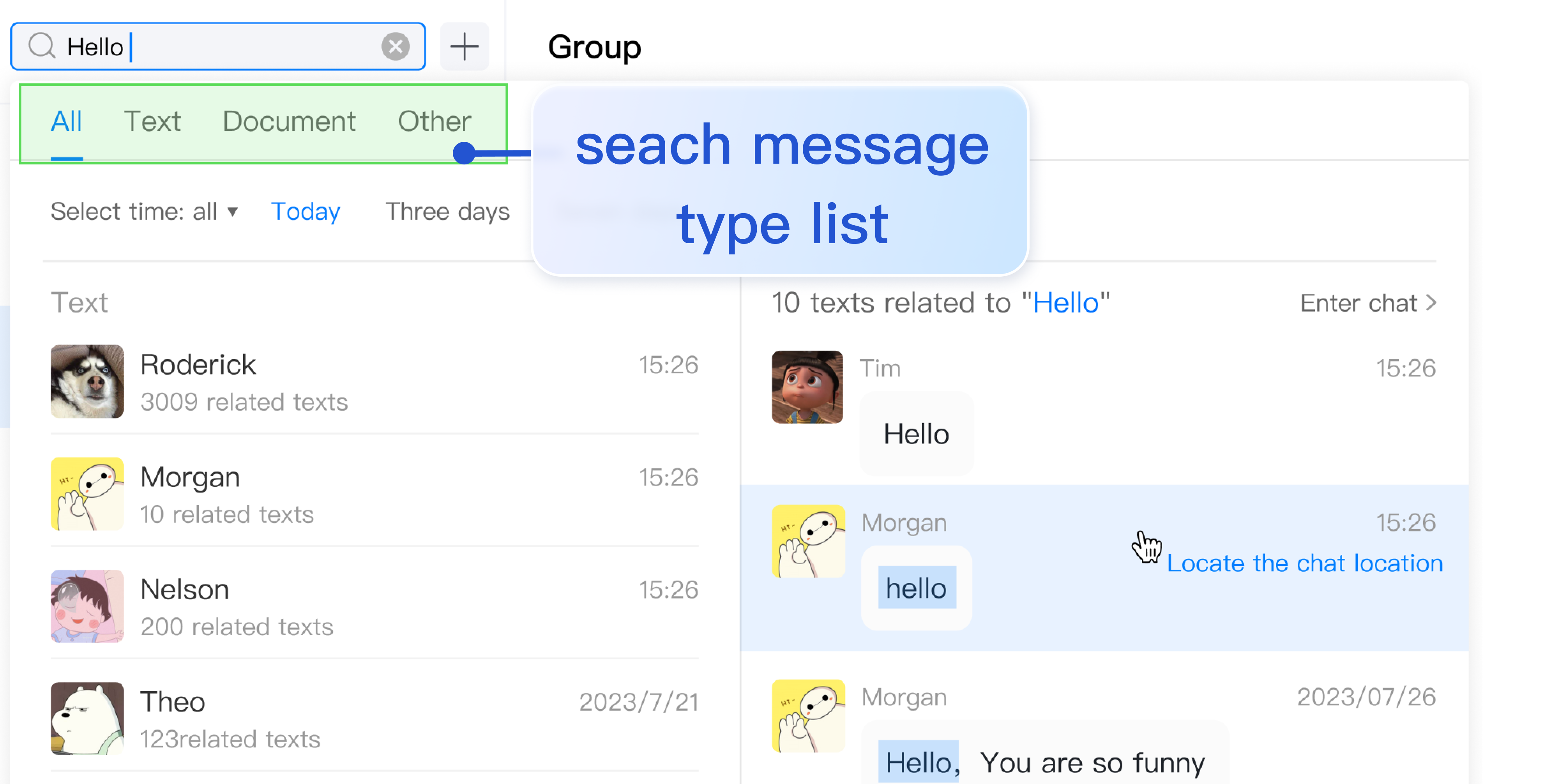
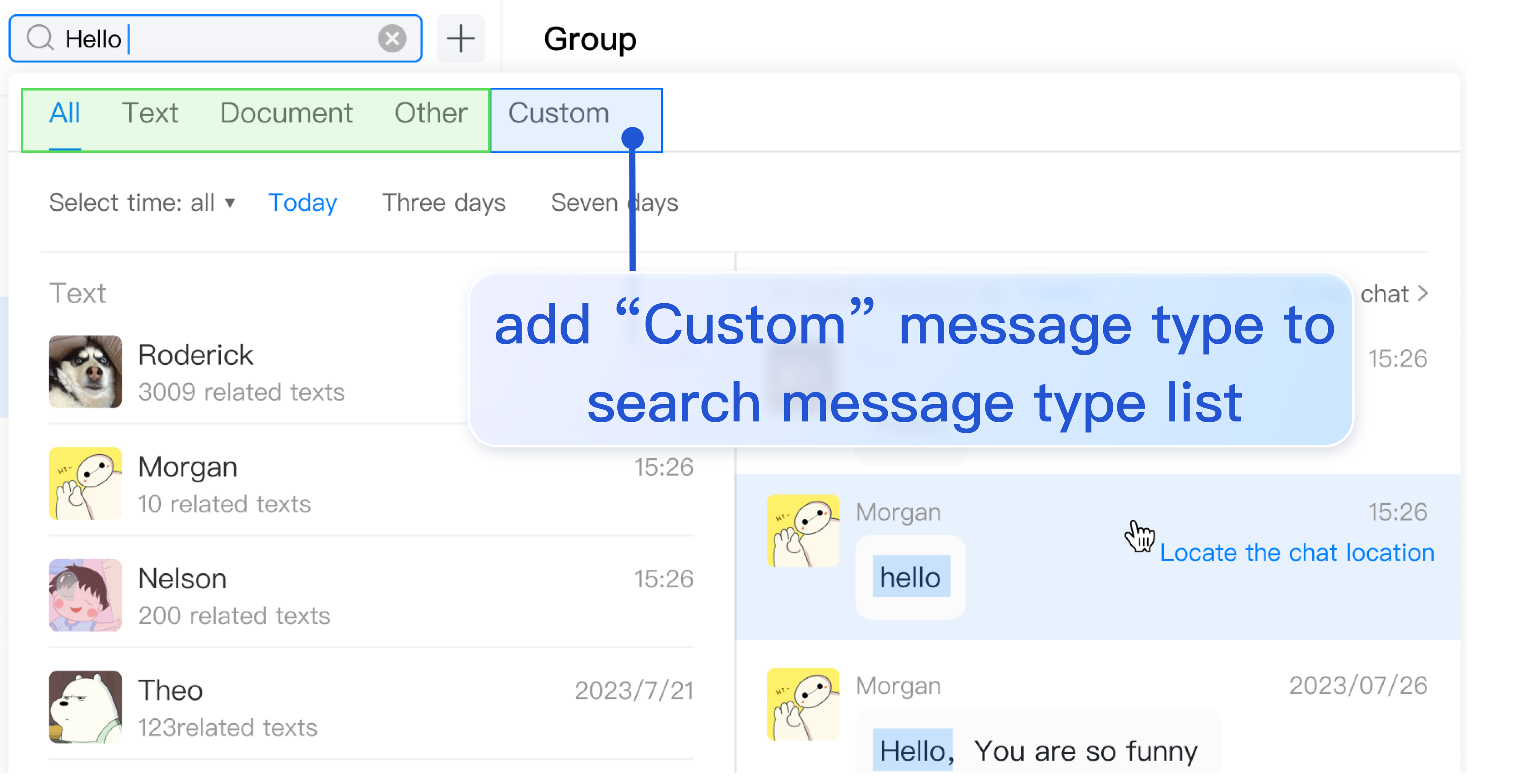
searchMessageTypeList contains all the definitions in the Search Message Types tab. To add search message types not defined in searchMessageTypeList, follow the structure below to add them in searchMessageTypeList:
[keyName:string]:{
key:string;// Specifies the key of the search message type, which must be unique.
label:string;// Specifies the label for rendering the search message type.
value:Array<string>;// Specifies the actual search list for the search message type.
};
// For example, to search for custom messages
exportconst searchMessageTypeList ={
...
customMessage:{
key:"customMessage",// Specifies the key of the search message type, which must be unique.
label:"Custom",// Specifies the label for rendering the search message type.
value:[TUIChatEngine.TYPES.MSG_CUSTOM],// Specifies the actual search list for the search message type.
}
};
Due to TUIKit's use of i18next for internationalization, if you want to claim a new label, add the corresponding international entries in src/TUIKit/locales/zh_cn/TUISearch.ts and src/TUIKit/locales/en/TUISearch.ts for translation.
To add a type defined in searchMessageTypeList to the global search message type list or search in conversation message type list, you just need to add its key to globalSearchTypeKeys or conversationSearchTypeKeys.
// For example, to apply the newly defined customMessage to the global search message type list
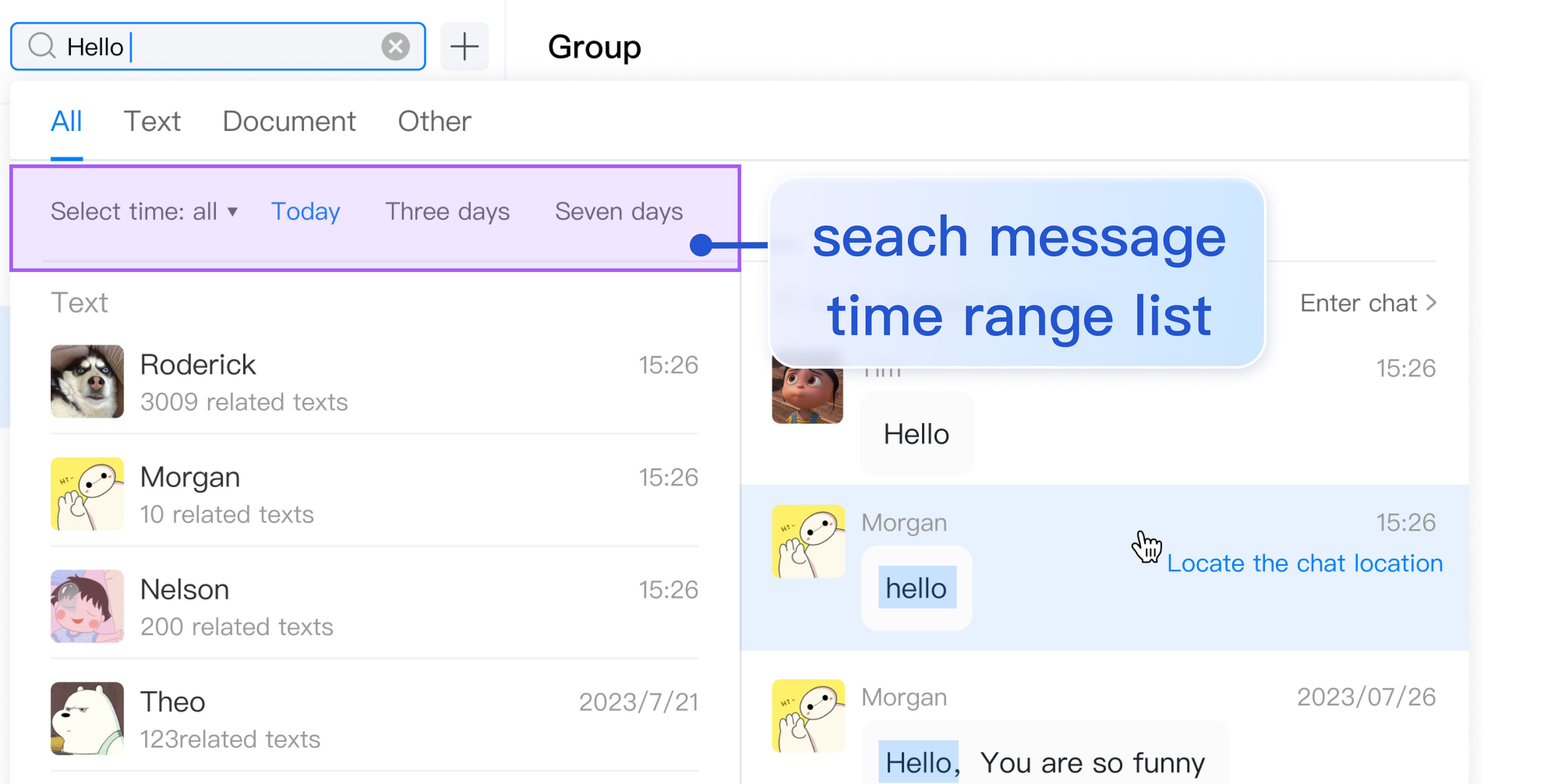
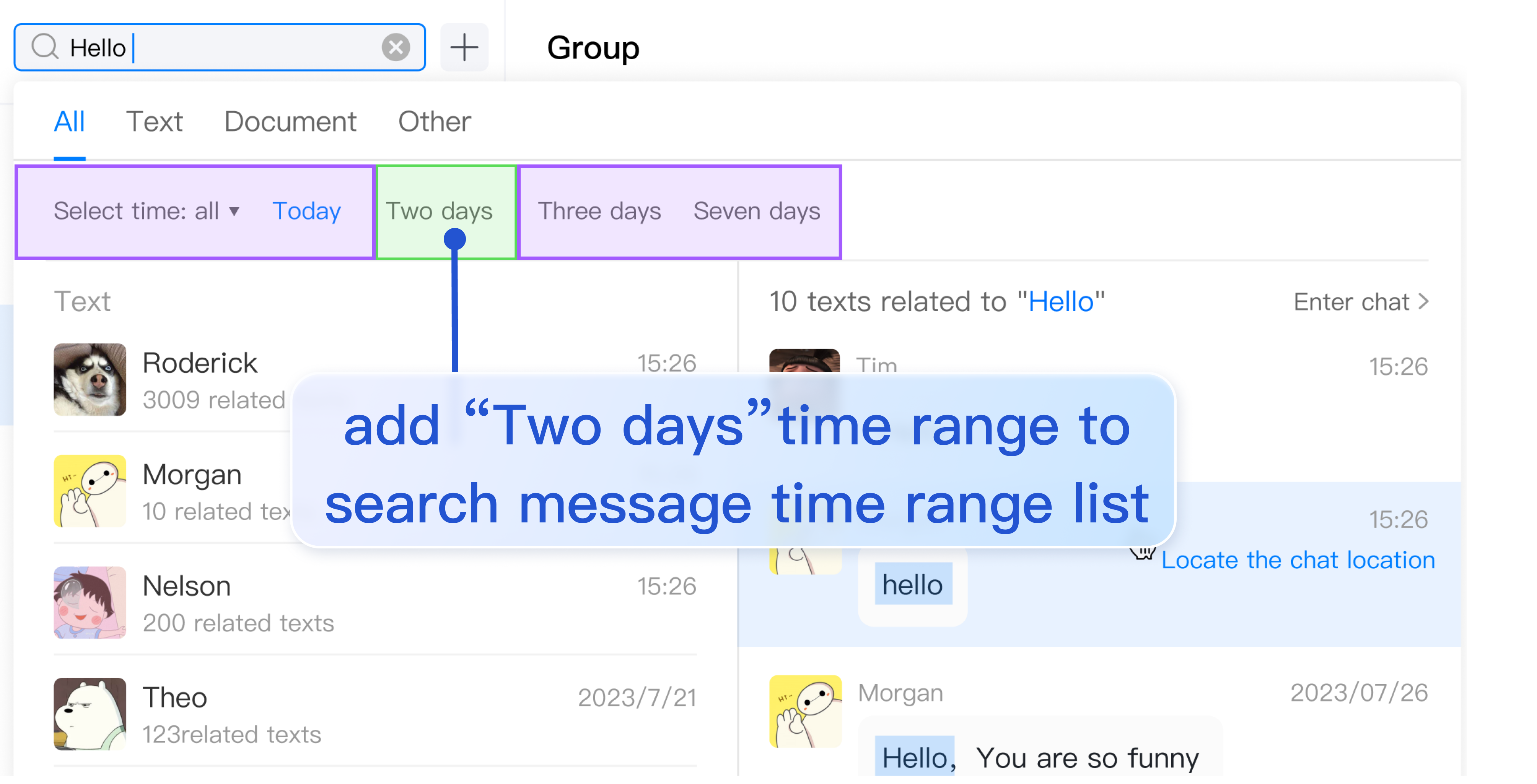
searchMessageTimeList contains all definitions in the Search Time Range tab. To add search time range types not defined in searchMessageTimeList, follow the structure below to add them in searchMessageTimeList:
[keyName:string]:{
key:string;// Specifies the key of the message search time range, which must be unique.
label:string;// Specifies the label for rendering the message search time range.
value:{
timePosition:number;// Specifies the start position for message search time range. The default value is 0, indicating searching from the current time.
timePeriod:number;// Specifies the time range to search backward from timePosition.
};
};
// For example, to search for messages in the time range of last 2 days
exportconst searchMessageTimeList ={
...
twoDay:{
key:"twoDay",// Specifies the key of the message search time range, which must be unique.
label:"Two days",// Specifies the label for rendering the message search time range.
value:{
timePosition:0,// Specifies the start position for message search time range. The default value is 0, indicating searching from the current time.
timePeriod:2* oneDay;// Specifies the time range to search backward from timePosition.
},
},
};
Due to TUIKit's use of i18next for internationalization, if you want to claim a new label, add the corresponding international entries in src/TUIKit/locales/zh_cn/TUISearch.ts and src/TUIKit/locales/en/TUISearch.ts for translation.