Unsubscription
Unduh
Mode fokus
Ukuran font
To facilitate your use of the Tencent Cloud eKYC service, if your purchased eKYC resource bundle has not incurred any call consumption, you can apply for a full refund without reason within 7 days from the date the order takes effect.
7-Day Unconditional Refund Policy
Applicable Conditions
Under a single Tencent Cloud international account, a brand new and unused eKYC resource bundle supports a full refund without reason within 7 days from the date the order takes effect. You can initiate the full refund on the Resource Bundle List page in the eKYC console.
Refund Amount
For orders that meet the 7-day unconditional refund criteria, the refund amount is the total consumed amount spent at the time of purchase, including the cash account amount, the revenue transfer account amount, and the gift account amount (deductions or vouchers are not refundable). The refunded amount will be fully returned to your Tencent Cloud account via the original payment method.
For packages purchased as part of a campaign, if the refund rules conflict with the campaign policies, the campaign policies shall prevail. If the campaign policies state that refunds are not supported, you are not able to apply for a refund.
In case of suspected abnormal or malicious returns, Tencent Cloud reserves the right to reject your return request.
Note:
The following situations do not meet the criteria for a 7-day unconditional refund:
The eKYC resource bundle has incurred partial call consumption.
The eKYC resource bundle has exceeded the 7-day refund period from the date the new purchase order takes effect.
Resource bundles that are not proactively purchased by you, such as free quota resource bundles or resource bundles gifted through promotions, do not support returns or refunds.
If a user account is suspended due to the violation of laws and regulations, all resource packages associated with the account are ineligible for refund.
Example
If you purchase an eKYC resource bundle on October 1, 2026 and the resource bundle remains unused, you can enjoy a 7-day unconditional refund from October 1, 2026 to October 7, 2026. After 00:00 on October 8, 2026, the resource bundle cannot be returned or refunded.
Refund Steps
1. Log in to the eKYC console and click Resource Bundle List in the left sidebar to go to the Resource Bundle List page.
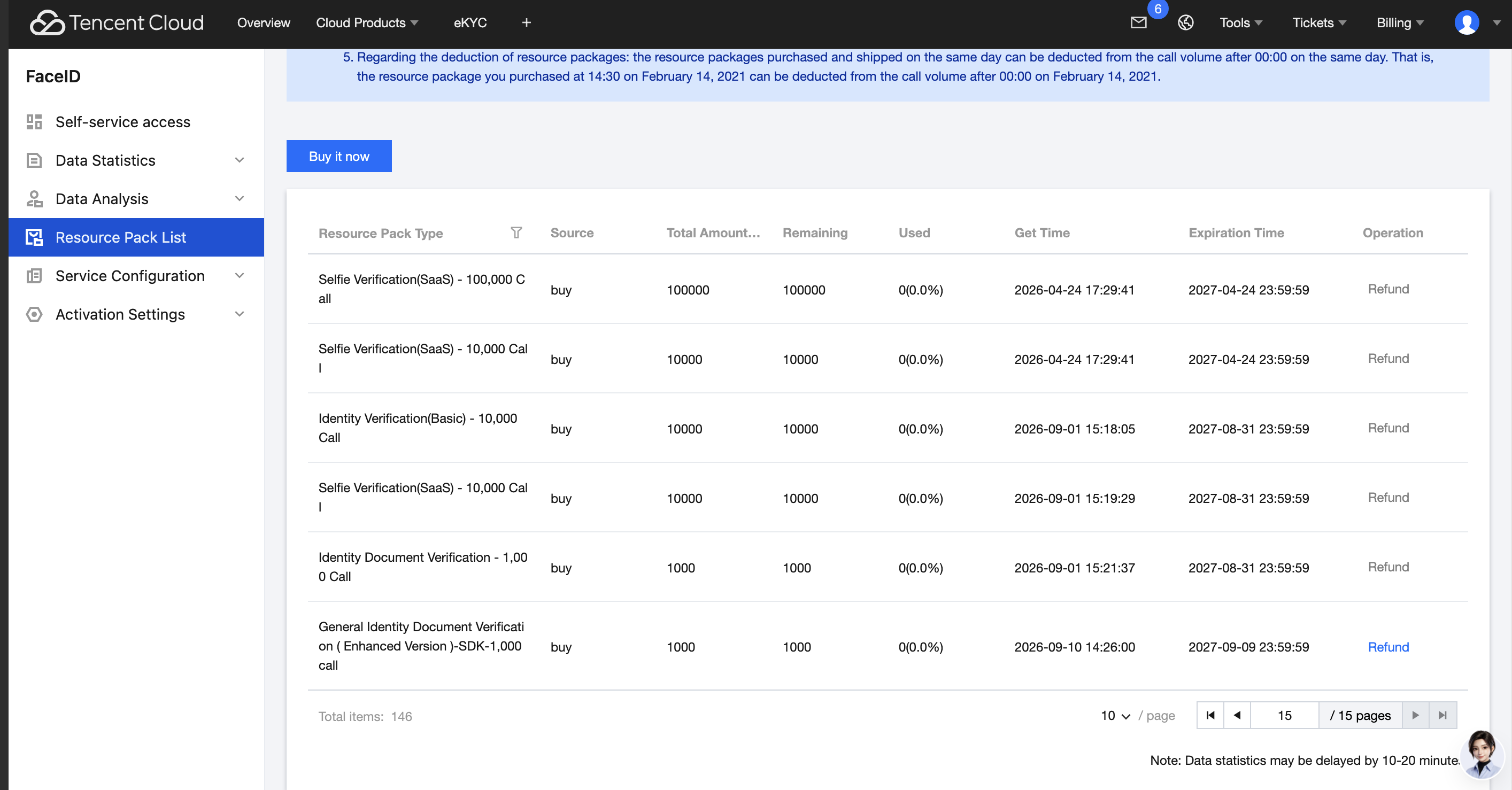
2. Locate the idle resource bundle that requires a refund, and click Refund in the operation column.

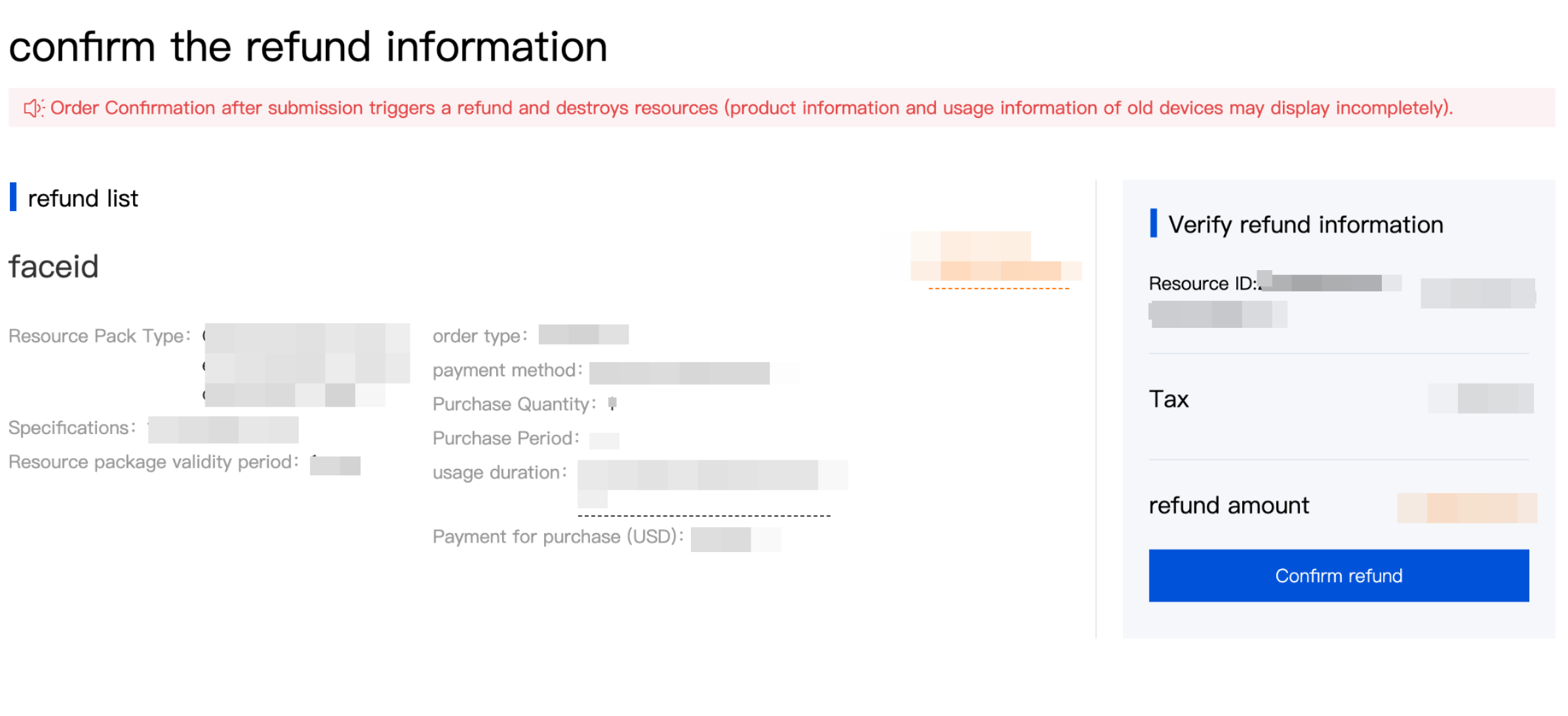
3. In the pop-up window, verify the refund information and click Confirm Refund.
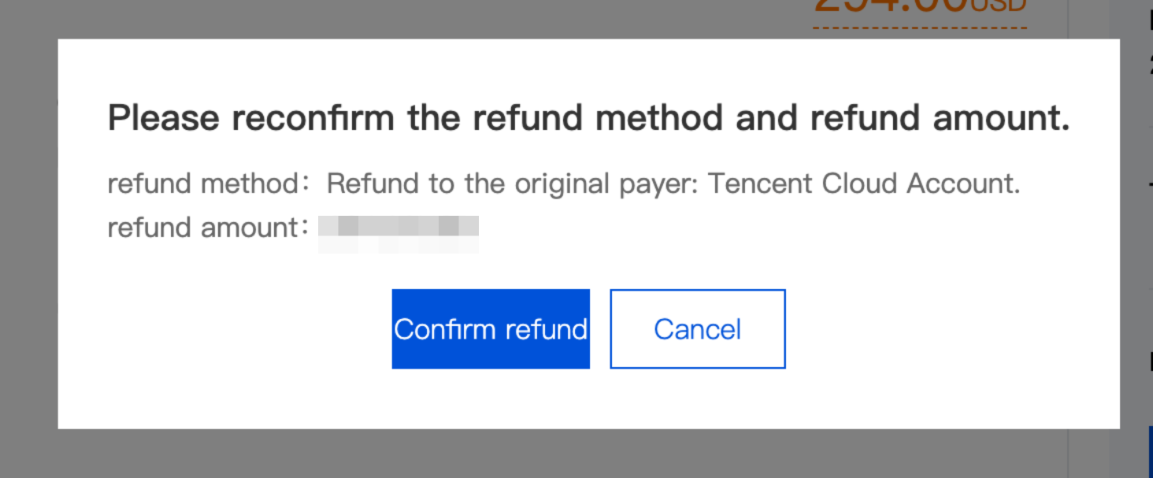
4. Confirm again to submit the refund request.
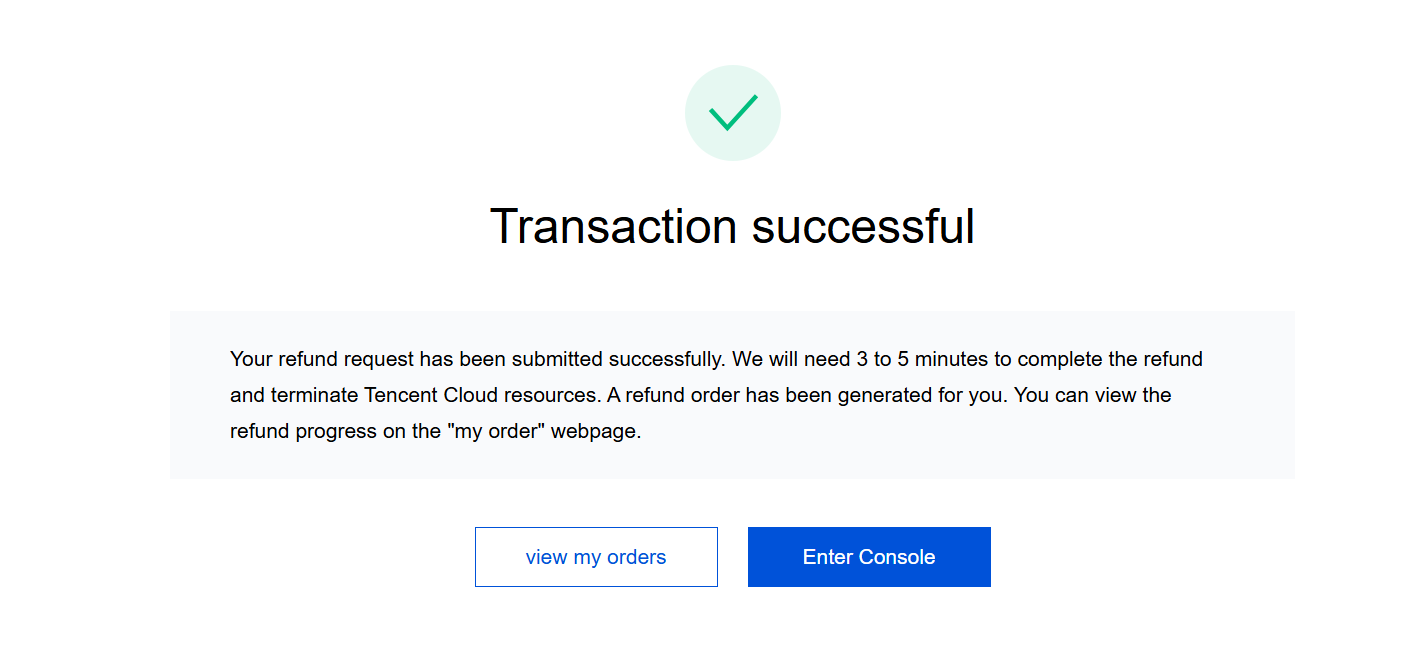
5. After confirming again, complete the refund operation.
Bantuan dan Dukungan
Apakah halaman ini membantu?
Anda juga dapat Menghubungi Penjualan atau Mengirimkan Tiket untuk meminta bantuan.
masukan