tencent cloud

Tencent Real-Time Communication

Flutter

Unduh
Mode fokus
Ukuran font
Terakhir diperbarui: 2026-11-11 20:57:57
This document describes how to quickly run the demo for the TRTC Flutter SDK.


Environment Requirements

Flutter 2.0 or later.
Developing for Android:
Android Studio 3.5 or later.
Devices with Android 4.1 or later.
Developing for iOS and macOS:
Xcode 11.0 or later.
OS X 10.11 or later.
A valid developer signature for your project.
Developing for Windows:
OS: Windows 7 SP1 or later (64-bit based on x86-64).
Disk space: At least 1.64 GB of space after the IDE and relevant tools are installed.

Prerequisites

Directions

Step 1. Create an application

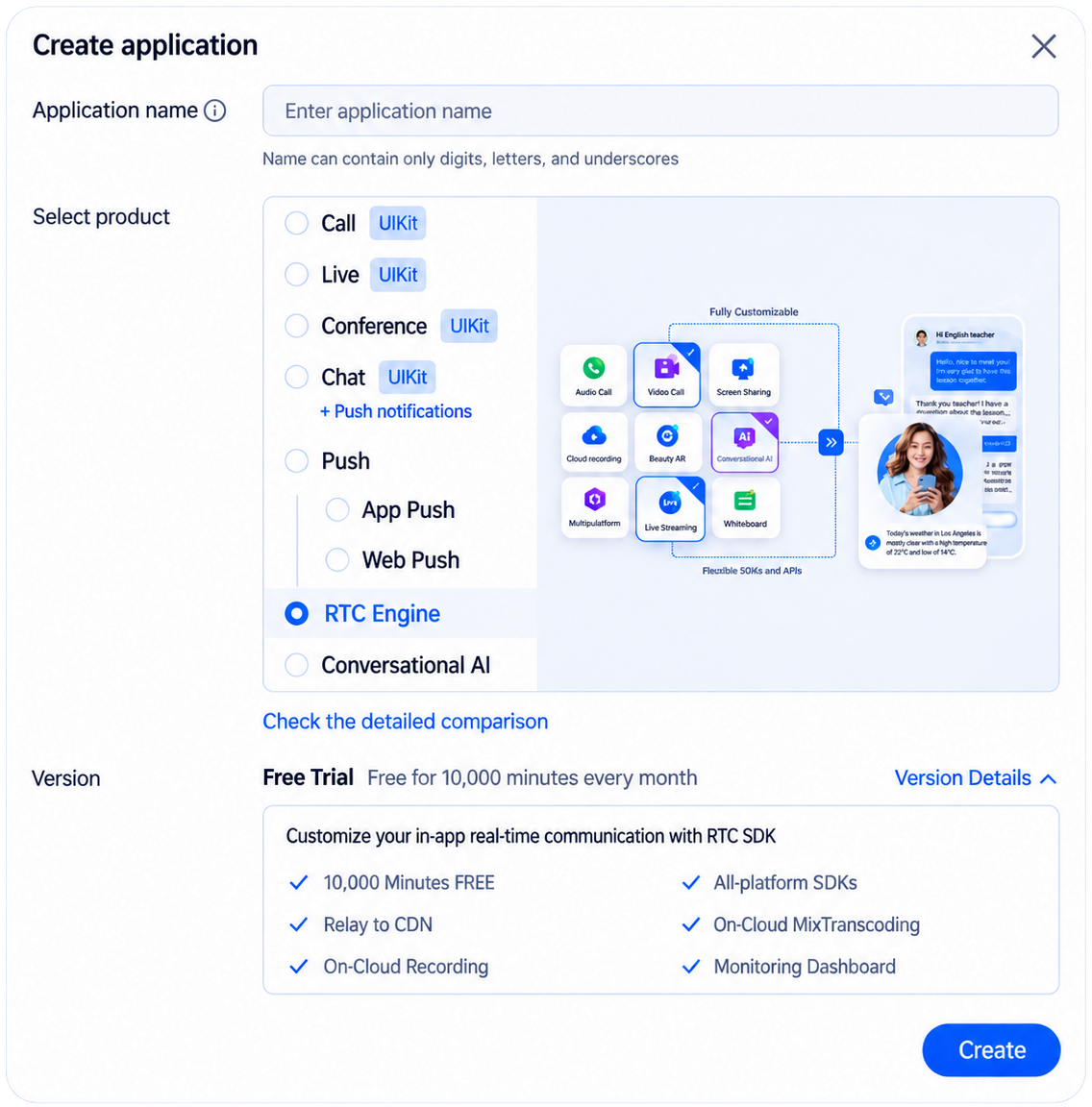
1. Log in to the TRTC console overview page, click Create Application.If you have already created an application, you can skip this step.
2. In the popup page, select RTC Engine, enter the application name, and then click Create.


Step 2. Get your SDKAppId and SecretKey

After your application created, you can get your SDKAppID and SDKSecretKey on Basic informaction. SDKAppID and SDKSecretKey is needed for running demo.


Step 3. Download the sample code

1.Download Demo Source Code: GitHub Download or ZIP Package Download.
git clone https://github.com/Tencent-RTC/TRTC_Flutter.git
2.Go to the downloaded Demo source directory. The project structure is as follows:
# TRTC Flutter SDK Plugin Package
├── lib/ # TRTC SDK Dart source code
├── android/ # TRTC SDK Android native implementation
├── ios/ # TRTC SDK iOS native implementation
├── macos/ # TRTC SDK macOS native implementation
├── windows/ # TRTC SDK Windows native implementation
├── ohos/ # TRTC SDK HarmonyOS native implementation
├── example/ # ⭐ Example Demo Application
│ ├── lib/ # Application source code
│ ├── assets/ # Assets (images/music)
│ ├── android/ # Android host project
│ ├── ios/ # iOS host project
│ ├── macos/ # macOS host project
│ ├── windows/ # Windows host project
│ ├── ohos/ # HarmonyOS host project
│ ├── test/ # Unit tests
│ ├── pubspec.yaml # Demo dependency configuration
│ ├── README.md
│ └── analysis_options.yaml
├── pubspec.yaml # Dependency configuration
├── CHANGELOG.md
├── README.md
├── LICENSE
├── analysis_options.yaml
├── dartdoc_options.yaml
└── ffigen.yaml # FFI binding generation configuration


Step 4. Configure the project

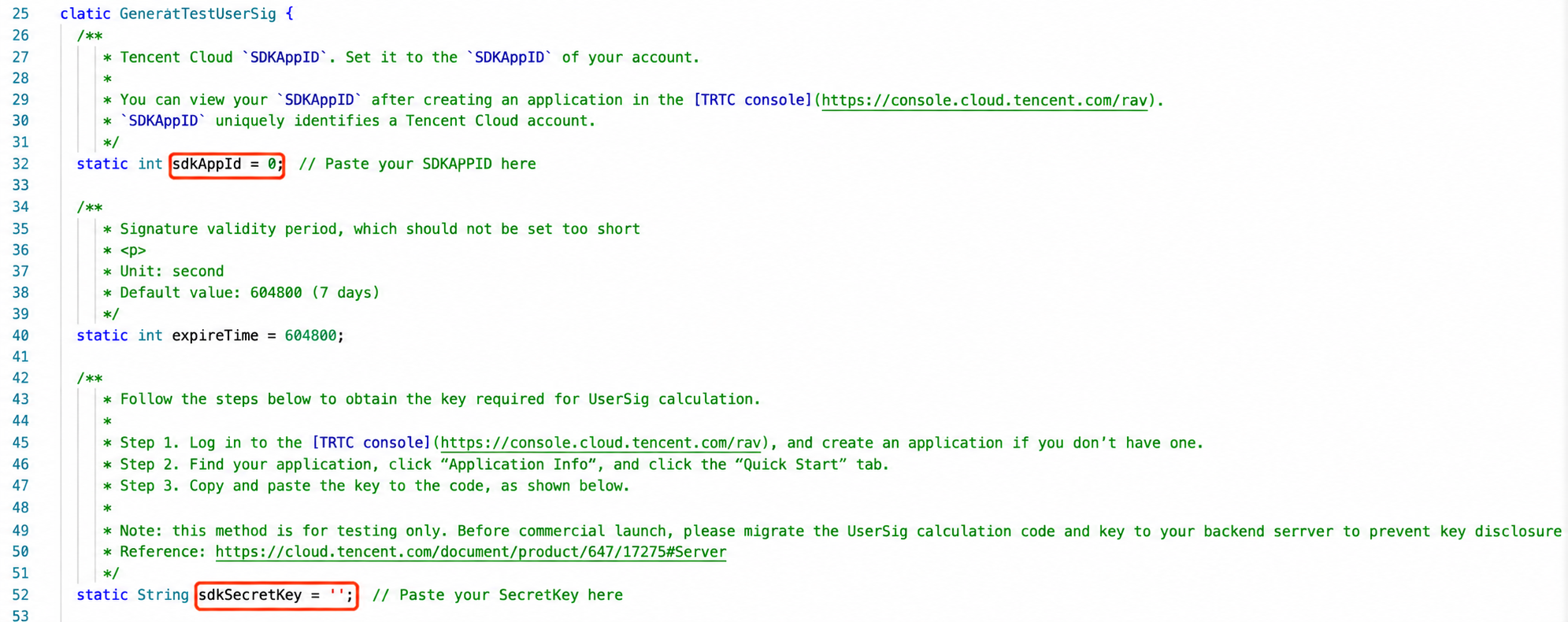
1. In the local Demo project, locate and open the file /example/lib/debug/GenerateTestUserSig.dart.
2. Set the relevant parameters in the GenerateTestUserSig.dart file:
SDKAPPID: A placeholder by default. Set it to the actual SDKAppID.
SDKSECRETKEY: A placeholder by default. Set it to the actual key.

3. After pasting, the Demo project is configured.
Note
The method for generating UserSig described in this document involves configuring SDKSECRETKEY in the client code. In this method, SDKSECRETKEY may be easily decompiled and reversed, and if your key is disclosed, attackers can steal your Tencent Cloud traffic. Therefore, this method is only suitable for the local execution and debugging of TRTC-Simple-Demo.
The best practice is to integrate the calculation code of UserSig into your server and provide an application-oriented API. When UserSig is needed, your application can send a request to your server for a dynamic UserSig. For more information, see How do I calculate UserSig during production?.

Step 5. Compile and run the demo

1. Execute flutter pub get.
2. Build and run the project.

Android

1. Execute flutter run.
2. Open the demo project with Android Studio (3.5 or later), and run the project.

iOS

1. Execute cd ios.
2. Execute pod install.
3. Open /ios in the source code directory with Xcode (11.0 or later). Compile and run the demo project.
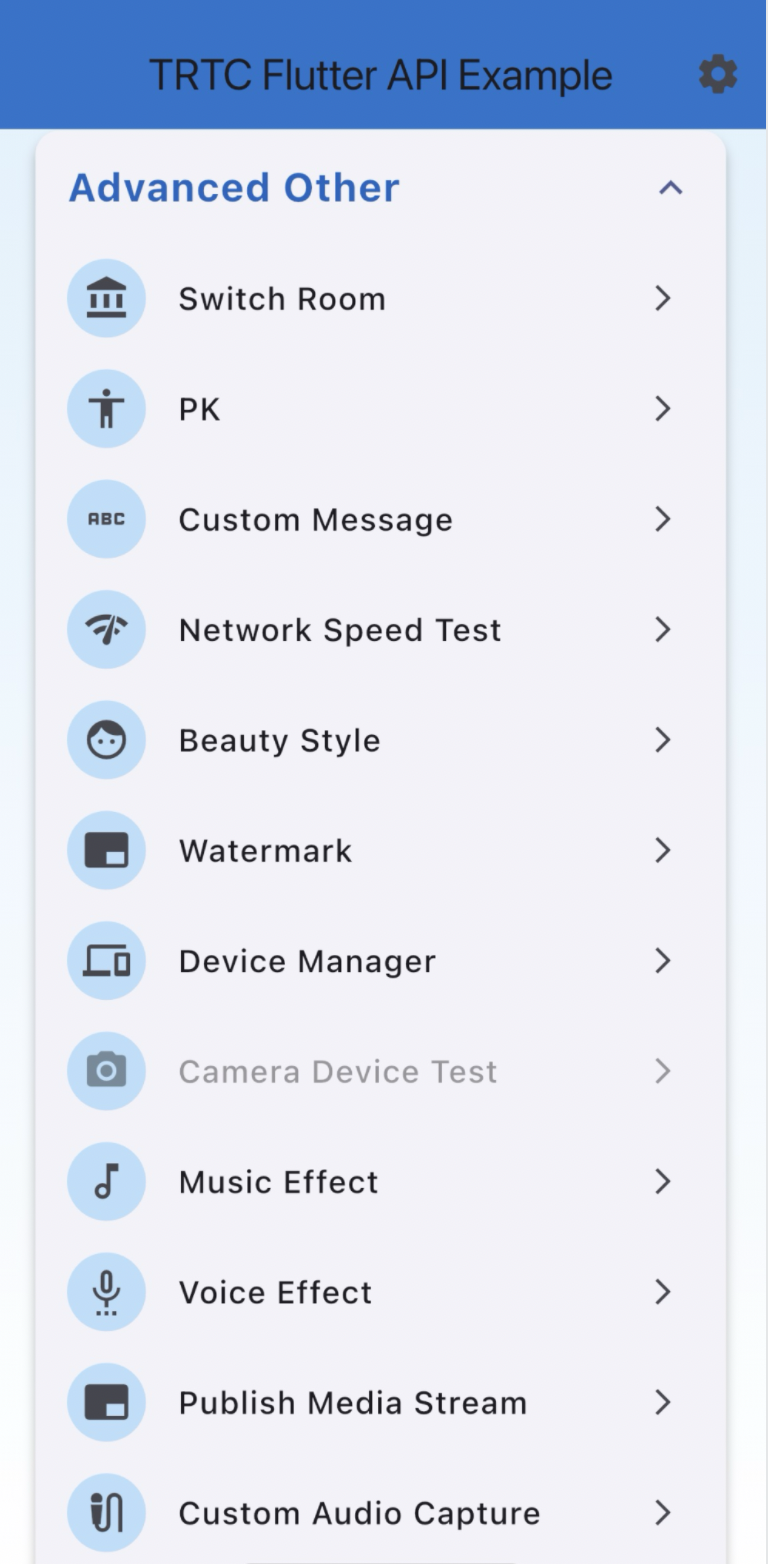
Windows

1. Execute flutter config --enable-windows-desktop.
2. Execute flutter run -d windows.

macOS

1. Execute flutter config --enable-macos-desktop.
2. Execute cd macos.
3. Execute pod install.
4. Execute flutter run -d macos.

FAQs

How do I view TRTC logs?

TRTC logs are compressed and encrypted by default (XLOG format). You can find them at the following paths:
iOS: Documents/log of the application sandbox
Android:
v6.7 or earlier: /sdcard/log/tencent/liteav
v6.8 or later: /sdcard/Android/data/package name/files/log/tencent/liteav/

What should I do if videos show on Android but not on iOS?

Make sure that in info.plist of your project, the value of io.flutter.embedded_views_preview is YES.

What should I do if the "Manifest merge failed" error occurs in Android Studio?

Open /example/android/app/src/main/AndroidManifest.xml.
1. Add xmlns:tools="http://schemas.android.com/tools" to manifest.
2. Add tools:replace="android:label" to application.
Illustration


Note
For more FAQs, see Flutter.

Bantuan dan Dukungan

Apakah halaman ini membantu?

masukan