Using Paimon Catalog
Download
フォーカスモード
フォントサイズ
Introduction
In Oceanus SQL jobs, you can configure the Paimon Catalog, view Paimon metadata, and use the Paimon Catalog. After saving the metadata information to the Paimon Metastore, you no longer need to explicitly declare DDL statements in the job. You can directly reference the metadata using the three-part naming convention.
Version Description
Flink Version | Description |
1.13 | Not supported. |
1.14 | Not supported. |
1.16 | Supported |
1.18 | Supported |
1.20 | Not supported. |
Procedure
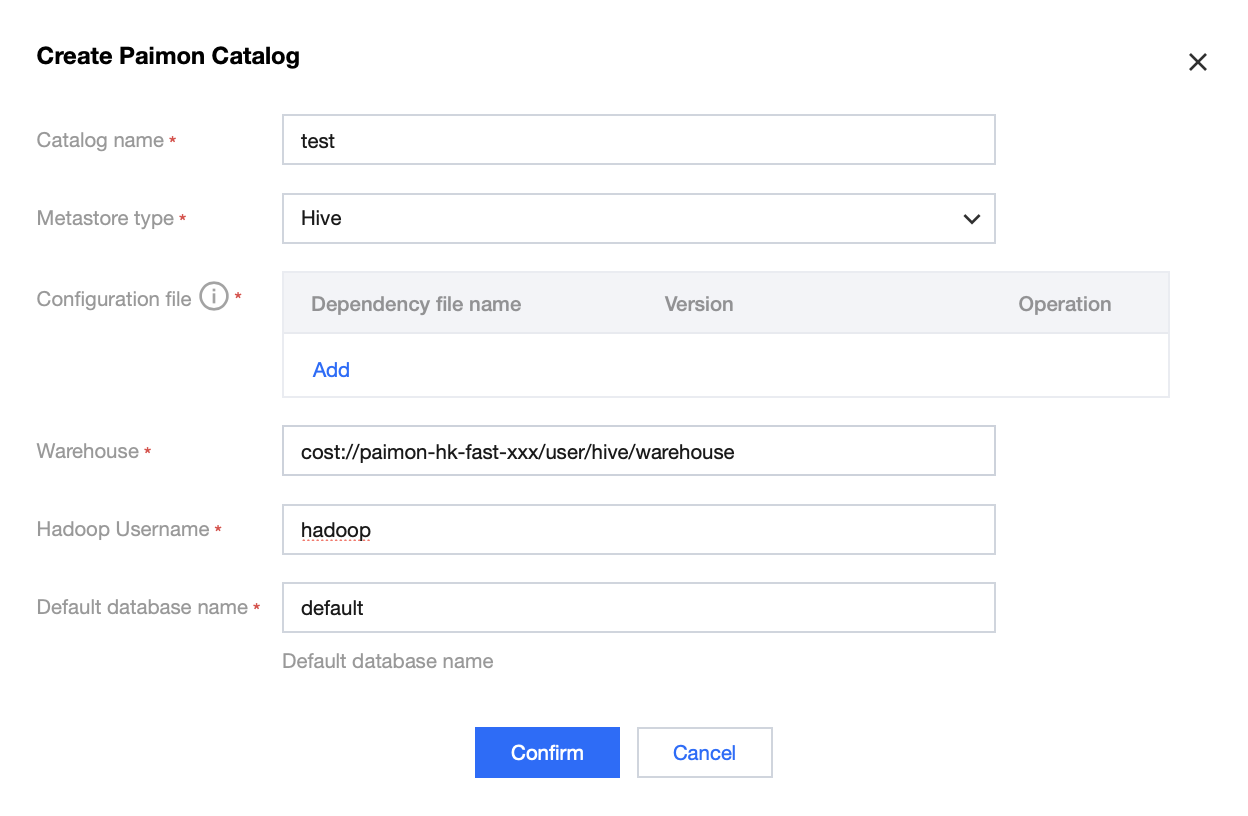
Creating a Paimon Catalog
Switch to
_dc, and then click New Paimon Catalog.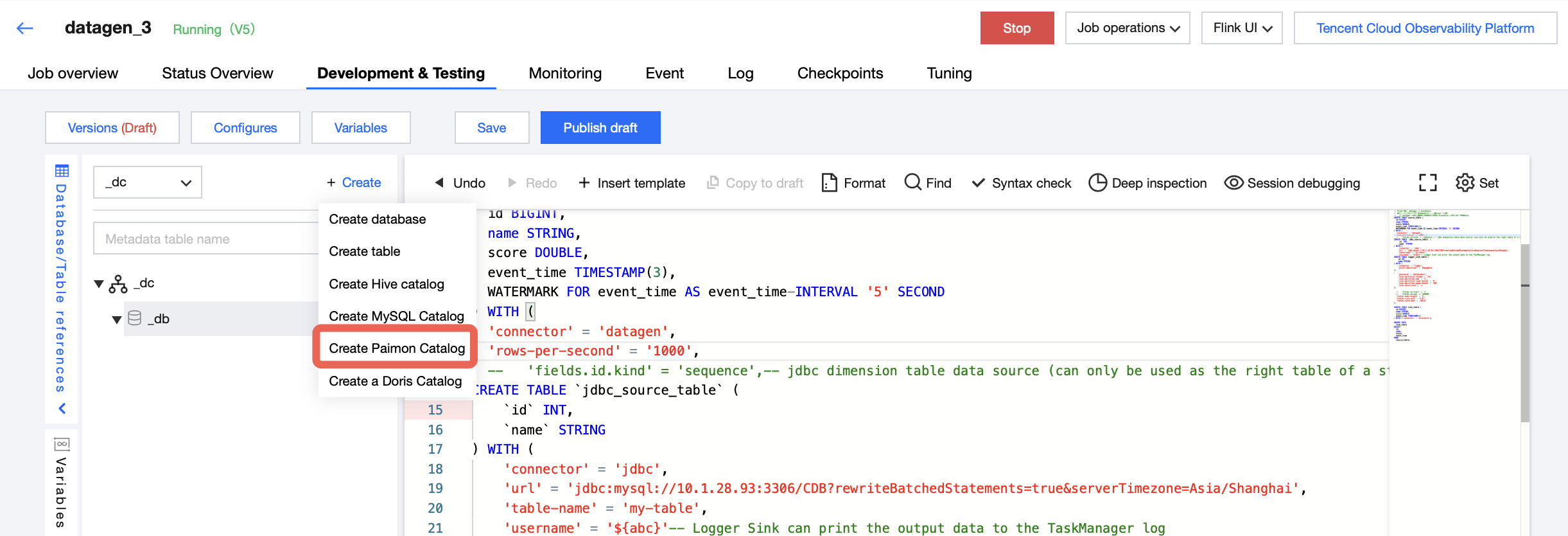
COS Bucket
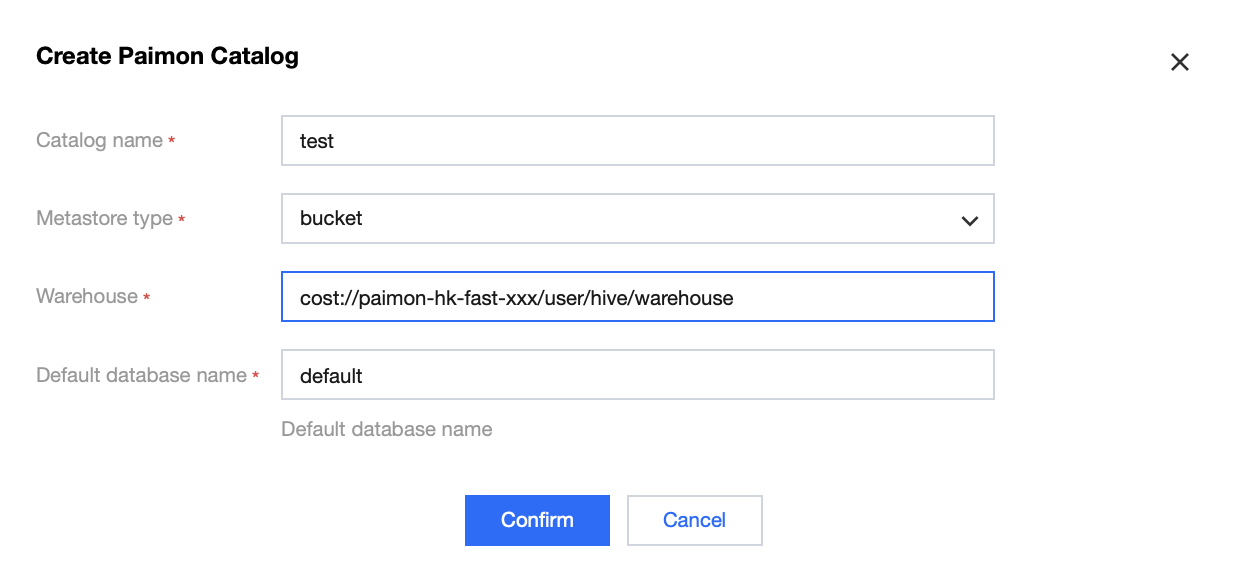
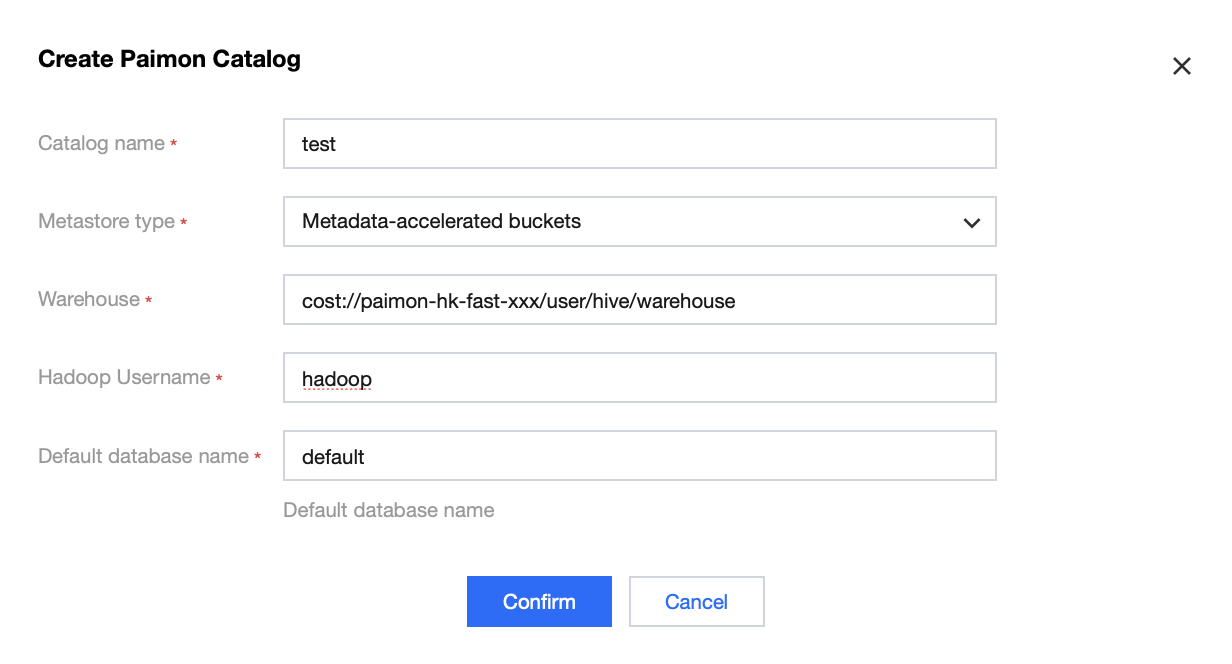
COS Metadata Acceleration Bucket
Compared to a standard COS bucket, you need to enter a username with the corresponding Warehouse permissions.
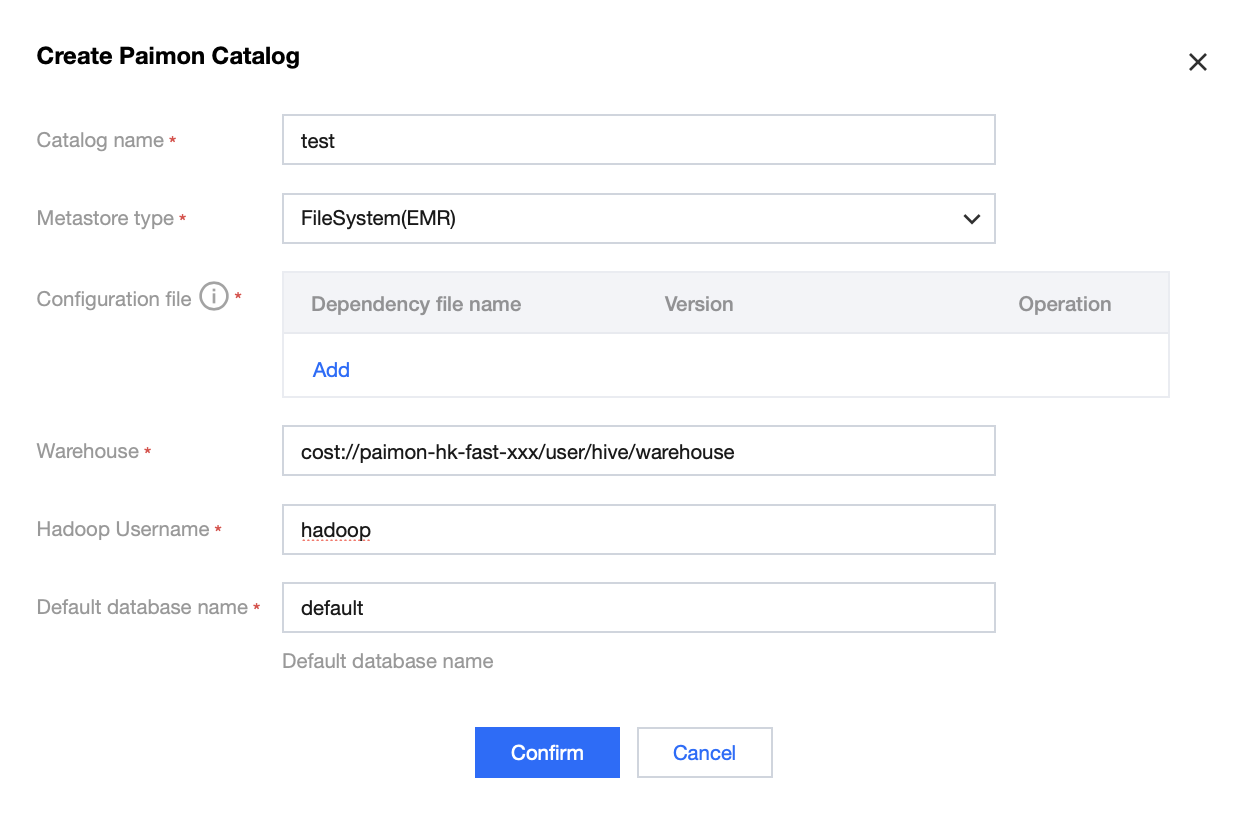
EMR
First, log in to the EMR cluster to download the hdfs-site.xml file from the Hadoop cluster. This is to obtain the parameter values required for the configurations below. For details, refer to Logging In to a Cluster.
The HDFS path format is
hdfs://${dfs.nameservices}/${path}. The value of ${dfs.nameservices} can be found in the hdfs-site.xml file. ${path} is the data directory to write to.If you need to upload the hdfs-site.xml file for a multi-Master EMR cluster, you can use the command below to package it into a jar file for upload. You cannot directly upload the configuration file.
jar -cvf emr-xxx.jar hdfs-site.xml
Hive
To configure Hive, you need to upload the configuration jar package. For details, refer to Hive Configuration.
Referencing a Paimon Catalog
CREATE TABLE IF NOT EXISTS `116-paimon-sink1`.`default`.`sink1` (id INT PRIMARY KEY NOT ENFORCED, -- Paimon requires a primary key, and `id` serves as the primary key.name STRING) WITH ();Insert into `116-paimon-sink1`.`default`.`sink1`Select * FROM `mysql-116`.`test927`.`test`;
Table Hints (Optional)
You can dynamically override table configurations using Hints, allowing you to temporarily adjust parameters without modifying the table definition.
Example: You can set `local-merge-buffer-size` to buffer and merge input records before data is partitioned by bucket.
-- For Flink 1.13, you need to enable the dynamic table option. (This is not required for other Flink versions.)SET 'table.dynamic-table-options.enabled' = 'true';Insert into `116-paimon-sink1`.`default`.`sink1` /*+ OPTIONS('local-merge-buffer-size' = '64mb') */Select * FROM `mysql-116`.`test927`.`test`;
Note:
If you need to add multiple parameters, separate them with commas: /*+ OPTIONS( 'local-merge-buffer-size' = '64mb', 'write-buffer-size' = '256mb' ) */.
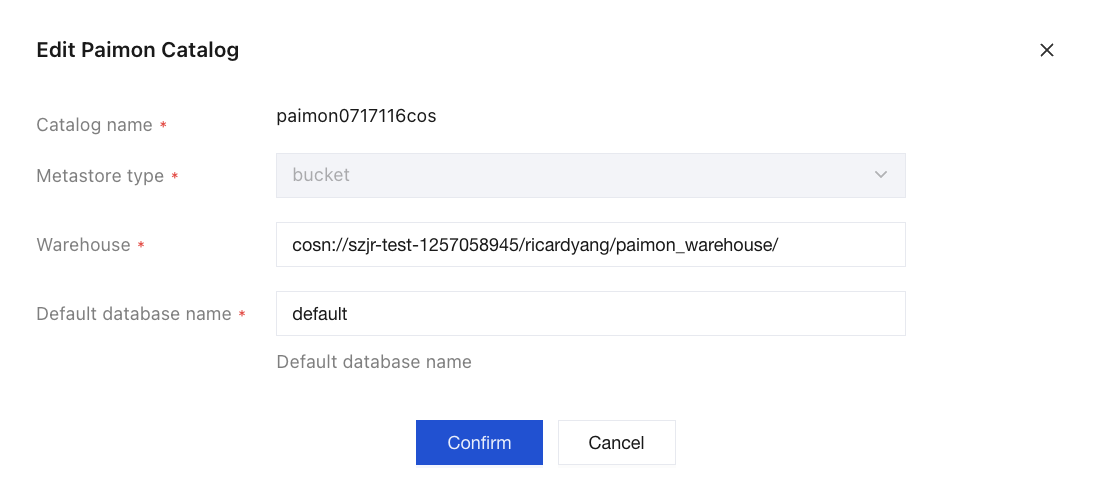
Modifying a Paimon Catalog
You cannot modify the Catalog name or the Metastore type.
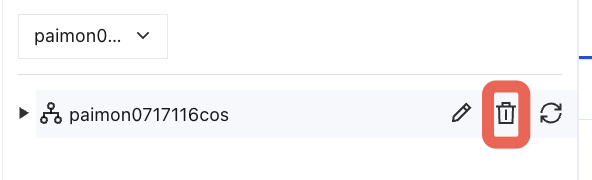
Deleting a Paimon Catalog
You can click this button to delete it.
Note:
After deletion, jobs associated with this Catalog will fail to start.

フィードバック