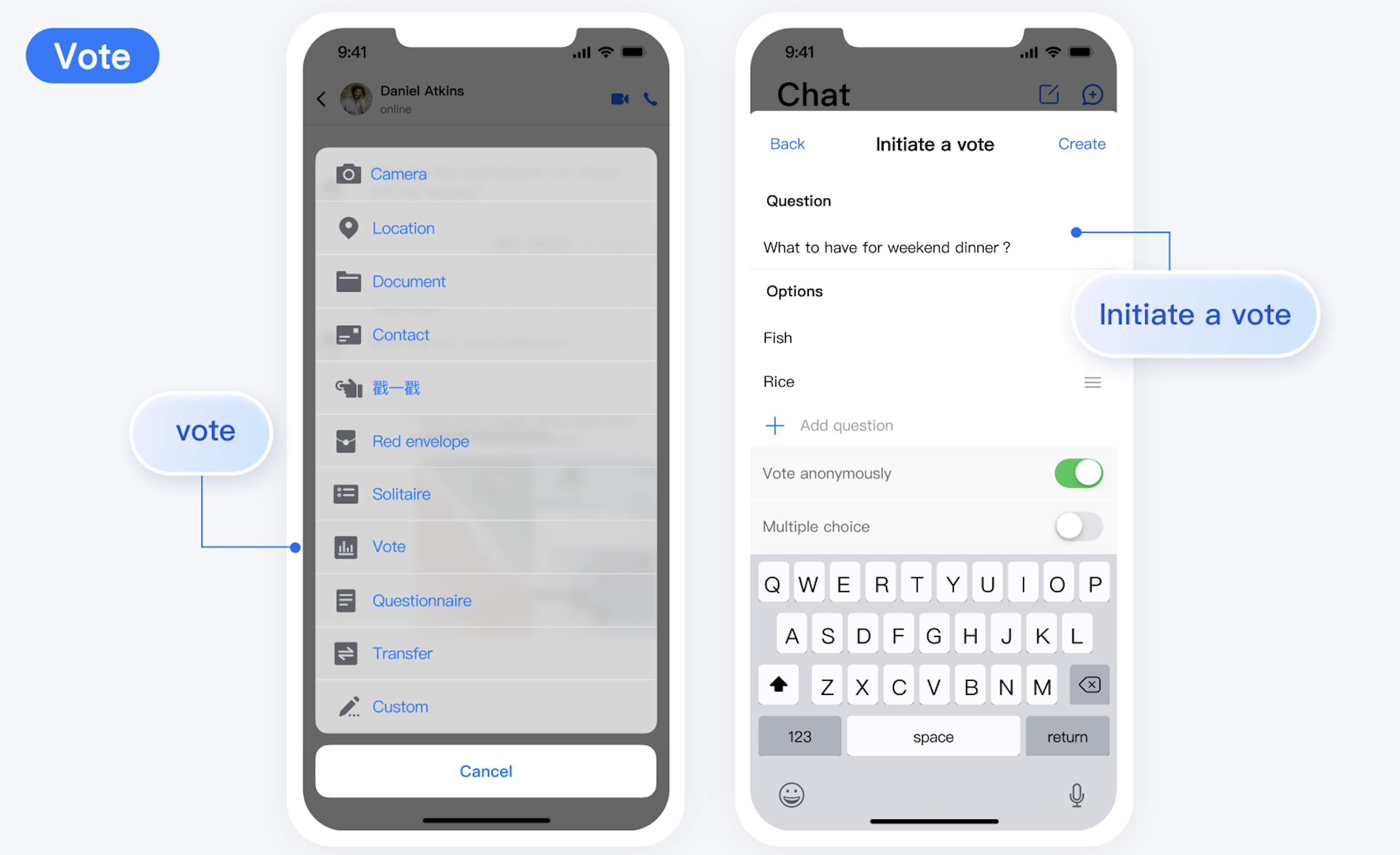
After the TUIPollPlugin is integrated, the vote plugin entry will automatically appear in the + menu of the TUIChat input bar. After initiators click vote, they can set the vote topic, options, and make relevant settings in the subsequent vote initiating interface, as shown below:
Vote of Participants
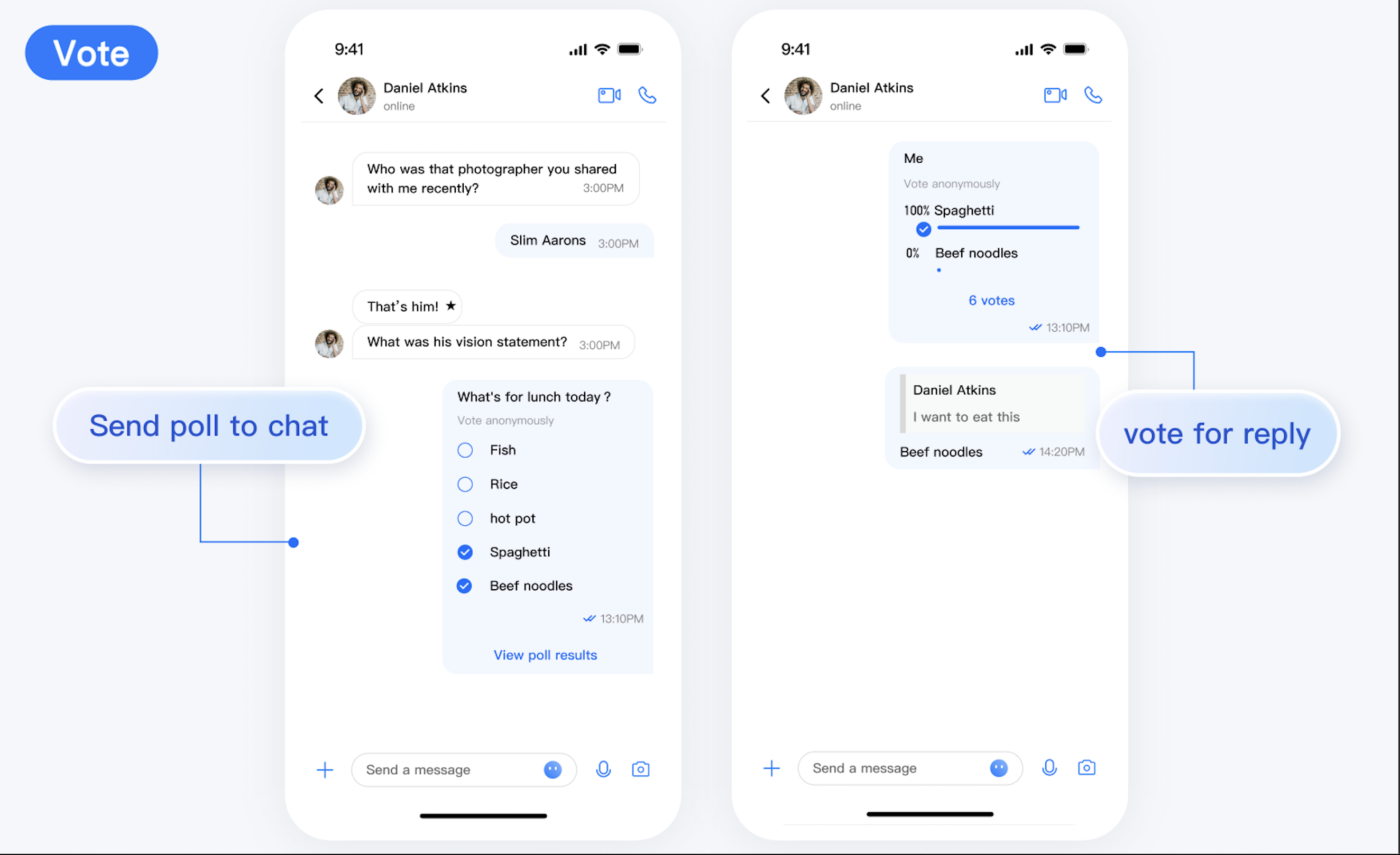
After the initiator successfully creates a vote, the vote message will automatically appear in the TUIChat message list. Other members in the group can participate in the vote after receiving the vote message.
Vote of Initiators
The initiator can also participate in the vote.
Vote Data Statistics
When a vote ends or a participant completes a vote, the statistics of the vote is displayed. Click on an option to see the detailed list of vote members.
Vote Settings
To meet different vote needs, TUIPollPlugin offers several vote settings. Different combinations of settings will produce different effects. For example:
Support for Multiple Items. If it is enabled, a participant can vote for multiple options.
Anonymous Voting. If it is enabled, the vote initiator cannot view the specific information of voters, but can only see the vote count statistics.
Publicize Results. If it is disabled, the vote data statistics will only be visible to the initiator and will be invisible to participants.
Note:
The initiator cannot modify the vote settings after initiating the vote.