iOS (SwiftUI)
ダウンロード
フォーカスモード
フォントサイズ
This guide explains how to create a Group in TUIKit SwiftUI.
Development Environment Requirements
Xcode 15 or later
iOS 15.0 or later
Prerequisites
Before building the interface, complete the following steps:
1. Create an application in the console.
2. Create at least two user accounts in the console.
3. Integrate
TUIKit SwiftUI.4. Call the
login method of LoginStore to authenticate the component.Notice:
1. Log in once each time the app starts.
2. Ensure login succeeds. We recommend performing subsequent operations in the login success callback.
If you have not completed these four steps, see the relevant instructions in Quick Start first. Otherwise, you may encounter issues when implementing the following features.
If you have already completed these steps, continue reading.
Creating a Group
TUIKit SwiftUI does not provide a built-in Create Group view. You need to compose several views, such as
UserPicker and ConfigGroupInfoView. Refer to the sample code below for implementation. Once the Group is created, you can send messages to it.Note: If you use the sample code directly, fill in the following parameters:
sdkAppID: The sdkAppID obtained earlier.userID: The operator's userID, which is user1 created in Quick Start.userSig: The operator's userSig, which is the userSig for user1 created in Quick Start.The app will display the contact selection interface for Group creation on startup. Sample code:
// ContentView.swiftimport SwiftUIstruct ContentView: View {var body: some View {CreateGroupPage()}}// CreateGroupPage.swiftimport AtomicXimport AtomicXCoreimport SwiftUIpublic struct CreateGroupPage: View {@StateObject private var themeState = ThemeState.shared@State private var selectedUsers: [UserPickerItem] = []@State private var isLoggedIn = false@State private var isLoggingIn = true@State private var loginError: String? = nil@State private var showConfigSheet = false@State private var friendList: [ContactInfo] = []@State private var createdGroupID: String? = nilprivate let sdkAppID: Int32 = 1234567890 // TODO: Fill in your sdkAppID hereprivate let userID = "" // TODO: Fill in your userID hereprivate let userSig = "" // TODO: Fill in your generated userSig hereprivate let contactListStore = ContactListStore.create()public var body: some View {Group {if isLoggedIn {createGroupContentView} else if isLoggingIn {ProgressView("Logging in...")} else {VStack(spacing: 12) {Image(systemName: "exclamationmark.triangle").font(.system(size: 40)).foregroundColor(.orange)Text(loginError ?? "Login failed").foregroundColor(.secondary)}}}.environmentObject(themeState).onAppear {login()}}// MARK: - Create Group Contentprivate var createGroupContentView: some View {NavigationView {VStack(spacing: 0) {if let groupID = createdGroupID {// Group created successfullyVStack(spacing: 16) {Image(systemName: "checkmark.circle.fill").font(.system(size: 60)).foregroundColor(.green)Text("Group Created!").font(.system(size: 20, weight: .semibold))Text("Group ID: \\(groupID)").font(.system(size: 15)).foregroundColor(.secondary)Button("Create Another Group") {createdGroupID = nil}.padding(.top, 8)}.padding()} else {// UserPicker for selecting group membersUserPicker(userList: userPickerItems,maxCount: 0,onSelectedChanged: { users inselectedUsers = usersshowConfigSheet = true})}}.navigationBarTitle("Create Group", displayMode: .inline)}.navigationViewStyle(StackNavigationViewStyle()).onAppear {contactListStore.fetchFriendList(completion: { _ in })}.onReceive(contactListStore.state.subscribe(StatePublisherSelector(keyPath: \\ContactListState.friendList))) { newFriendList inself.friendList = newFriendList}.sheet(isPresented: $showConfigSheet, onDismiss: {selectedUsers = []}) {ConfigGroupInfoView(members: selectedUsers,contactListStore: contactListStore,onComplete: { groupID, groupName, conversationId inshowConfigSheet = falseif let gid = groupID {print(">>>>> Group created: groupID=\\(gid), groupName=\\(groupName ?? ""), conversationId=\\(conversationId ?? "")")createdGroupID = gid}},onBack: {showConfigSheet = false})}}// MARK: - Helperprivate var userPickerItems: [UserPickerItem] {friendList.map { contact inUserPickerItem(userID: contact.contactID,avatarURL: contact.avatarURL,title: contact.title ?? contact.contactID)}}// MARK: - Loginprivate func login() {guard !userSig.isEmpty else {isLoggingIn = falseloginError = "userSig is empty. Please fill in a valid userSig."return}// Login is required when page appears.LoginStore.shared.login(sdkAppID: sdkAppID, userID: userID, userSig: userSig) { result inswitch result {case .success:print(">>>>> Login success, userID: \\(userID)")isLoggedIn = trueisLoggingIn = falsecase .failure(let error):print(">>>>> Login failed: \\(error.code), \\(error.message)")loginError = "Login failed: \\(error.code), \\(error.message)"isLoggingIn = false}}}}
The runtime effect is as follows:
Search Contacts | Send Request |
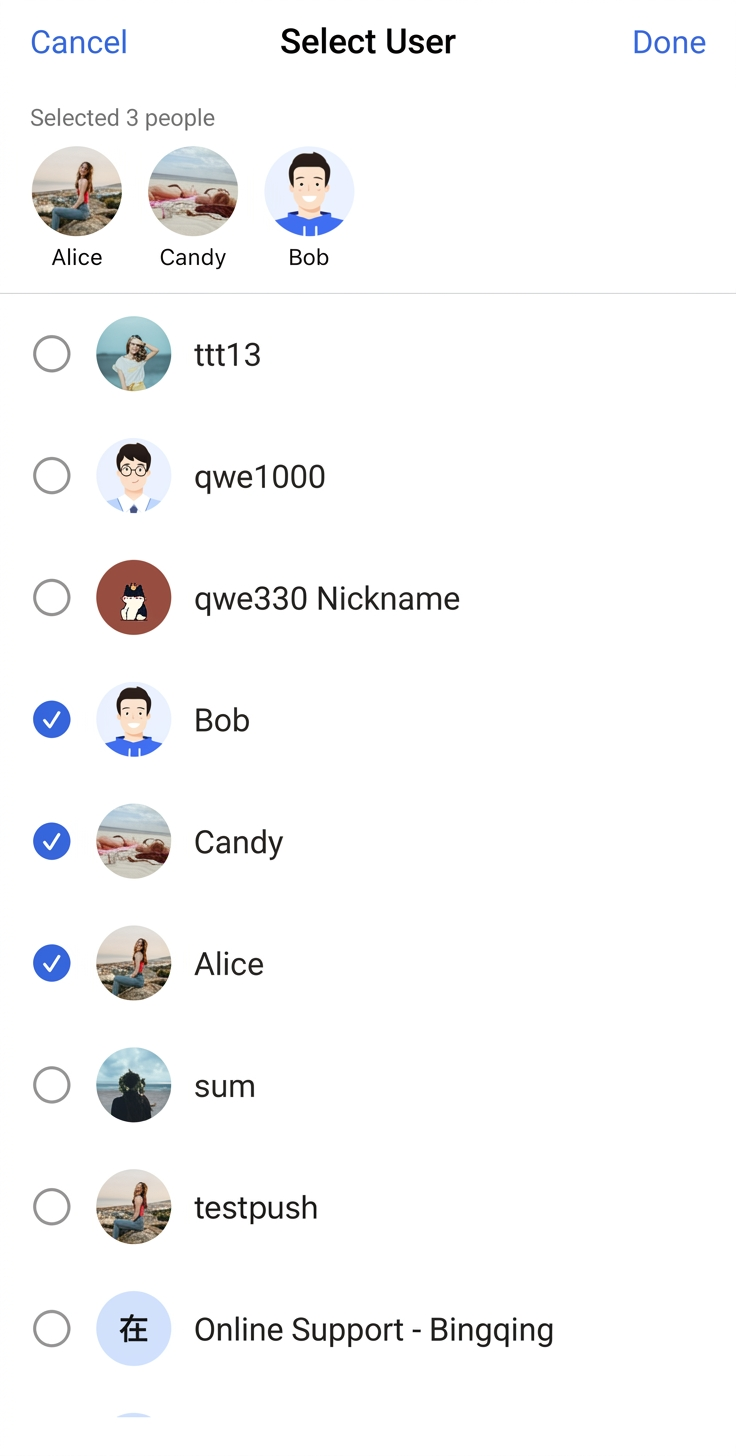 | 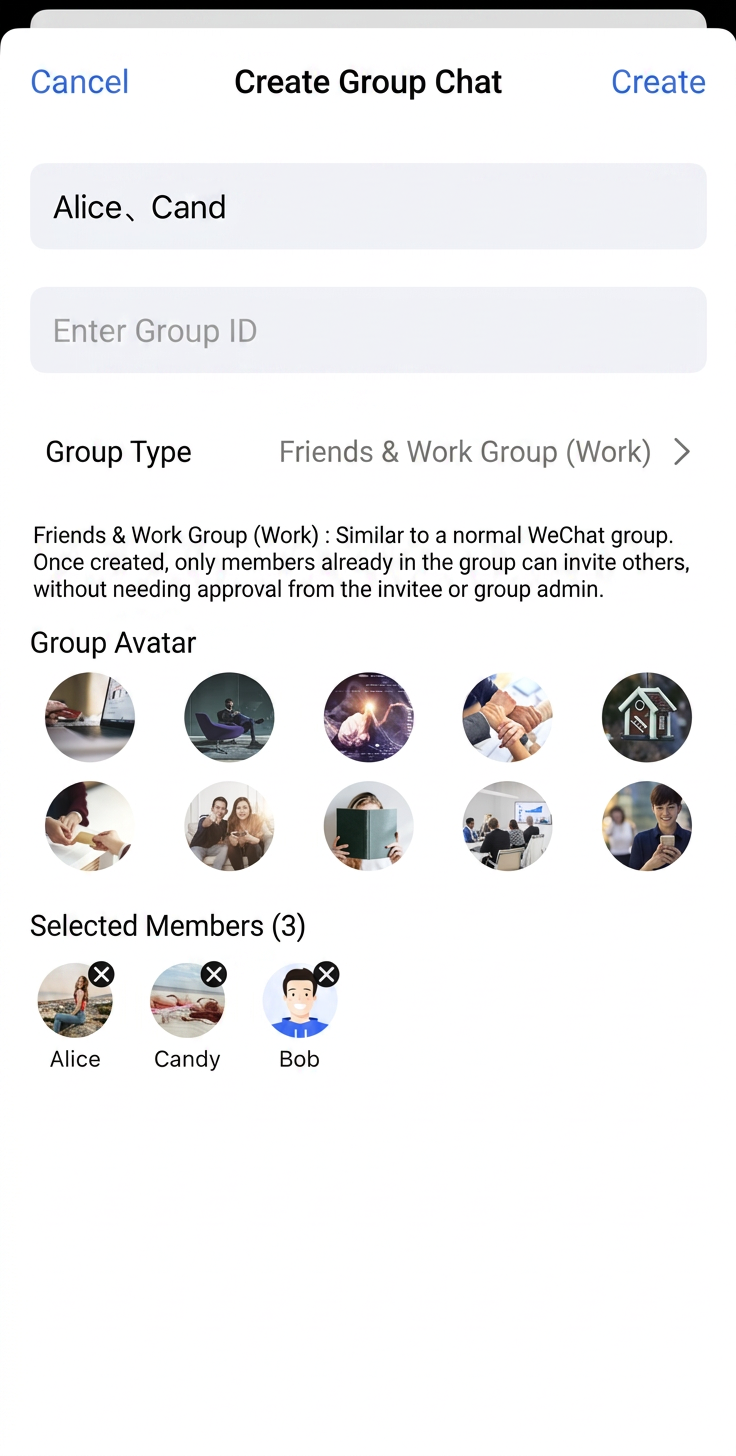 |
More Practice
Contact Us
If you have questions or suggestions during integration, feel free to contact us and submit your feedback.
フィードバック