Enter WeData Console, click Execution Resource Group > Integrated Resource Group to go to the resource group list page.
The resource group list displays all purchased resource groups and their status under the current main account. Detailed parameters and descriptions in the list are as follows:
Parameter
Description
Resource Group Name
Resource Group Display Name
Region
Physical Region to which the purchased resource group belongs
Network
Network information configured and bound within the current resource group
Bind Project
Project space name and ID bound to the current resource group
Status
Current Resource Group Running Status:
Running: The resource is operating normally
Creating: The order has been placed. The resource packages in the current resource are in the process of being created and configured, which may take 1-2 minutes
Creation Failed: Resource allocation or assembly failed, in this status you can click Retry
Initialization in Progress: Resource configuration is initializing
Runtime Exception: An anomaly occurred during the operation of the resource group
Updating: The resource group's configuration is being updated following changes or other operations
Update Failed: Resource group configuration change failed, in this state you can click Retry
Expired: Resource validity period has been reached, Freezing in process
Releasing: Resource validity period exceeded over 7 days or user triggered resource destruction
Resource Package Specification/Quantity
Specifications of individual resource packages contained within the current resource group and the total number of resource packages
Tag
Resource Group supports Cost Allocation by Tag
Expiration time
Resource group expiration time, after which the resource group will be frozen affecting task execution
Operation
Perform project association or resource reallocation operations for the current resource group. Allowed operations are related to resource status
Status and Operational Status Description:
Resource Group Status | Operation
Bind Project
Unbinding
Destroy/Delete
Renew
Adjusting Configurations
Running
✓
✓
✓
✓
✓
Creating
-
-
-
-
-
Creation Failed
✓
✓
In this state, the operation bar displays a delete operation. Clicking delete will by default remove the resources that were not successfully created and issue a refund
-
-
Initialization in Progress
-
-
-
-
-
Runtime Exception
✓
✓
✓
✓
✓
Updating
-
-
-
-
-
Update Failed
✓
✓
✓
✓
✓
Expired
-
-
-
✓
-
Releasing
-
-
-
-
-
Released
-
-
-
-
-
Integrated Resource Group Creation/Purchase
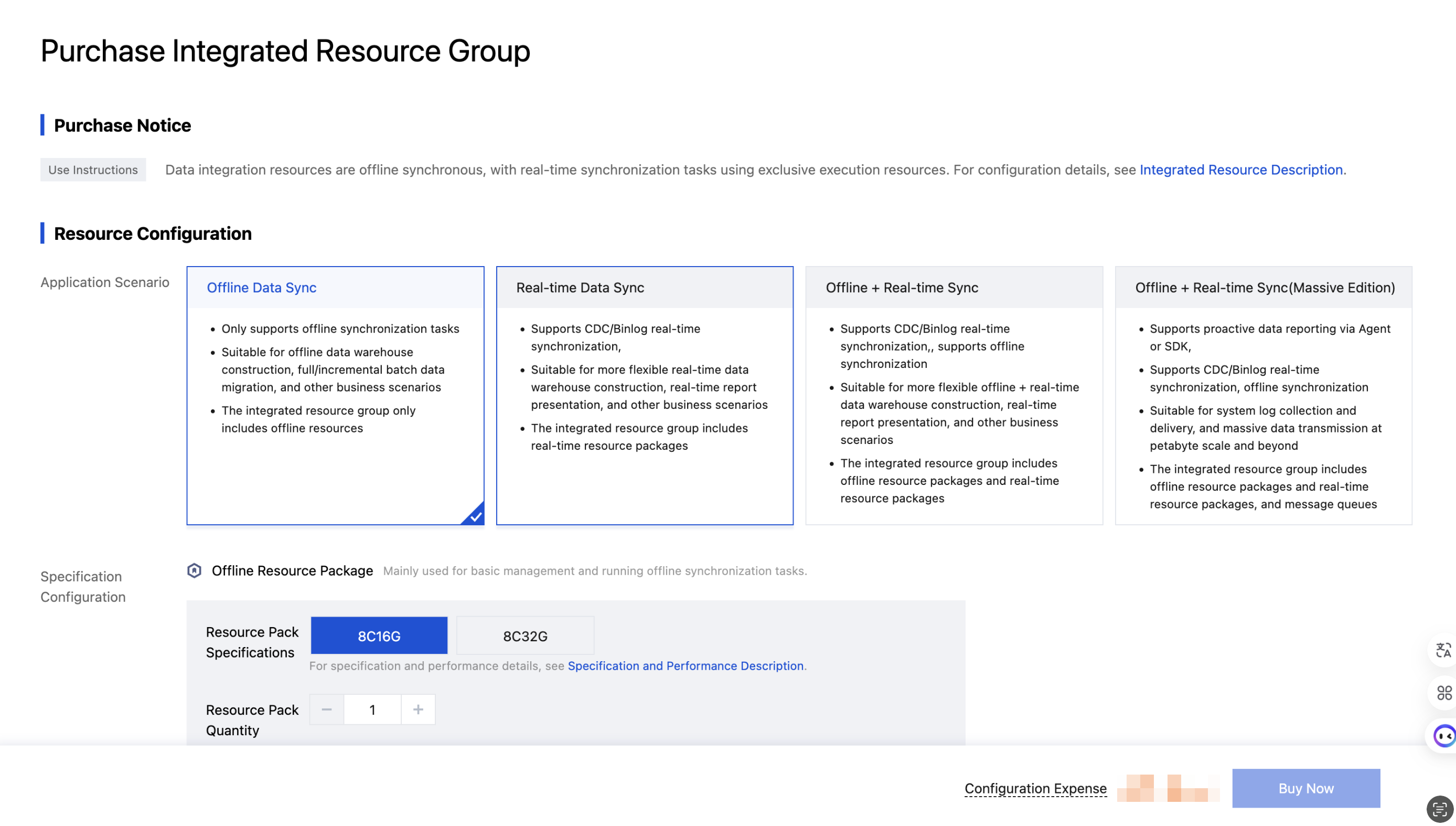
On the Integrated Resource Group page, click Create to enter the resource configuration page.
Parameter
Description
Application Scenario
Supports four scenarios: Offline Data Sync, Real-time Data Sync, Offline + Real-time Sync, Offline + Real-time Sync (Massive Edition)
The physical region of the resource group. The region where the Integrated Resource Group is located. Networks between cloud products in different regions are not interconnected. The region cannot be changed after creation, so please choose carefully; it is recommended to select the same region as the product version to reduce service access latency
Network
Integration resources must be located in the same VPC as the source and target data source, or the selected VPC must have public network access capability. If the current network configuration is not suitable, you can go to the console to create VPC or create subnet.
Resource Group Name
Set the display name of the resource group. Names cannot be empty and support Chinese, English, numbers, -, _
Description
Set remark information for the current resource group
Billing mode
Yearly/Monthly subscription
Purchase period
Supports 1 month, 2 months, 3 months, 4 months, 5 months, 6 months, 7 months, 8 months, 9 months, 1 year, 2 years, 3 years, 4 years purchase duration
Renewal
After selecting auto-renewal, if the account balance is sufficient, the equipment will be automatically renewed monthly after expiration
Associated Project
After associating with the project space, only tasks within this project can use this resource group to run. This can be modified later in the product console.
After configuration, click Purchase Now and complete payment, then go to the Console Page to view Integrated Resource Group Information.
Associate/Disassociate Project
Associating a project specifies the project space information associated with the current resource group. Once specified, tasks under that project space can use this resource group.
One resource group can be associated with multiple project spaces.
Disassociating removes the resource group from the currently available resources of a space.
Disassociation requires that there be no tasks running under the current project space; otherwise, disassociation will fail.
The offline and real-time resource packages in a Data Integration resource group must be associated with the same project space. Association or disassociation operations take effect on the resource group simultaneously.
Integrated Resource Group Configuration Adjustment
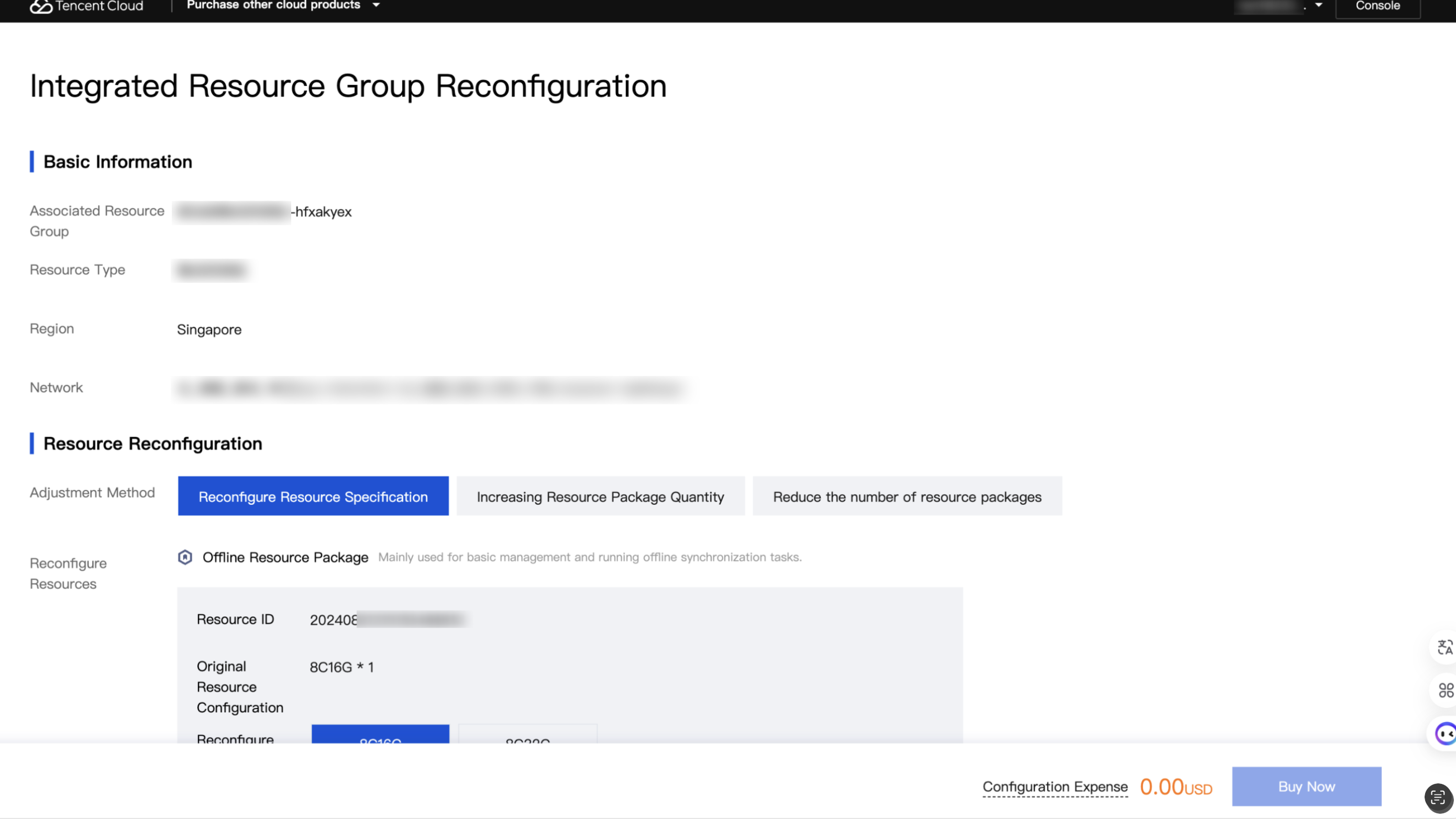
Operations for changing the basic specifications or the number of resource packages within the current resource group include three types: changing resource specifications, increasing the number of resource packages, and reducing the number of resource packages.
Variable Resource Specification: Expand or reduce the specifications of offline resource packages within the resource group, without changing the number of packages.
Increase Resource Package Quantity: Upon selection, you can only increase the total number of resource packages under the current resource group.
Decrease Resource Package Quantity: Upon selection, you can only adjust the total number of resource packages contained in the current resource group.
Note
Reducing resource package quantity may affect task operation associated with the resource group. Proceed with caution.
Integrated Resource Group Renewal
Renewing the current resource involves renewing operations for all resource packages within the resource group when there are multiple resource packages.
Integrated Resource Group Termination
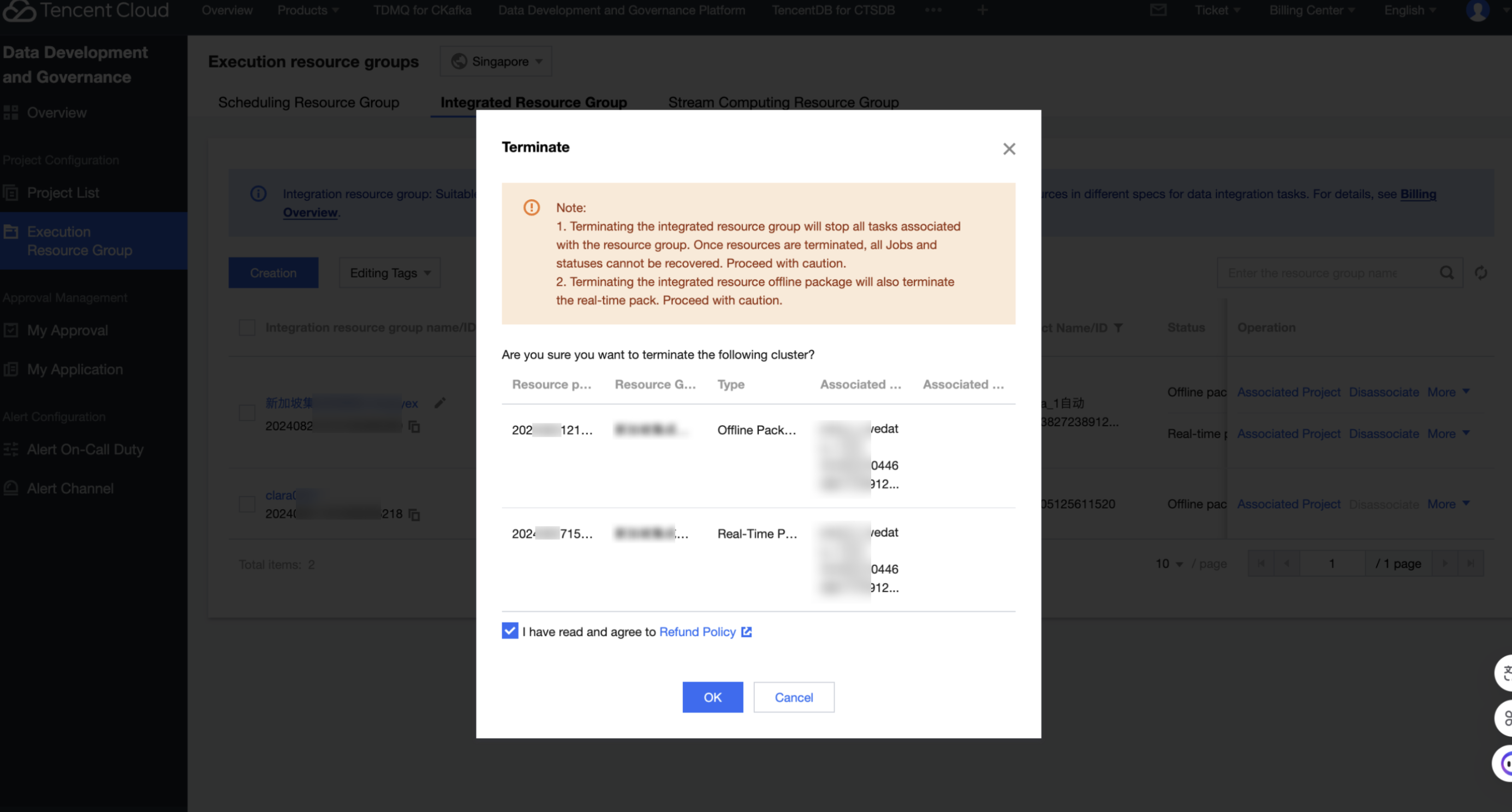
Termination means forcibly terminating the current resource group. After termination, the resource group cannot be restored. If there are associated running tasks in the current resource group, this operation will directly impact task execution and data output. Proceed with caution!
Note:
If an integration resource group contains both offline and real-time packages, terminating the offline resource package will also terminate the real-time resource package.
Integrated Resource Group Monitoring
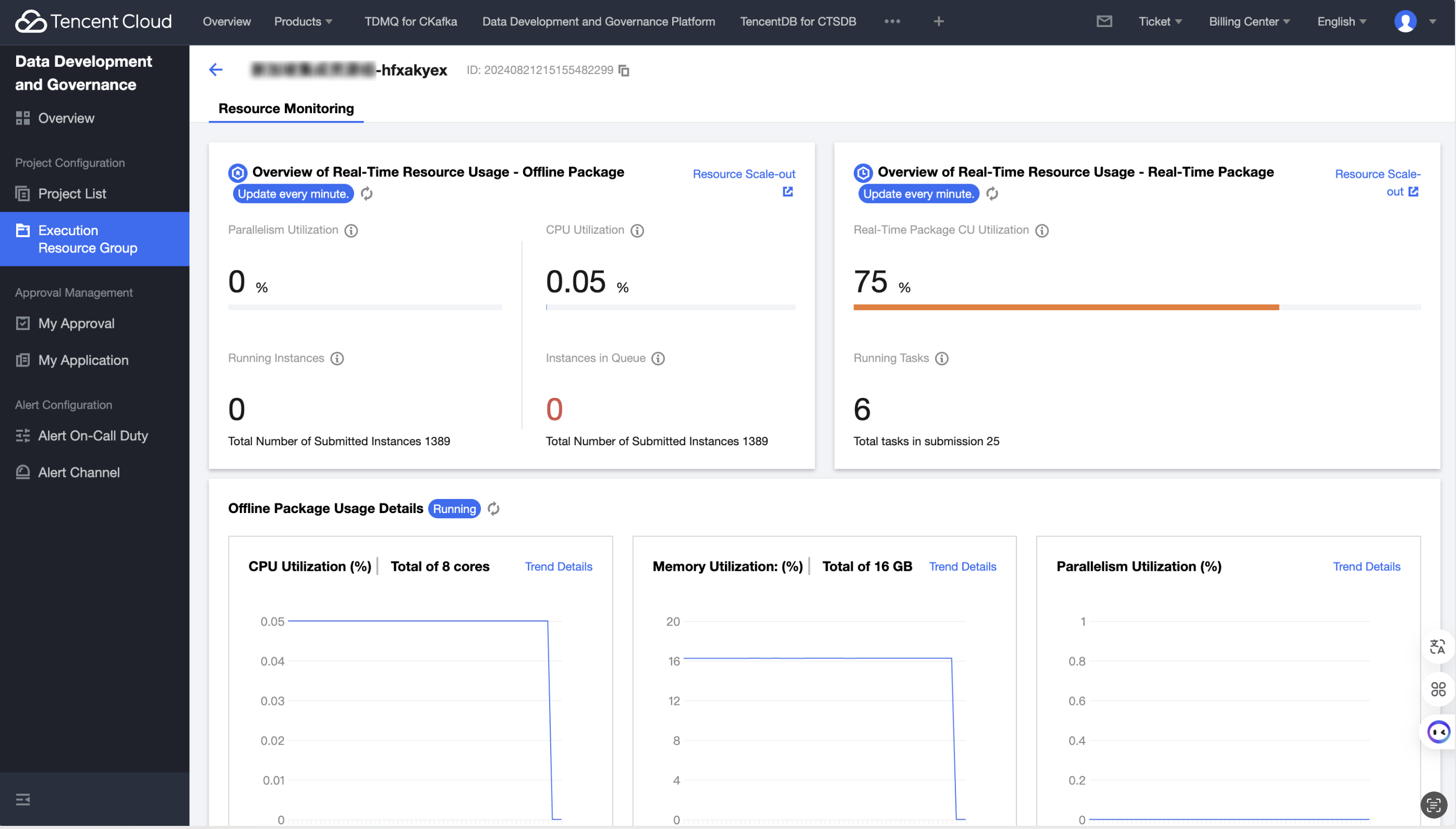
The monitoring page provides an overall overview of the current resource group's usage, including resource packet utilization, running instances, and task execution status.
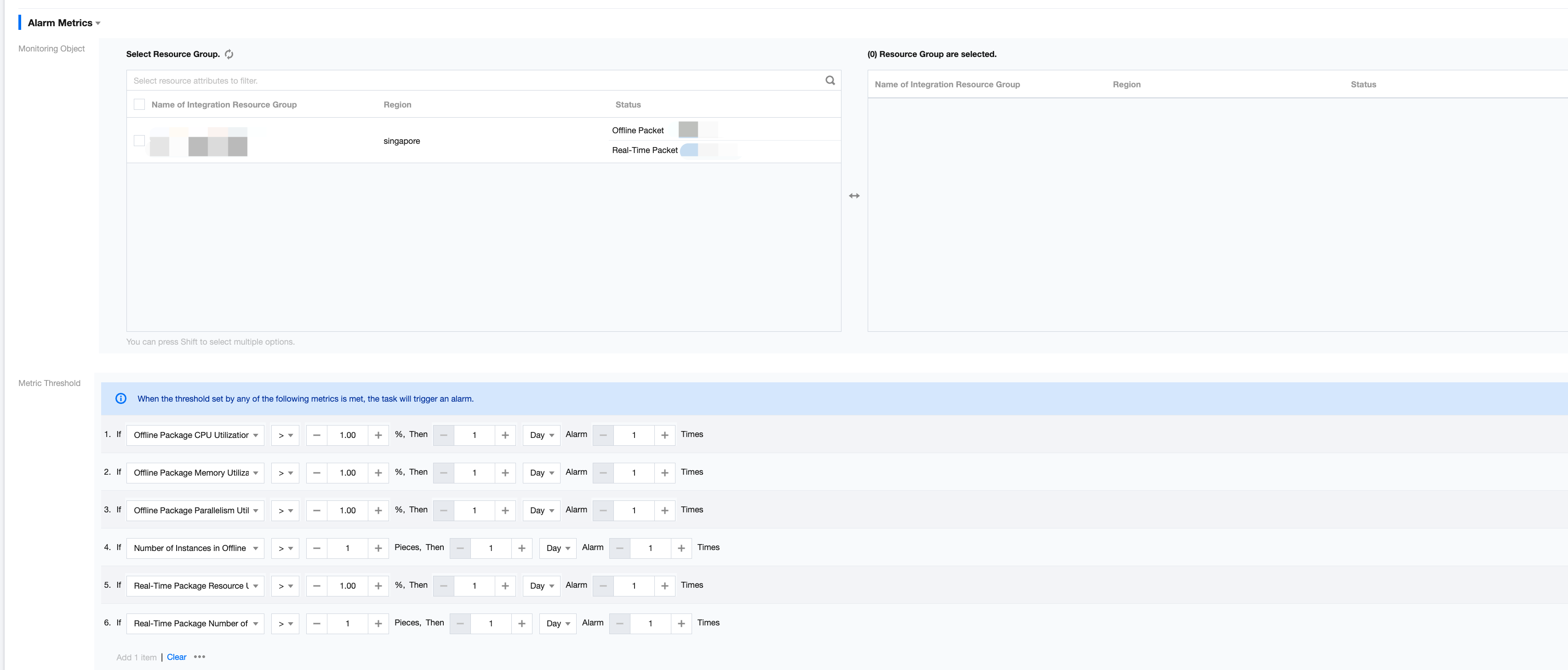
Configure Alerts for Integrated Resource Group
Note
Only integration resource groups bound to projects support configuring alarms.
Click Configure Alerts to enter the first project bound to the resource group and create alarm rules.
There are some differences in the supported alert metrics for offline and real-time packages. The offline package supports alerts based on CPU utilization, memory usage rate, parallelism utilization rate, and number of instances in queue.
The real-time package supports alerts based on resource utilization and number of tasks running.