If you need to troubleshoot any problems related to configurations or Web applications (for example, shutdown to reset a password and upgrade services), and you want to modify the applications without triggering the auto scaling process, you can disable the scaling group and recover it after troubleshooting.
Suspending a Scaling Group
Notes
After a scaling group is disabled, the automatically triggered activities will not proceed.
Automatically triggered activities include:
Alarm-based scaling
Scheduled actions
Health checks
Matching the current capacity due to manual operations with the desired capacity
Scaling group restrictions include:
If manual addition causes the current capacity to be more than the max capacity, the addition will not be permitted.
Modifying the min or max capacity of the scaling group does not trigger a scaling action, but the modification takes effect.
Manual removal of instances is not limited by the min capacity.
Directions
1. Log in to the Auto Scaling console and select Scaling group on the left sidebar.
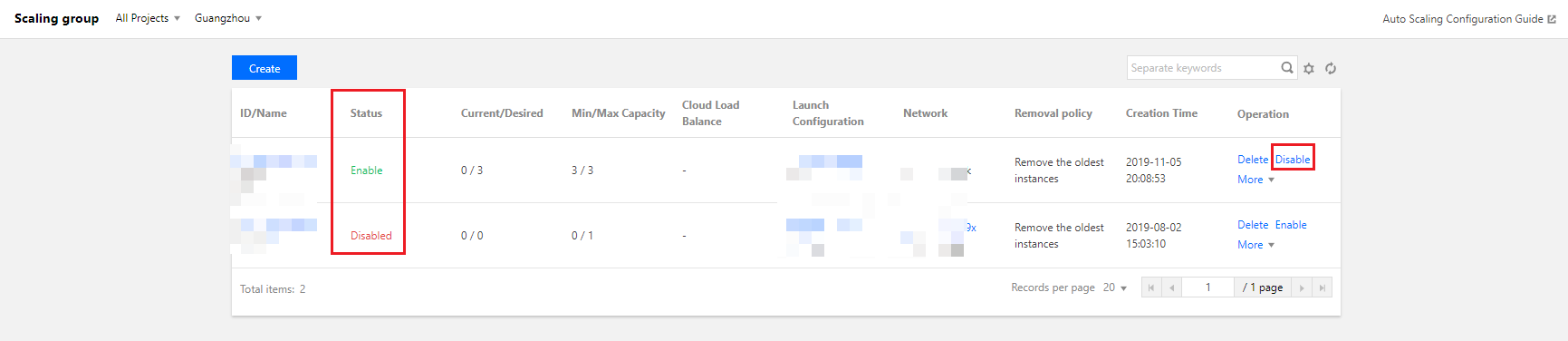
2. On the Scaling group page, locate the scaling group to be disabled, click Disable under the Operation column, and click OK in the pop-up window.
Then, you can see that the scaling group is in “Disabled” status, as shown in the following figure:
Recovering a Scaling Group
If you have finished troubleshooting, you can recover the auto scaling configuration.
1. Log in to the Auto Scaling console and select Scaling group on the left sidebar.
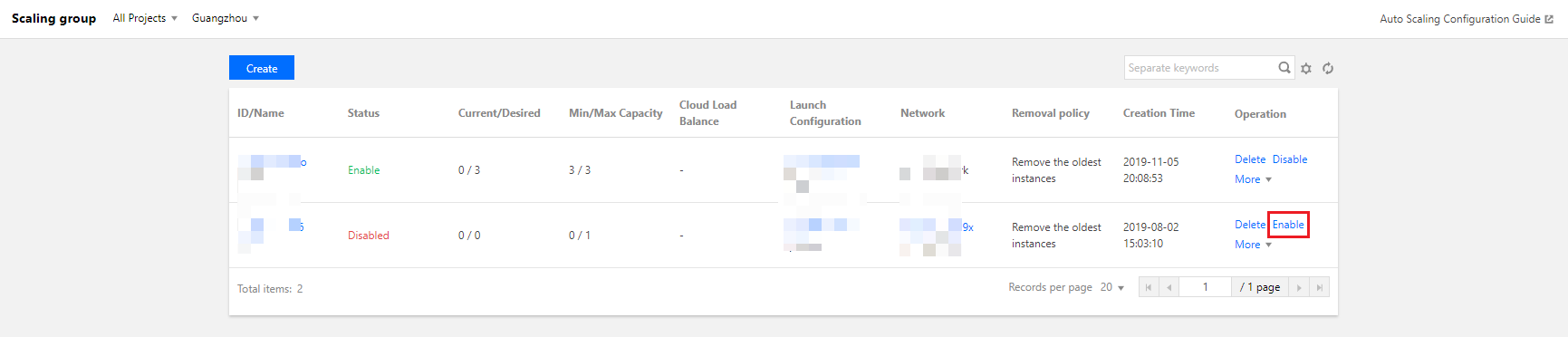
2. On the Scaling group page, locate the scaling group to be enabled, and click Enable under the Operation column, as shown in the following figure: