Viewing Instance Backups
ダウンロード
フォーカスモード
フォントサイズ
Backup Overview
1. Log in to the TencentDB for PostgreSQL console, click the Instance ID, and go to the instance management page.
2. Click Backup and Restoration to go to the Backup Overview page.
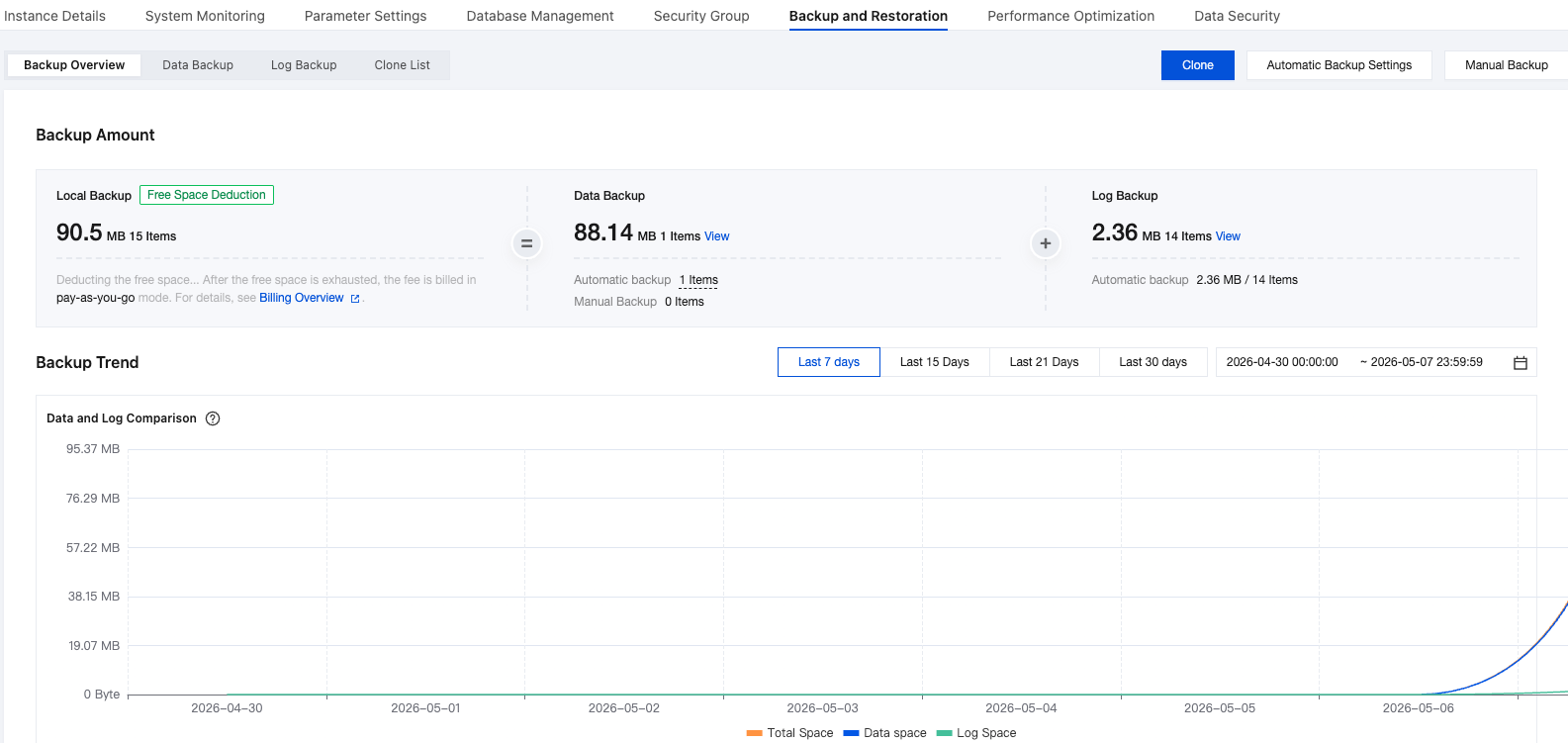
On the Backup Overview page, you can view an overview of data backups and log backups. You can also see the trend of backup space usage over time.
Data Backup
1. Log in to the TencentDB for PostgreSQL console, click the Instance ID, and go to the instance management page.
2. Click Data Backup to go to the Data Backup Details page.

The backup list displays the file list of all full backups within the time period you selected. It also allows you to filter the list by backup method and backup status.
Log Backup
1. Log in to the TencentDB for PostgreSQL console, click the Instance ID, and go to the instance management page.
2. Click Log Backup to go to the Log Backup Details page.
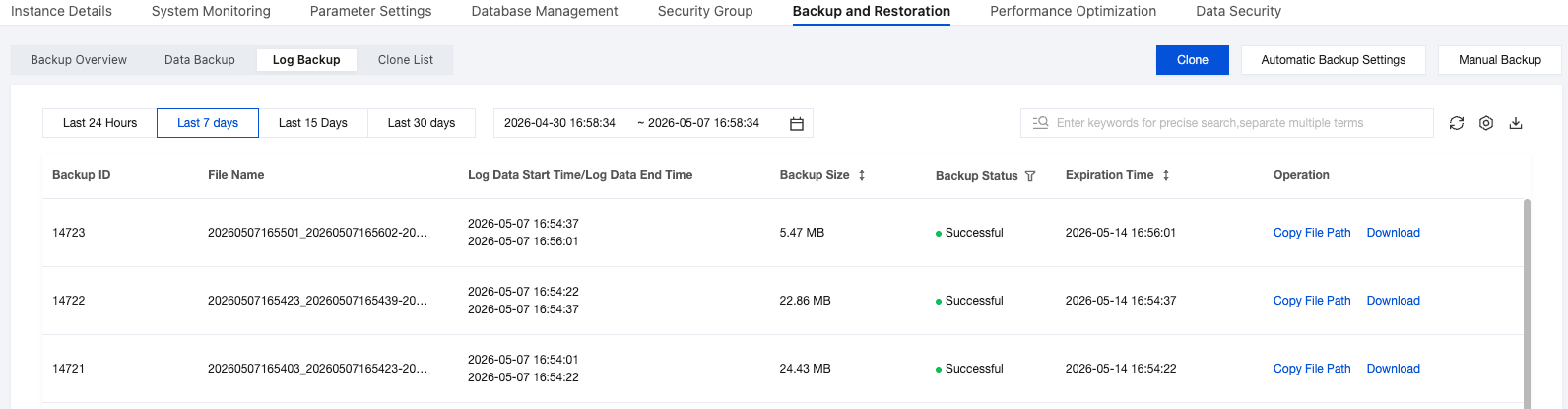
The backup list displays the file list of all log backups within the time period you selected. It also allows you to filter the list by backup status.
Cloning
Cloning List
1. Log in to the TencentDB for PostgreSQL console, click the Instance ID, and go to the instance management page.
2. Click Clone List to go to the Clone Details page.
The system displays details of all clone instances initiated within the time period you selected.

Cloning
1. Log in to the TencentDB for PostgreSQL console, click the Instance ID, and go to the instance management page.
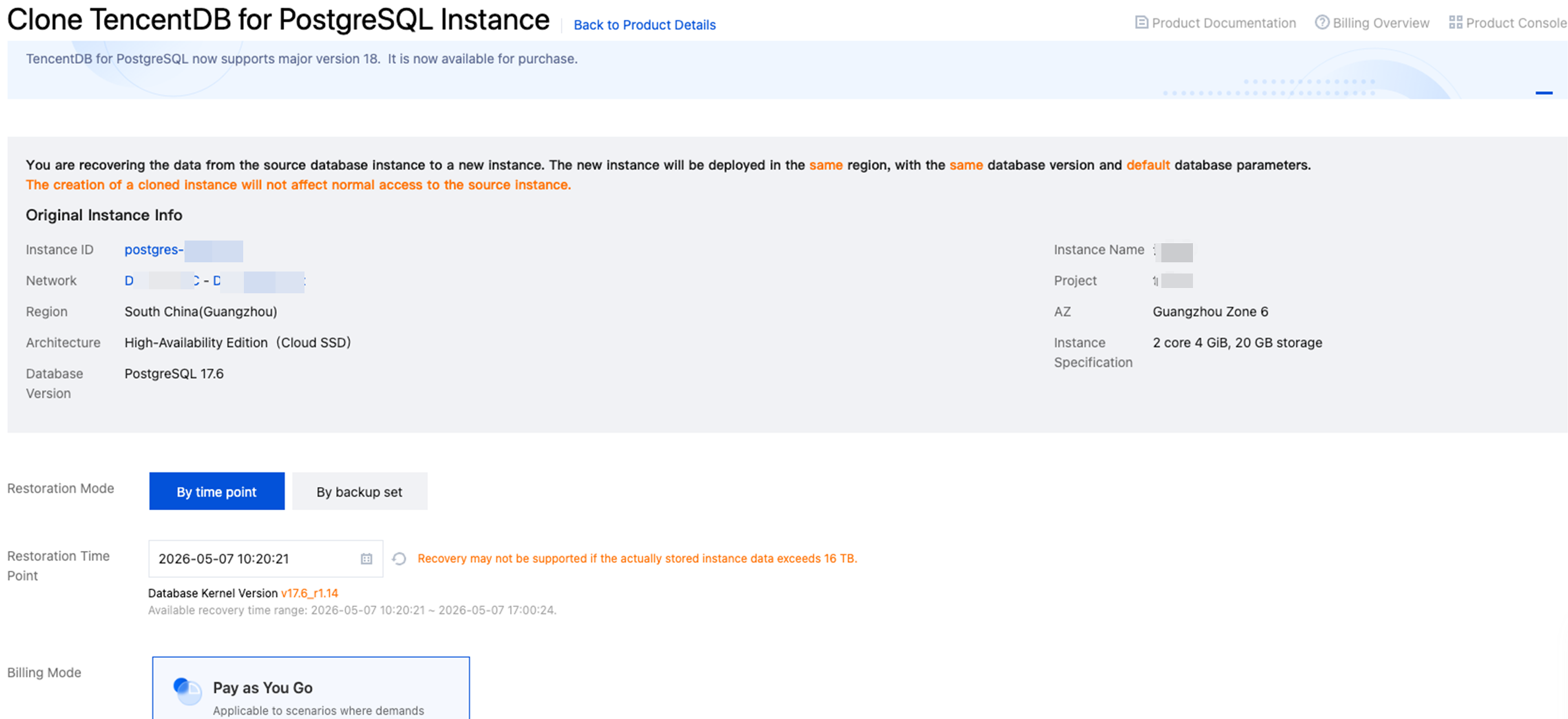
2. Click Clone to initiate a clone task.
Automatic Backup Settings
1. Log in to the TencentDB for PostgreSQL console, click the Instance ID, and go to the instance management page.
2. Click Automatic Backup Settings to go to the Settings Details page.
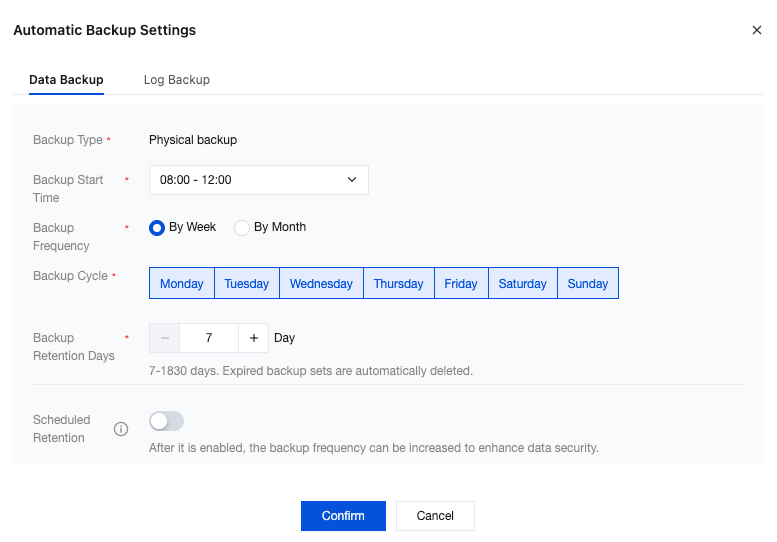
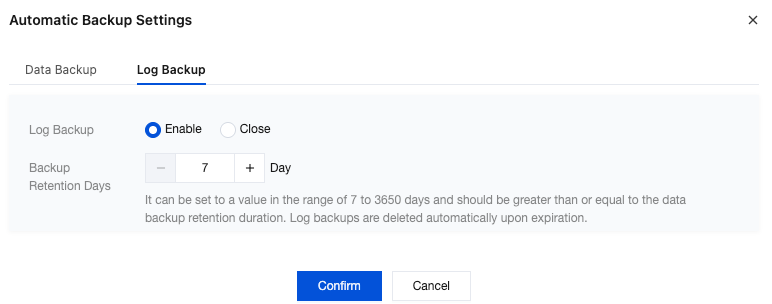
The following items can be configured:
Configuration Item | Description |
Data backup | Backup Start Time: The time when the data backup task is enabled. The system enables the backup task within the time period you set. Backup Frequency: By Week: You can schedule data backups on a daily basis for Monday, Tuesday, Wednesday, Thursday, Friday, Saturday, and Sunday. By Month: This option supports configuring backups on a monthly basis. The interval between scheduled backup executions you select cannot exceed two days. Backup Retention Days: 7 - 1830 days. Backup sets are automatically deleted upon expiration. Scheduled Retention: Periodic backup builds upon regular automatic backup to provide a more flexible backup policy. This feature allows you to configure the number of backups to retain on a weekly, monthly, quarterly, or yearly basis. It does not require retaining additional new backup files. However, the retention period for periodic backups differs from (and is longer than) that for regular backups. After you disable periodic backup, no new periodic backups are generated, and existing backup sets are not deleted immediately. You can modify the retention period for periodic backups to clean up existing periodic backups. |
Log Backup | Log Backup: This feature supports two options: enable and disable. After you disable log backup, you cannot perform PITR recovery. Backup Retention Days: You can set a value between 7 and 3650 days. This value must be greater than or equal to the data backup retention period. After expiration, log backups are automatically deleted. |
Manual Backup
1. Log in to the TencentDB for PostgreSQL console, click the Instance ID, and go to the instance management page.
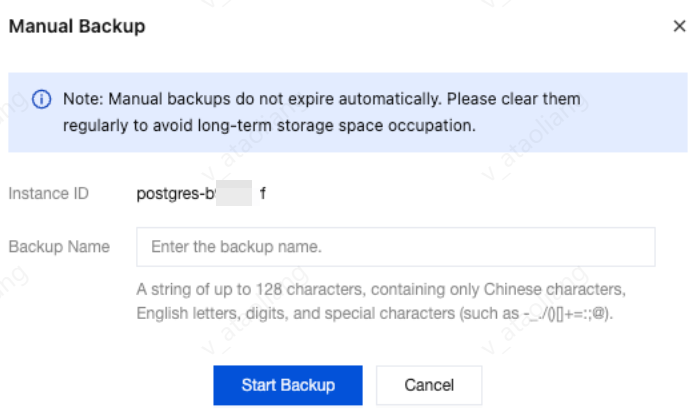
2. Click Manual Backup to initiate a manual backup operation.
Note:
Manual backups do not expire automatically. Clean them up periodically to prevent them from occupying storage space for an extended period.
Billing for Cloud Disk Backup
TencentDB for PostgreSQL instances that use cloud disks are allocated a certain amount of free backup space based on the instance. The size of the free backup space is 200% of the storage space of the primary instance you purchased.
The free backup space (per instance) = the total storage space of the purchased PostgreSQL primary instance * 200%.
The billable portion (per instance) = data backup volume (for that instance) + log backup volume (for that instance) - free backup space (for that instance).
Backup Pricing
Backup space exceeding the free quota is billed at USD 0.00003676/GB/hour in the Chinese mainland and at USD 0.00004118/GB/hour in other regions.
Backup Retry Mechanism
To ensure backup data reliability, TencentDB for PostgreSQL automatically retries failed backup tasks based on retry rules. This mechanism provides an automatic retry policy for automatic and first-time backups, while manual backups require manual retry to avoid unnecessary user intervention. For specific scenarios and retry mechanisms upon failure, see the following description.
Automatic Retry for Full Backup Failures
After a backup fails, the system automatically retries within the backup time window of that day.
Scenario 1: Automatic Backup (Scheduled Backup) Failure
Scheduled backup tasks initiated automatically by the system according to the backup policy are automatically retried upon failure:
Rule | Description |
Maximum Retry Count | 12 times |
Retry Interval | Gradually increasing (exponential backoff) |
Retry Scope | Only within the backup time window of the same day |
Retry Interval
Retry Attempt | Waiting time |
1st Retry | 2 minutes |
2nd Retry | 4 minutes |
3rd Retry | 8 minutes |
4th Retry | 16 minutes |
5th - 12th Retry | 32 minutes per retry |
Retry Method: Each retry initiates a new full backup.
Scenario 2: Manual Backup (User-Initiated) Failure
Backup tasks manually initiated by users via the console/API are not automatically retried upon failure:
Rule | Description |
Automatic Retry | None |
Post-failure Handling | Users must manually initiate a backup again. |
Scenario 3: Initial Backup (After Instance Creation) Failure
The first automatic backup after instance creation receives additional protection: it is quickly retried three times without being subject to the backup window restriction, ensuring that the new instance has a usable backup as soon as possible.
フィードバック