tencent cloud

Elasticsearch Service

User Guide
Release Notes and Announcements
Release Notes
Product Announcements
Security Announcement
Product Introduction
Overview
Elasticsearch Version Support Notes
Features
Elastic Stack (X-Pack)
Strengths
Scenarios
Capabilities and Restrictions
Related Concepts
Purchase Guide
Billing Overview
Pricing
Elasticsearch Service Serverless Pricing
Notes on Arrears
ES Kernel Enhancement
Kernel Release Notes
Targeted Routing Optimization
Compression Algorithm Optimization
FST Off-Heap Memory Optimization
Getting Started
Evaluation of Cluster Specification and Capacity Configuration
Creating Clusters
Accessing Clusters
ES Serverless Guide
Service Overview
Basic Concepts
5-Minute Quick Experience
Quick Start
Access Control
Writing Data
Data Query
Index Management
Alarm Management
ES API References
Related Issues
Data Application Guide
Data Application Overview
Data Management
Elasticsearch Guide
Managing Clusters
Access Control
Multi-AZ Cluster Deployment
Cluster Scaling
Cluster Configuration
Plugin Configuration
Monitoring and Alarming
Log Query
Data Backup
Upgrade
Practical Tutorial
Data Migration and Sync
Use Case Construction
Index Configuration
SQL Support
Receiving Watcher Alerts via WeCom Bot
API Documentation
History
Introduction
API Category
Instance APIs
Making API Requests
Data Types
Error Codes
FAQs
Product
ES Cluster
Service Level Agreement
Glossary
New Version Introduction
Elasticsearch Service July 2020 Release
Elasticsearch Service February 2020 Release
Elasticsearch Service December 2019 Release

Billing Overview

PDF
フォーカスモード
フォントサイズ
最終更新日: 2019-11-12 16:12:32

Billing mode

ES is billed on a pay-as-you-go basis.

Billable items

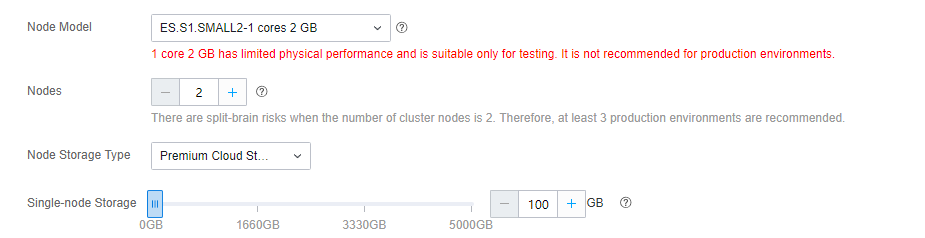
ES is a distributed cluster deployed in VPC which typically consists of 3 or more nodes. Each node contains computing resources (available with specified CVM models) and storage resources (SSD/premium cloud disk with a certain storage capacity).
Total fees for a cluster = Fees per node (compute fees + storage fees) *number of nodes


Node

Compute (node model)

Hardware devices of different specifications come with different computing capabilities to meet the diverse requirements for cluster write and query performance. In addition, ES offers multiple editions of Elastic Stack. Specifically, the Basic Edition and Platinum Edition contain Elasticsearch's official commercial features (formerly X-Pack). The pricing of node models varies by the Elastic Stack edition. For more information, see Product Pricing.

Storage

ES currently uses SSD and premium cloud disks as the storage media for ES clusters to ensure overall performance of data writes, queries, and reads as well as data security.
Suggestions for disk capacity:
ES is a distributed cluster consisting of multiple nodes, and the storage of such nodes constitutes the total data capacity of the cluster. You can select the disk capacity based on your assessment of the total data volume and number of nodes.
When storing an index, you can ensure the high availability of the cluster by specifying a certain number of replicas and improve query performance by deploying multiple nodes in a distributed manner.
A certain amount of disk capacity is required for cluster running, and a certain buffer is required to ensure cluster stability.
Pricing

For more information on pricing, see Product Pricing.

ヘルプとサポート

この記事はお役に立ちましたか?

フィードバック