Overview
다운로드
포커스 모드
폰트 크기
You need to perform several steps to make a VPN connection effective. Then you can configure the IPsec VPN on the console in a self-service manner. An example is described below.
Example
Use an IPsec VPN connection to connect subnet A
192.168.1.0/24 in your VPC (TomVPC) in Guangzhou to the subnet 10.0.1.0/24 in your IDC. The public IP address of the VPN gateway in your IDC is 202.108.22.5.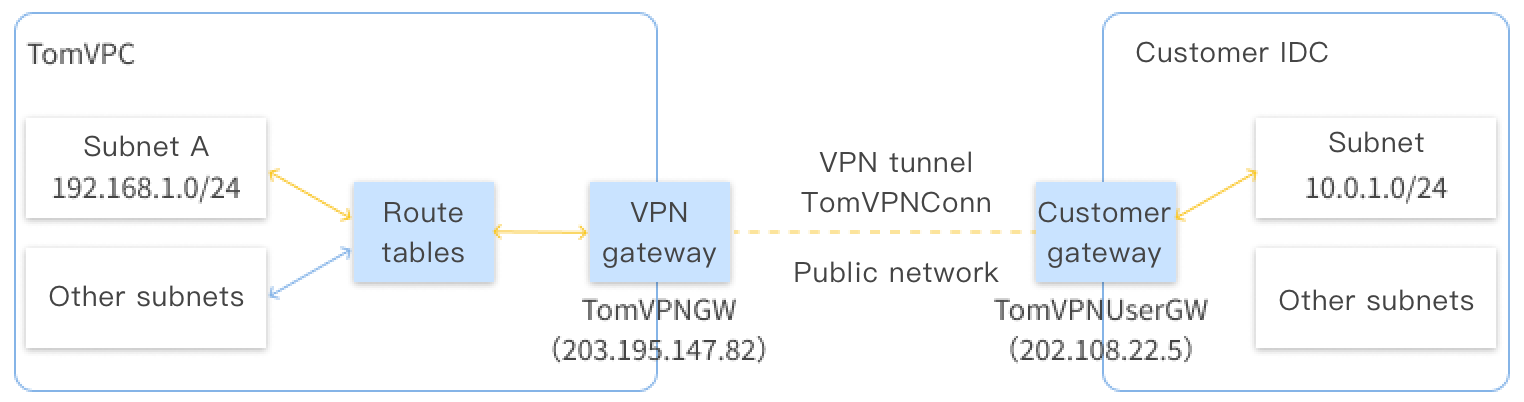
Directions
The flowchart of activating the VPN connection is shown below:
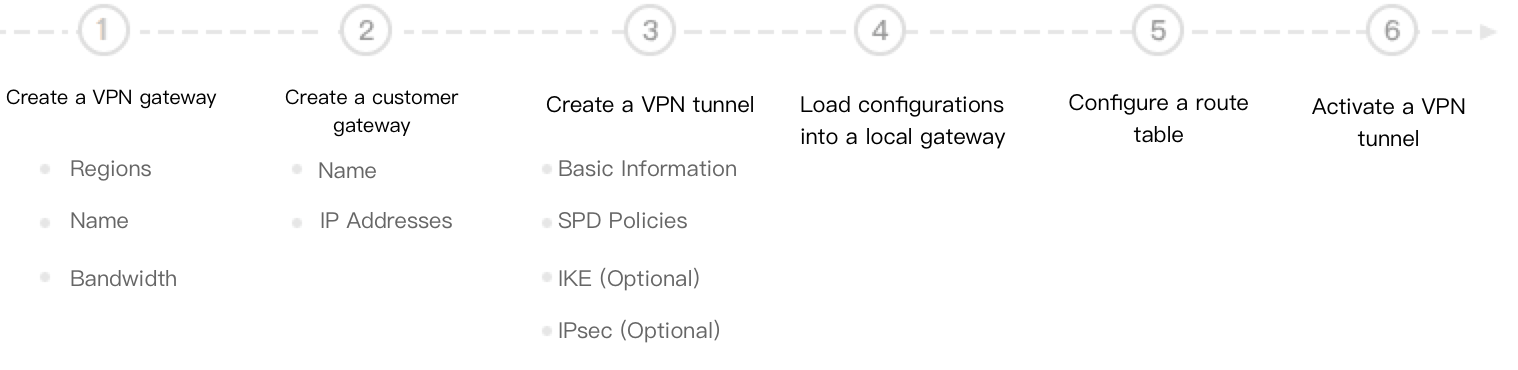
For details about the steps, click the following links:
피드백