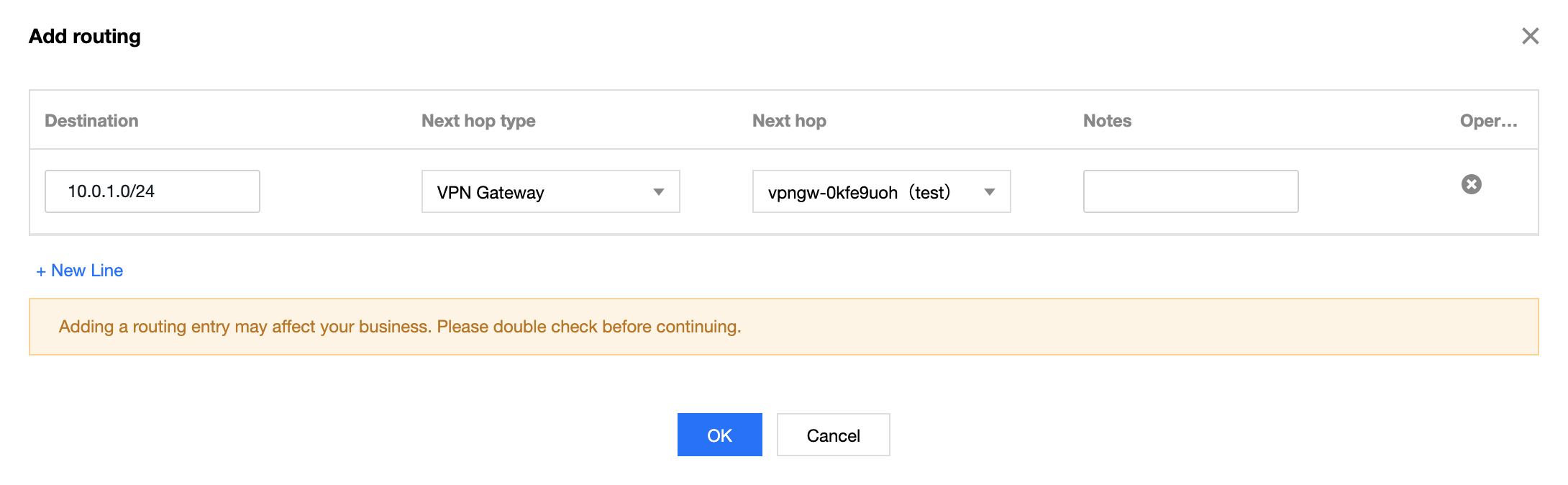
After you complete Step 4, the VPN tunnel is successfully configured. Next, you need to configure a route table to route the traffic of subnet A to the VPN gateway so that the IP range in subnet A can communicate with the IP range in the IDC.
2. In the left sidebar, click Subnet. Choose the region where your VPC resides and your VPC, i.e. Guangzhou and TomVPC in this example, and click the associated route table of the subnet A to go to the details page.
3. Click + New.
4. In the Create Route Table pop-up window, enter the destination IP range (10.0.1.0/24). Select VPN Gateway for next hop type, and the new VPN gateway TomVPNGw for next hop.