tencent cloud
최신 혜택
상품
솔루션
가격
파트너
마켓플레이스
더 알아보기
Prev
Next
VPN Connections
Release Notes and Announcements
Release Notes
Announcements
Product Introduction
Overview
Components
Application Scenarios
Use Limits
Related products
Purchase Guide
Billing Overview
Purchase Methods
Expiration Notifications
Getting Started
IPSec VPN
SSL VPN
Operation Guide
Operations Overview
VPN Gateway
VPN Tunnel
Customer Gateway
SSL VPN Server
SSL VPN Client
Binding an Anti-DDoS Instance
Alarming and Monitoring
SSL VPN Configuration Guide
IPSec VPN Configuration Guide
Practical Tutorial
IPsec VPN
SSL VPN
API Documentation
FAQs
Concepts
Scenarios
Generic class
Billing
About IPsec gateways
About SSL
Troubleshooting
VPN Tunnel Unconnected
VPN Tunnel Connected Yet Private Network Unconnected
IPSec VPN Error Description for Negotiation Failure
Service Agreement
Service Level Agreement
Contact Us
Glossary
문서
VPN Connections
Operation Guide
VPN Tunnel
Generate Peer End Configuration
Generate Peer End Configuration
다운로드
포커스 모드
폰트 크기
마지막 업데이트 시간: 2025-01-10 10:20:06
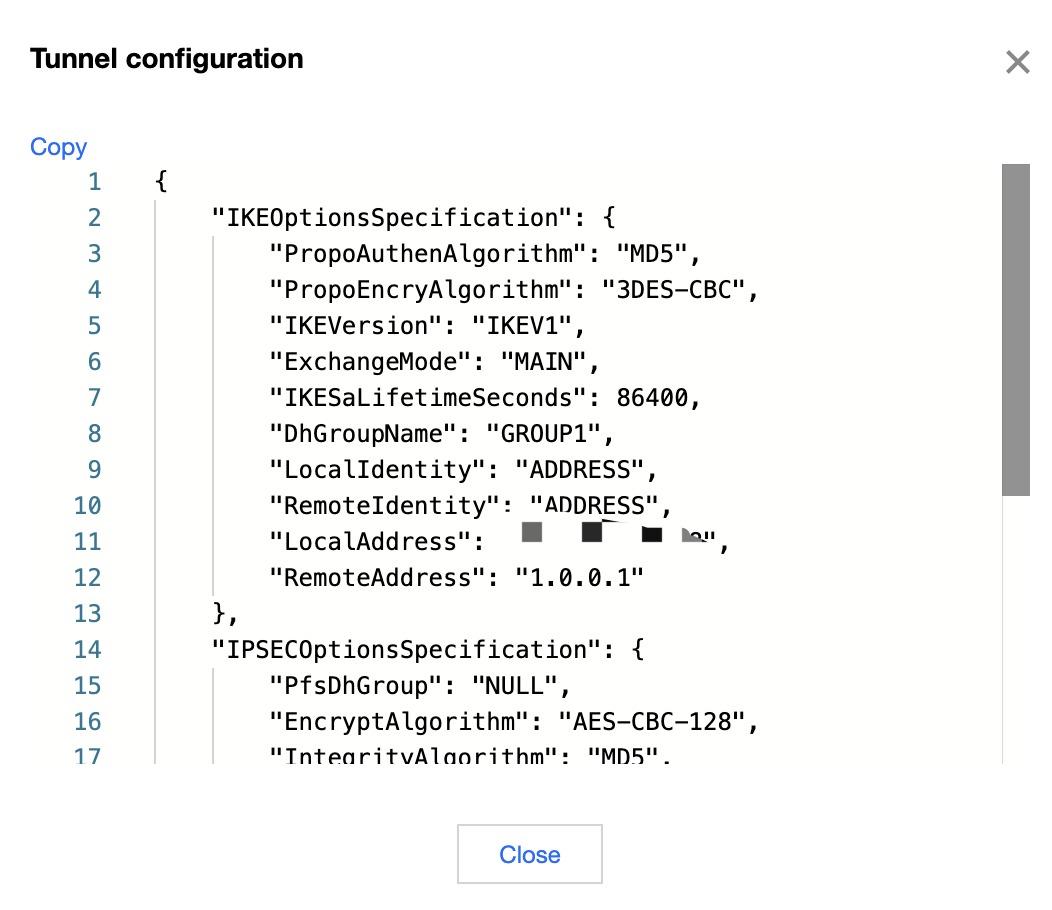
After the local VPN tunnel is configured, you can generate a configuration file for your local VPN setup. After copying the content, you can directly configure your local VPN.
Prerequisites
A VPN tunnel has been
created
.
Operation Steps
1.
log in to the
VPN tunnel console
and enter the management page.
2.
On the "VPN Connections" management page, click
More
on the right side of the tunnel instance and select
Generate Peer configuration.
3.
In the pop-up
Tunnel Configuration
page, copy the configuration content and configure it locally according to your actual situation.
이전 주제: Configuring Health Checks
다음 주제: Viewing Tunnel Logs
도움말 및 지원
문제 해결에 도움이 되었나요?
예
아니오
더 자세한 내용은
문의하기
또는
티겟 제출
을 통해 문의할 수 있습니다.
피드백
키워드로 검색
Search titles only
Enter keywords to search documentation