Quick Start
다운로드
포커스 모드
폰트 크기
Installing VooV Meeting
Application Download
1. Go to VooV Meeting and download your preferred version from the Download Center.
2. Alternatively, you can scan the QR code and download the application from the App Store.
3. Once the App has been installed successfully, you will see it on your mobile interface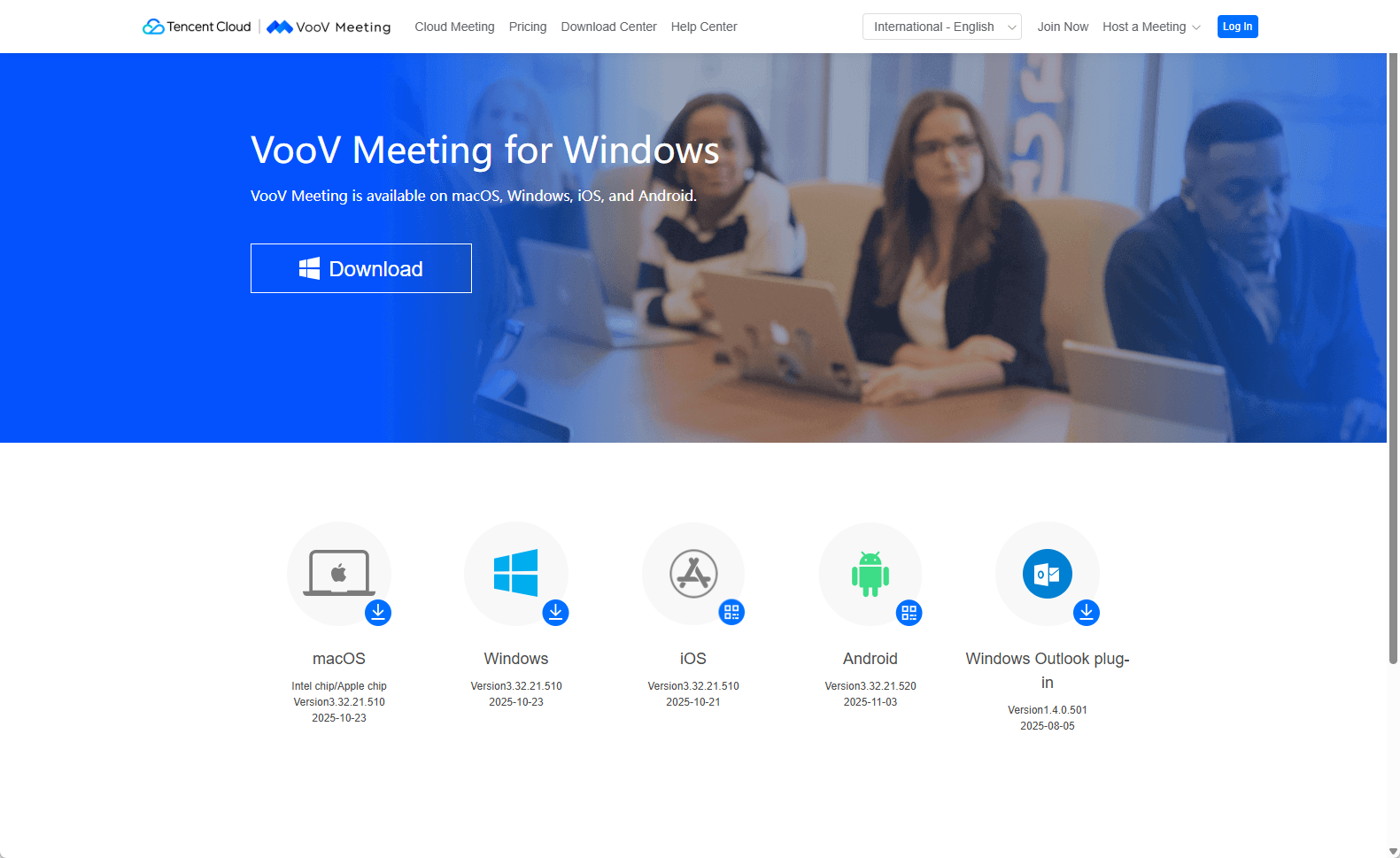
Account Registration
Follow the steps below to sign up or log in:
1. Run the application. You can choose to register or log in via Email, Google, WeCom, WeChat, mobile phone number or SSO.
2. For first-time users, the service will direct you to bind your mobile phone number to complete account registration.
Sign up via Email: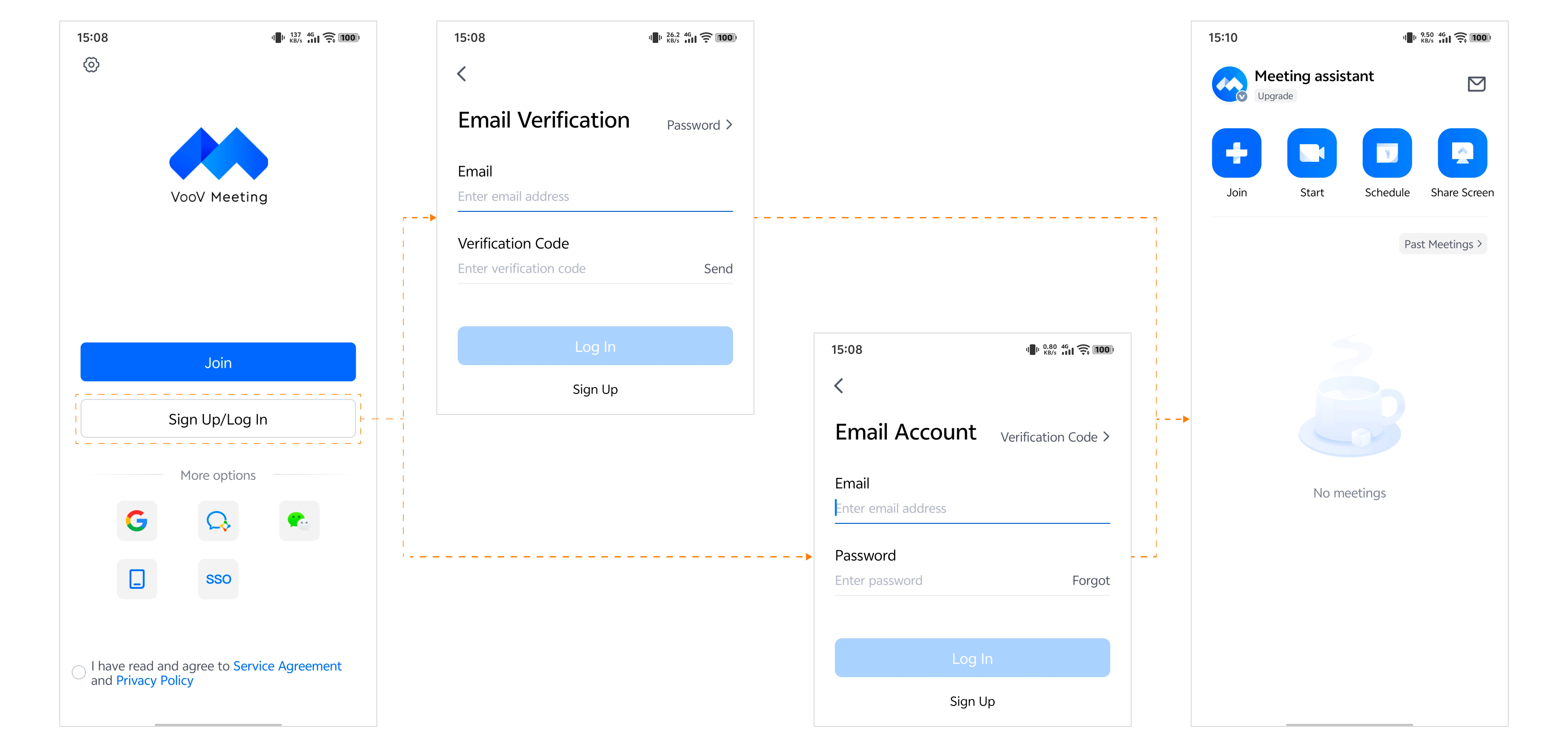
Sign up via Google: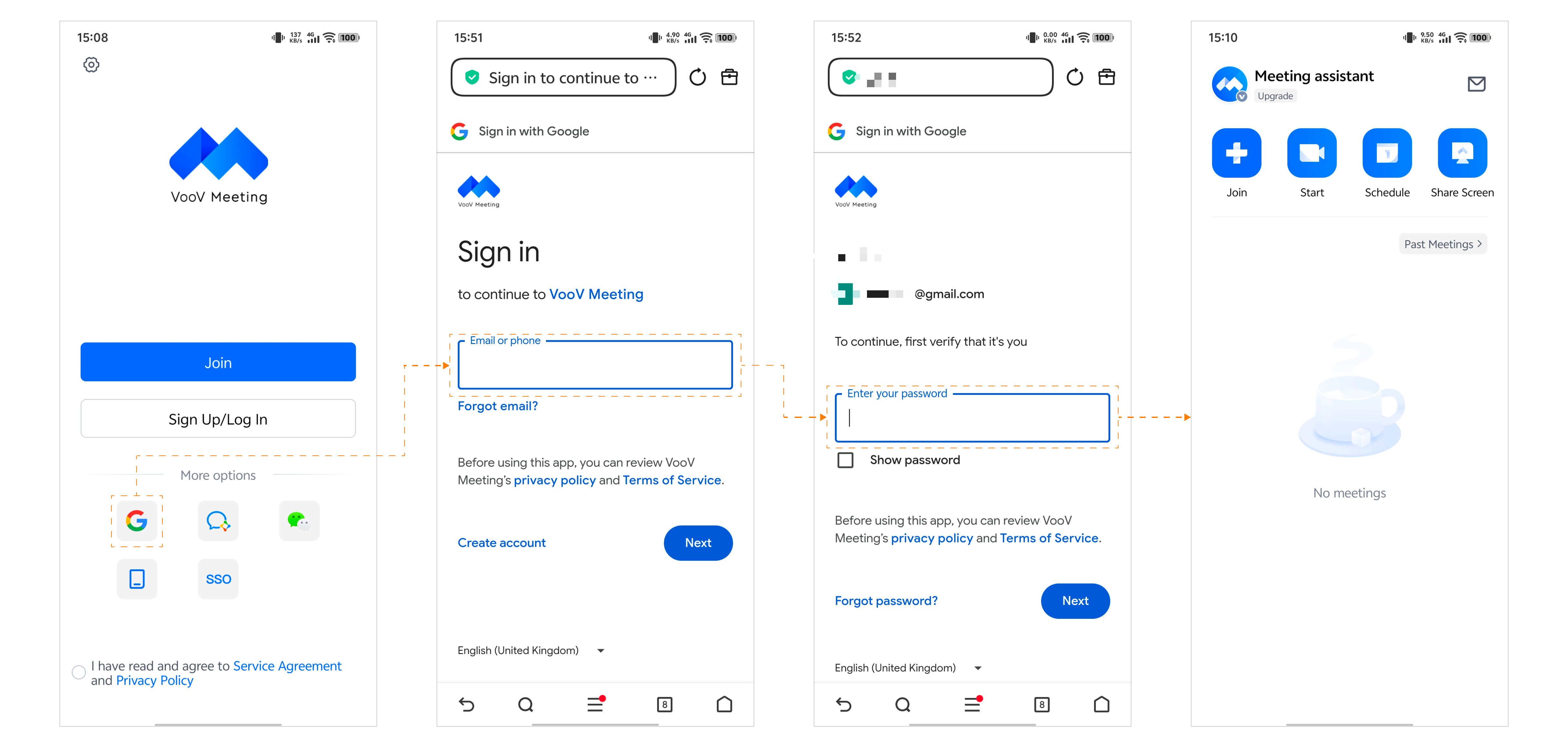
Sign up via WeCom: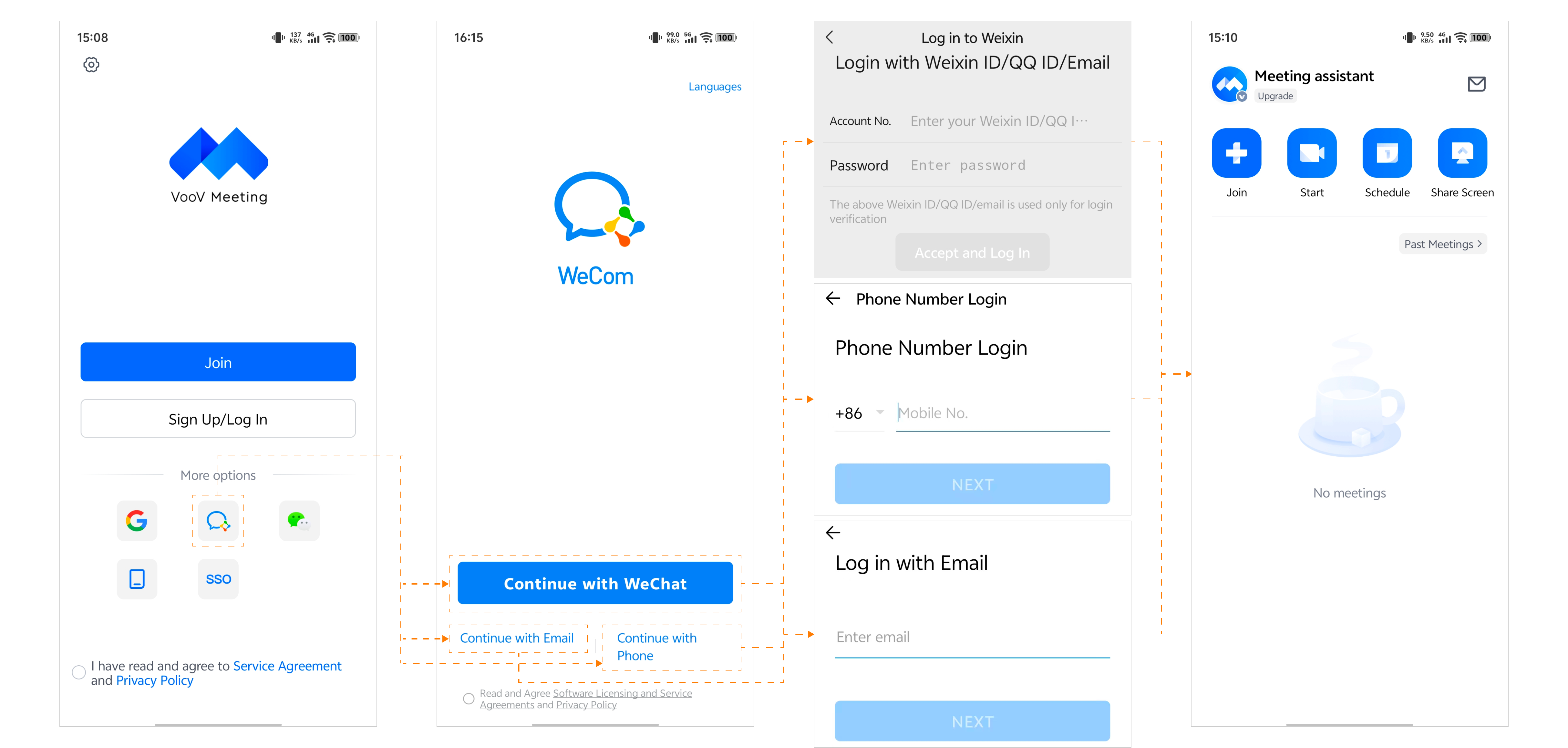
Sign up via WeChat: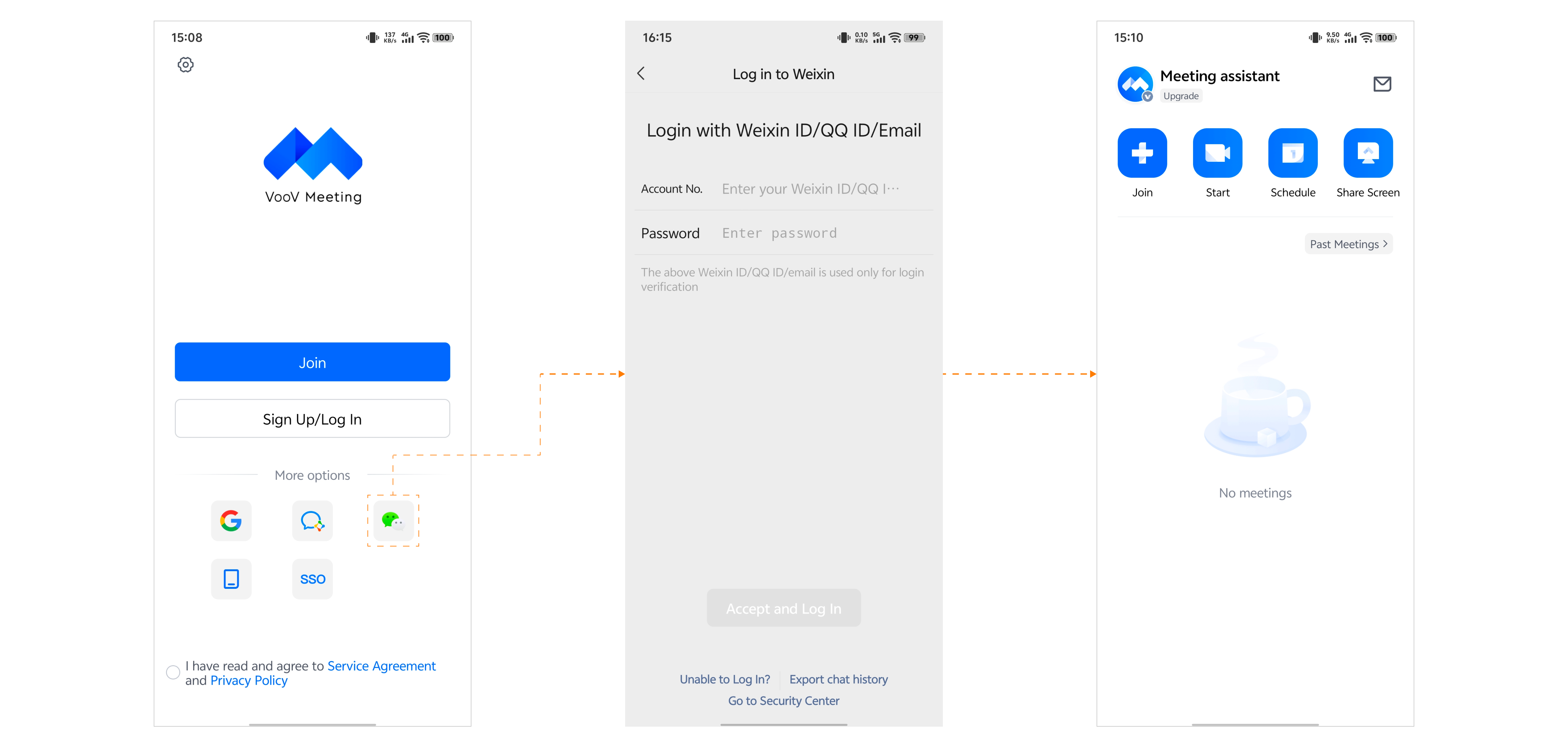
Sign up via a mobile phone number: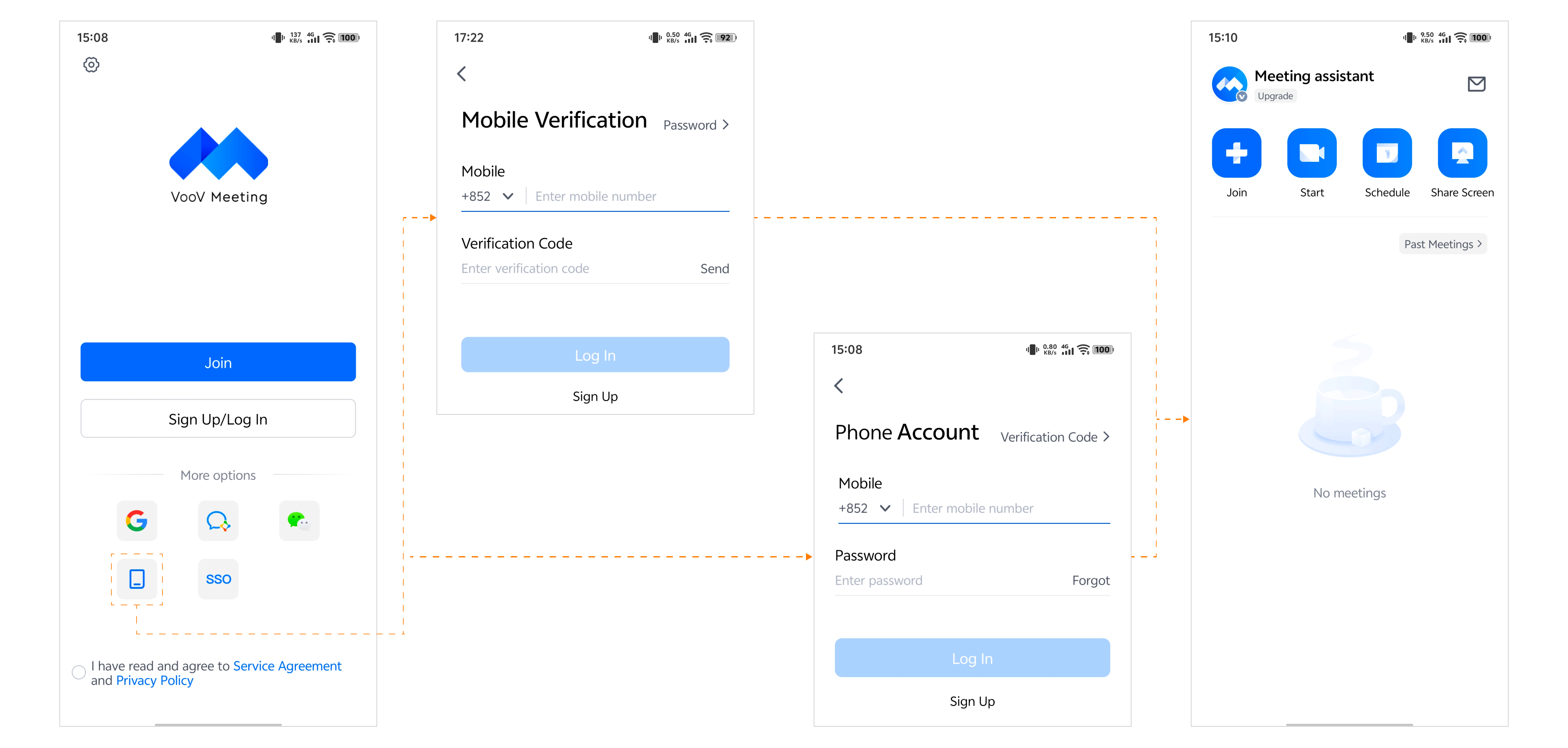
Sign up via SSO: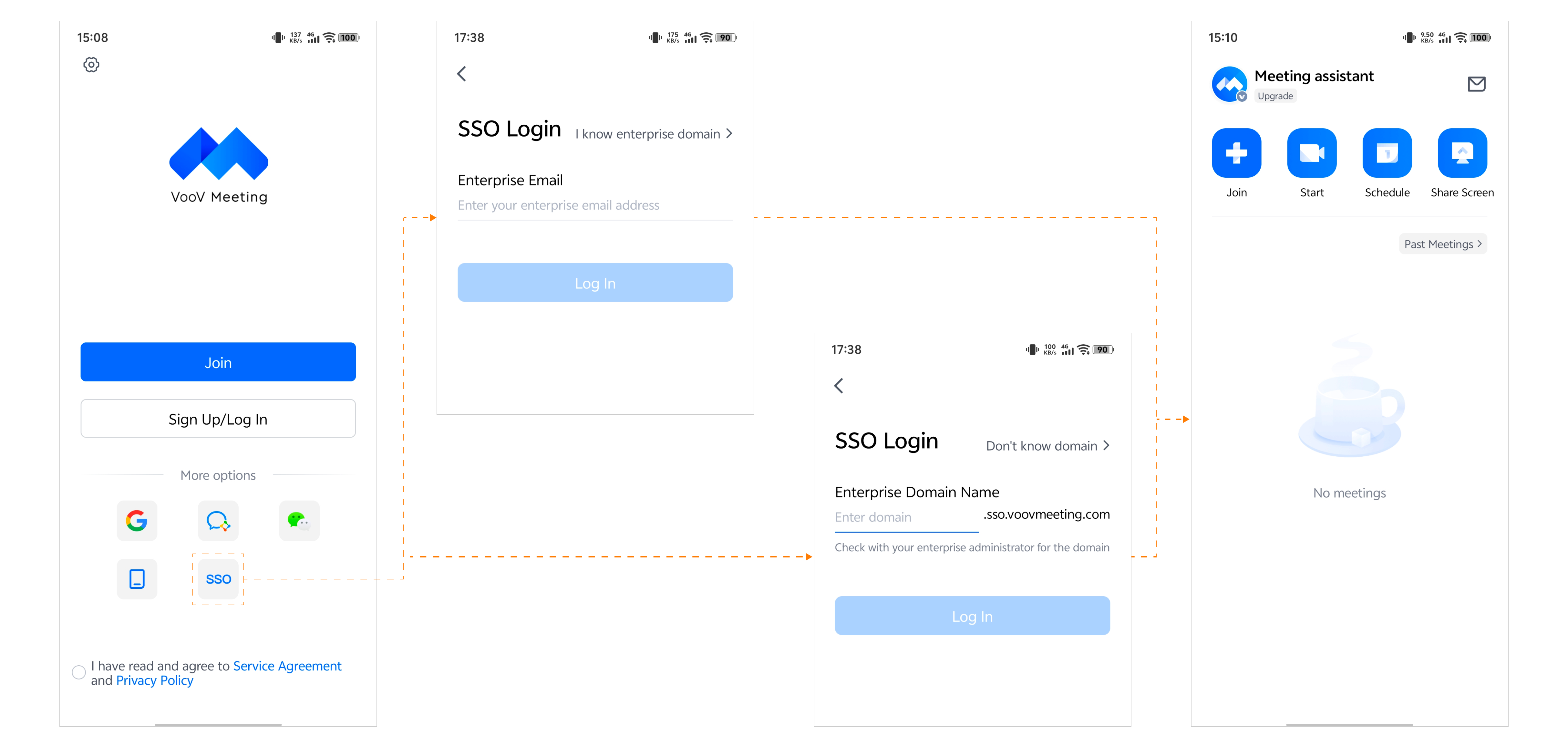
피드백