Inviting Attendees
다운로드
포커스 모드
폰트 크기
Inviting Attendees
Role: Organizer/Co-Host/Attendee
Invite Attendees
1. Before the Meeting Starts
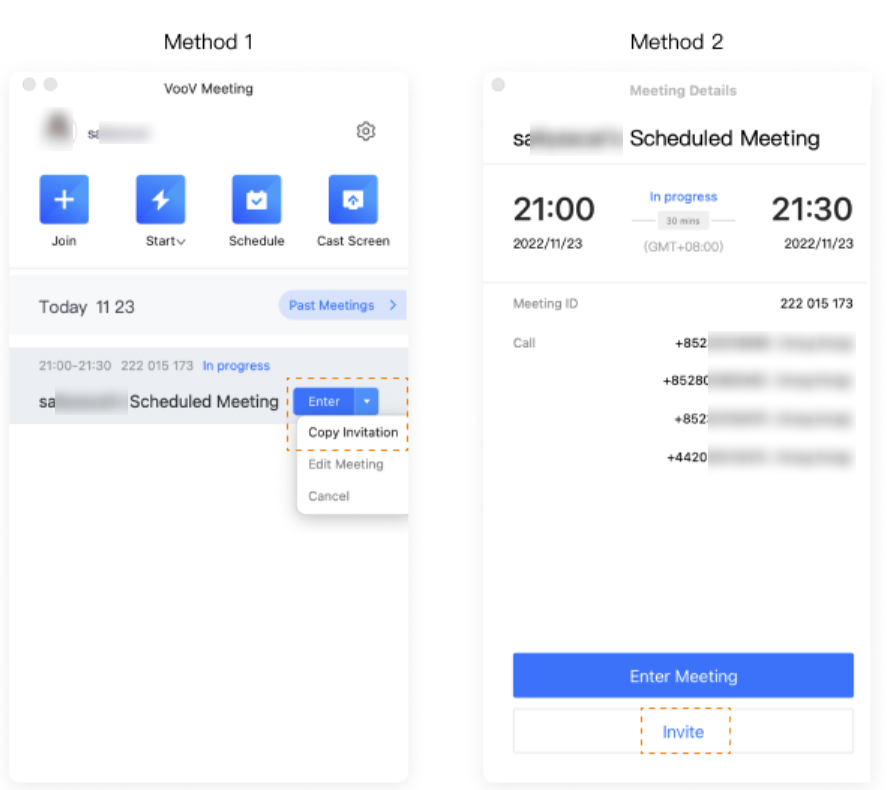
There are two ways to invite attendees before the meeting starts.
a. Click the dropdown to the right of the meeting title and select Copy Invitation.
b. Double click the meeting title and select Invite.
c. You can click Edit Meeting to update the meeting time or other details.
2. During the Meeting
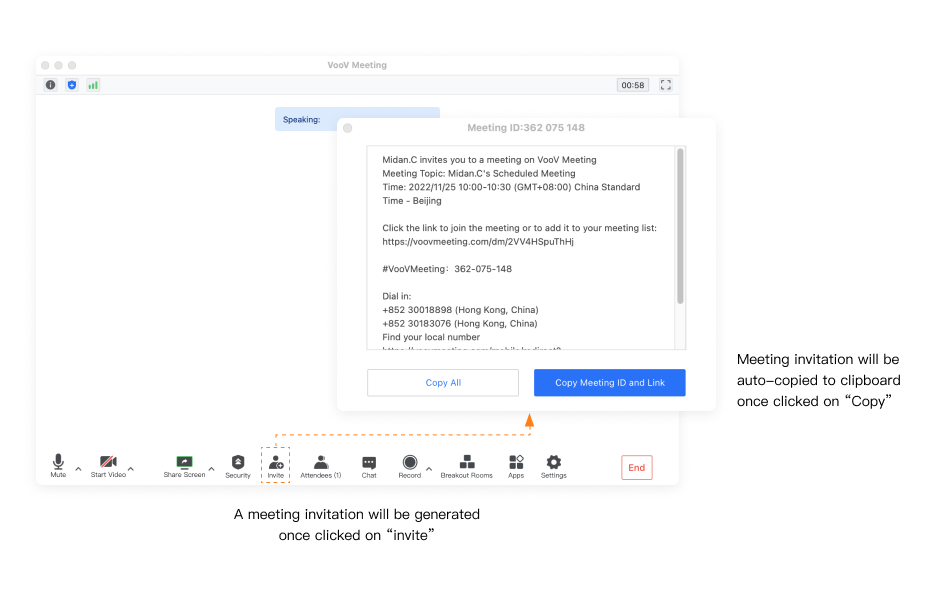
Click Invite on the toolbar to get the invitation information. You can copy the invitation and send it to invite attendees.
a. Click Invite and Copy All or Copy Meeting ID and Link.
b. Send the invitation details via email, WeChat, SMS or other tools.
피드백