The following steps require using either the root account or a sub-account with full CAM read and write permissions.
Granting Policies to Sub-accounts
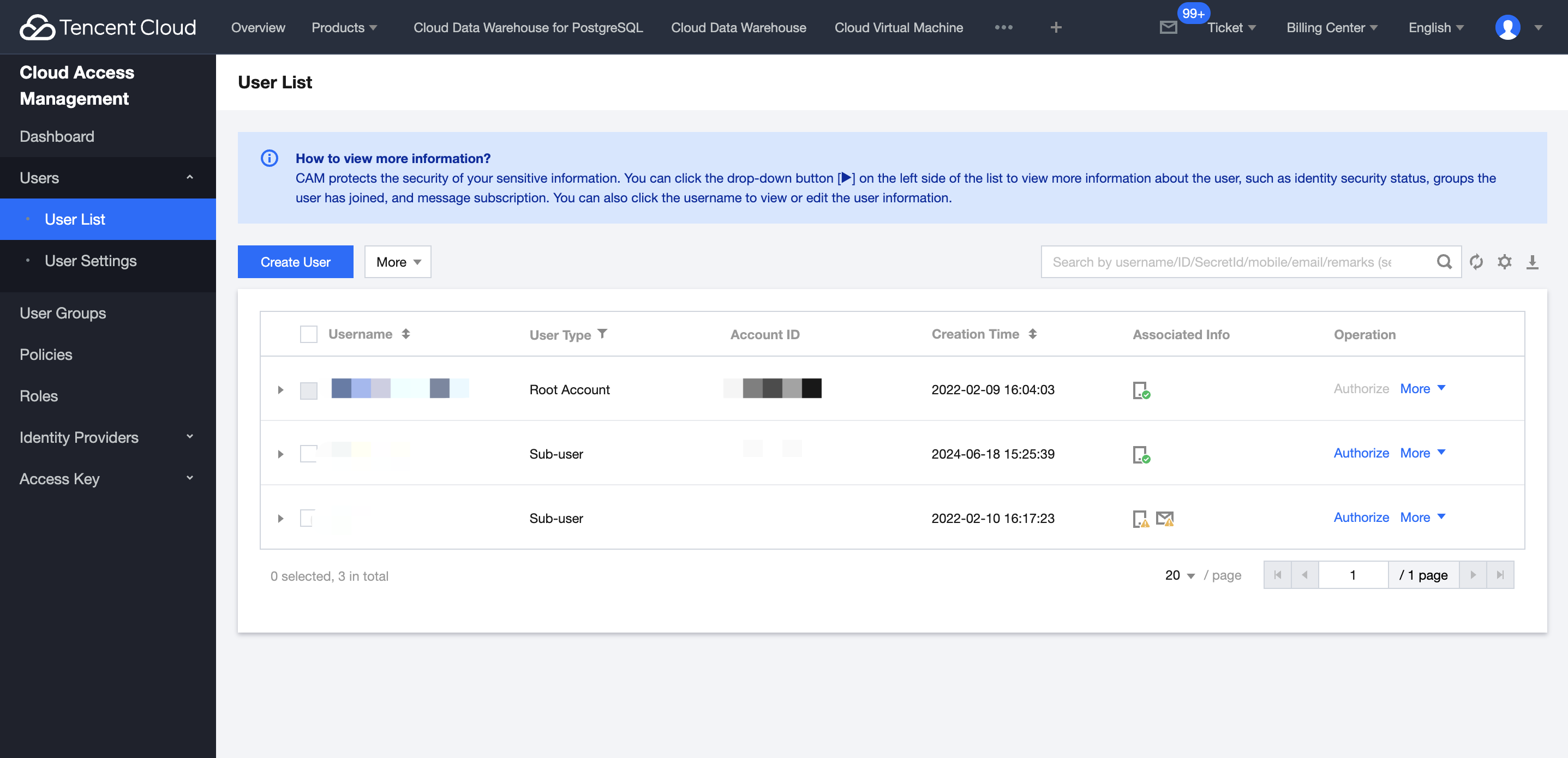
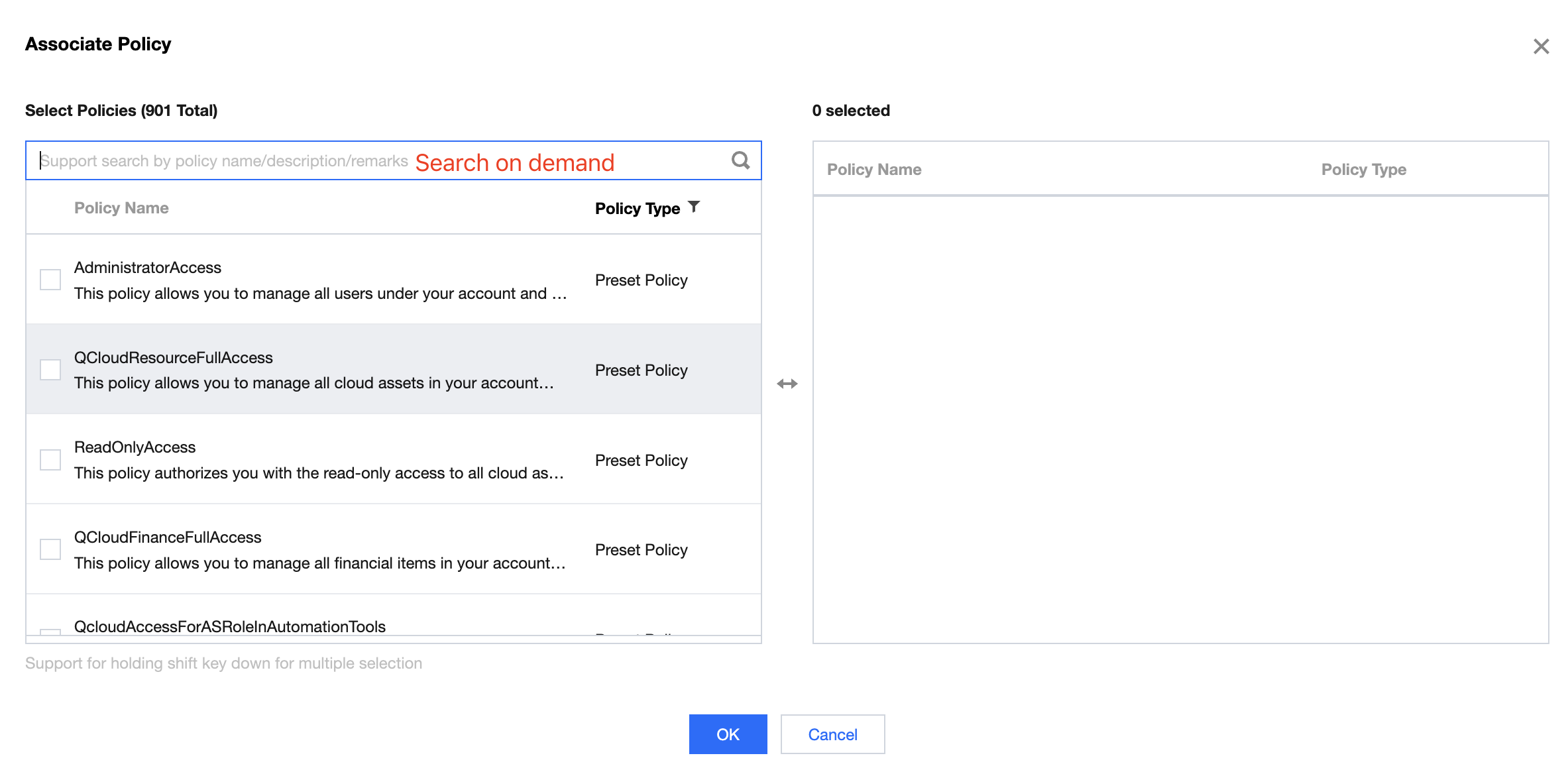
Using the root account or a sub-account with full CAM read and write permissions, go to the Tencent Cloud CAM - User List page, find the sub-account that needs to be granted CAM policies, and click Authorize.
Appendix: Supplementary Policy Explanation
Tencent Cloud TCHouse-D common preset policies are as follows:
Preset Policy
Tencent Cloud TCHouse-D Common predefined policies are as follows:
Purpose of Policy
Policy Description
Use of Policy
QcloudCdwdorisFullAccess
Tencent Cloud TCHouse-D Full Read-Write Access
Full read-write access permission for users
QcloudCamFullAccess
Full read-write access to Cloud Access Management (CAM)
Used to open the lake warehouse in Tencent Cloud TCHouse-D cluster
QcloudBDAIFullAccess
Full read-write access to Big Data AI Assistant (BDAI)
For using Big Data AI Assistant
In the pop-up window, click
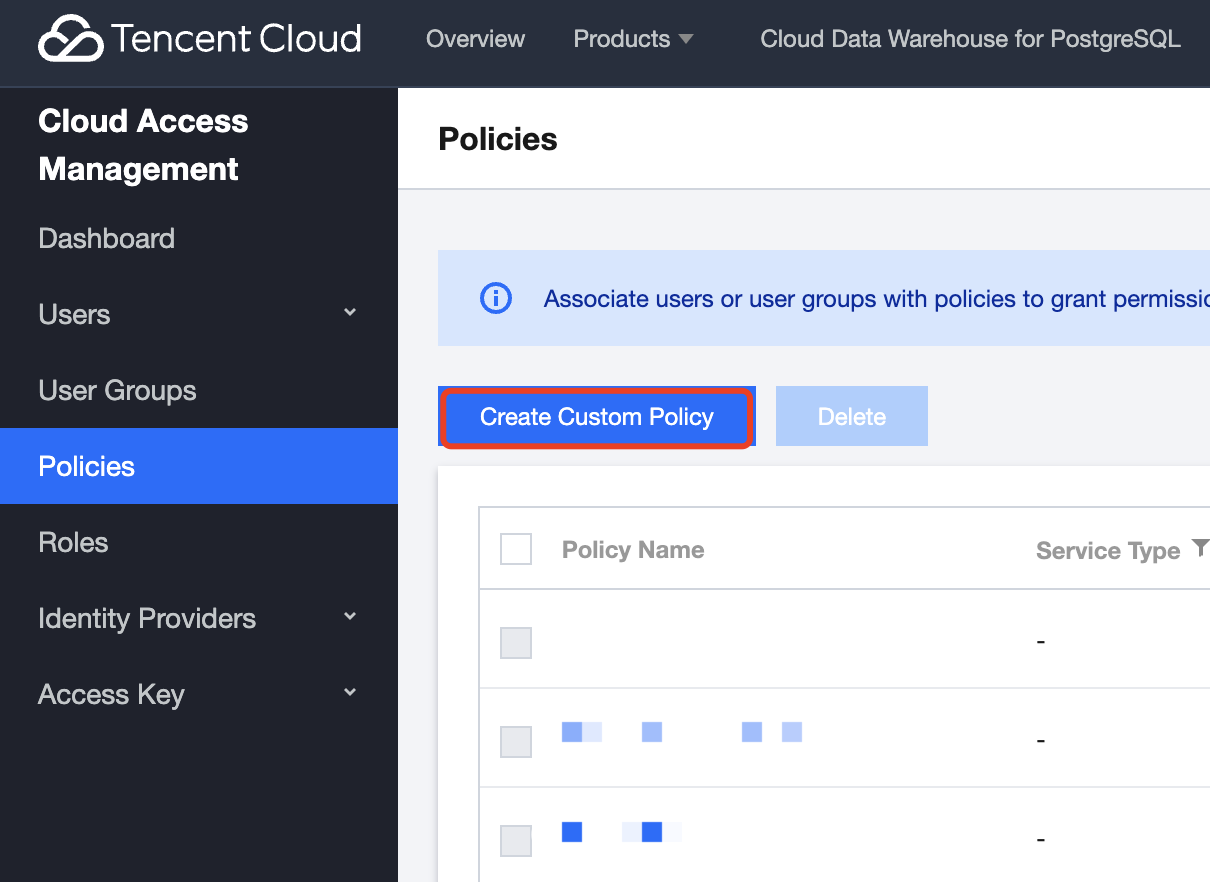
On the CAM console's Access Control - Policy page, click Create a custom policy to create a new policy.
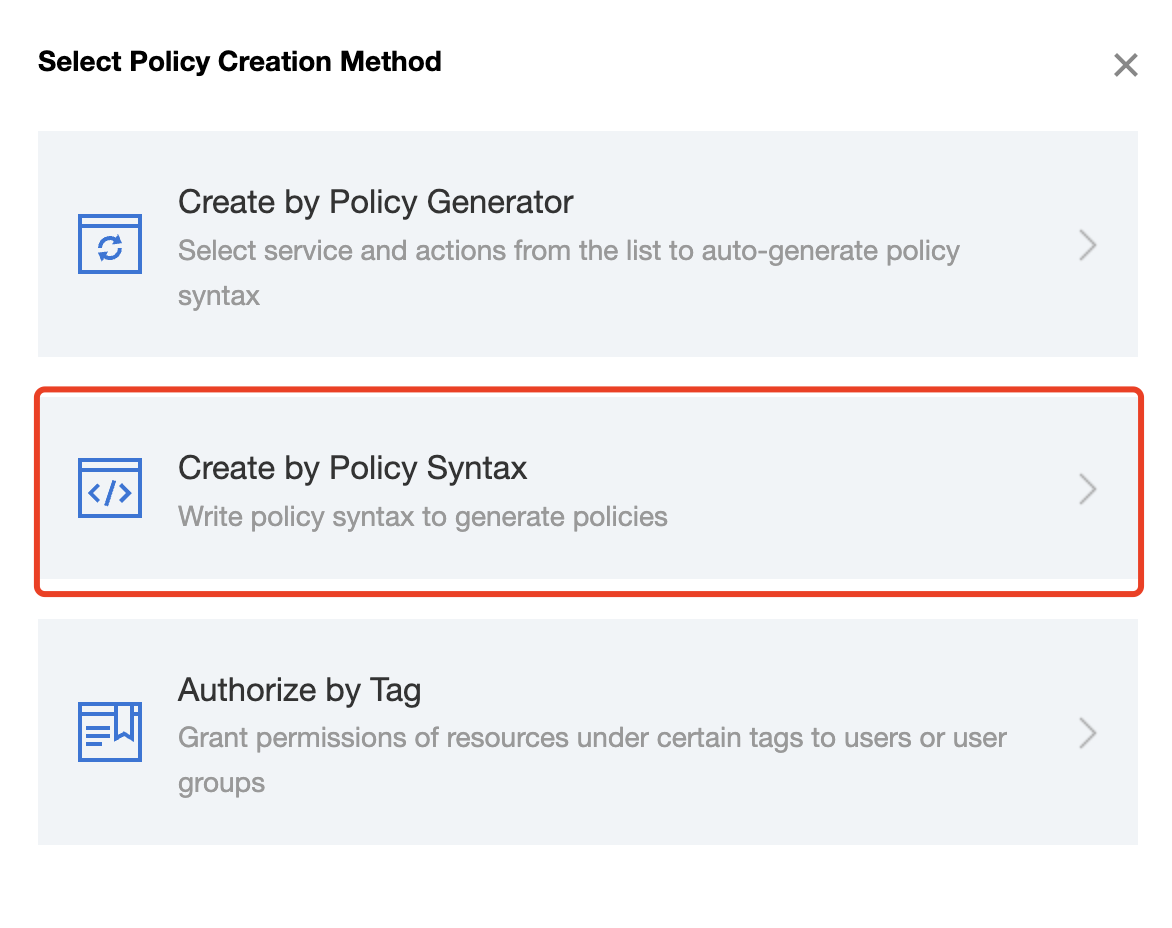
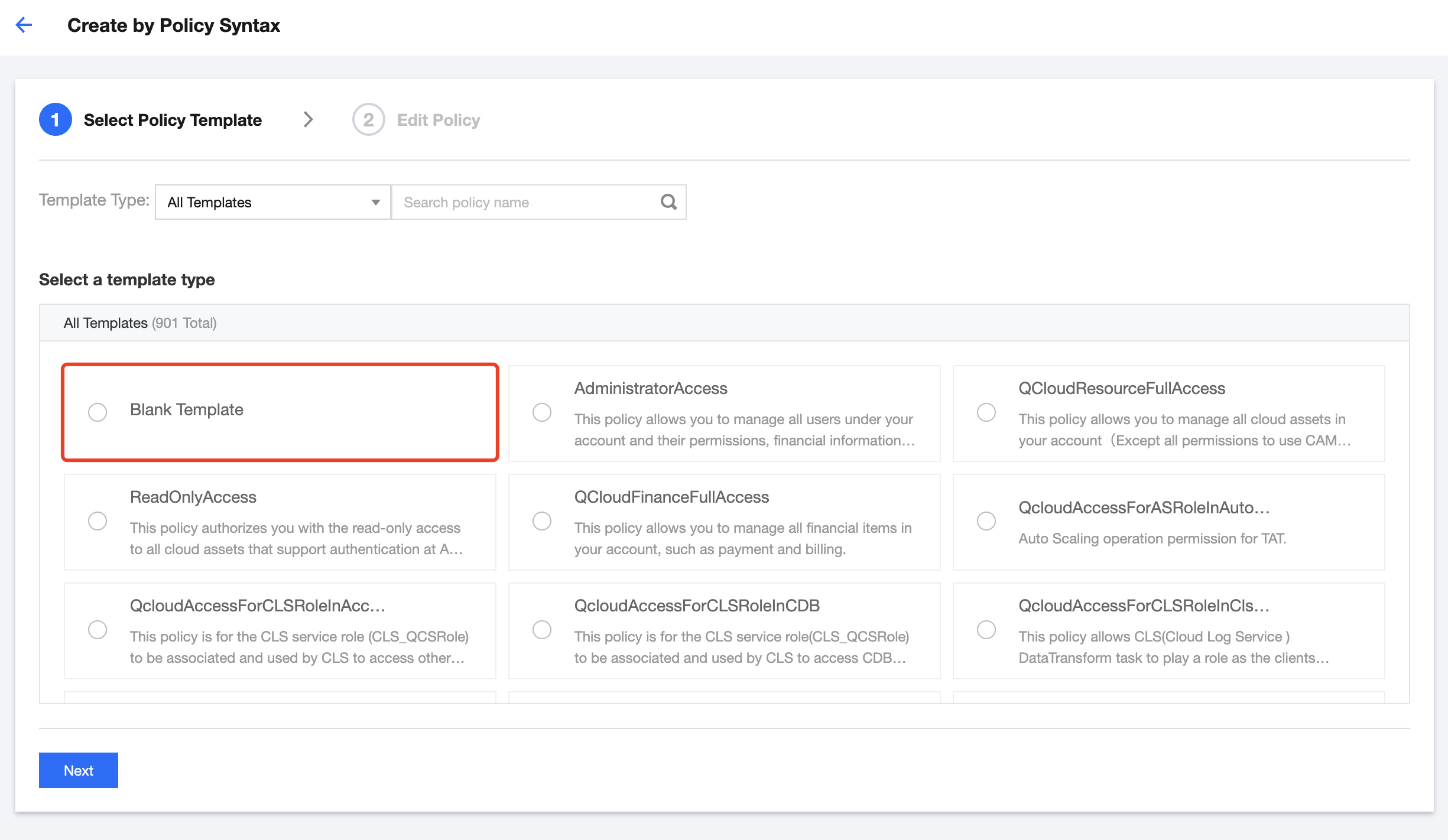
In the pop-up window, click Create by Policy Syntax to enter the edit policy page.
On the Create by Policy Syntax page, select Blank Template and click Next.
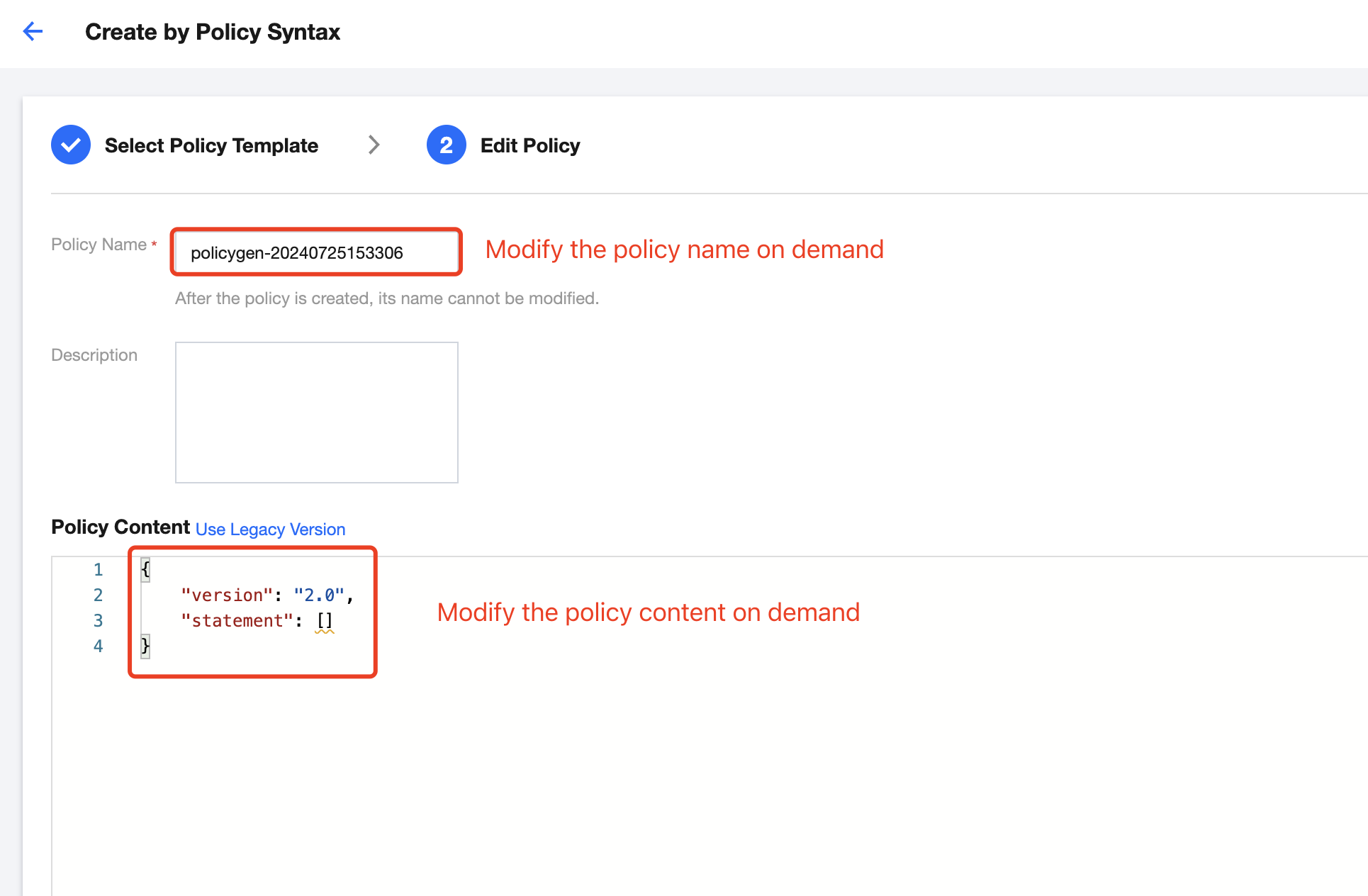
In the template, enter the policy name and description. After completing, click Complete to successfully create a custom policy.