Session Transfer
다운로드
포커스 모드
폰트 크기
Feature Overview
Agent can transfer sessions to a specific group or specific member via the transfer icon
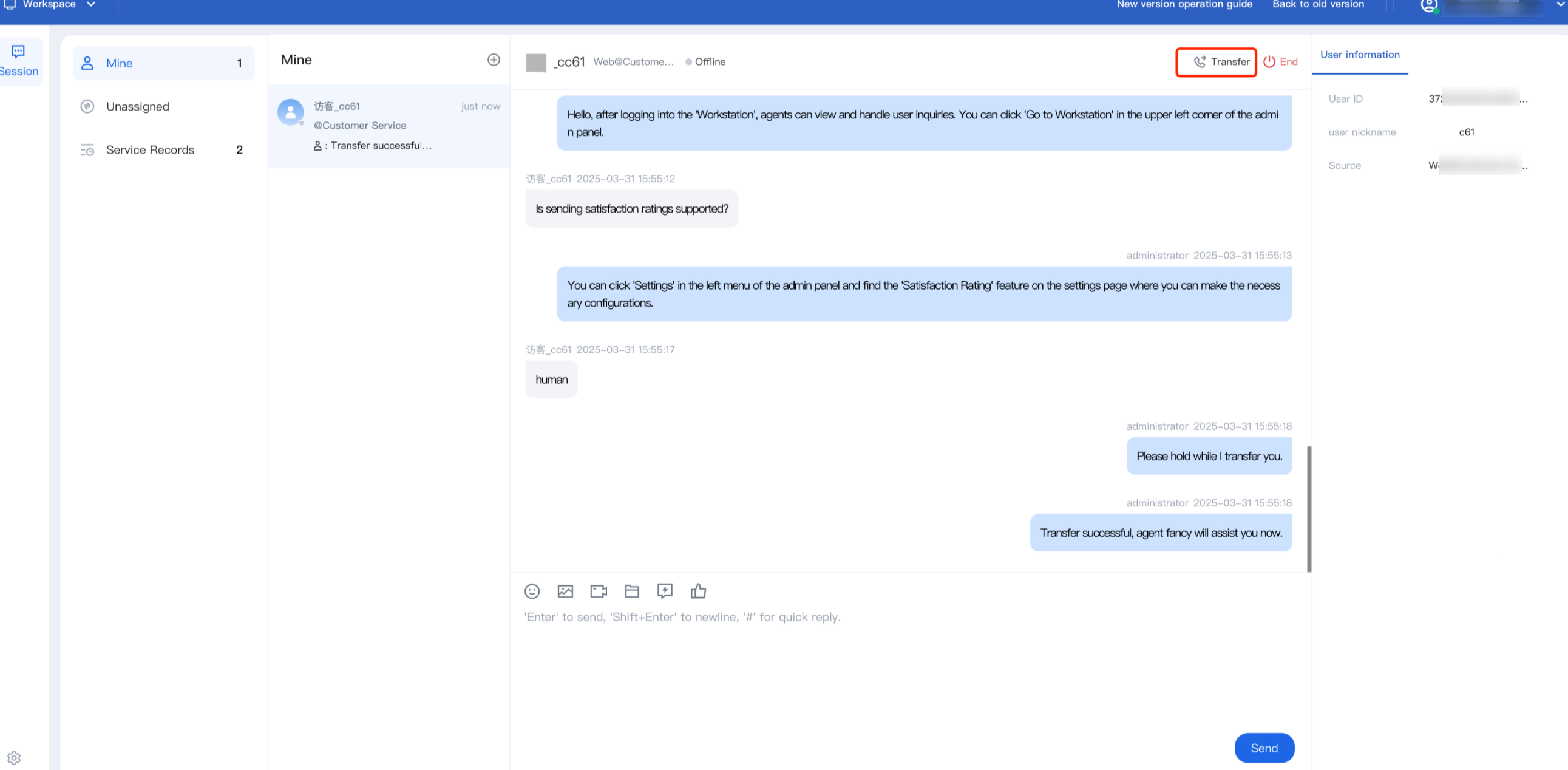
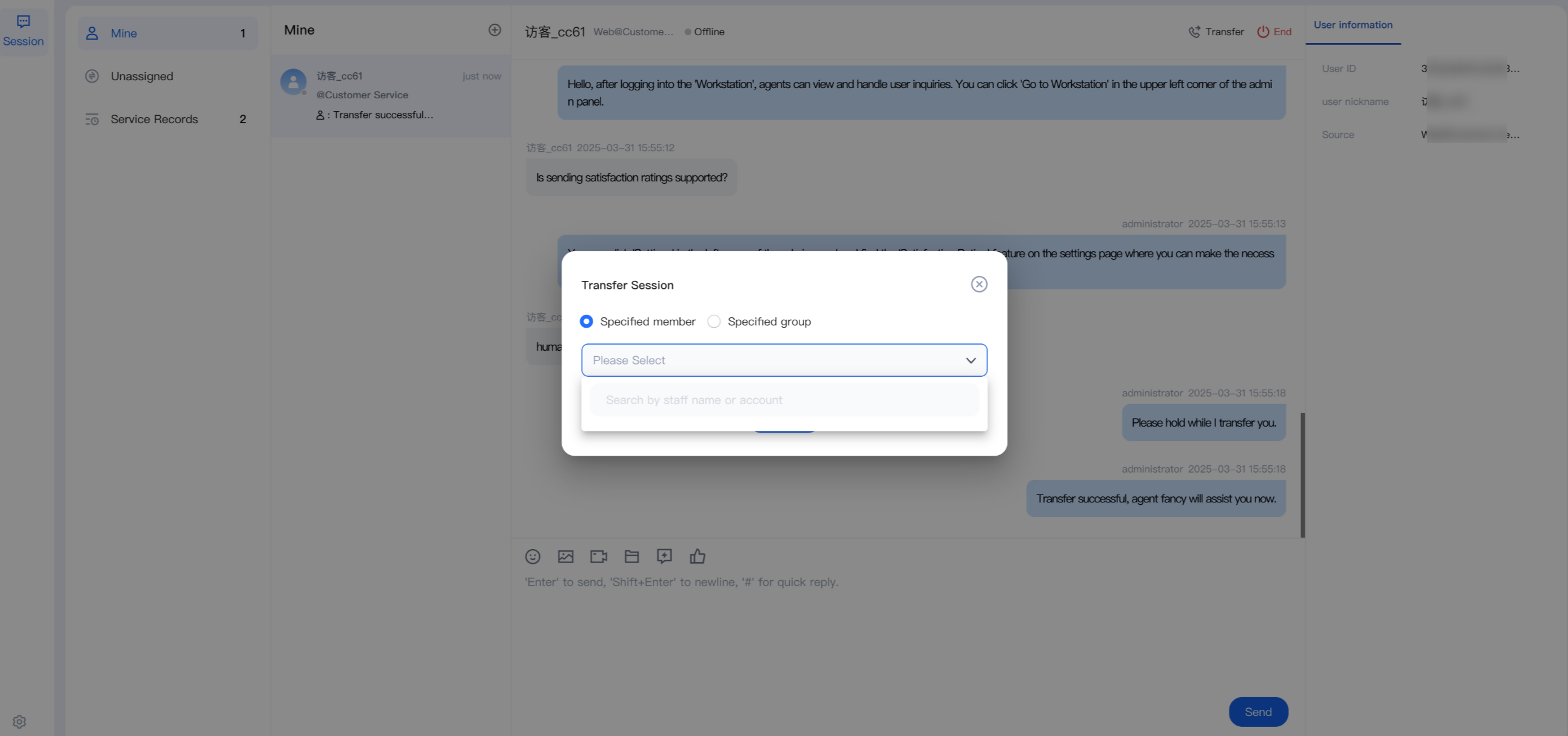
Transfer to Target Member
Click Transfer. In the pop-up window, select Specified Member. You can search by Nickname or Account (the member must be online). Select the target member and click Confirm Transfer.
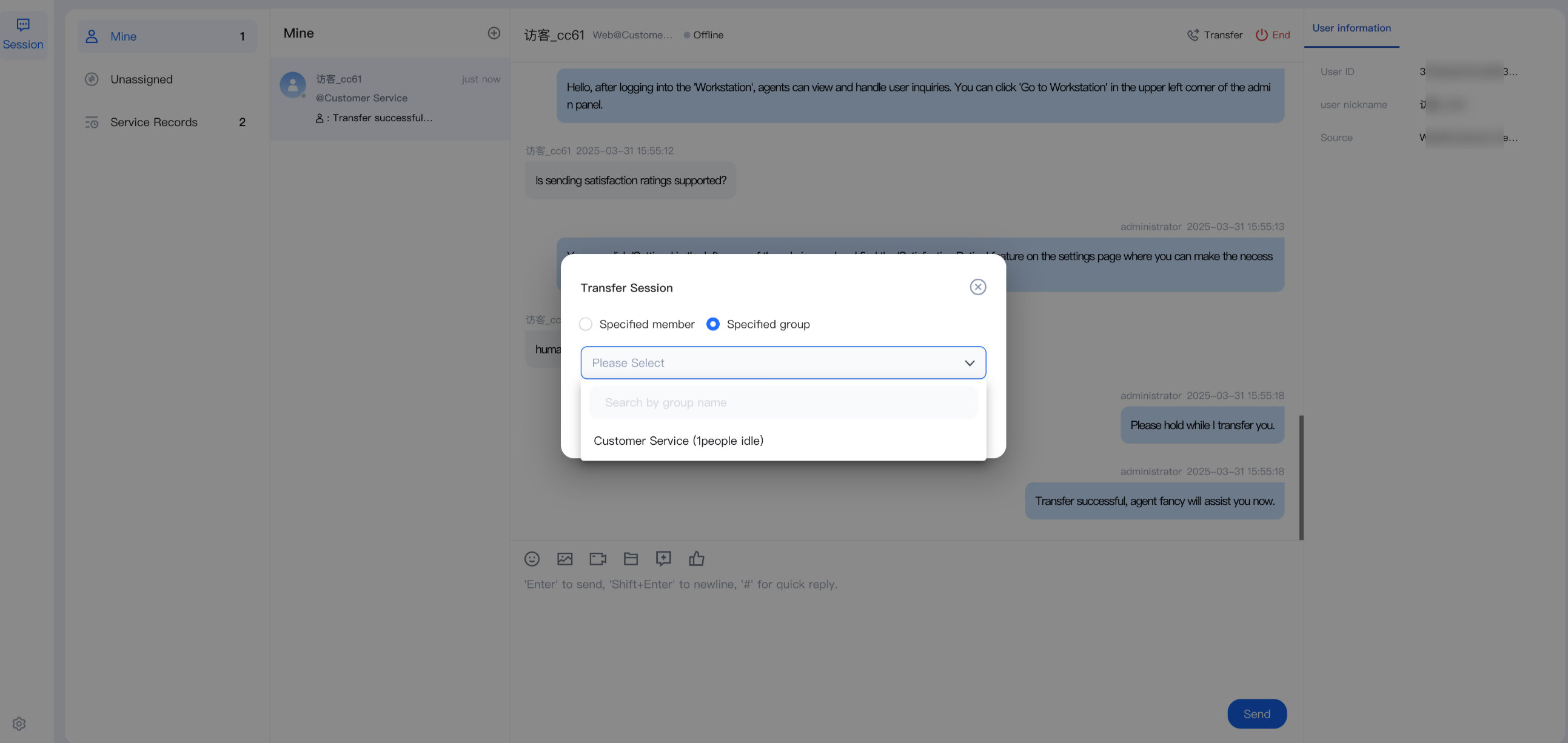
Transfer to Target Group
Click Transfer. In the pop-up window, select Specified Group. Before transferring, you can view the idle status of the members in the target group. Search for the group, select it, and click Confirm Transfer.
피드백